
This post was flagged by the community and is temporarily hidden.
Based on everything you post your a wannabe expert snob with little to no expertise in anything hifi. Ignorance is bliss and you sir are full of it. Cannot believe your not banned. If you talk this way to friends you sure don’t have any. Humm, guess that’s why your so bitter.
This post was flagged by the community and is temporarily hidden.
Philsisch,
You were helpful to me before. I’m having another issue with upgrading my RD 160. No matter what I seem to do, I cannot get the RD 160 to read and incorporate the latest software upgrade. I have formatted an USB drive to Fat32, I have copied the downloaded file (20260311f452fb39-d817-4f3a-9365-f61184d498cb.zip ( and left it unzipped)). It is in the root directory. When I insert the thumb drive into the RD 160’s test port and start it up, the unit just ignores the usb drive and starts as normal. What am I doing wrong?
Thanks!
StandardModel
I agree and was surprised Steve Huff did not hear the differences in filters. I saw this also before I purchased the RD160. When messing with them I heard differences, not in each one, but was surprised and perplexed on which I prefer. Kinda question Steve’s listening now.
Hope your mom will bring a grilled cheese sandwich down to the basement for you. How do you live with yourself is beyond me.
Hi StandardModel,
I just checked the USB stick I used for my update.
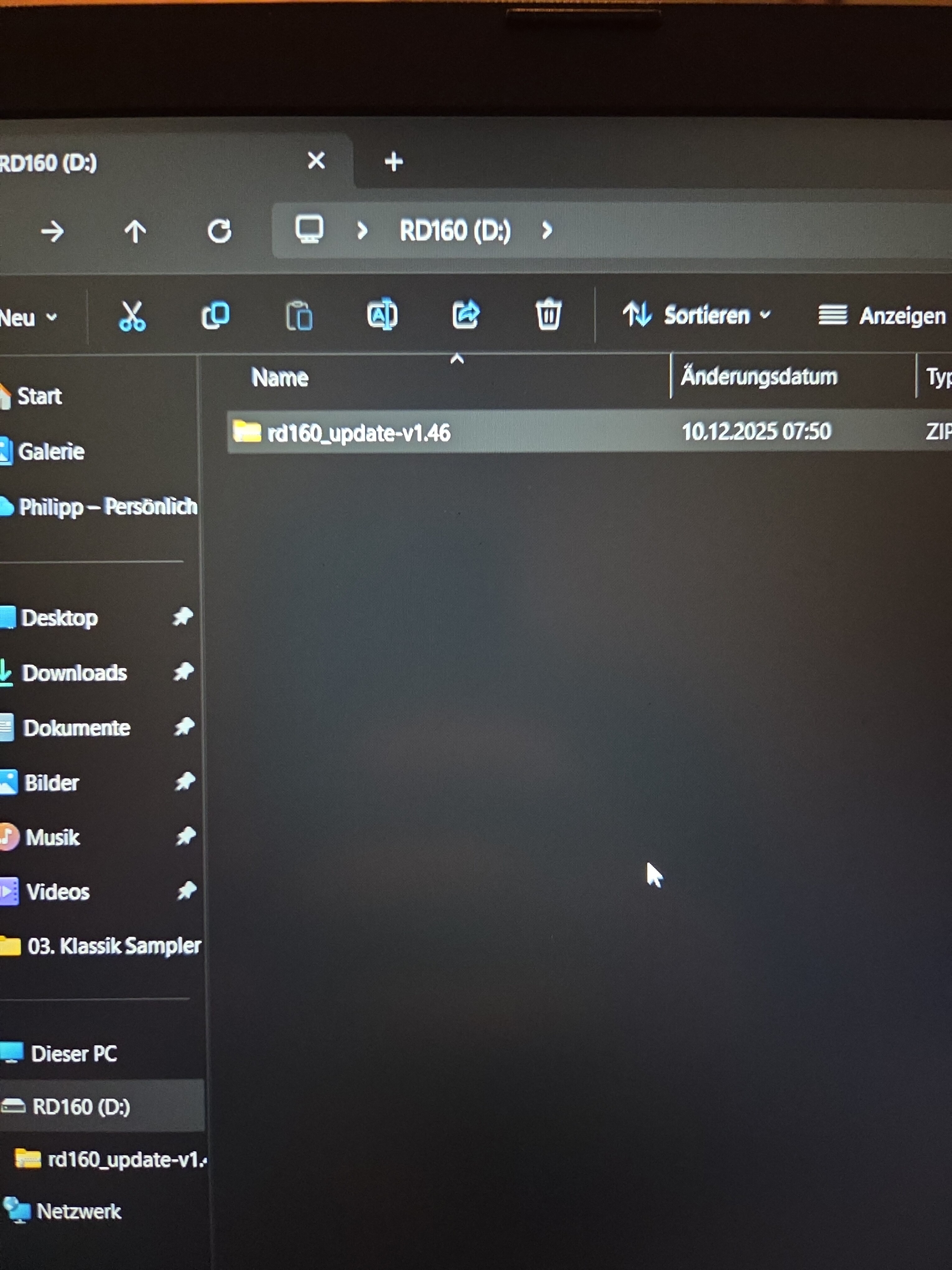
On my side the file structure looks like this:
rd160_update-v1.46.zip in the root directory of the USB stick.
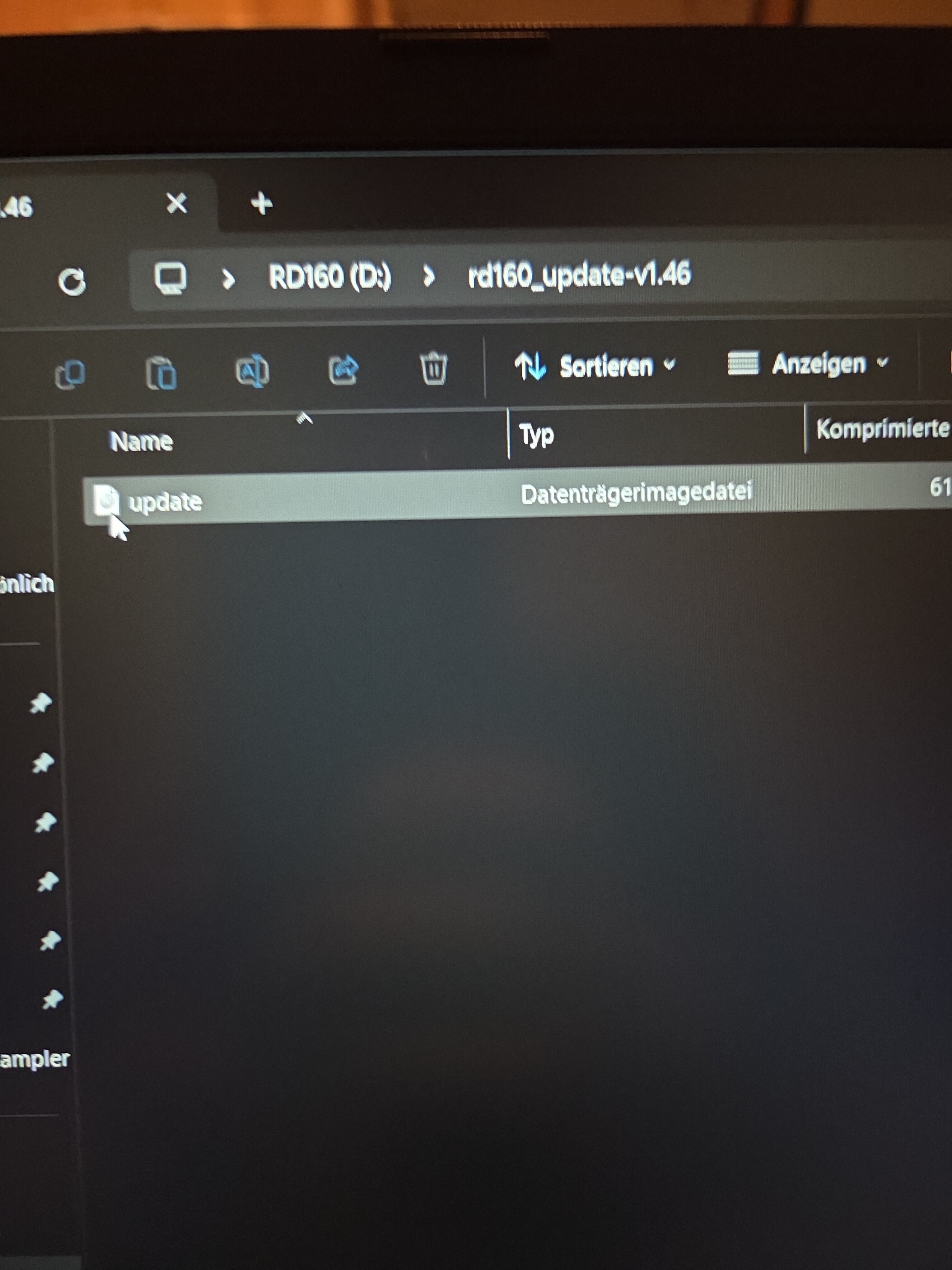
Inside that ZIP file there is a single file simply called “update” (a disk image file).
So the filename I have is much shorter and clearly labeled as the RD160 firmware package.
The name you mentioned earlier:
20260311f452fb39-d817-4f3a-9365-f61184d498cb.zip
looks more like a temporary or system-generated download name.
My guess is that the RD160 may simply ignore the file if the firmware package is not exactly the expected one.
Maybe try downloading the firmware again directly from the ROSE website and copy the original ZIP file (rd160_update-vX.XX.zip) to the root of the USB stick without renaming it.
That might solve the issue.
Best
Philipp
Philsisch,
You’re a genius! It was right in front of me but I didn’t see it.
That did the trick.
Why did my system change the file name? IDK but renaming the file to the proper original name did the trick.
Thanks again.
Standardmodel
1 Like
This post was flagged by the community and is temporarily hidden.
1 Like