Subject: Media Library never populates Artists/Albums/Tracks despite verified files and successful DB Initialization scan — RS130
Device: HiFi Rose RS130
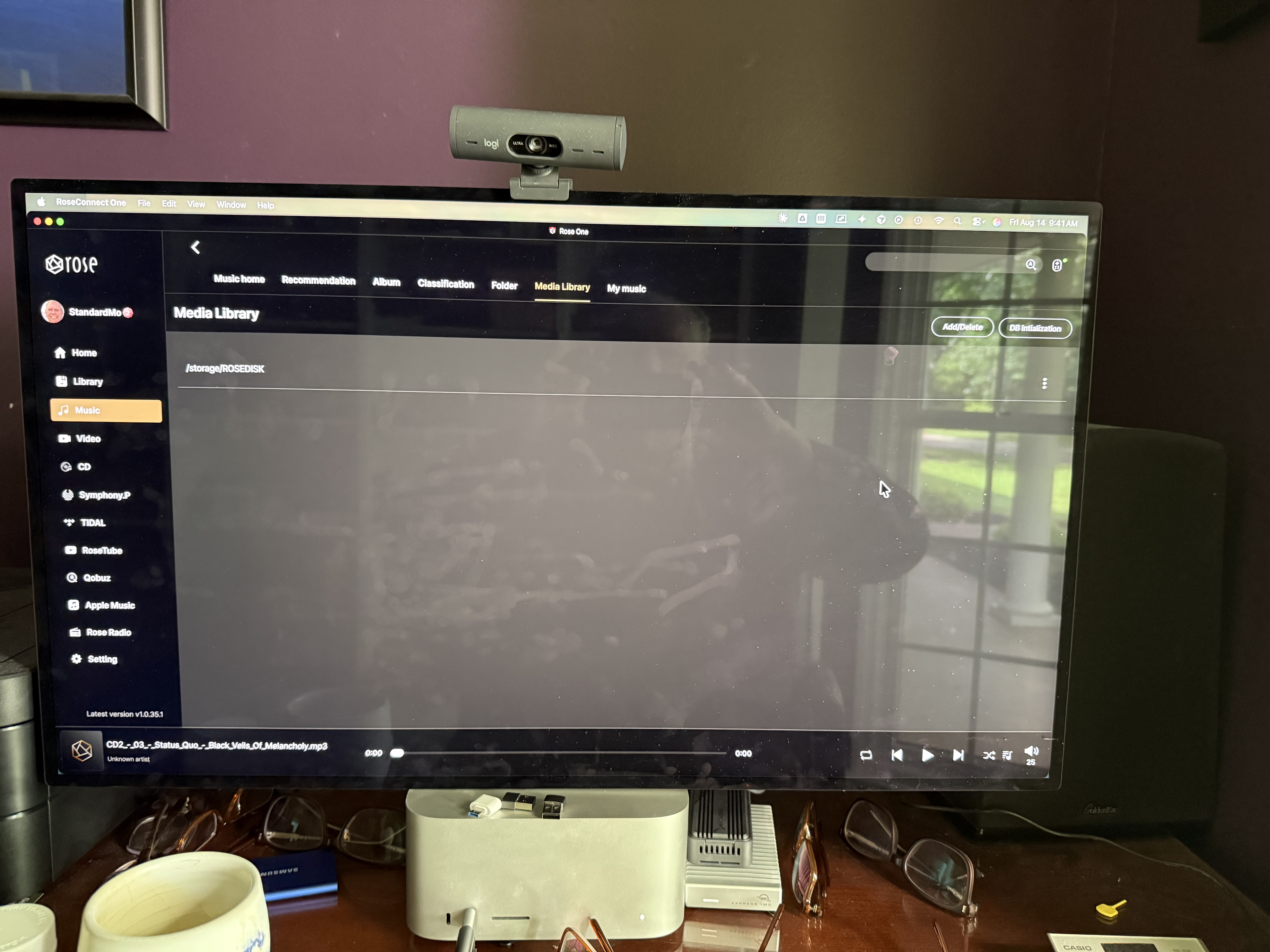
App: RoseConnect One, v1.0.35.1 (please let me know if you need the device’s own firmware version and I’ll pull it from System Info)
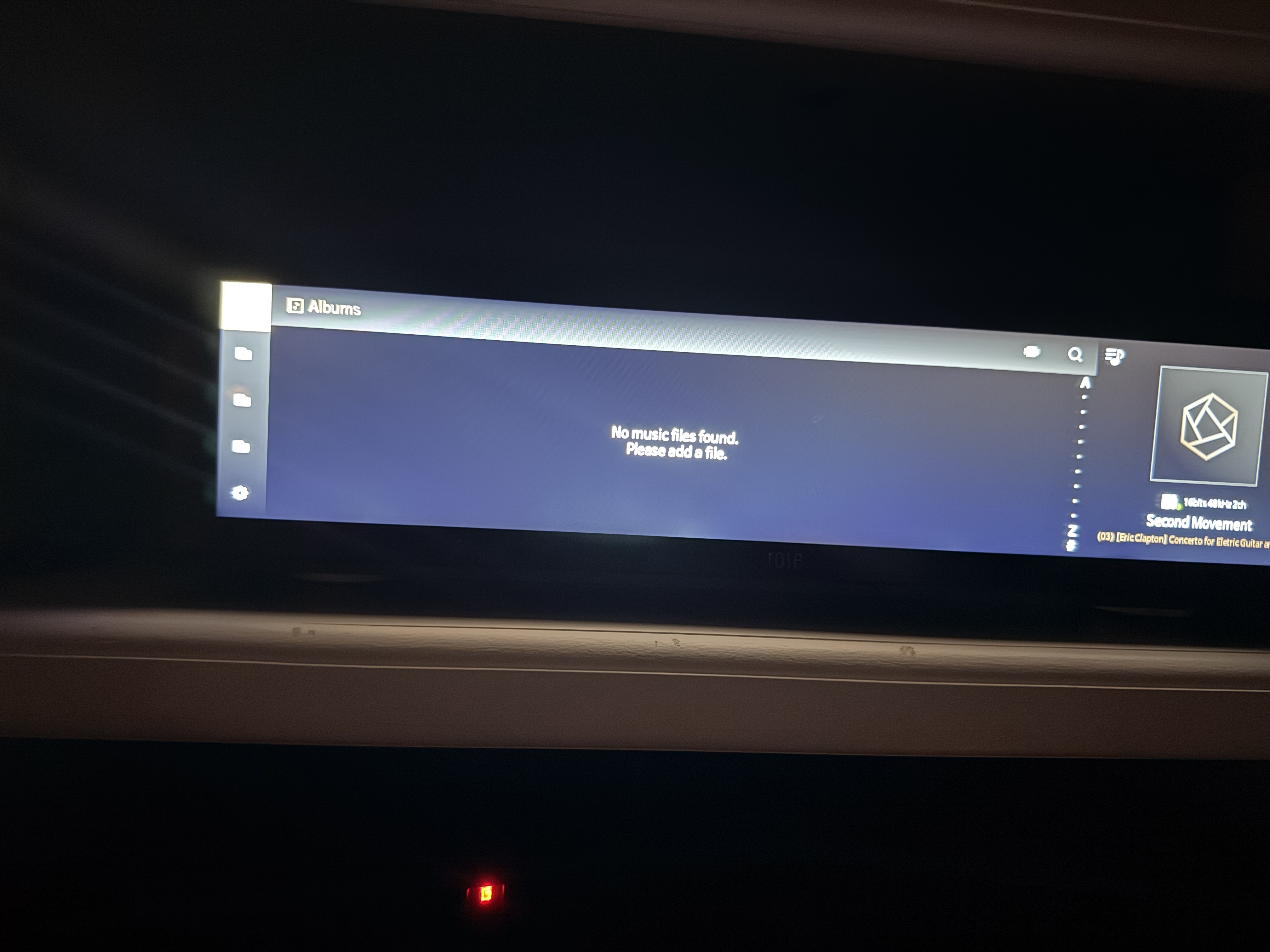
Summary: My internal storage (and separately, a USB-attached drive) contains a fully verified, correctly organized music library (~39,000 MP3 files, standard Artist/Album/Track folder structure, FAT32). The Media Library entry is properly registered (/storage/ROSEDISK). Running DB Initialization visibly scans the files (counter climbs into the tens of thousands during scanning), but Albums, Artists, and Tracks in the Music section remain empty (or, in one earlier instance, briefly showed populated counts before reverting to empty on a later reinitialization — details below).
What I’ve already verified/tried, to save troubleshooting time:
- Confirmed files are physically present and correctly organized via the on-device File Manager and RoseConnect’s Folder view — artist folders sit directly at the storage root, no nested/wrapping directory.
- Confirmed the Media Library path is registered (Media Library tab shows /storage/ROSEDISK, not empty).
- Ran DB Initialization multiple times across multiple drive states — a factory-original drive, a freshly reformatted FAT32 drive, and (briefly) an NTFS-formatted drive. Same result each time: scanning activity is visible, but Artists/Albums/Tracks counts stay at 0 (or fail to persist).
- One time, after DB Initialization, Music Home briefly showed real counts (10,696 Albums / 41,395 Tracks / 5,179 Artists) with working “Recently Played” content — but this reverted to empty after I later used the Media Library “Add/Delete” screen (possibly related — happy to describe the exact sequence if useful for reproducing this).
- Confirmed via both the device’s own screen and the RoseConnect Mac app — same symptom on both.
Request: This looks like an indexing/database bug rather than a file-organization problem on my end, given the library is independently verified correct and present. Could you advise on:
- Whether there’s a way to fully reset/rebuild the media database beyond DB Initialization (e.g., a factory data reset that doesn’t affect the storage drive itself)
- Any known firmware issues matching this symptom, and whether an update addresses it
- Any diagnostic logs I can pull and send you.
to help you diagnose this when I upload/add individual music files they are seen by the indexing. So, does this mean that I can’t upload music in the format of Artist/Album/Tracks but can only create directories and organize the music through and within the HiFi Rose RS 130?
My issue is: Why doesn’t the scanner index files that are correctly placed at the registered path?
Happy to provide additional photos/screenshots of any of the above if helpful.