
I love the sound quality of my RS-150B and it’s stunning looks. However, the app is so buggy. The cue doesn’t always display the current track playing. By this I mean when the track changes the cue will still show the previous track. The only way to get it to change is to slide the cue to the right to reveal the remote icon and then slide it back left.
The other problem I’m having is the time bar that shows how much time is left for the track to play is freezing even though the song continues to play.
I’ve deleted the app and reinstalled it. I’ve reset my modem. I’ve rebooted the 150B. None of that has helped. The actual screen on the unit does not the same. These issues are while I’m using Tidal which is the only streaming service I use.
I hope these issues can be resolved. Rose advertising about being a software company but I’m not impressed with this app’s functionality.
Lastly, please hurry and add Tidal Connect and then I can just get away from using Rose connect. I would really hate to have to go to Qobuz to see if that works better or pay for Roon. This premium piece of gear should not have these types of issues.
hi @Pappaduke
First of all, I apologize for the inconvenience.
I’m contacting you because I’m unable to reproduce the issue on my iPad. I’ll try to reproduce it further and leave a comment if I confirm the issue.
- If you can reproduce the issue, could you please take a video of the issue and share it with us?
shim1691@citech.kr - If possible, please check if the issue persists after factory resetting the RS150B device.
- Below is a video of our test. Please refer to it.
Can you tell me about any specific scenarios or recurrence frequencies?
youtube.com/shorts/Gmm-qoLbIVY?si=yxXk1iMnGP1u2tgw
Thank you.
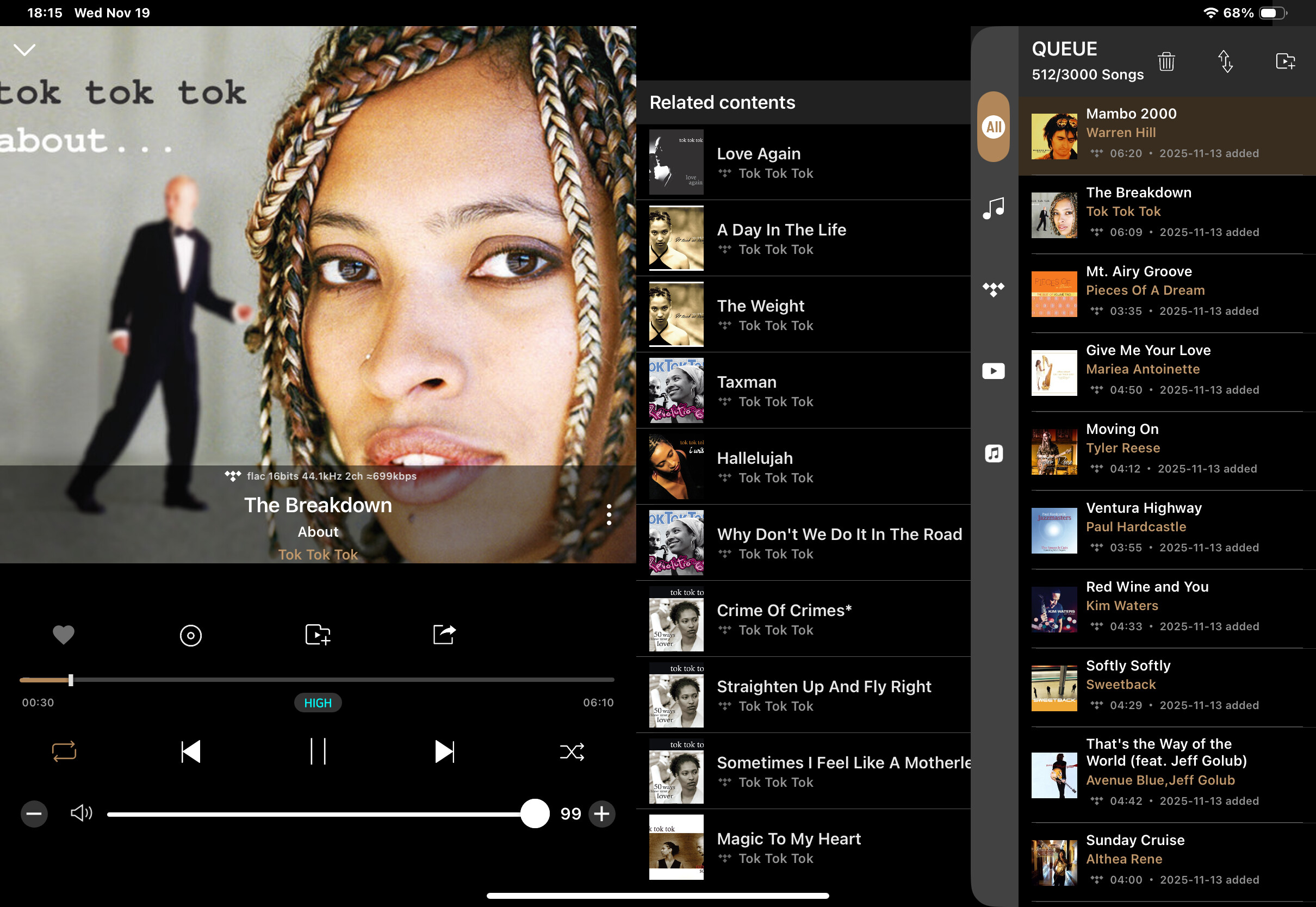
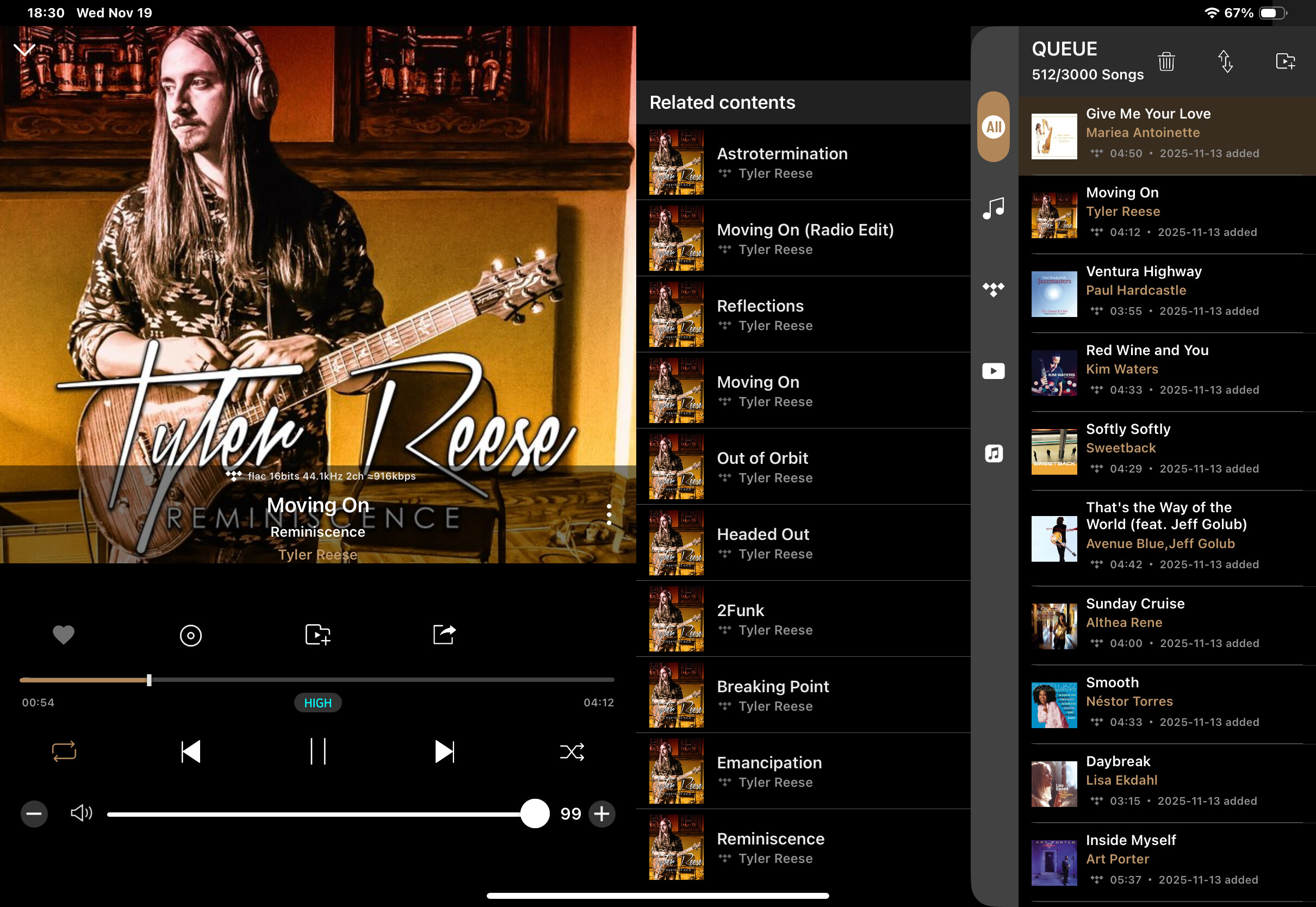
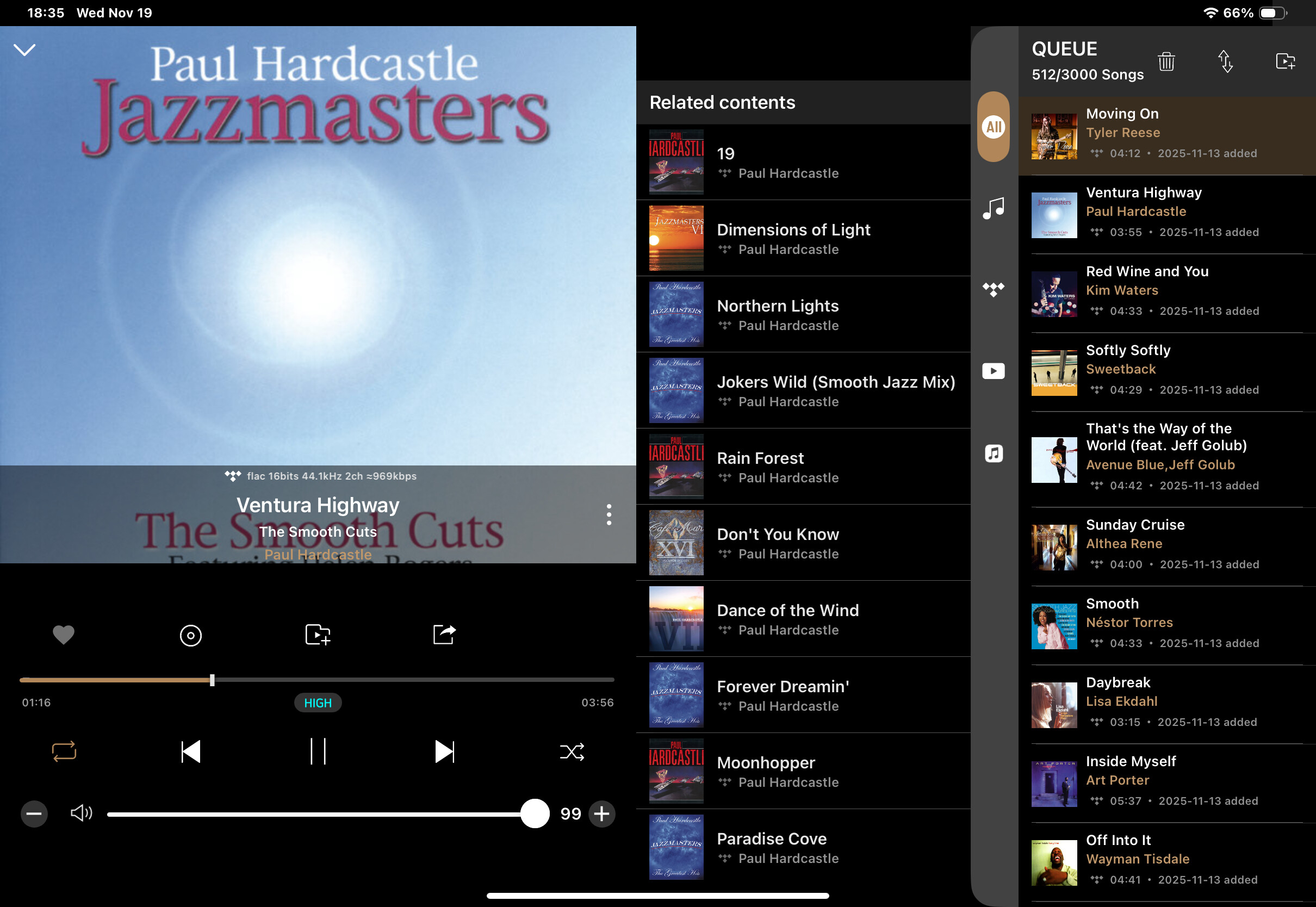
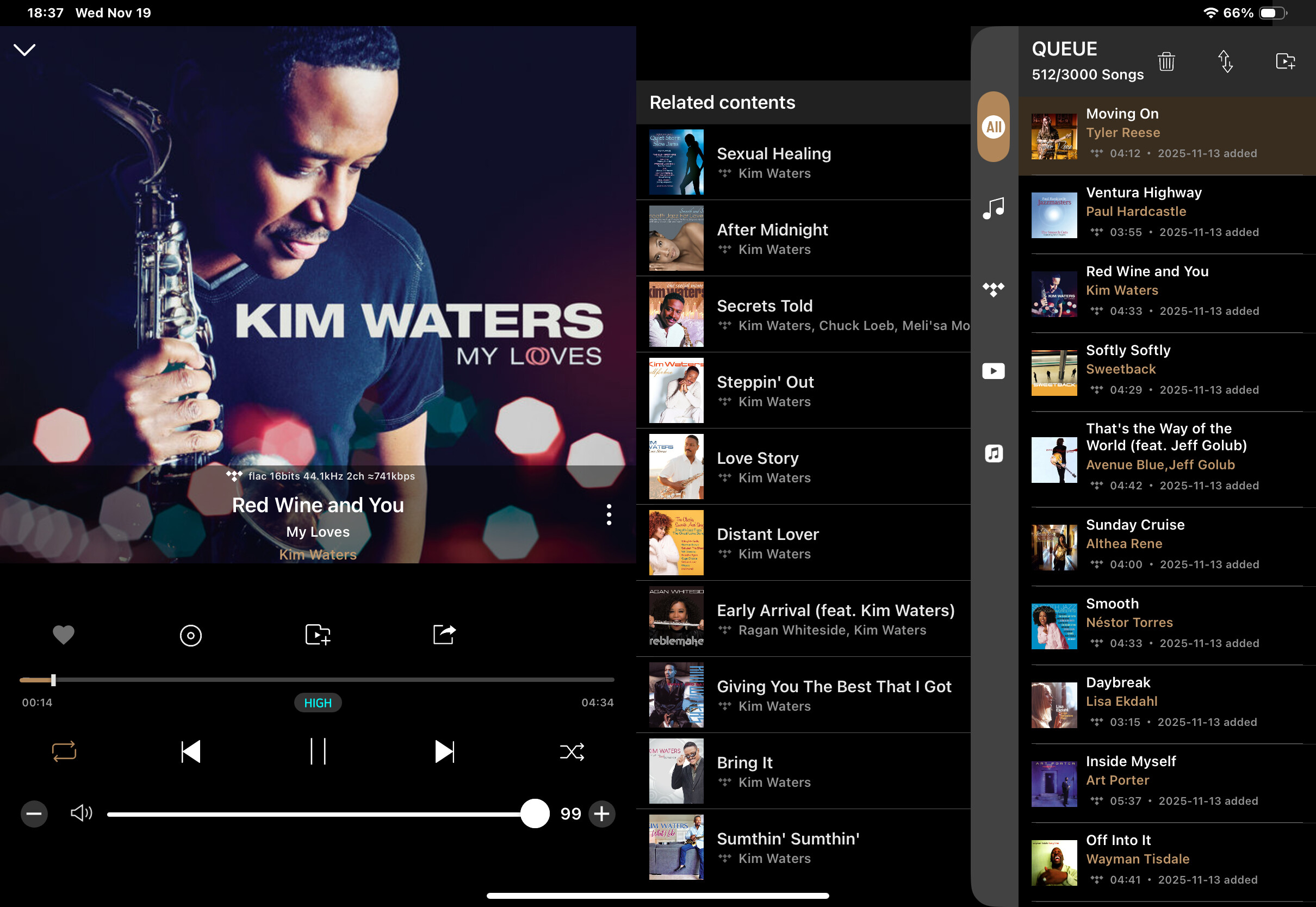
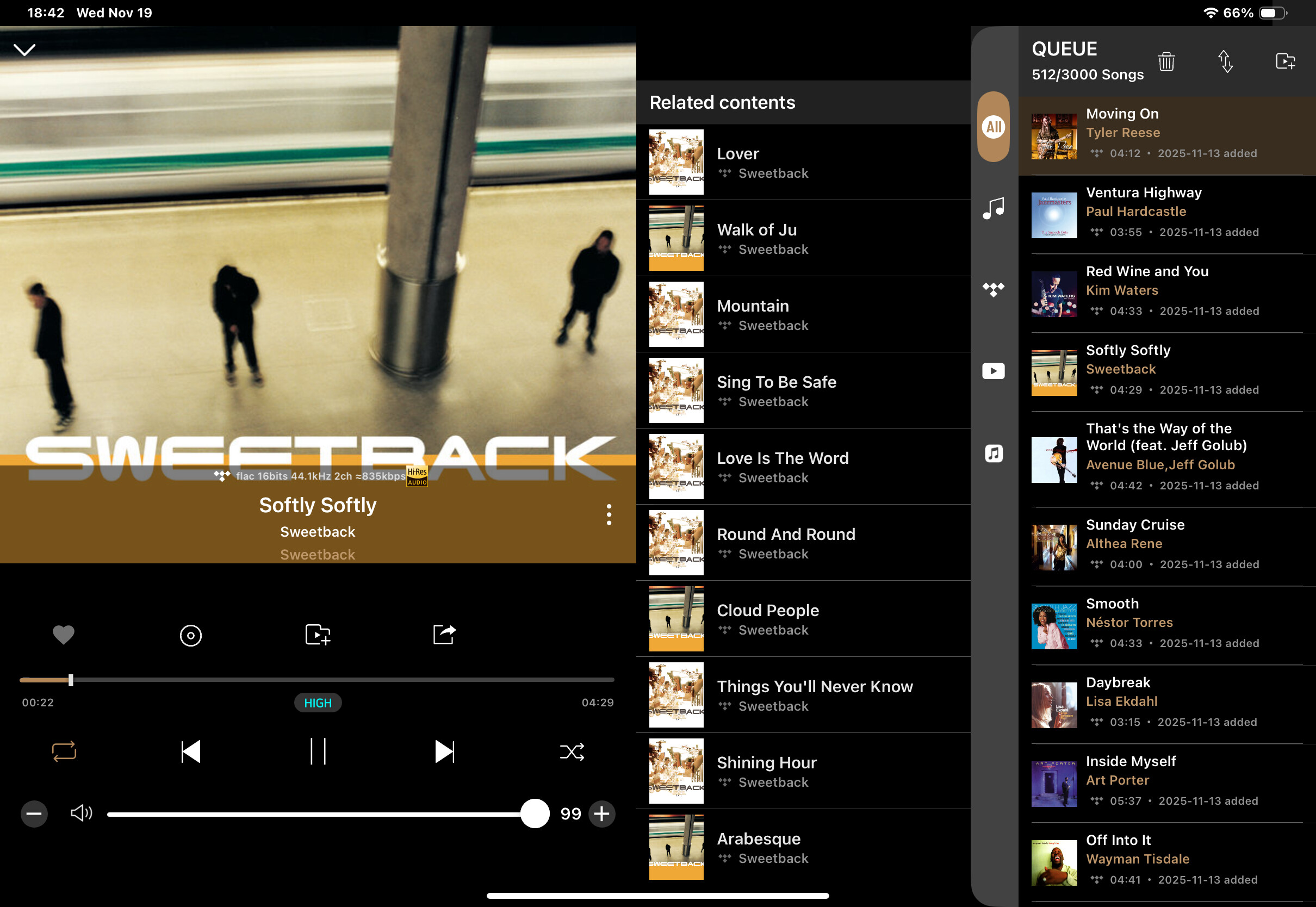
Here are still shots of tracks playing and you can clearly see the highlighted track in the cue is different from what is playing. Also it appears you are using a different series iPad. When I get home I will do a video like you did. My still shots are from as the tracks are playing, not clicking from song to song.
@Pappaduke
Thank you for sharing your issue.
I’ve fixed the issue today. I’ll leave a comment once it’s released.
Does this mean you were able to duplicate my issue and a bug fix is going to be released?
Here’s a few videos of what happens when tracks change but the cue does not update.[https://youtu.be/zWtXdBgR6Kc?si=ZdNPKUIlMHPmgguM]
(https://youtu.be/wQyq-pRQoBA?si=1MullZuEjDsVZ3-L)
(https://youtu.be/S2iyi-NBQFI?si=x7cWX5nn7698SFZ5)
@Pappaduke
Yes, it’s currently in the revised state and will be released immediately after the App Store review this week. I’ll leave a comment once it’s complete.
@Pappaduke
We’ve released iOS Rose Connect Ver. 5.9.41, which fixes the issue.
Please check after updating your app.
I have updated the app and it appears to be working correctly now. I’ll monitor over the next few days but I have been using it for the last hour with no issues. Thank you for correcting the issue. I hope Rose continues to improve because it is a great product.
@Pappaduke
Thank you for your interest in Rose products.
If you experience any inconvenience while using them, please feel free to leave a comment.