
Favorites on SSD media

Hello,

I have a question about the heart symbol (favorites) as regards to media located on an SSD drive.

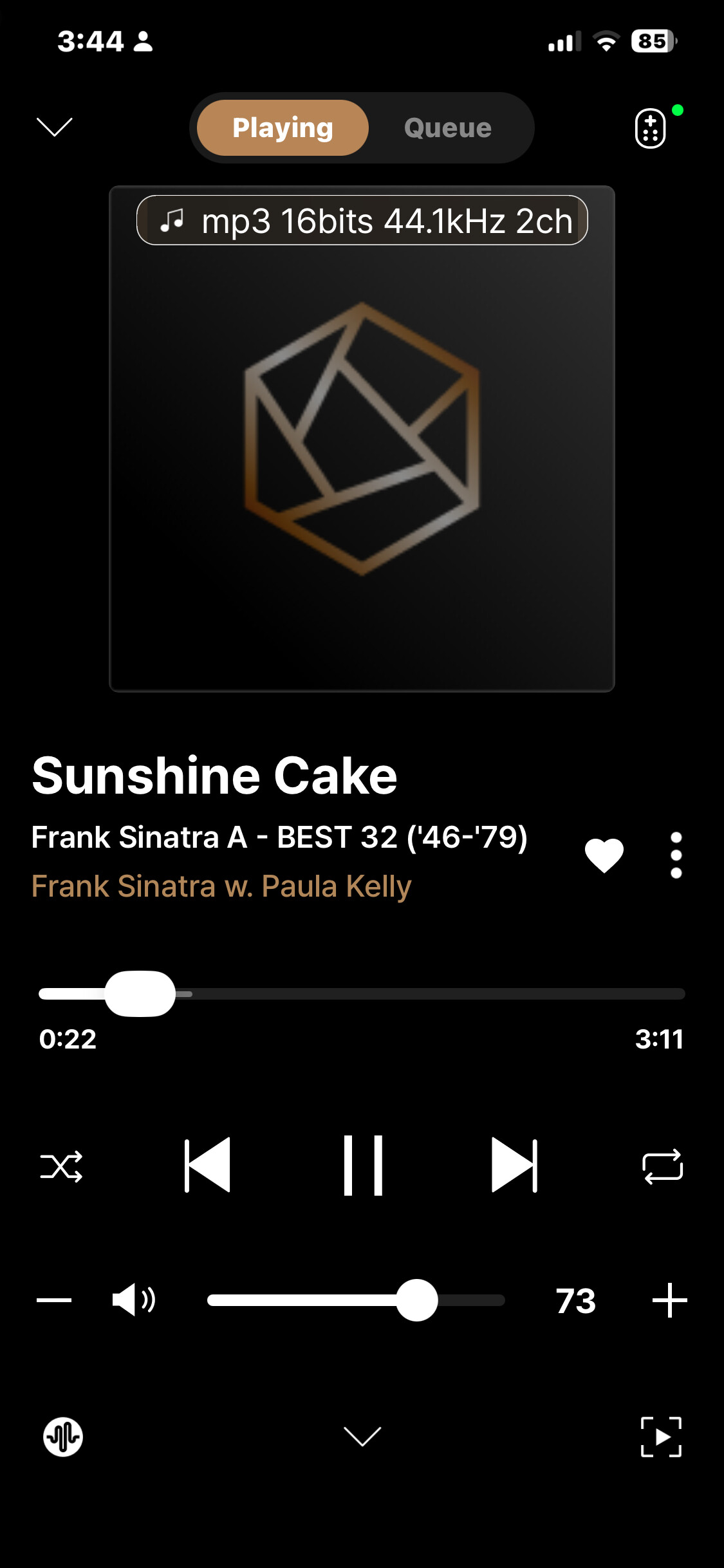
When I click the heart for a particular track that I like I noticed that it actually favorites all the tracks in the album.

Is the heart intended for the enclosing folder? Or can it be set to favorite individual tracks, which would be more likely a use case, I believe.
Thank you

1 Like

@taystnotes

If you press the heart button on a specific track, only that track should be added to your favorites.

Could you please help us verify a few things?

  1. In the screenshot you sent, did you press the heart button on a single track, and then the entire album containing that track was added to your favorites?
  2. Which version of the RoseConnect app are you currently using? Please let us know whether you are using RoseConnect One, RoseConnect Premium, or the Early Access (EA) version.

Thank you for your cooperation.

Hello

I am only Favoriting a track but noticed the whole folder gets added

I just uninstalled / re-installed RoseTube. When I favorite a track now, I see it listed under PLAYLIST > favorite_tose

I was able to replicate this behavior on the 150 B directly.

Using only the Rose One app, I see the issue resolved as well

@taystnotes

I’m glad to hear that the issue has been resolved.

If you encounter any other problems in the future, please feel free to let me know. I’ll be happy to assist you.

Thank you.

1 Like