Feature request RS151: overall volume limit

Would it be possible in system settings of RS151 to introduce a max volume on system level?

In my set-up, anything above 80 would probably do damage to the rest of my equipment. I have now done the best I could to limit all individual source volumes to -10db, but an overall max would be a good addition.

1 Like

@Panjerossi

Yes, we support a feature called Preout Level Settings on the RS151.

Preout Level Settings
The output level will be fixed according to the value you set. When this setting is applied, you will not be able to adjust the volume on the ROSE device, so you will need to control the volume from your amplifier instead. When setting the value, please check the input sensitivity of the amplifier you are using and set a similar value. If the output level is higher than the amplifier’s input sensitivity, clipping and distortion may occur.

On your RS151, you can find this feature by going to Input/Output Settings, then tapping the small gear icon next to the output section to access the Preout Level Settings.

Yes, I had found that fixed output already, but it is not what I mean.

I am not looking for FIXED, but I am looking for a LIMIT (max).

This should be just a simple software parameter not allowing the volume to go above that parameter (e.g. 80).

@Panjerossi

A feature to limit the volume so that it does not exceed a certain level (e.g., 80) is not currently supported.

In most hi-fi setups, users typically set the streamer’s volume to fixed and control the volume on the amplifier instead.

Would it be possible for you to set the RS151 volume to fixed and adjust the volume on your amplifier?

Well, I actually use the RS151 as hub for everything, not just as a streamer. So my other (digital) audio sources run into the RS151 as well.

It is directly connected to the power amplifier (which, normal for power amp, has no volume control). So I rely on volume control of the RS151.

I can live without it, but in the occasion someone would by accident increase volume to max, I’d like my equipment protected.

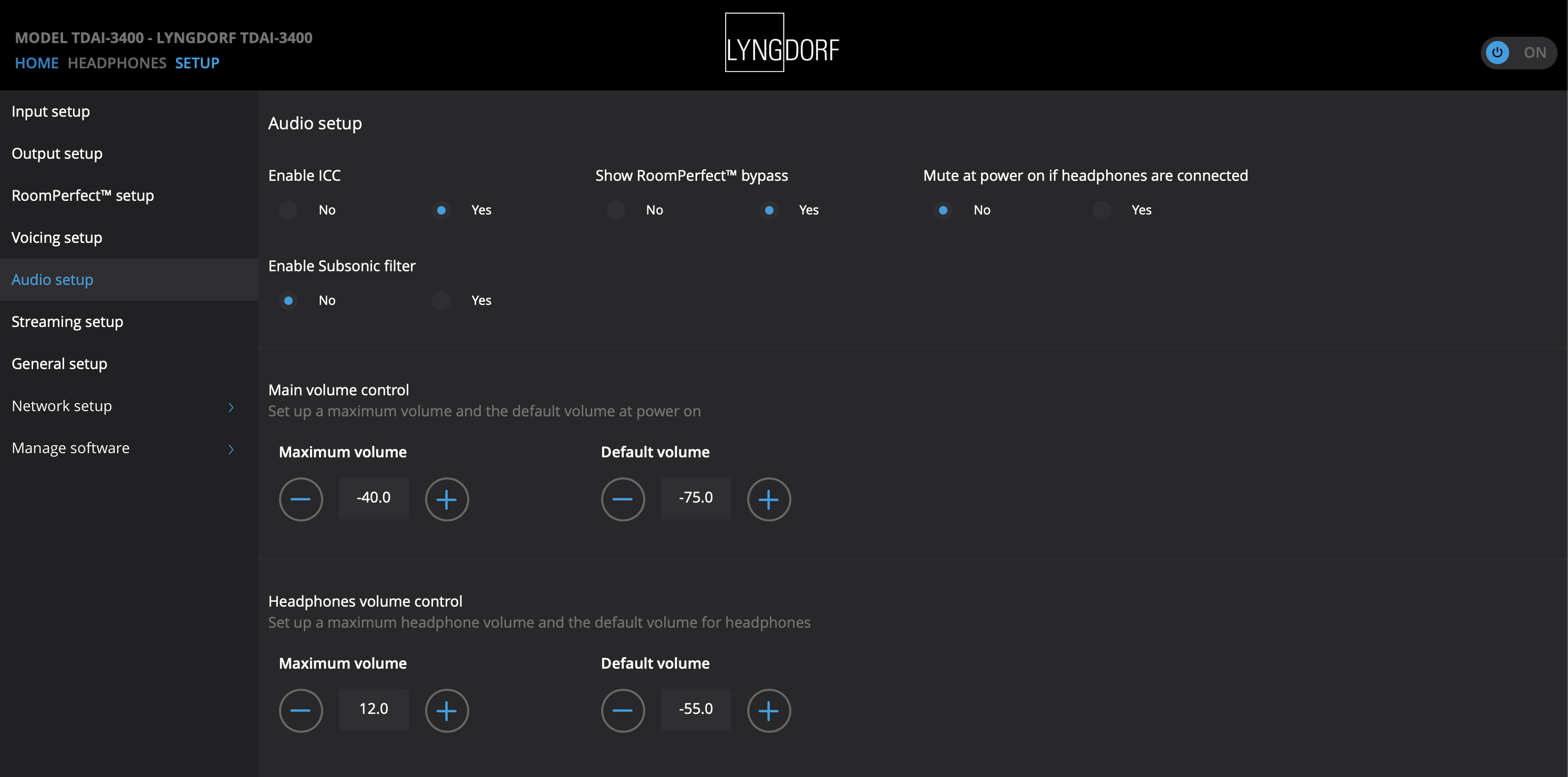
It is not uncommon to have a volume limit. See for example Linn (from their internet site):

[
Linn DS/DSM devices allow users to set a maximum volume limit to protect speakers and hearing. This setting caps the highest volume level attainable, even if the user attempts to raise it further

Key Aspects of Linn Volume Limits:

  • Maximum Volume Setting: In the Linn “Manage Systems” configuration, users can set a Max Volume (%) to define the highest allowed level.

]

@Panjerossi

We’re sorry, but we do not currently support this feature.
However, we will forward your request to our software team.

After review, the feature may be added, or it may remain as it is. We appreciate your understanding.

As you mentioned, that’s pretty standard for so-called “high-end” devices.

A full-screen display doesn’t provide security or sound. :wink:

Use Roon or another device. It would be a shame if your billion-dollar speakers got smashed to bits.

Even a cheap Bluesound can do that, it’s not even a “high-end” thing.

1 Like

Hi Boris

That’s why “so-called” or should I have written “self-proclaimed high-end devices”?

Anyway, I already put “high-end” in quotation marks.

Quotation marks:
To distance yourself from a word or phrase, or to show that you’re using it ironically. :wink:

What’s your problem with cheap? :wink:

Cheap can often be better…:v:t2:

I don’t have a problem with it (and Bluesound is better :slight_smile: ) Just saying that it’s 2026 now, not 1960, and something like volume limits are a basic expected functionality even at much lower price levels…

Boris, my friend, I understand you. :wink:

And I also know that you don’t mind cheap products as long as they offer more than devices that are touted as high-end.

I received the RS151 only a week ago, and I really love the sound. Not too clinical, not too warm… all subjective, but I like it better than my (little more expensive, but not by much) previous Linn Akurate DSM, which I had for almost 10 years.

Rose software is imo more mature on the streamer side than on the source / pre-amplifier side. There could be some easy wins that make the software more intuitive, more user friendly. For example on source selection or aligning the android phone app a bit more with the apps on the device.

So I will once in a while do some suggestions here when I figure out how to formulate it very specifically. I do like the response on this forum. Thank you @ROSEHAN!

As for cheap, “high end”"… I rather listen and look at functionality than look at price.

My power amplifier is a Peachtree Amp500 with the class A valve buffer… not expensive at all, but I love it. It has this digital amplification stage that just seems to have no limit on output power even for my power-loving floorstanders. Hence my suggestion for this feature of volume limitation.