
Hi-Res icon disappears when Qobuz track is cached

Hi @ROSEHAN,

I noticed a reproducible display issue on my RS130 when playing music from Qobuz.

When a track is streamed for the first time, the Hi-Res Audio icon is displayed correctly. Once the same track has been stored in the internal cache (green dot on the Qobuz icon), the Hi-Res Audio icon disappears, although the file format remains exactly the same.
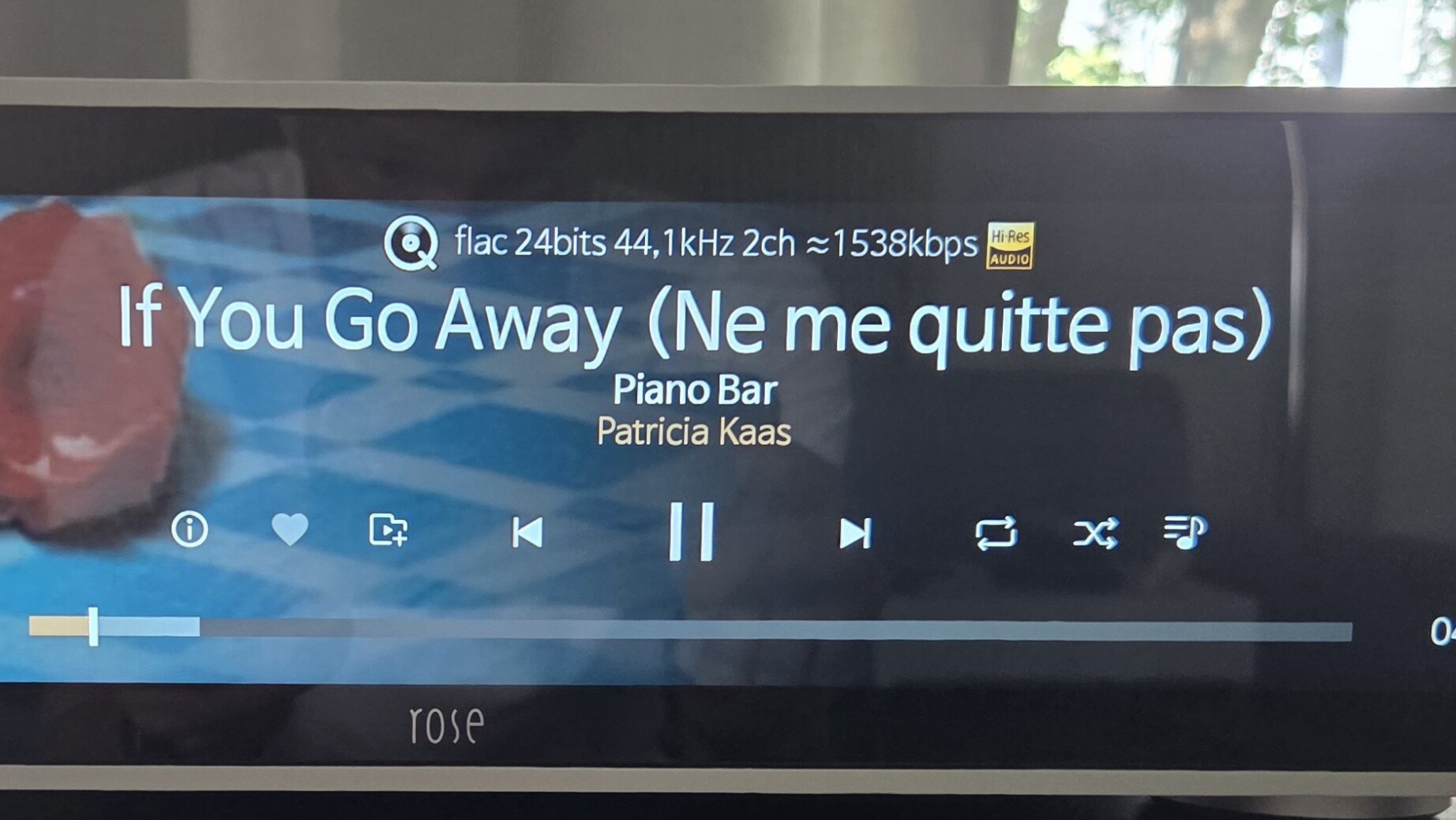
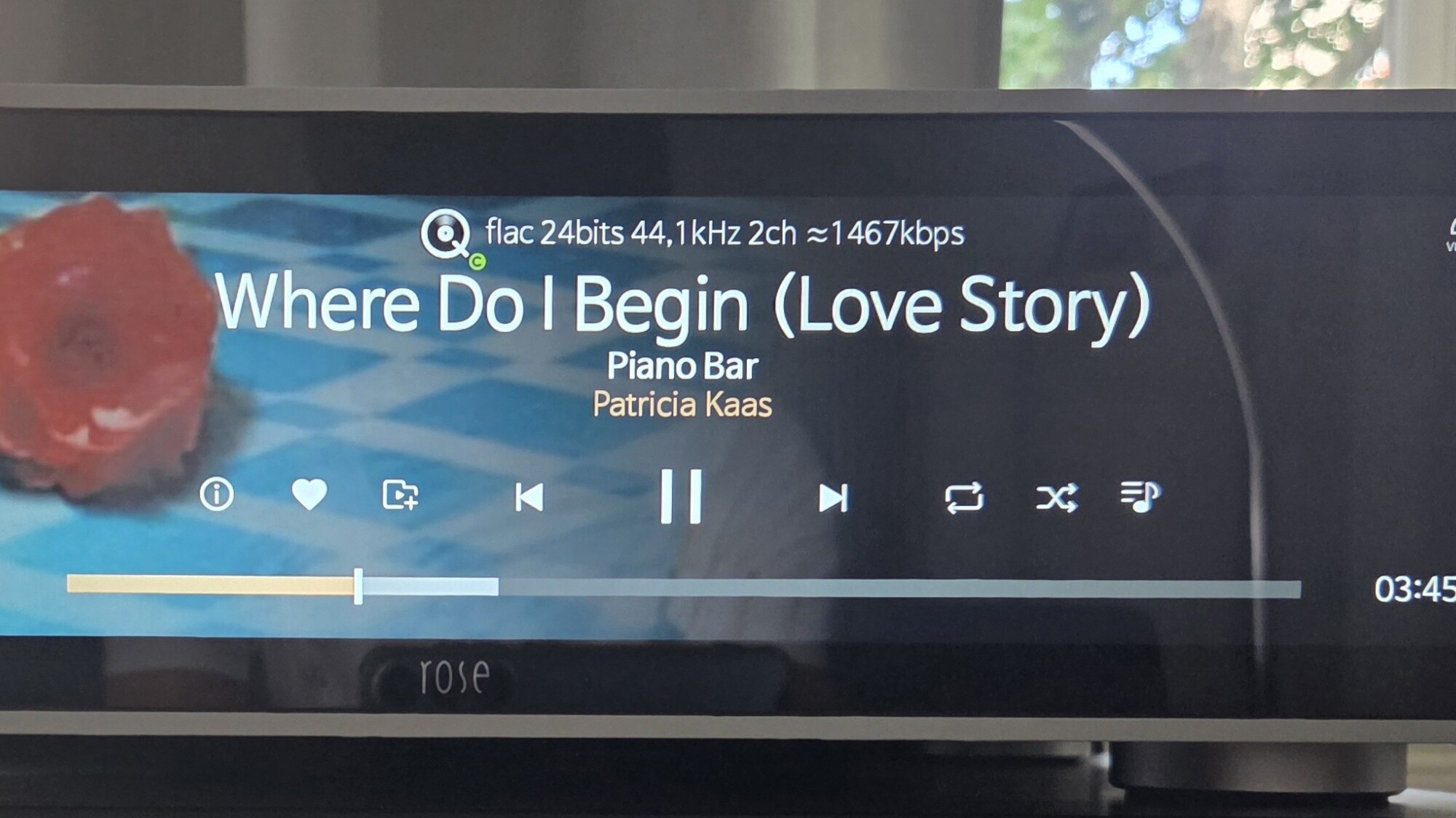
Yesterday I updated my RS130 to the latest firmware. I also cleared the cache and even performed a factory reset. Unfortunately, the issue still persists.

This is not a new issue. I have noticed the same behavior for quite some time, including previous firmware versions.

Could you please investigate this issue?

Thank you very much!

@Philsisch

This function is only supported by RS 130.
A green or blue ICON means that the album or track has been cached.

Thank you for your reply.

Unfortunately, your answer does not address my actual question at all.

I did not ask what the green/blue dot means. As I already explained in my original post, I know that it indicates a cached track.

My question is why the Hi-Res Audio icon disappears as soon as the track is played from the internal cache, even though it is still exactly the same 24-bit FLAC file.

The two photos clearly demonstrate the issue. Please review my original post again and provide a specific answer to this question, or forward it to your software team for investigation.

Thank you.

@Philsisch

We have confirmed this issue with our software development team, and they have informed us that they are currently working on a fix.

We will do our best to ensure that the fix is completed as soon as possible and included in the next software update.

Thank you for your patience and understanding.