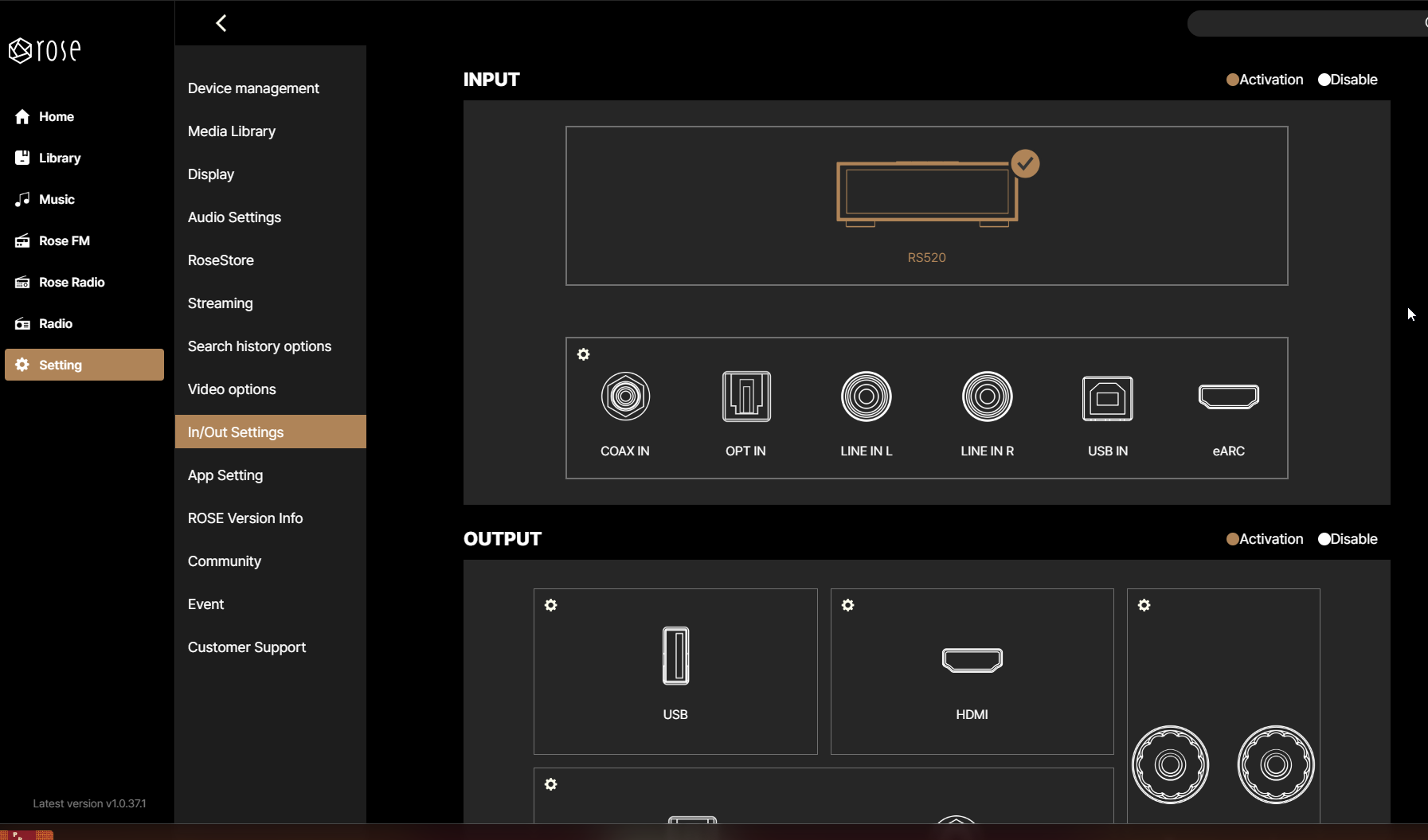
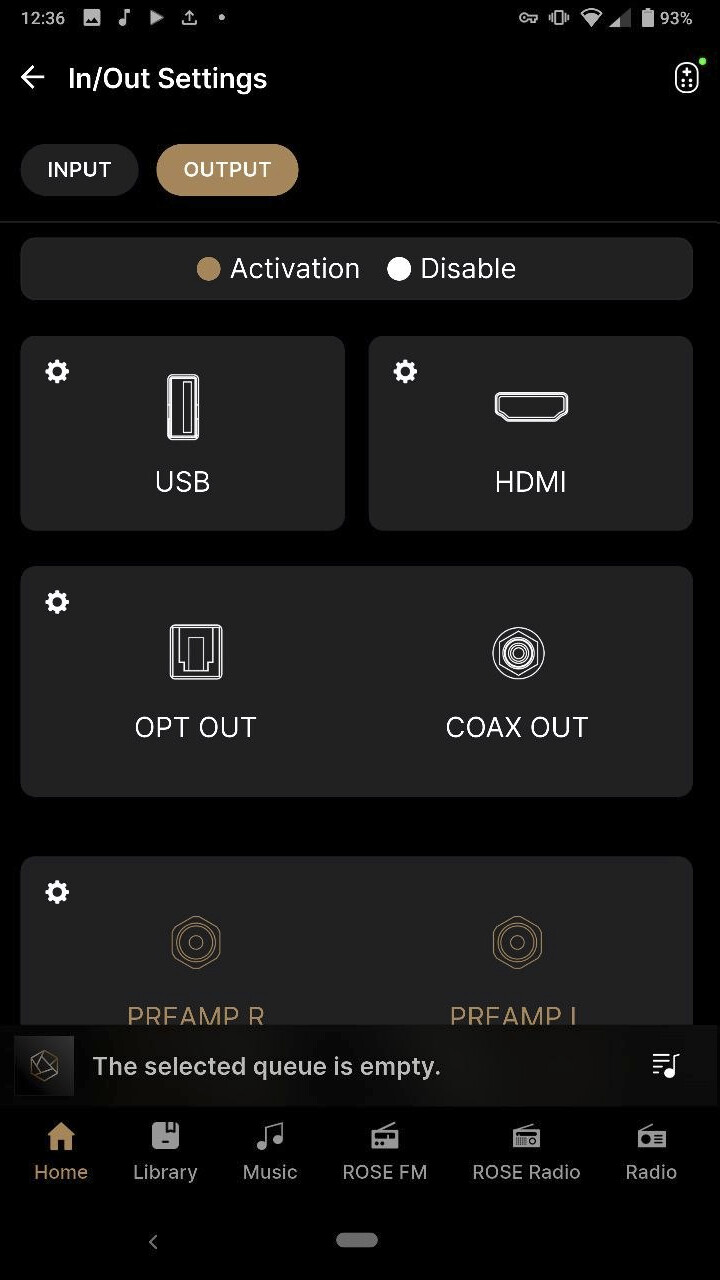
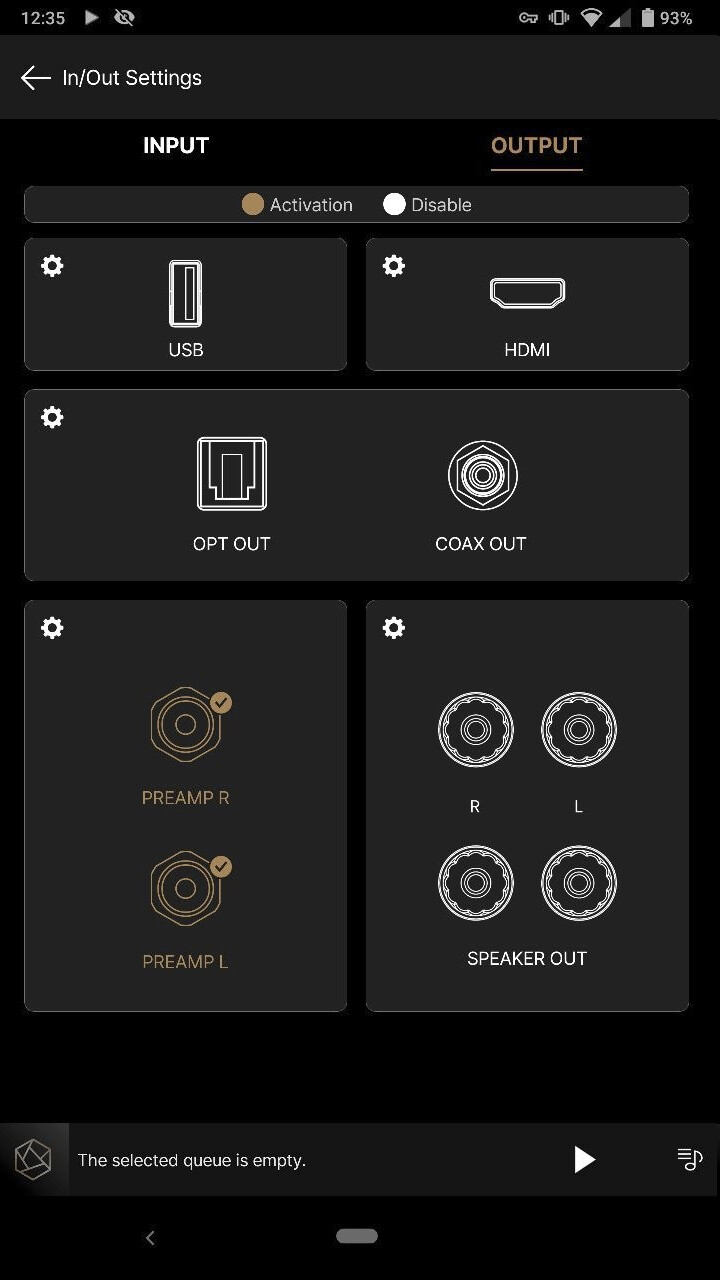
The layout of the In/Out settings in the latest ROSE Windows Application are to large. The same issue appears in the latest Android App.
See the screenshot. Is it possible to make them different size so that it fits in the window size ?

The layout of the In/Out settings in the latest ROSE Windows Application are to large. The same issue appears in the latest Android App.
See the screenshot. Is it possible to make them different size so that it fits in the window size ?
Unfortunately, it is currently not possible to manually resize or scale the interface elements in the ROSE Windows or Android application.
We understand that the In/Out settings may appear too large depending on the screen size or resolution. However, due to the current design and structure of the ROSE application, this is the best layout we are able to provide at this time.
We apologize for the inconvenience and appreciate your understanding.