
I only use Qobuz as a source so I don’t know where the problem might be - for some reason I can only play one song at a time either from an album or a playlist I created. No matter how I launch the album or any playlist it plays one song and then just stops. Any ideas of what is going on?
I will explain why only one track is played when you start playback from a playlist or an album, and how to resolve this.
When you play a single track from a playlist or an album, only that selected track is added to the Queue. In other words, the track you manually start playing is moved to the Queue by itself.
If you want all tracks in a playlist or an album to play sequentially, you need to start playback using “Play All” for the playlist or the album, rather than selecting an individual track.
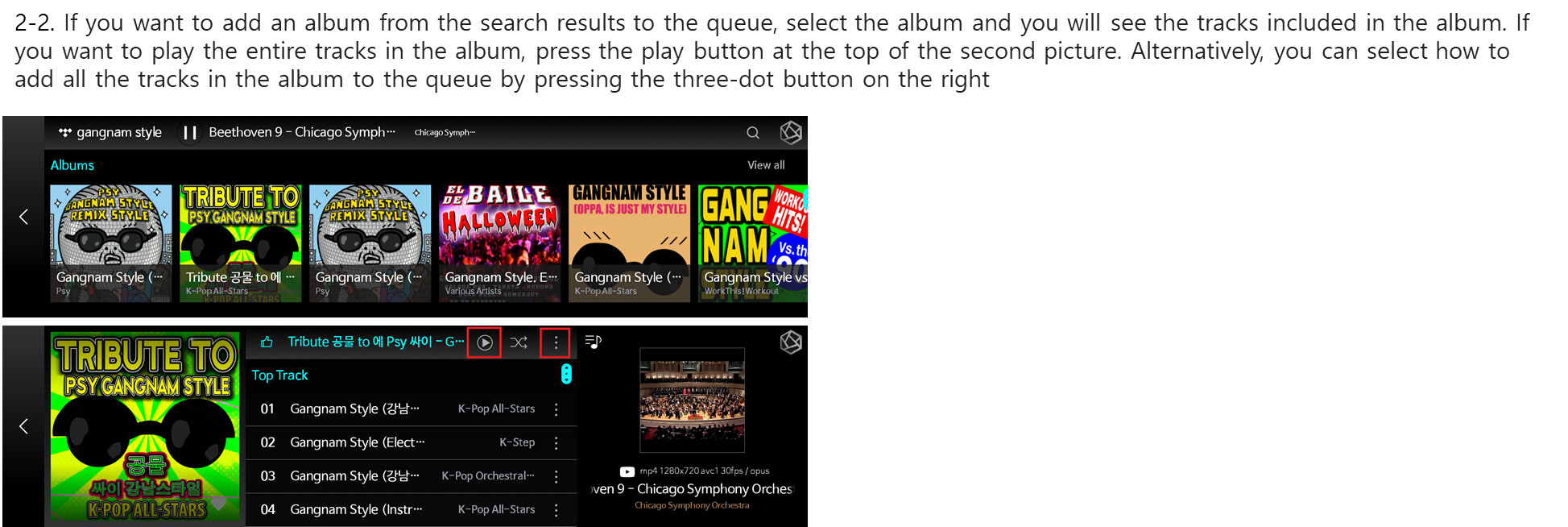
- Add to the end of the queue : All the songs in the album goes to the end of the queue
- Empty the queue and add: All the songs in the queue is deleted and all the songs in the album is added
- Add to a direct play : All the songs in the album goes to the top and playes directly
- Add to play next: All the songs in the album is added below the current streaming music
I have had this unit for several years and know the difference between playing one track versus all tracks on an album or playlist. The instructions you gave did not solve my problem. This problem only allows me to play one track at a time and oddly will not allow me to pause the track, it just starts over. Also, the “play arrow “ has a circle moving around it like it is trying to capture the feed and the track length is always 000. This happens on both WiFi and Ethernet connections. I do have good internet speed. I tried deleting the data from Qobuz, but it did not help. Any other suggestions?
Please help us by answering the following additional questions:
-
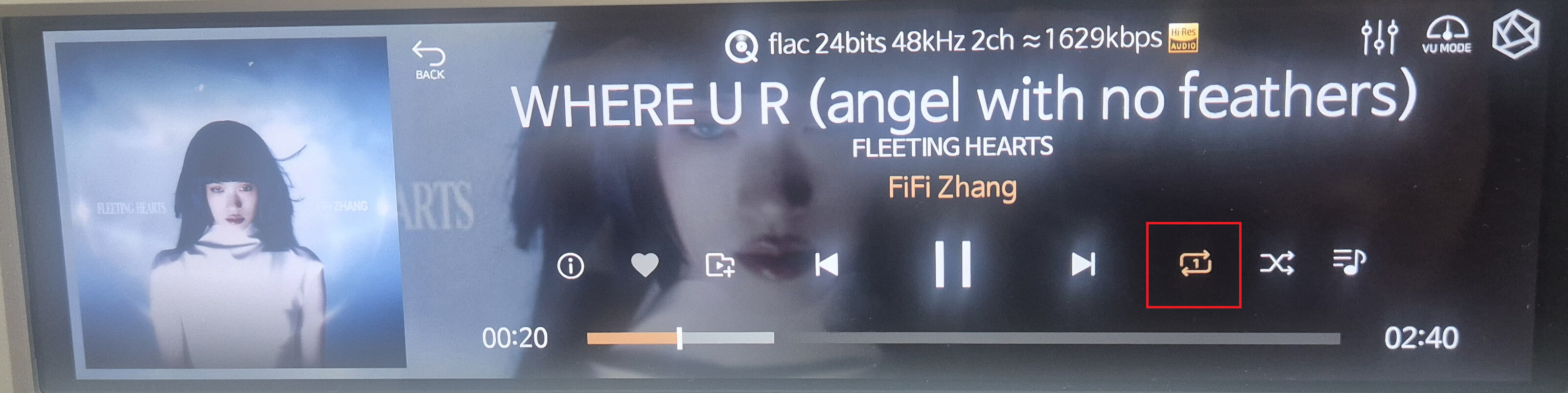
Is the single-track repeat function possibly enabled on your ROSE device?
-
If the part marked in red in the image below appears on the music playback screen of your ROSE device, then, as you described, the same track will repeat continuously.
3.What is your Music Playback Options setting on your ROSE device?
ROSE device → Settings → Audio Settings → Music Playback Options
The single track item is not selected. As far as playback options I have tried several but no change in results. Most recently tried “add a song to listen to right away “ and “clear the queue and play from here”. Still cannot pause a track or play more than one track from a play list.
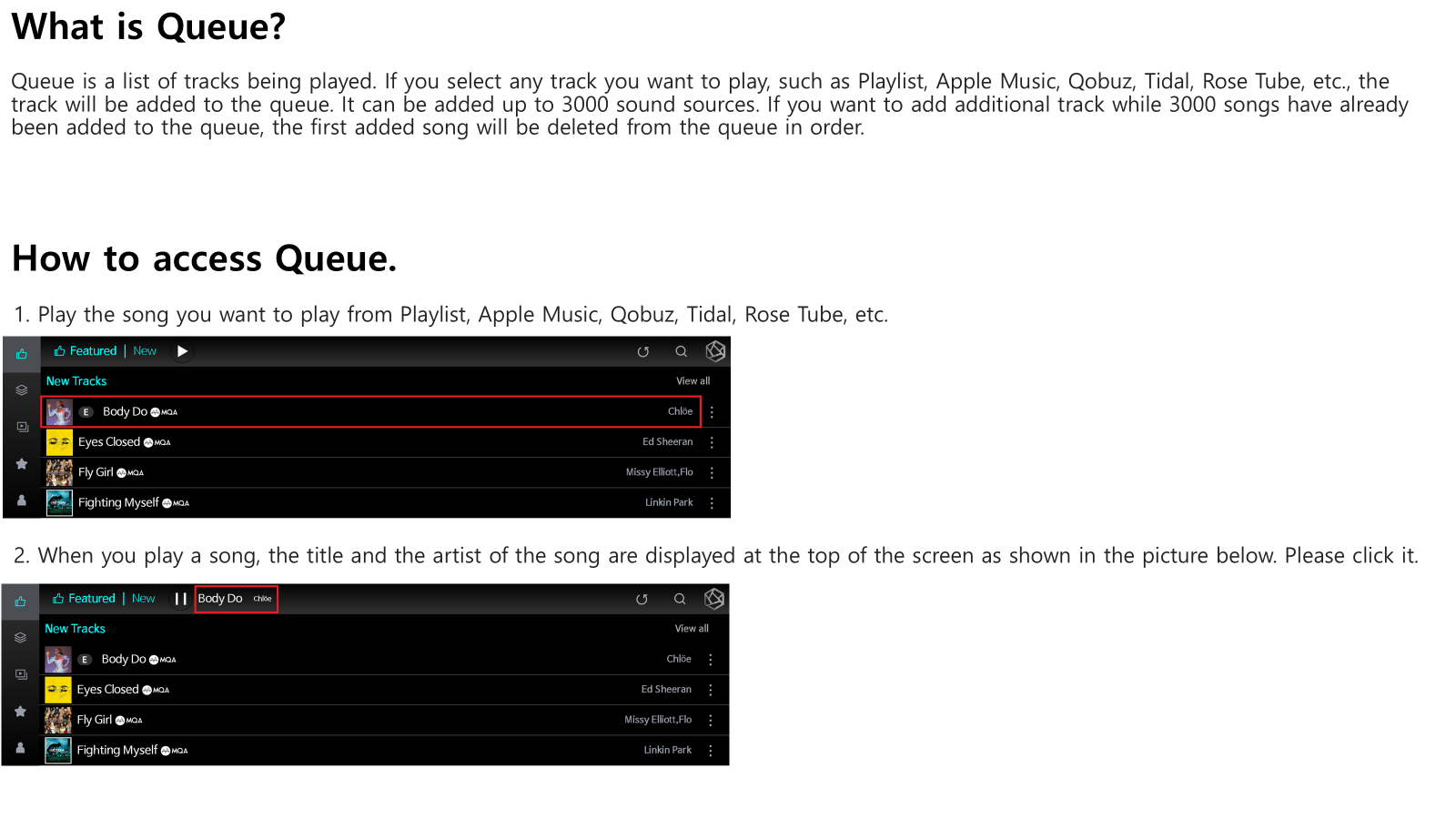
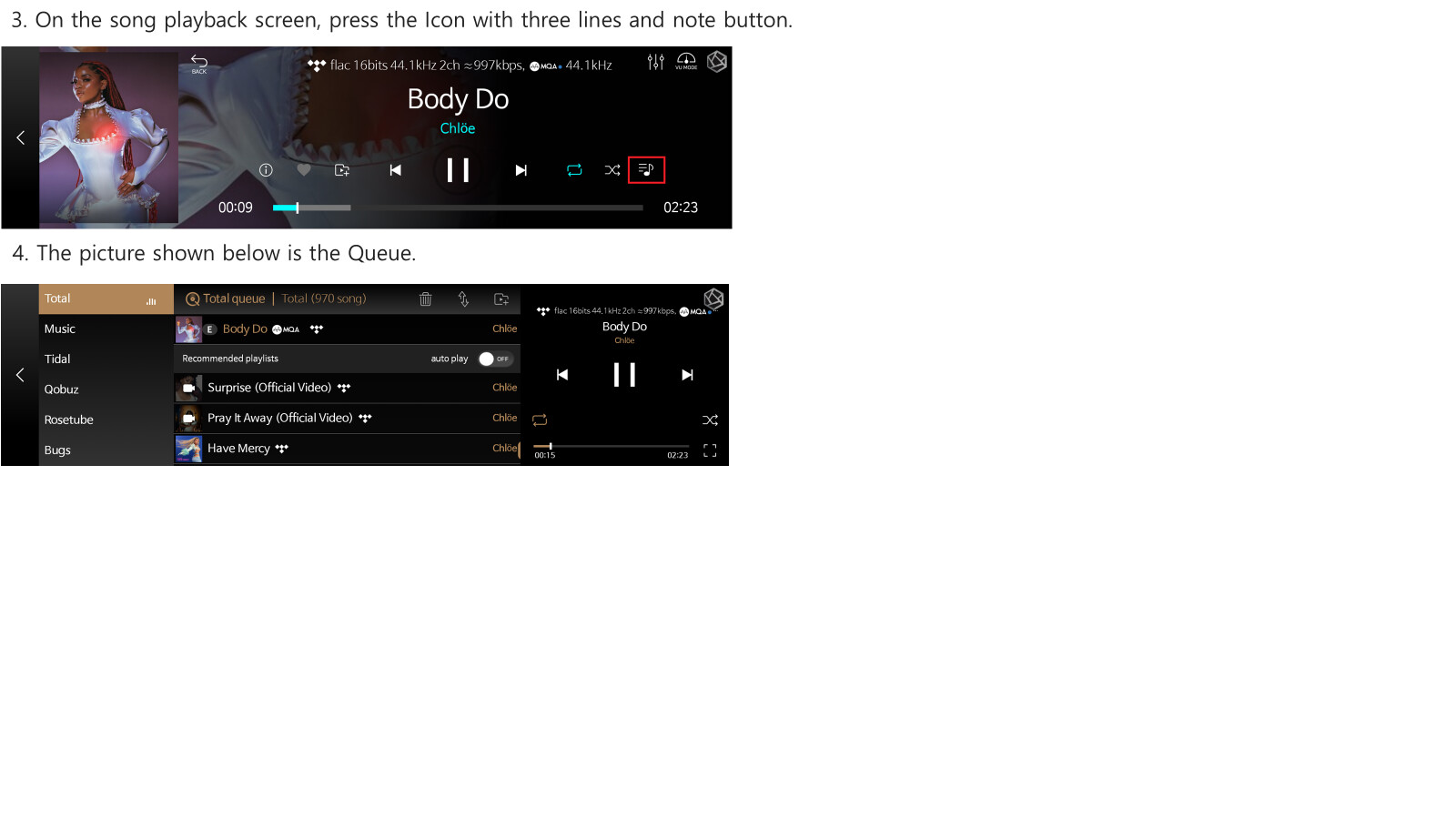
Additionally, please check a few more things:
-
When you enter the Queue as shown above, you should see the list of tracks you have played, as in the image. When you play an entire album, are all tracks from that album added to the Queue?
-
After performing a factory reset on your RS150b, does the same issue still occur when playing a track or an album?
RS150b → Settings → System Settings → Factory Reset
Thanks for your assistance, the factory reset fixed the problems I was experiencing.
I’m glad to hear that the issue has been resolved.
If you have any other issues or requests in the future, please feel free to let us know.