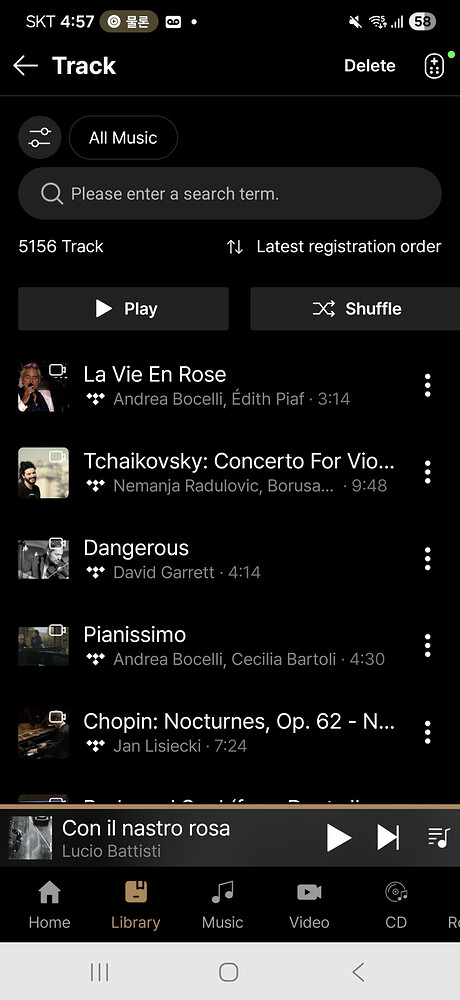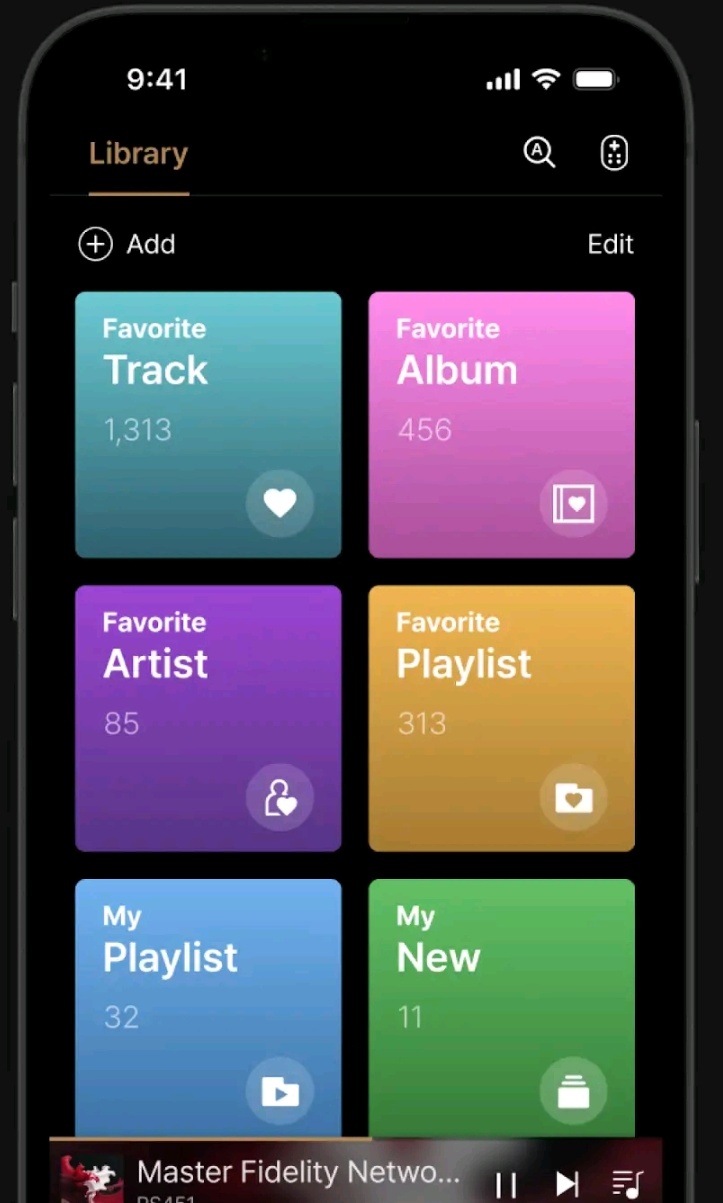
Please explain the contents referred in each colored box
- I’m assuming
a) Favorite Track (with 1,313 tracks) are tracks marked with the “heart” symbol on
b) Favorite Album (with 456 albums) are albums marked with the “heart” symbol on
c) Favorite Artist (with 85 artists) are artists marked with the “heart” symbol on
d) Favorite Playlist (with 313 playlists) are playlists marked with the “heart” symbol on - describe the difference of Favorite Playlist (with 313 playlists) vs My Playlist (with 32 playlists)
- describe My New
BTW, Change:
- “Track” to “Tracks”
- “Album” to “Albums”
- “Artist” to “Artists”
- “Playlist” to “Playlists”
- “New” to ???
Question: What can user do when “edit” is selected?
Question: What choices are provided when “Add” is selected?
Reccomended change: Shorten the colored boxes to the 3 line height (move the bottom line’s right-most symbol to be on the 3rd line’s right-most side.) ← this will provide room for more colored boxes, a full 2 line currently playing panel at the bottom of the screen, etc

 …+Minimum 20 characters.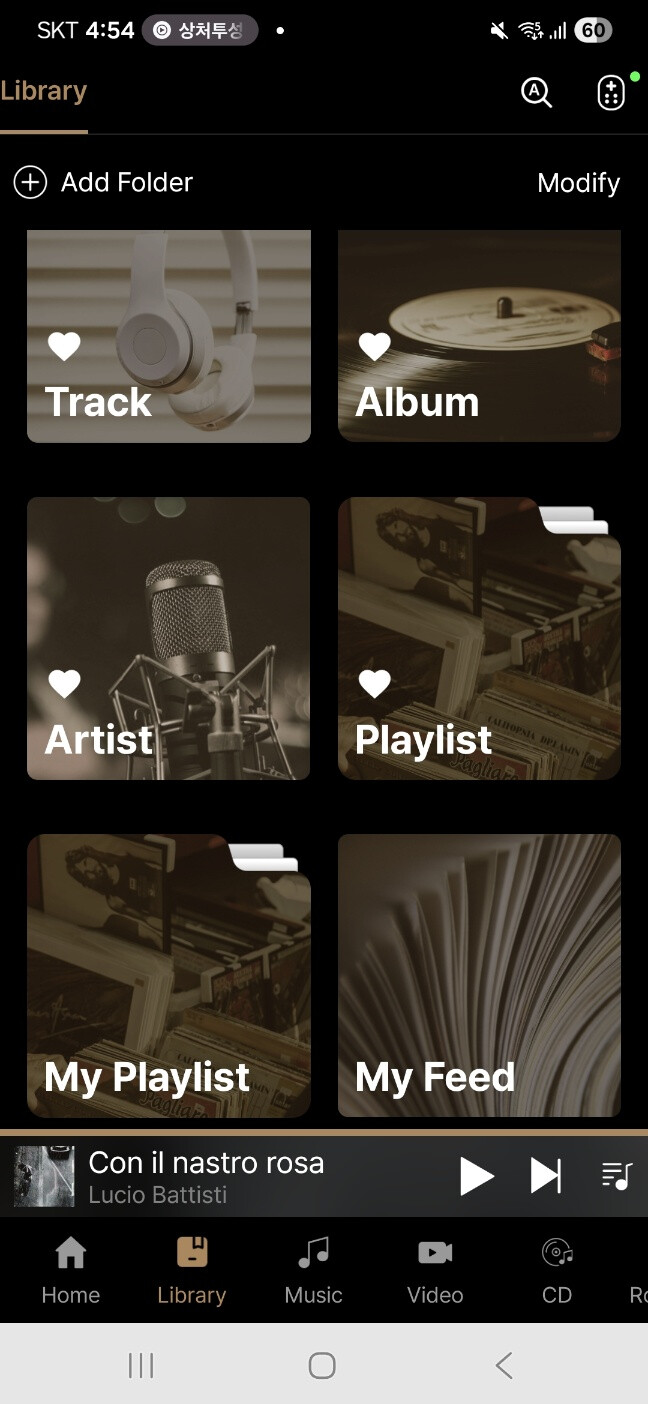
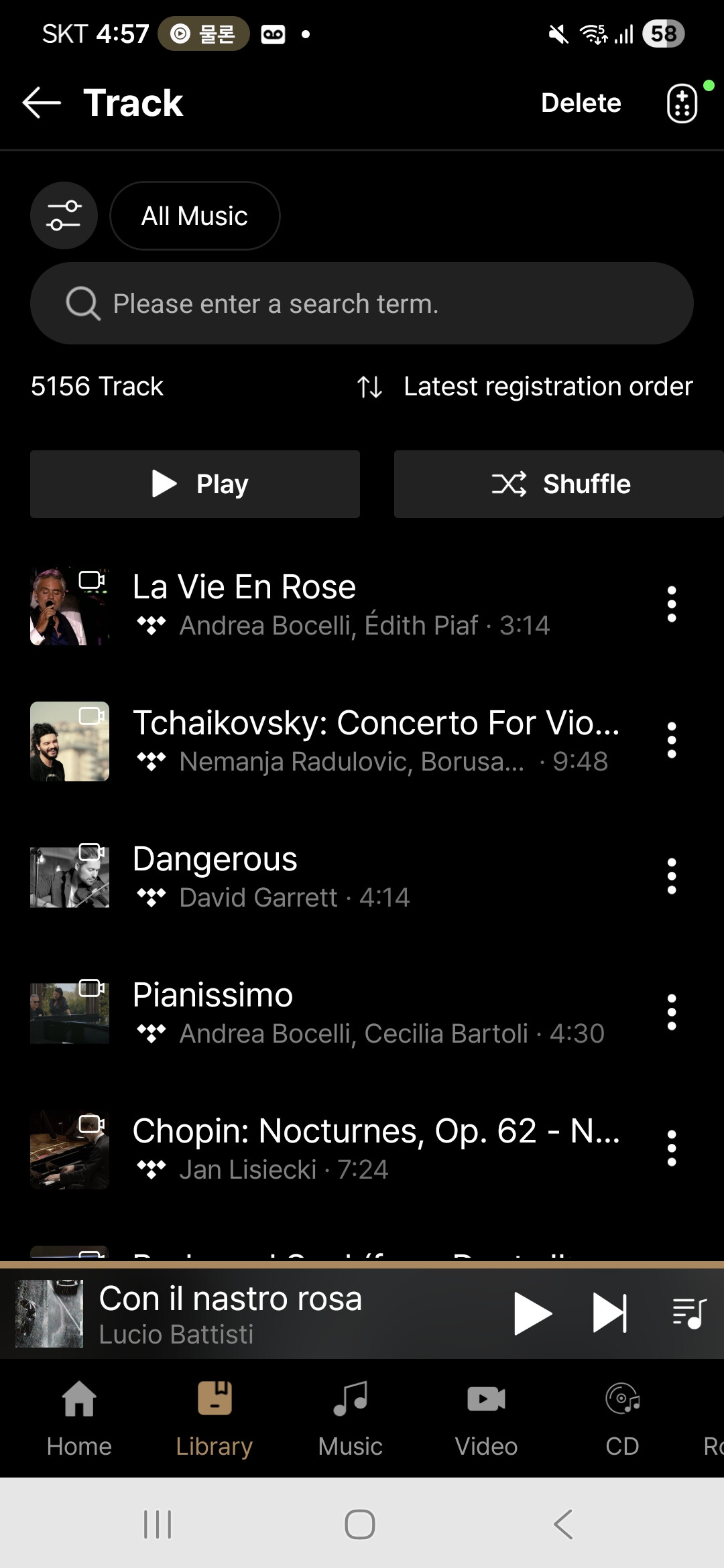

 followed by Play Next icon & the Queue icon” on the right-most side of the List Header line. Also consider moving note