
Whenever I started the Rose One app I had to login separately into my 520.
After the last update it starts up immediately after I click it on my iPhone.
However, from there on I can not start any track. I can see all music but it will simply not start any track on any platform.
When I use the original Qobuz or Apple Music app it is no problem but I can no longer play tracks using the Rose One app.
I am on the latest iPhone software 26.4.2
Yeah… I noticed it too.
The app wakes the RS520 from sleep, which is new.
Just to add.
I went to play a RoseTube stream… it plays… but if I want to use Rose One to control the volume… it says that its not possible. This is using the sound icon on the current view…
Yet if I go to the control pull down menu (clicking on the control widget, in the popup window, I can control the sound.
Its an inconsistent response.
@Joop
We are reaching out because we are having difficulty reproducing the issue during our review. First, please try restarting your device by unplugging and plugging it back in. Then, restart the RoseConnect app on your smartphone and try connecting again to see if the problem persists
Unplugged the 520 as suggested.
Started it from the machine, Rose One found the 520 after some time and everything seems to be fine now.
Thank you.
I have connected Rose One app to RA280, but volume control through the app is very sluggish, to the point of being useless. The same happens in the Rose Amp app. Are you working to solve that? Volume control should work like with Sonos products.
Yes, volume control is indeed sluggish in the new app. To the point of being risky of suddenly oversteering when it reacts later. My other problems where solved by unplugging and reinstalling
Dear HiFi Rose users
The feedback mentioned above has already been forwarded to our software team, and they have confirmed that they will review the issues and work on improvements and fixes after further investigation.
I noticed in the latest release that it seems to be improved.
Agree. At least I am now logging in, in the normal way.
Still something different is happening on the screen, seems it goes very fast (which is no complaint)
Have to check the volume
If now only the UI would be changed in the future. I still feel I see way to much when using (for instance) Qobuz in the Rose app. I would love it if the focus would be much more on your own library and favorites first. But that’s a whole different topic 
All of your requests have already been forwarded to our software team.
However, please understand that not every request can necessarily be implemented.
Hi @ROSEHAN !
With ROSE RS250
If I do the latest update of RoseConnect One on my Intel Mac, I have a beautiful white screen???
I downloaded the proposed version again from Rose’s website and it works, but it’s an older version.
I am still being offered the update, so I refuse. Is it due to the older version of my MacBook from mid-2012?
If you look at the link below, there are two separate installation files for ROSEONE MAC.
Did you make sure to install the correct version for your Mac — Mac Silicon or Mac Intel?
ROSEONE MAC Download Page
Please delete the currently installed version on your Mac and reinstall the correct version again.
If the same issue still occurs afterward, please let me know.
After the Rose update it all started working again
1 Like
Hello ROSEHAN and thank you for your response.
Of course I downloaded the Mac Intel version !
The update starts automatically.
For the installation, I have to start it.
If I don’t install it, I can use the ROSE ONE downloaded from Rose’s website.
It’s not that serious, but I don’t benefit from the updates.!
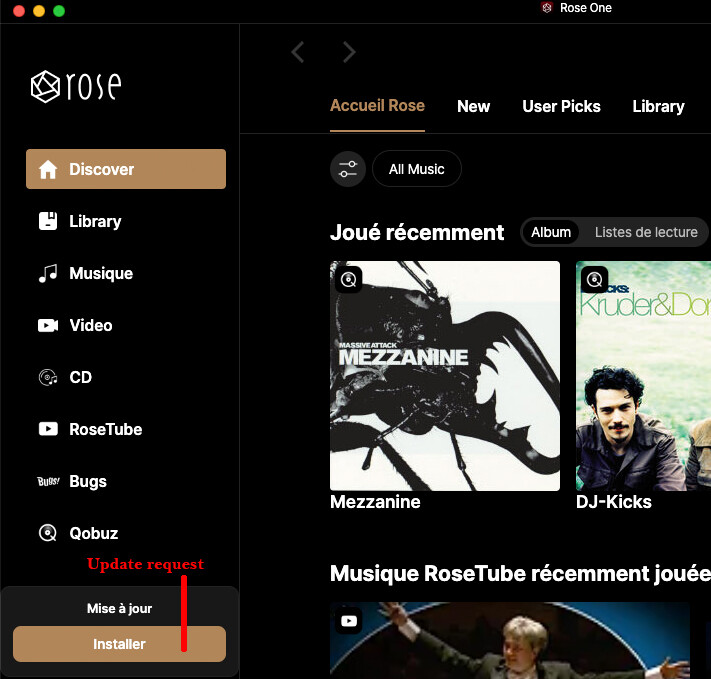
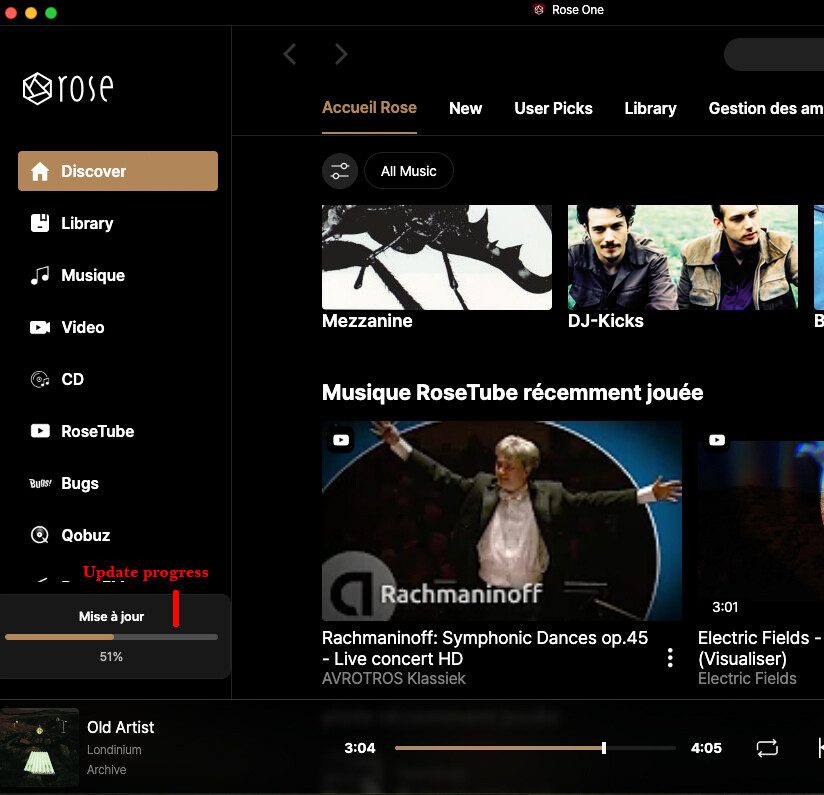
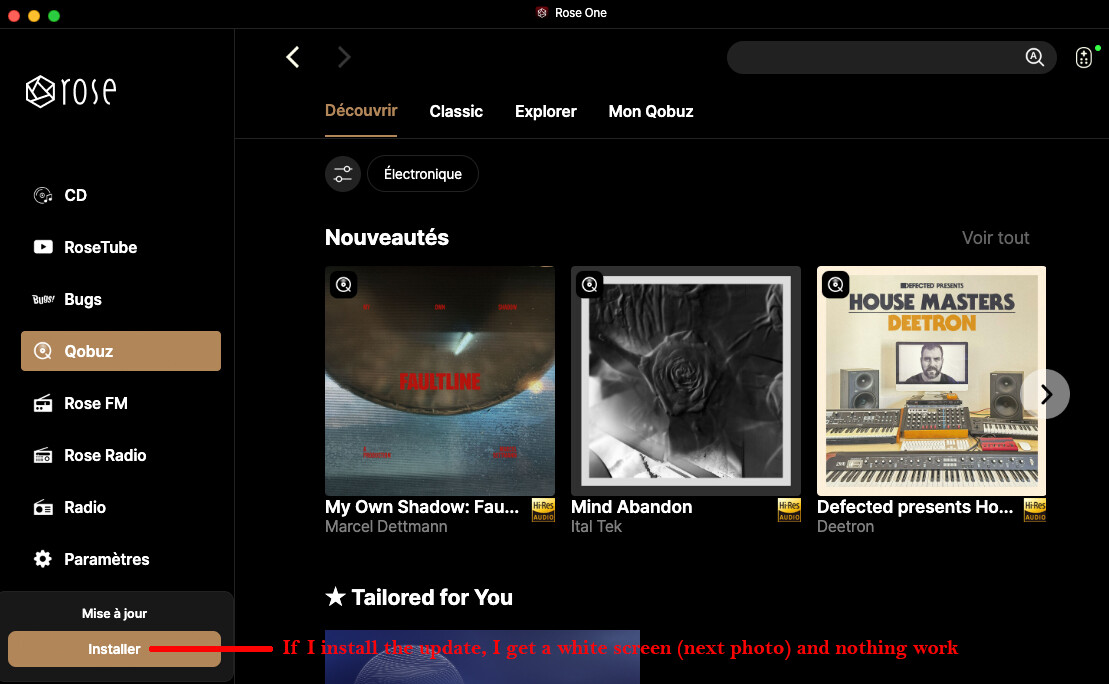

Maybe I wasn’t very clear, @ROSEHAN.
When I install and launch the Mac version of Intel RoseConnect One (on the Rose site), I’m asked for an update, I install it, everything is going well, but when I open the new version of RoseOne, I get a white screen.
So I have to use the original version (the one on the Rose site) and refuse the installation of the update.
Nice day
Hervé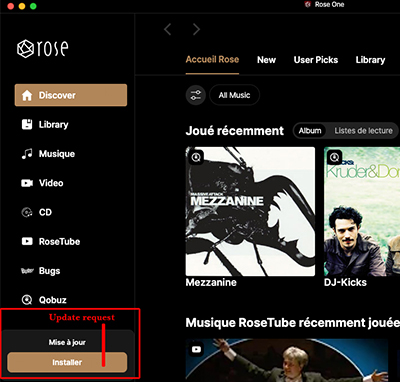
Hey @Herve,
I am also asked to update when I open Rose One, but, since I have downloaded from the Rose website the latest version (for my Mac ‘Silicon’) and this is 1.0.16, I suspect this Update/Install button perhaps might be the Rose’s operating system as opposed to a supposed update of the App itself? I really don’t know…
It doesn’t make sense as - if you have the App’s latest version - you shouldn’t get an option to update, but there you go, with Rose nothing is ever crystal clear, so I suppose we have to wait for an explanation.
Of course, in the absence of a definitive answer on this, I stay well clear of clicking on anything!
PS: excellent choice of music you have on your screenshots! 
1 Like
Hi @alessandro ,
thank you for your response, I’m doing what you’re doing, I don’t touch anything anymore and I’m waiting for possible explanations???
And yes, MEZZANINE I never stopped listening to it, it’s a sublime album and with a rather good system and/or headphones a marvel!
Have a good evening !
1 Like
We have forwarded your issue to our software team.
We will do our best to fix the problem and release an update as soon as possible.
Thank you for your patience and understanding.
1 Like
Hi,
I’m running Rose One (I guess I got it from the Rose site… while the app store doesn’t show it for the Mac, just for the iPhone/iPad when checking for the app from the iPhone)
I’m running 1.0.22 without any issues on an M1Max laptop.
[Edit] You may want to make sure that the Rose device is turned on first. If this is the first time using the app.