Rose rs130e and Esoteric N01XD (It does not play DSD files natively)

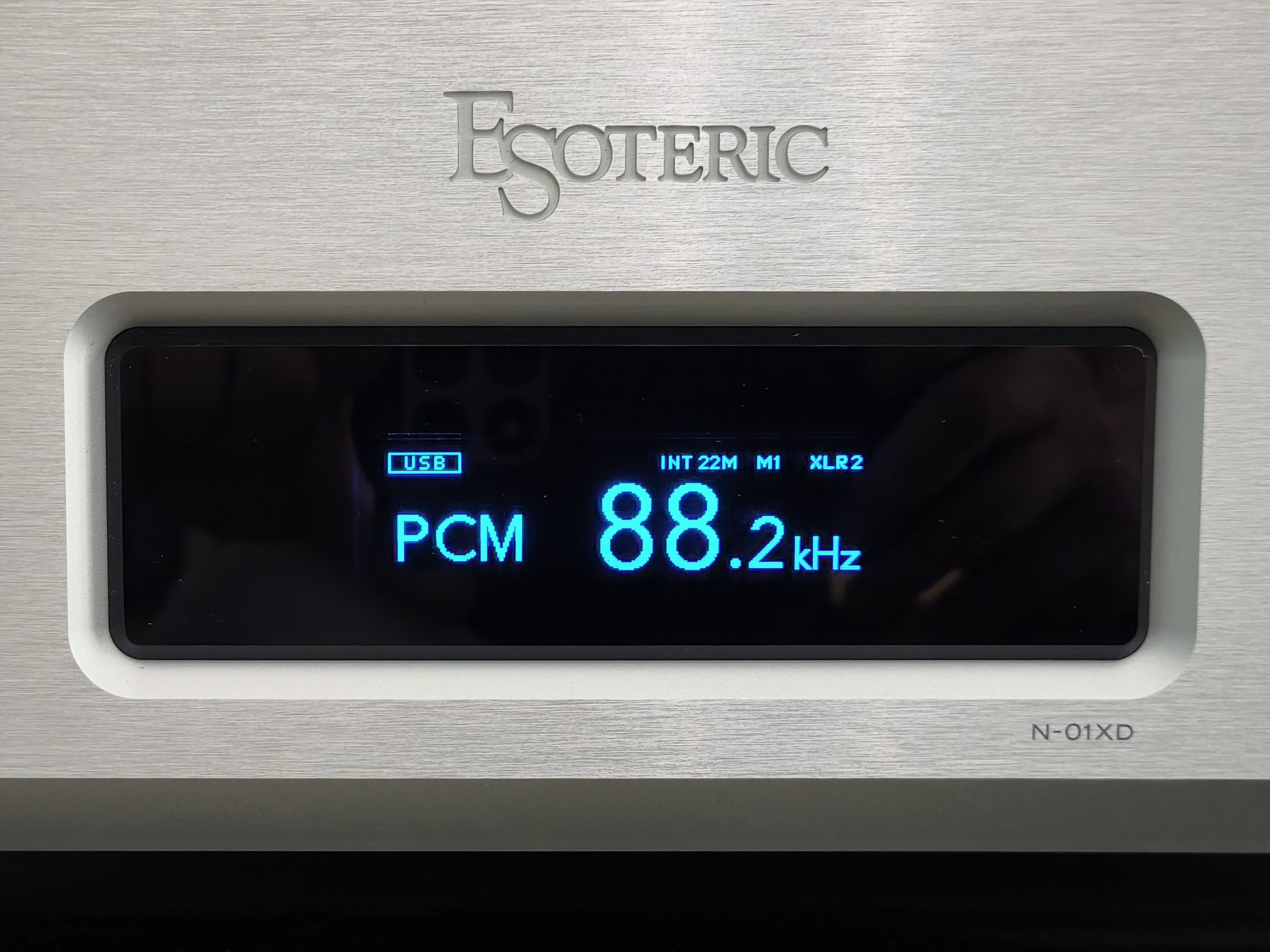
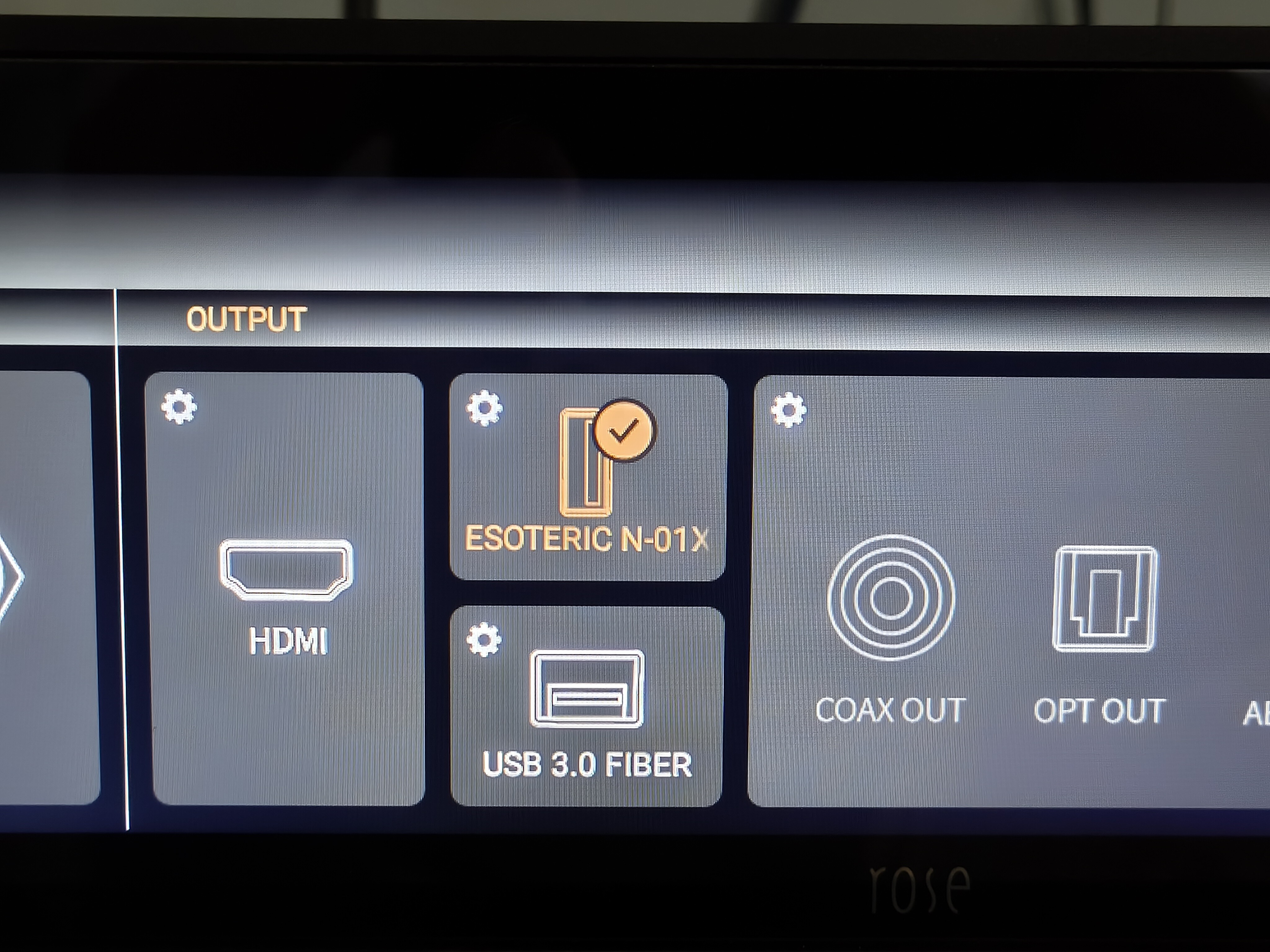
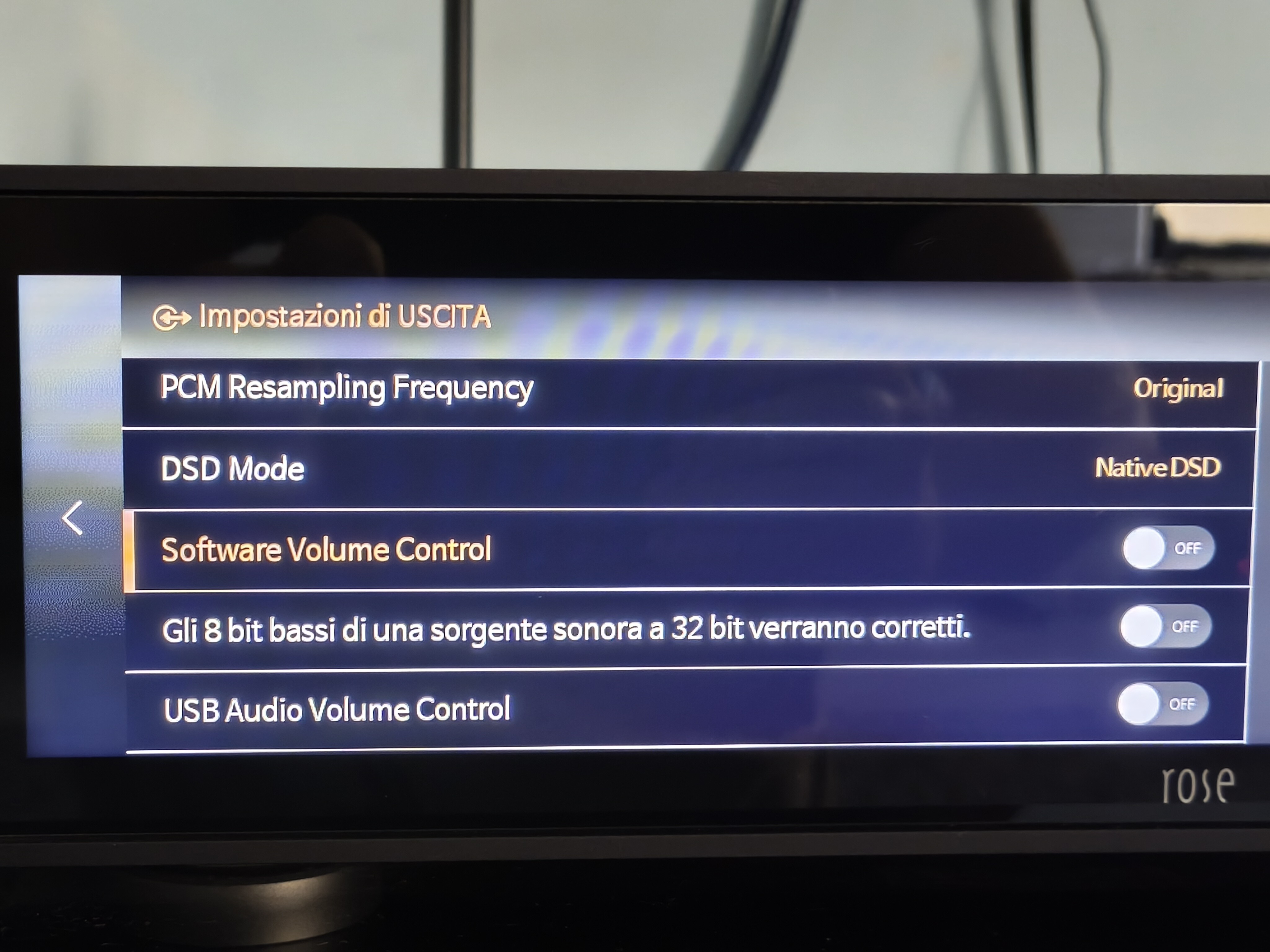
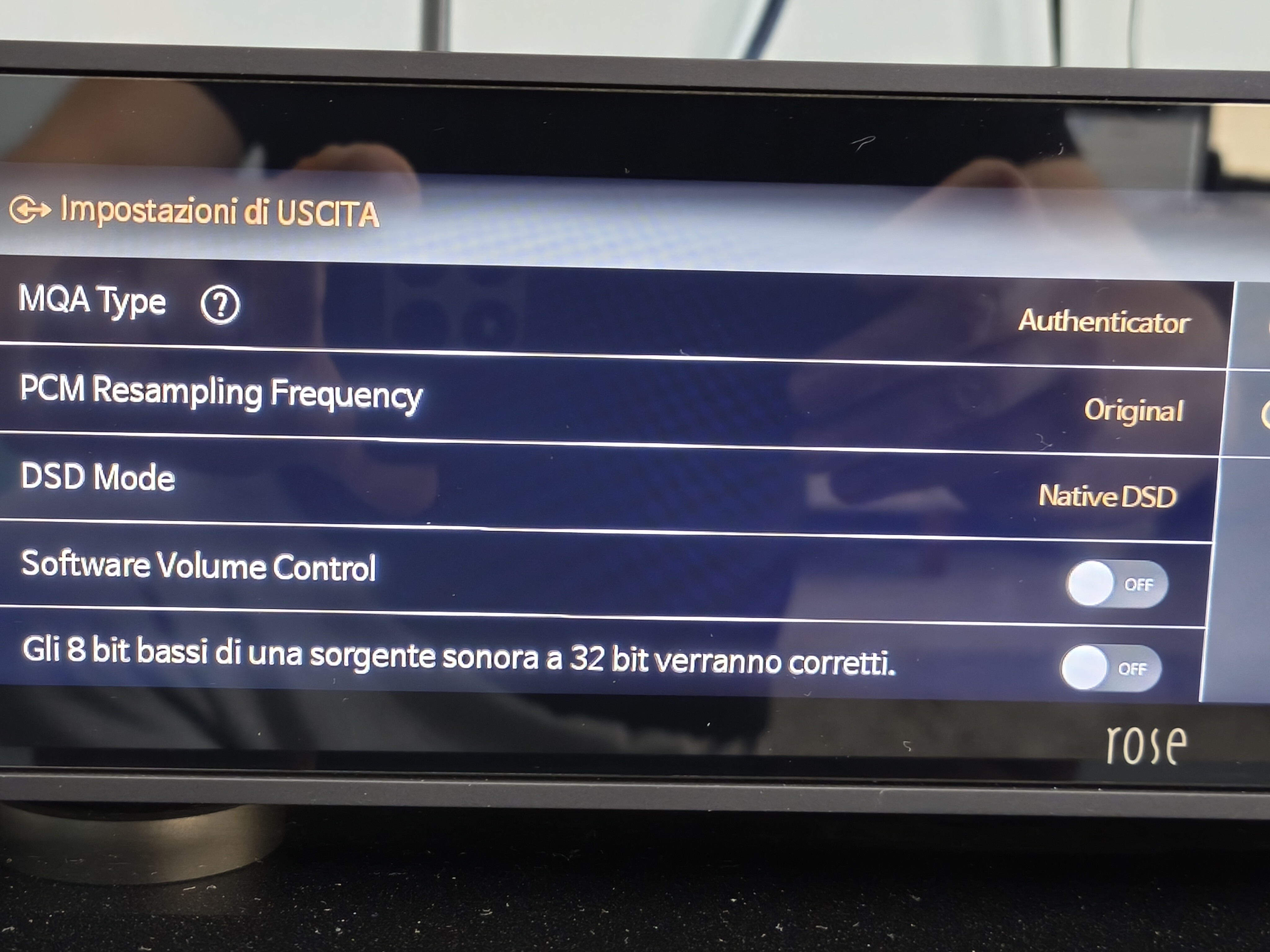
I own an Esoteric N01XD DAC, which plays DSD files natively (verified by connecting a flash drive directly to the DAC). However, when connected to the Rose RS130 via USB, DSD files are not played natively but are instead processed using PCM oversampling at 88.2 kHz. Why is this happening? The configuration on the Rose 130 is correct: I have set “DSD mode” to “native” in the input/output settings. Is there a way to resolve this incompatibility?

Kind regards

Giulio

@orsa99

Thank you for contacting HiFi ROSE Support.

We understand that your Esoteric N-01XD DAC supports Native DSD playback when playing files directly from a USB flash drive, but when connected to the RS130 via USB, DSD files are converted to PCM at 88.2 kHz despite selecting Native DSD mode.

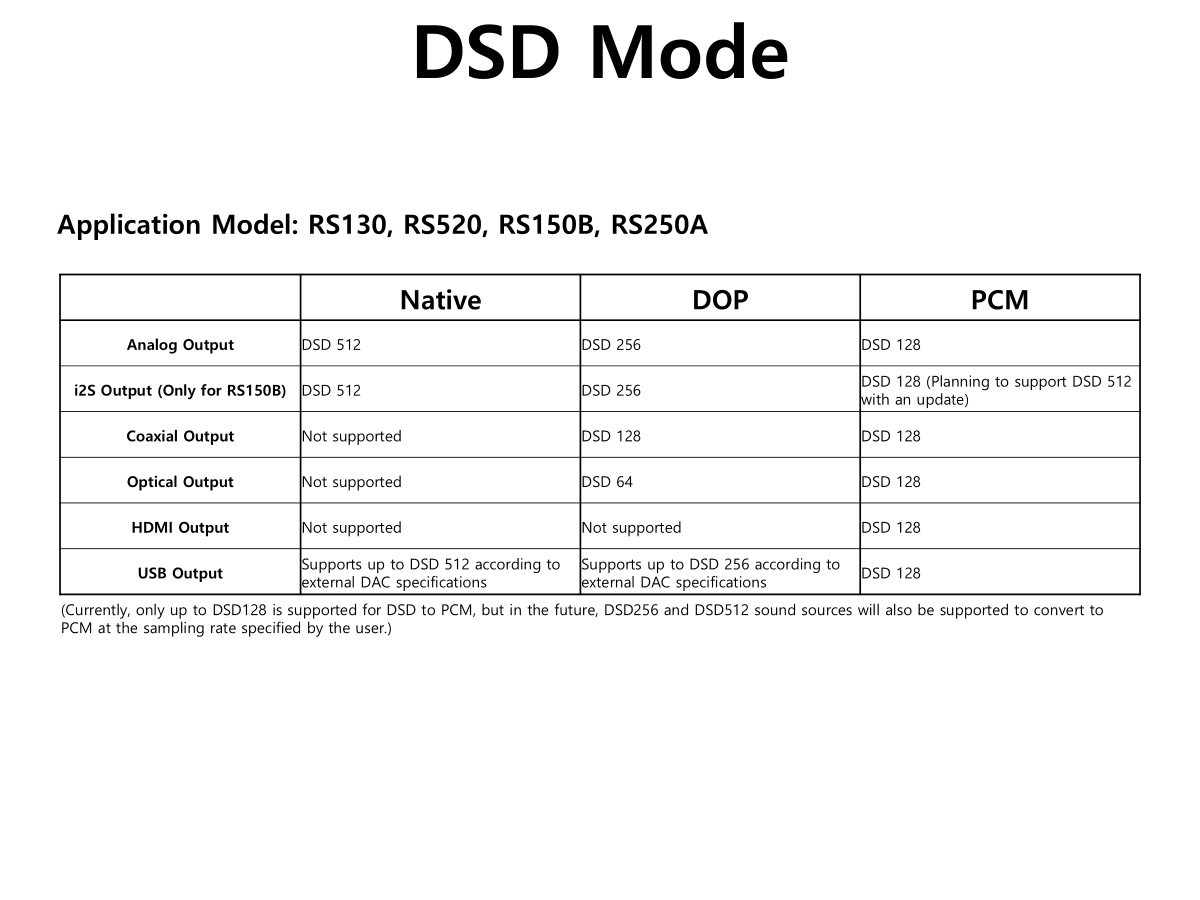
Please note that Native DSD playback directly from a USB storage device and Native DSD playback through a USB connection to an external streamer may operate differently.

Even if a DAC supports Native DSD playback internally, Native DSD transmission via USB also depends on compatibility between the source device and the DAC’s USB audio interface.
image

To help us investigate this issue, could you please provide the following information?

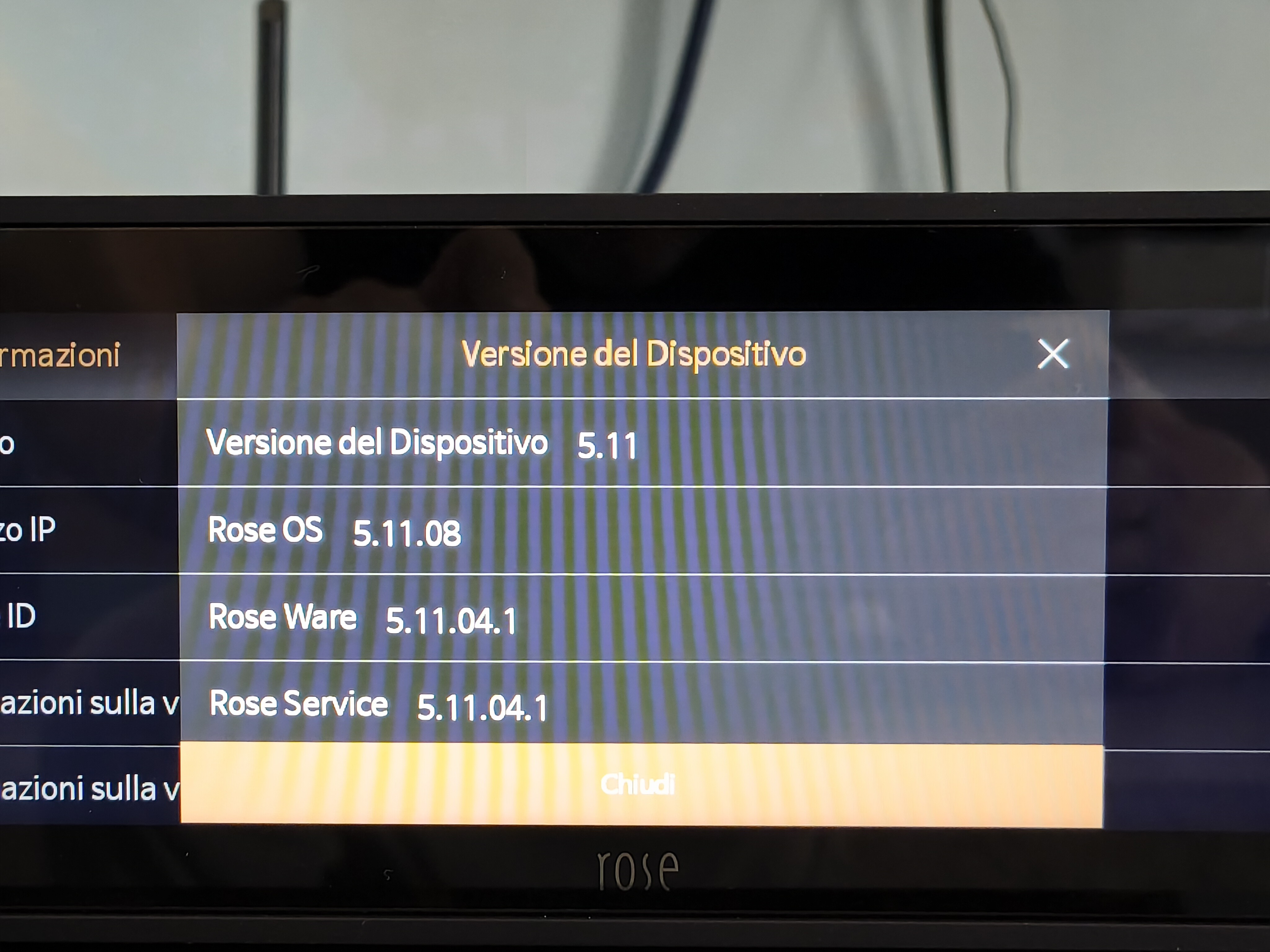
  1. Which Rose OS firmware version is currently installed on your RS130?
  2. What is the original DSD format of the files you are playing (DSD64, DSD128, DSD256, etc.)?
  3. Are you playing the files through the Music app, Roon, or another application?
  4. Have you tried changing the DSD output mode from Native to DoP? If so, does the DAC recognize the DSD signal correctly?

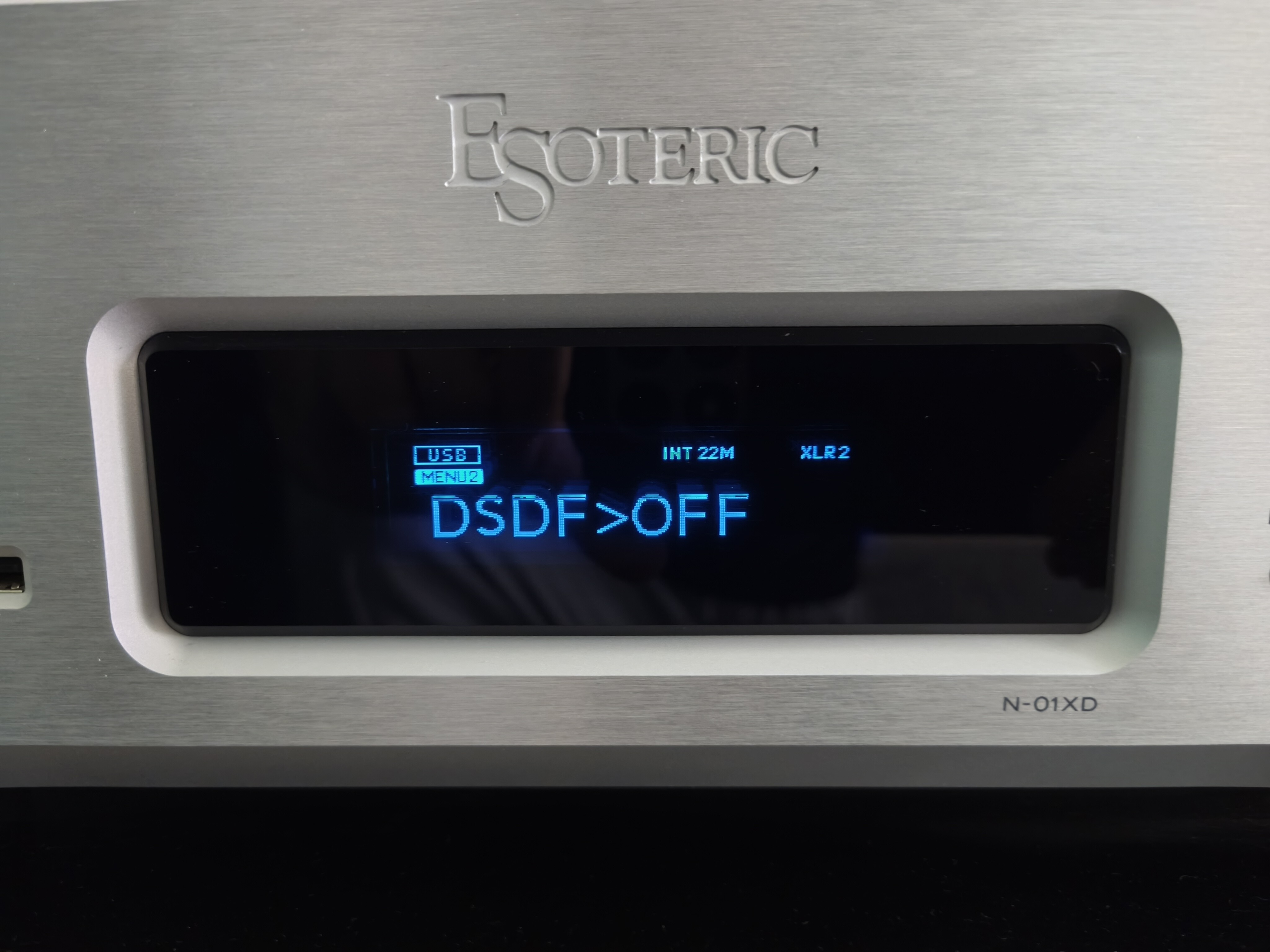
We would also appreciate screenshots of your RS130 audio output settings and the playback information displayed on your Esoteric DAC.

With this information, we can further investigate whether the issue is related to USB audio compatibility or software behavior.

Thank you for your patience and cooperation.

Hi thanks for the answer.

  1. The firmware Rose os version is the last: 5.11.08
  2. The original DSD format is: DSD64
  3. I play the DSD files through the Music app (Rose one app)
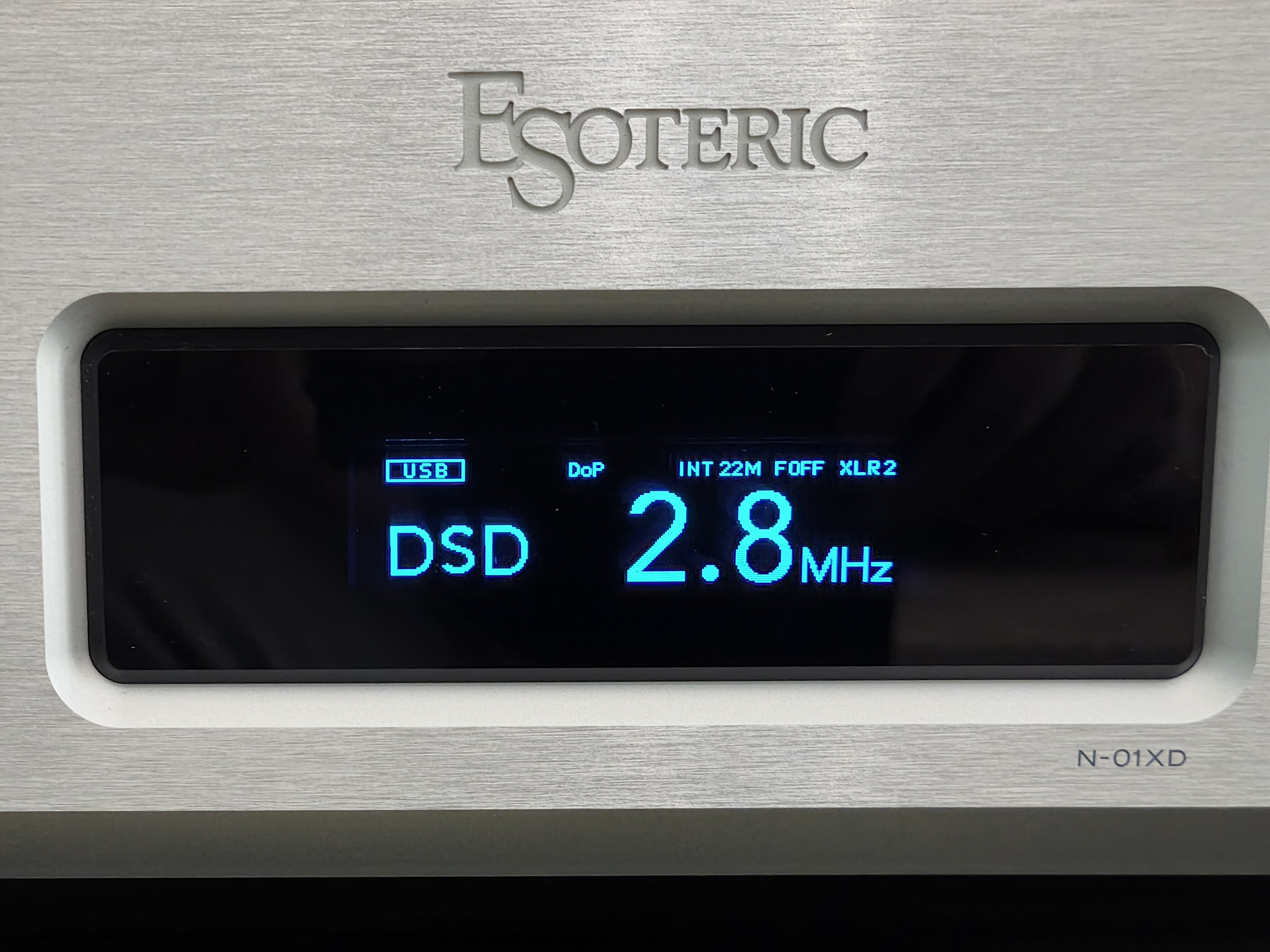
  4. I changed the “Native DSD” setting to “DSD over PCM” (DoP) in the Rose settings; strangely, the Esoteric display now shows “DSD 2.8MHz” with “DoP” above it (please see the attached photos). Conversely, when I select “Native DSD” in the Rose settings, the Esoteric display shows “PCM 88.2”(please see the attached photos). Shouldn’t it be the other way around?

no, mostly the users doesn’t know what DoP means. In using DoP DSD will encapseled in a PCM stream and the DAC knows about this and extract from the stream DSD. This is complete losless!
When you set in the RS130 native DSD and the used kernel doesn’t have (using through USB the ID pair, which he gets from the DAC) the information that the DAC can handle DSD, then it will converted to PCM.
What this means: Hifi Rose must update their used kernel that you can native DSD with your DAC.
But in using now DoP doesn’t degrade anything, if you’re only using DSD64 (until DSD256 with your DAC).

2 Likes

We believe it is necessary to review applying an RS130 patch for this issue. Once the fix is applied, we will provide a guide so that orsa99 can install it. Please send your email address and a brief summary of the issue to the email below.
shim1691@citech.kr

1 Like