
I use vpn to listen to content on tidal since tidal does not work in Ukraine. The problem is that I constantly have to turn off vpn to watch videos on rosetube. How can this problem be solved?
I have a few questions for you:
- Do you need to log into your TIDAL account on the Rose device in order to play music? Typically, VPN is only required for signing up and making payments, and playback should work without a VPN. Is that not the case for you?
- There is no built-in feature to enable VPN on the Rose device. When you try to play TIDAL content directly on the Rose device, does it work?
- On your mobile phone, without enabling a VPN, are you able to play TIDAL content through the RoseConnect app?
- Which VPN connection method are you using, and which country is it set to?
- Which VPN service are you currently using?
- When you try to play RoseTube with the VPN turned on, do you see any error message?
- When you try to play TIDAL with the VPN turned off, do you see any error message?
Some time ago, it worked exactly as you described, but now Tidal only works through a VPN.
Tidal only works when I enable the VPN on my Keenetic Hero router.
Tidal doesn’t work either in the RoseConnect app or in the native Tidal app without the VPN enabled.
I use a Keenetic router with the WireGuard app installed to run the VPN. The physical server is located in France.
WireGuard
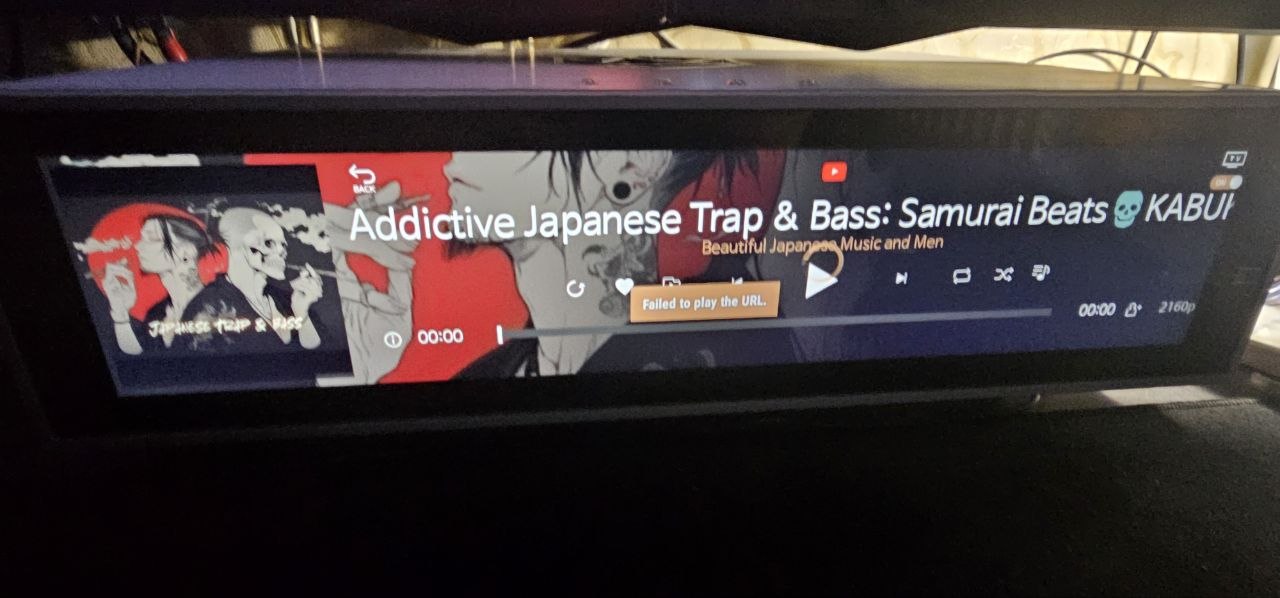
A loading spinner appears, and when I switch to another track, the message “Failed to play the URL” appears.
No content appears in Tidal without the VPN enabled.
Without the VPN.
With the VPN enabled.
This is the first time we are encountering an issue where TIDAL playback does not work without a VPN.
In that case, there may be a feature in your VPN settings or Keenetic Hero router that allows only TIDAL traffic to go through the VPN. Could you please check if such a function is available?
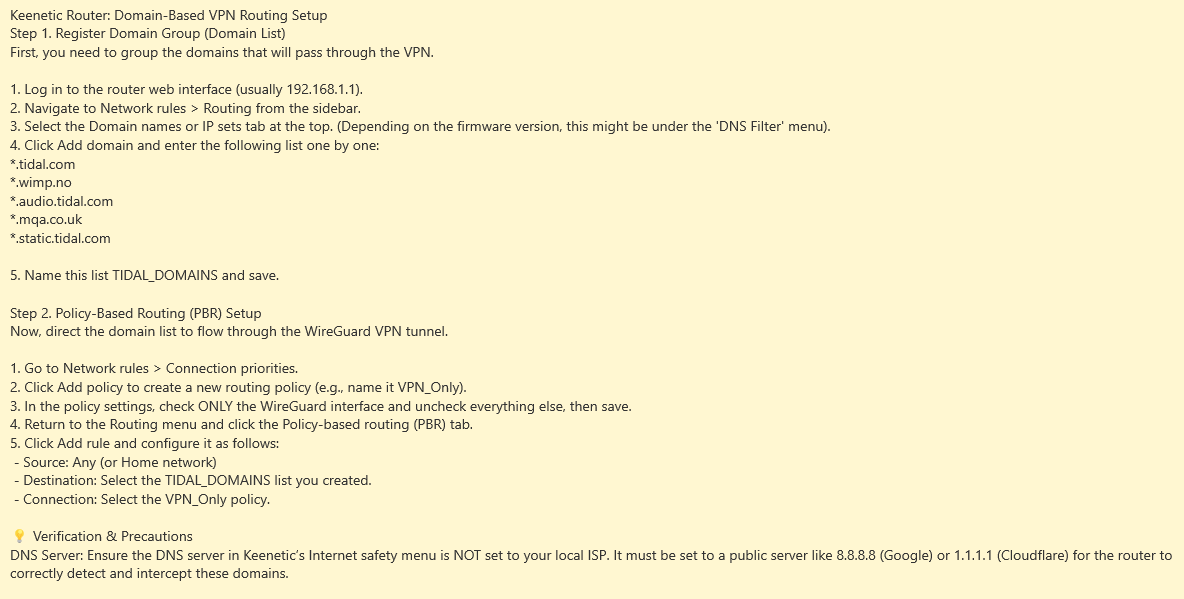
Thanks for the instructions for splitting with vpn Tidal and without with RoseTube. The question was why RoseTube doesn’t work with vpn, on all other devices smart TV, tablets, phones, youtube works with vpn.
When using a VPN, are the RoseTube video lists not visible at all, or are they visible but unable to play?
If the lists are visible but the videos cannot be played, what message is displayed when playback fails?
Video content listings are displayed when vpn is enabled
“Failed to play the URL” a message appears when trying to play a video
When we set it up the same way as you, RoseTube plays normally.
Does the same issue occur when you set the VPN type to France on your router?
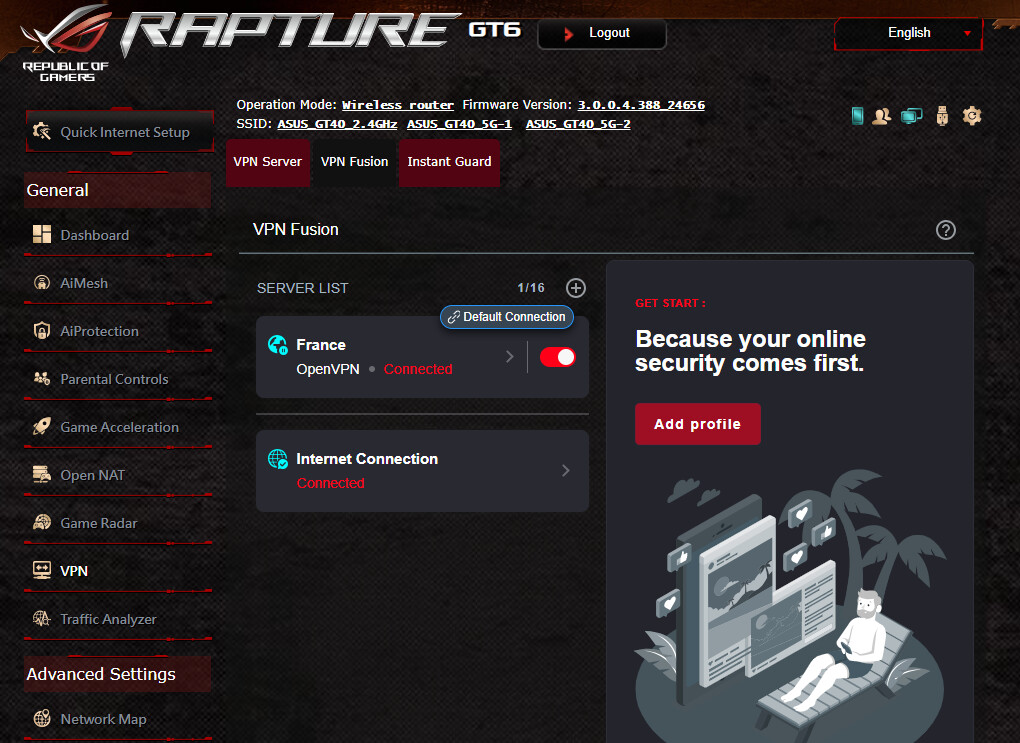
It may be related to the VPN app provider.
You use OpenVPN; in my case, WireGuard.
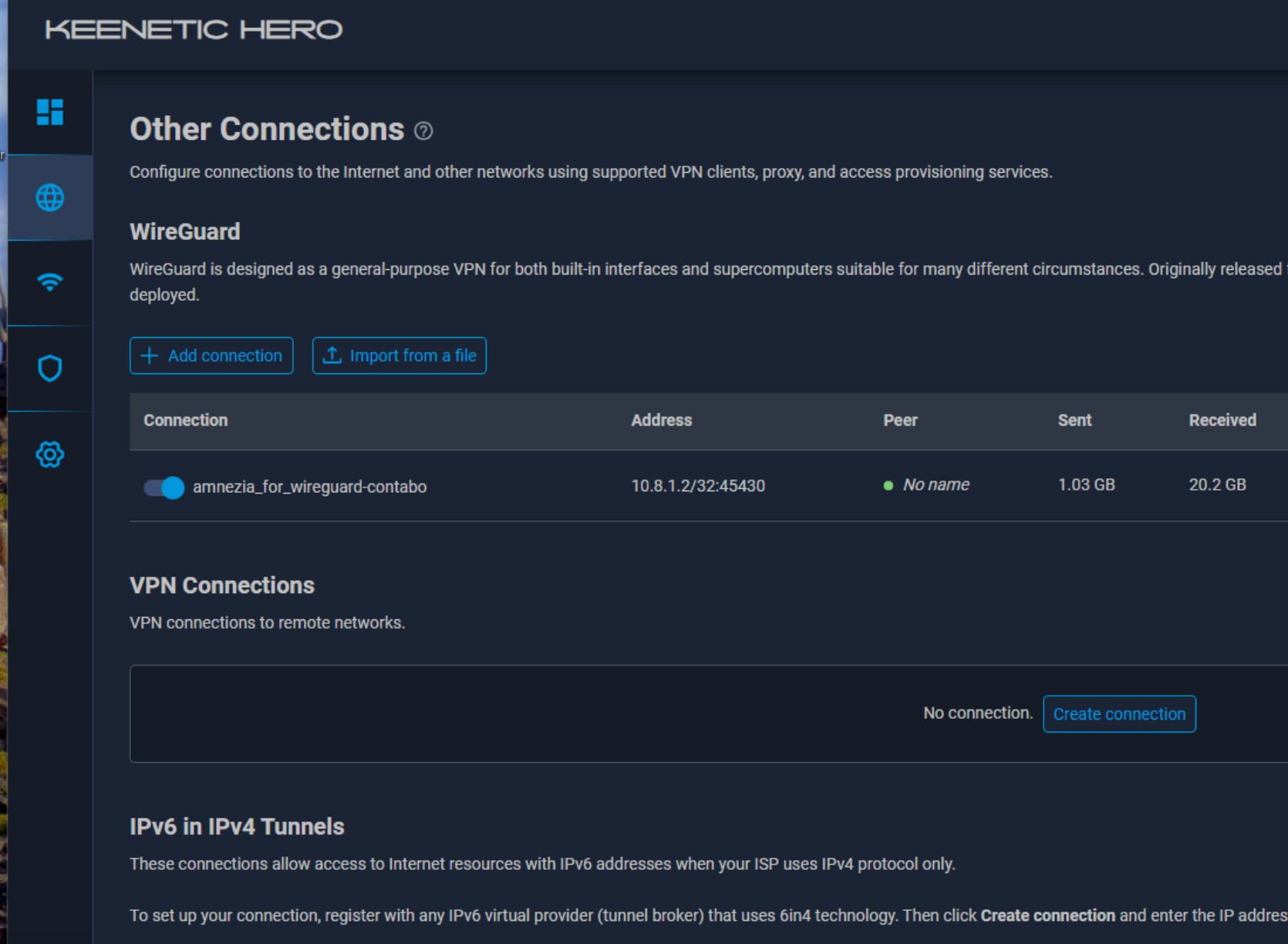
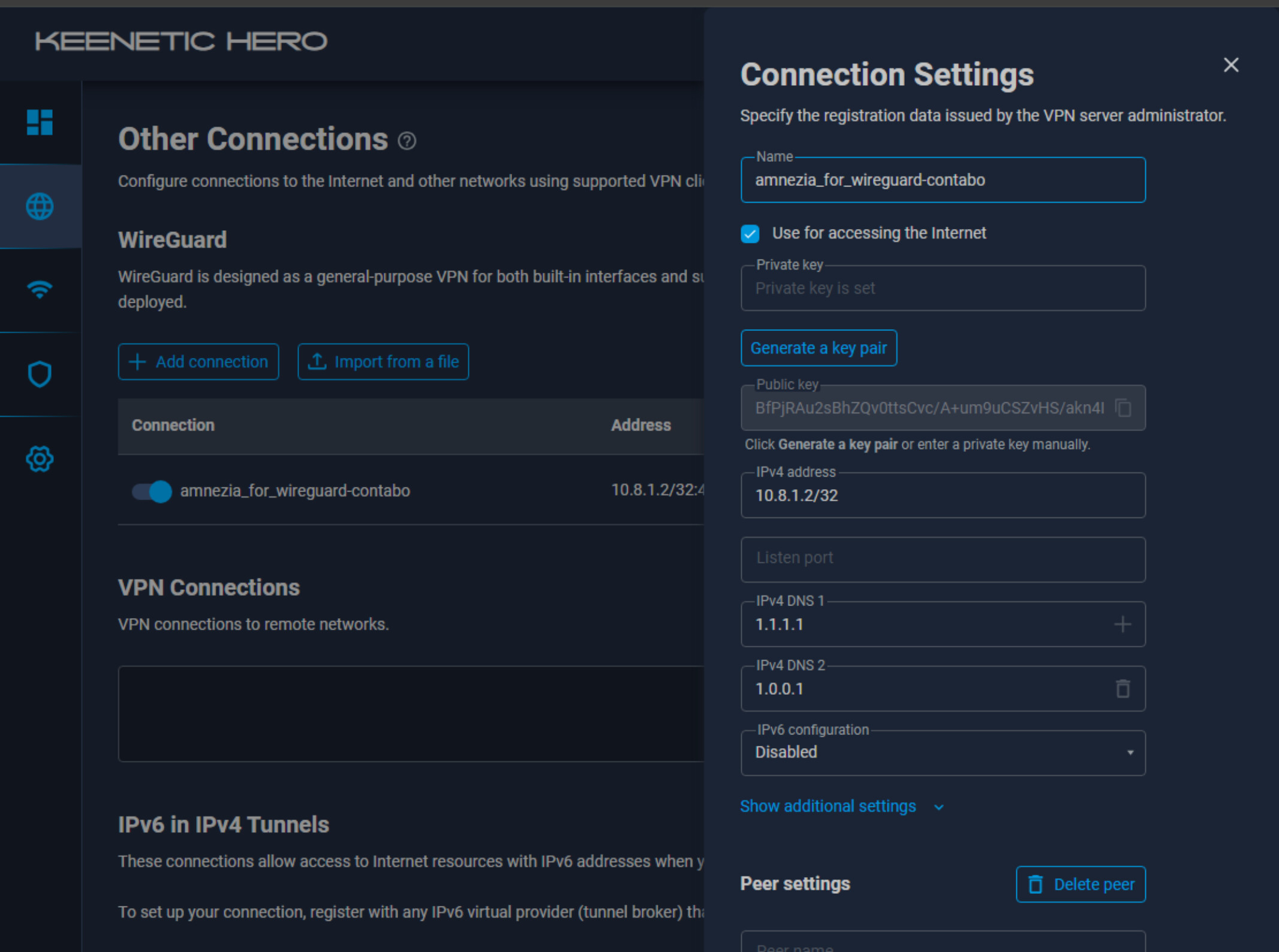
I would still be hesitant about the VPN setup, but on all other devices except the RS130, YouTube works through the VPN.
Another question regarding playback content in RoseTube without a VPN: why doesn’t RoseTube play video clips containing erotic content, while other devices play such content without censorship?
1 Like
RoseTube supports most of the content available on YouTube, but it is not identical to YouTube.
Do you necessarily need to use a VPN? This is the first time we’ve encountered this issue as well, so it’s difficult for us to provide an exact answer.
Lastly, unlike YouTube, RoseTube does not have a method for age verification. Therefore, videos that require age restriction (19+) cannot be played.
First of all, we sincerely apologize for the inconvenience you have experienced.
We take your feedback and the issues you mentioned very seriously, and we will strive to provide more stable and polished software.
We will do our best to improve quality so that such issues do not occur again in the future.
Thank you for your valuable feedback.