
Deinstallation and Reinstallation will get the video running again. BUT can you explain why I have no tone till I reduce or increase the level?
Could you please send me a video of the phenomenon where you have to adjust the volume to hear the sound when you play the Rosetube video to the email below?
eunseong96@citech.kr
That´s not possible. But it was not the first time that I had this issue. Sometimes, maybe always, after updates of the software there is no output signal till you change the volume of the internal volume control. Maybe this is no issue but a safty feature ? Best regards Björn
In the case of Rosetube, the server changes frequently.
When the server changes, it takes time for us to track the changed server and distribute the update.
Please understand that this is something we cannot do anything about.
RoseTube isn’t functioning for me today. Just stalls with the golden circle of death. RS130/RD160 setup. Wifi is working great. No network troubles whatsoever.
If you have updated Rosetube to the latest version from RoseStore, will the same symptom appear even if you delete and reinstall Rosetube?
And again……. Rose tube can‘t find the URL
RoseTube and YouTube are not exactly the same.
We developed RoseTube based on the API that YouTube publicly supports.
If YouTube makes any modifications or changes, RoseTube may not run smoothly.
In this case, you can resolve this by going to the Rose Store on your Rose device and reinstalling the RoseTube app.
I am still having troubles as well. The first couple of videos play without hiccups but after a while videos are refusing to start. It’s like they are buffering or something, but my internet speeds are around 1 grit and everything else is working just fine.
@HansRoggen
Is your ROSE ID 0D6E01?
I thought it was working normally after the last action, but are you experiencing the problem again?
Please confirm that the ROSE Store > ROSETUBE version is V 5.9.09.61.
If you experience any issues with RoseTube playback, could you please record a video and send it to the email address below?
shim1691@citech.kr
Hi Rose_love
Yes I am experiencing the same issues. It states our fine but after a few hours Rosetube stops playing. Sometimes it resumes but more often it just stops.
I could record a video, but al it would show is the screen with the main button showing the pause sign and nothing moving at all. No further messages.
@HansRoggen
Could you please confirm if the RoseTube version you are currently using is V 5.9.09.61? (You can check this under Rose Store > RoseTube App.)
To accurately analyze the cause of the issue, we would appreciate it if you could record and send us a video of the symptom, making it as long as possible."
shim1691@citech.kr
Hi Rose_love
That is indeed my firmware version.
I will try and record a video, but it usually takes quite a bit of time for it to happen. If I would record a video then you would see a Rosetube screen with the artwork, the button for TV display set to ‘on’ and the main button as the pause sign, but no video playing.
Best wishes,
Hans.
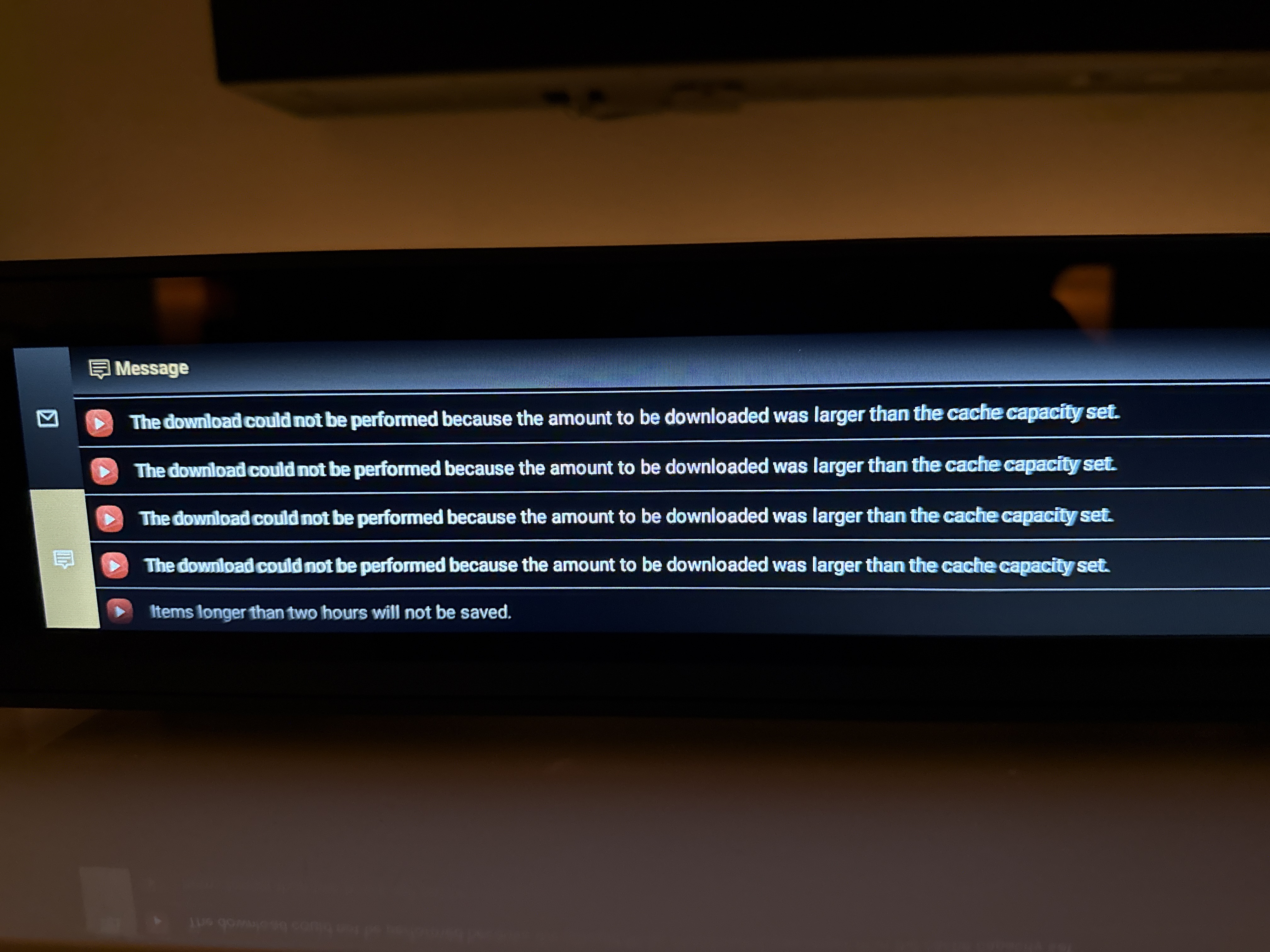
Please help us check a few things.
- Go to RoseTube → Settings → Enable Cache ON → set the cache storage path on your storage device, then try increasing the capacity in the capacity settings.
- Does the issue still occur if you turn the cache function OFF in RoseTube?