
My RS520 does not recognize the CD drive. What can i do? disconnecting from the power, turning it on/off, etc. did not help.
Which USB port did you use?
What did you do when you connected it?
Did you go into settings and choose the USB-B as the input?
I try all 3 USB ports. After connected I go to Icon „Cd rip“ on the Display and I can see in the left corner cd : „CD Vector….“. Now: I See: No cd rom.
In the past, disconnect/connect cable helps.
I can hear, that the cd Drive work, but I can not see on Display and start the ripping.
Did you first set the input to USB?
Had the same like you mentioned, was thinking in the plug and play world. When first selecting the usb in it worked.
No, I hadn’t. It had worked without that before. I tried it now, but without any result. In the meantime, I simply switched the selector on the side from normal mode to isolation mode, which woke the drive up again. Ripping also works in that mode.
By now I’ve ripped over 300 CDs, but there have also been around 50 CDs where it didn’t work and the drive just shut itself off. With almost as many other CDs, the drive doesn’t recognize the metadata.
Overall, it’s really tedious to digitize a larger collection this way.
We’re glad to hear that CD ripping works normally after switching to Isolation Mode.
Please help us by checking the following points:
- You mentioned that out of 300 CDs, ripping failed on about 50 CDs because the drive shut down during ripping. When you try to rip those same CDs again, does the drive shut down again?
- Does the drive shutdown during ripping occur only with specific CDs, or does the ripping fail randomly across different CDs?
- If the issue occurs with specific CDs, please let us know the DISC ID shown on the CD ripping screen of the RS520 before starting the ripping process.
There is no such thing as a free lunch… (TANSAAFL)
You could just go to spotify , etc … and not have your own collection…
Or you could take the time to rip them.
I am curious about the CDs you couldn’t rip.
Could they have some sort of DRM lock?
Anything these CDs have in common.
If the problem occurs, it does so consistently with the respective CDs. When the pull-down menu for setting error correction is missing, the drive shuts down immediately after an attempted ripping process. These are mostly CDs from the 1990s; it is likely related to some kind of copy protection (?)
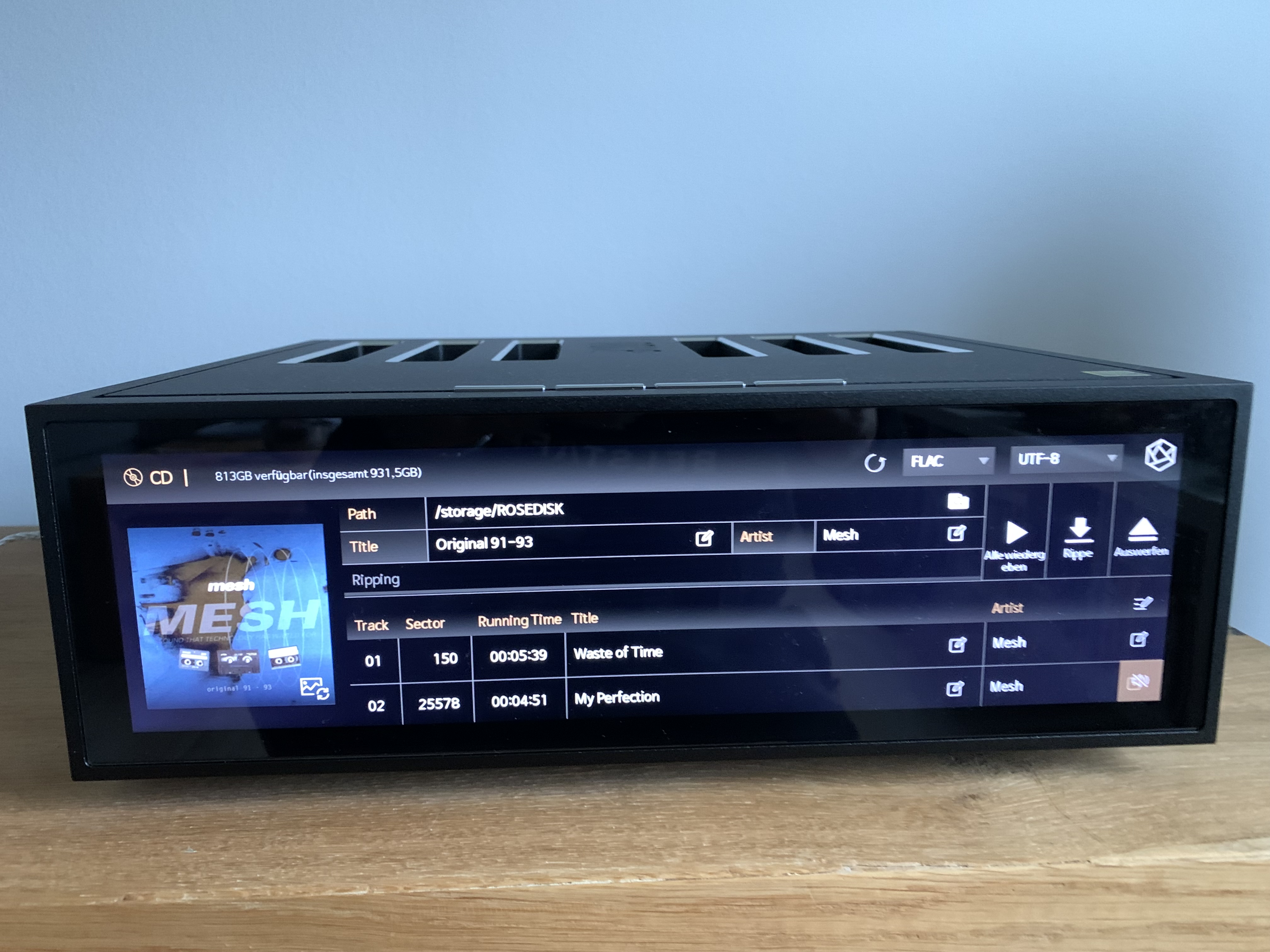
For the CDs that have issues, is the DISC ID not displayed under the “Ripping” section below the title, as shown in the photo you sent?
Yes, that seems to be the case. I just tried it again with three CDs. Often all metadata, including the cover art, is read correctly, but the error correction is missing, and the drive is no longer displayed either.
Could you please let us know the titles and artists of the CDs that are experiencing this issue? We would like to check those CDs on our side.
Wie soll ich Euch die Information zukommen lassen?
Please send the information, including a detailed description and photos, to the email address below:
eunseong96@citech.kr