
RS130 Hifi Rose App cannot see DVD file

Hello admin

I downloaded the DVD from below link (using torrent)
https://rutracker.org/forum/viewtopic.php?t=1247879

Then I copy the downloaded files to my NAS. The “Rose Hifi” app on Mac OS can brow the video to the directory, but cannot display the video files in “VIDEO_TS” directory.

Actual “VIDEO_TS” directory contain files such as “VTS_01_0.VOB”,…“VTS_04_1.VOB”.

The problem is, the app cannot see the file.

Other Blue ray disk (downloaded from rutracker also, The app can see files and play well.
Pls advise
Tks
@HoaTD

Thank you for using HiFi ROSE products.

Based on your inquiry, we understand that the VOB files inside the VIDEO_TS folder of a DVD stored on your NAS are not visible in the HiFi ROSE app.

Unlike standard video files, a DVD’s VIDEO_TS folder contains files such as VOB, IFO, and BUP, which are part of the DVD-specific file structure.

Because these files have a different structure from standard video files, they may not be properly recognized depending on the file browsing and playback methods used by the HiFi ROSE app.

In the VIDEO_TS” directory also contain

  • VIDEO_TS.BUP file
  • VIDEO_TS.IFO
  • VTS_01_0.BUP
  • VTS_01_0.IFO
    besize all VTS_xyz.VOB file
    Pls advise. I extracted the DVD file as is from downloaded file.

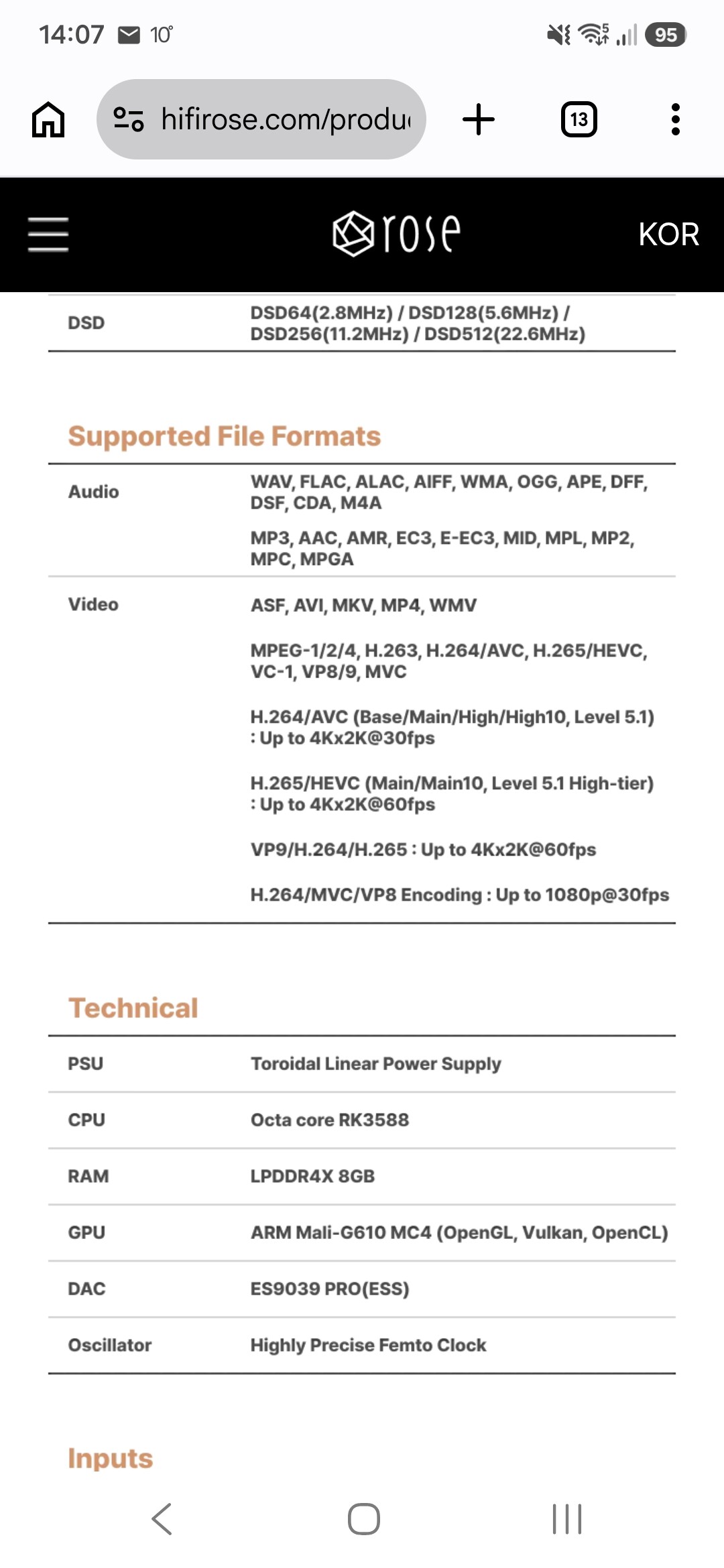
Where do you see in the specs, that a rose streamer can handle a dvd or bluRay structure?

You’ve to demux the dvd/bluRay and create for example a MPEG or a mkv container.

rename 1 .vob file to .mkv and see what happens :wink:

Andre, I changed the name and it worked. Tks

Still don’t know why ROSE ignored the VOB file extension.