Hello,
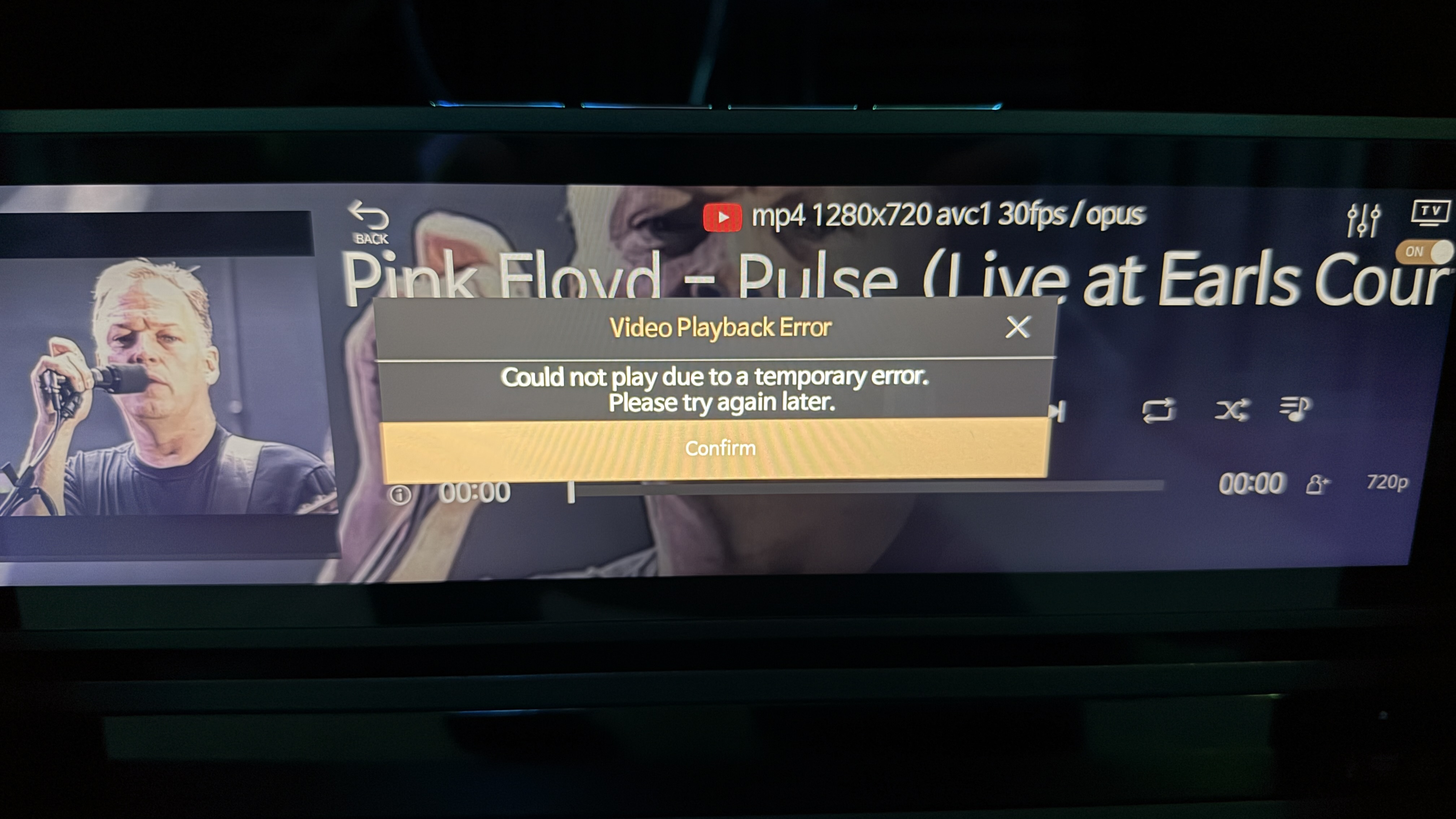
I can’t play any audio/video on my RS130 via Rose Tube. I am always getting the same error message “could not play due to temporary error”.
Anyone else have same issue or knows of a fix?

Hello,
I can’t play any audio/video on my RS130 via Rose Tube. I am always getting the same error message “could not play due to temporary error”.
Anyone else have same issue or knows of a fix?
Thank you.
Best regards
Whoops! – I’m on wrong thread
I am experiencing the exact scenario. Same error message no matter what I select on RoseTube. No one else? Is there no solution?
I have the same problem again, i want to play a music live channel and got this message too.
It happened last year too and took more than 2 months for rose to correct the problem. I am on rs-250a.
Unbelievable
Dear Hi-Fi Rose users
Currently, RoseTube videos cannot be played due to changes in YouTube policy.
We have identified the cause of the symptom and will make a correction by this Friday at the earliest.
Thank you, I appreciate the response.
Thank you very much! I performed the RoseStore updates and rebooted each of my Rose devices. RoseTube now performs as intended. I appreciate your attention and fast response.
Many thanks for quick turnaround…Confirmed working now after 2 RoseTube-related updates.
Working here after Rose Tube update
Hello,
I can no longer use the application RoseTube (v. 5.9.07.60) and I’m getting the same error message as mentioned previously :
“Unable to read due to a temporary error.”
The same applies to the application YouTube…

I uninstalled RoseTube but couldn’t reinstall the new version. I had to upgrade the RS130’s firmware to 5.9.09 and was then able to reinstall RoseTube, which now works.

We are glad to hear that the issue has been resolved.
If the message “Unable to read due to a temporary error” appears again in the future, please uninstall the RoseTube app from the RoseStore and then reinstall it.
If you have any other questions in the future, please let me know.
I successfully watched about 5 RoseTube videos just now and now I’m back to the same old RoseTube error message on my RS520 again. So frustrating. Running 5.9.09. I rebooted, no change. I also uninstalled RoseTube app and reinstalled… no change.
@Sirpopealot
Please restart your device by unplugging and plugging the power cord back in.
Then, reinstall the RoseTube app from the Rose Store and check if it works.
@Rose_love I completed your instructions. Everything operated as it should for 6 videos. On the seventh video I received the dreaded error message again. I selected
“Confirm” and was able to play a few more videos before receiving the error message again. After the fourth error message I powered down for the evening. I’m not sure what else to do at this point. Thank you again for your help, I really do appreciate it.
We apologize for the inconvenience.
Please check the following: