Dear community,
can I turn on the VU meter with the remote unit?
BR,
Franz

Dear community,
can I turn on the VU meter with the remote unit?
BR,
Franz
Hello,
BT Remote
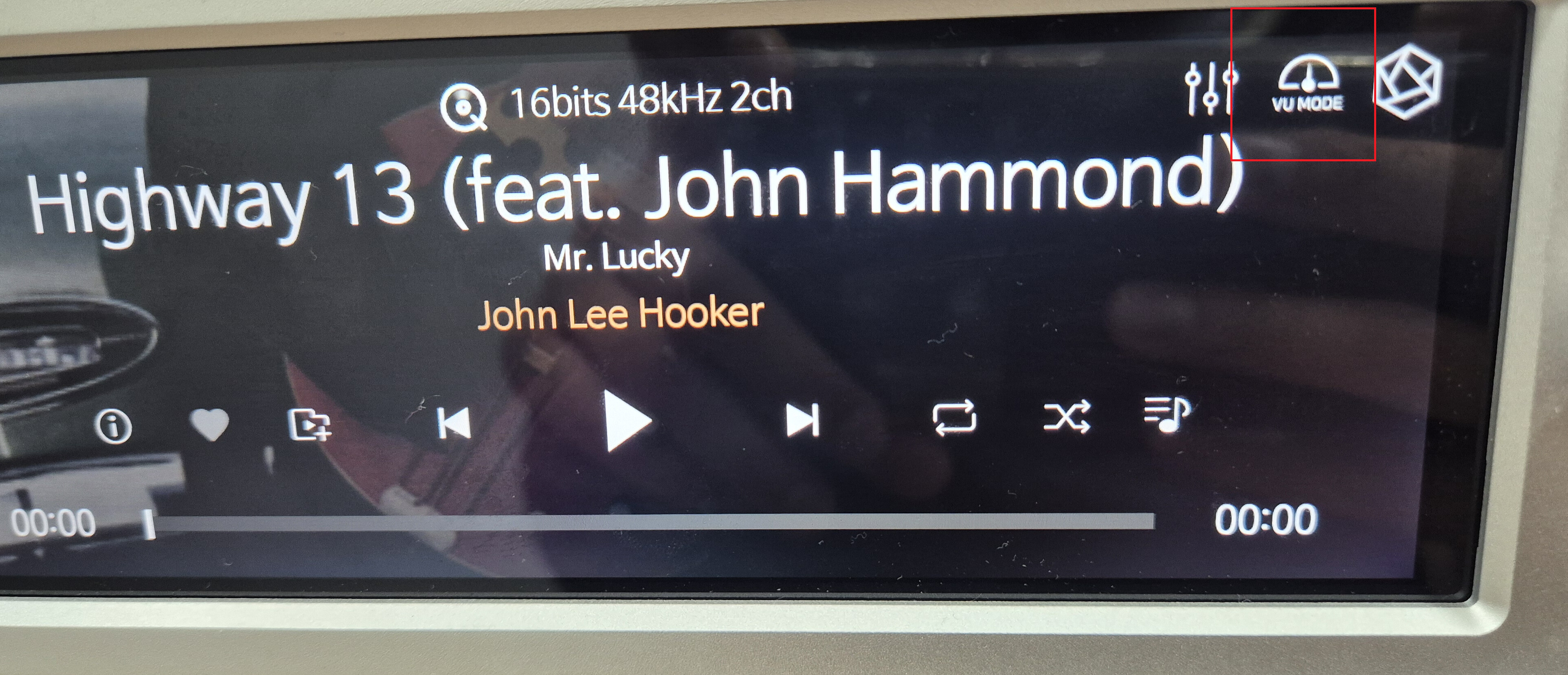
On your Rose device’s music playback screen, you can find the VU Mode button located at the top right corner.
Use the remote control’s arrow keys to highlight that button, then press OK to access the VU Mode.
However, it may be a bit difficult to visually confirm whether the button is selected from a distance.
If you use the VU Mode frequently, you may consider keeping it always on:
(Rose Device > Settings > Display > VU Mode Settings > ON)
Rose APP Remote
You can also access the VU Mode from the Rose APP.
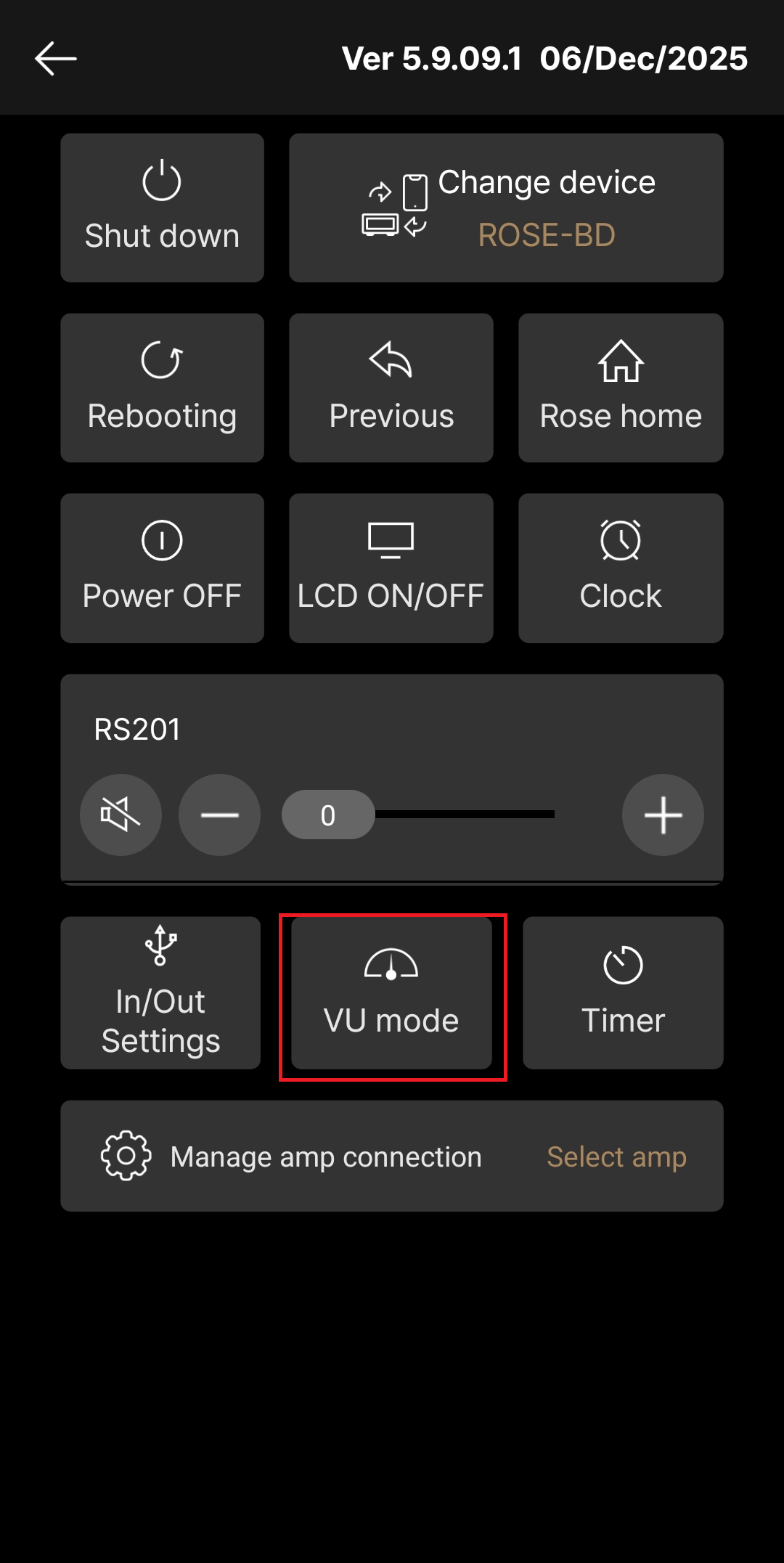
Open the Rose Connect Premium app → tap the Remote Control icon on the top right → select VU Mode → choose your preferred VU Mode → press Confirm.
Best Regards,
" Open the Rose Connect Premium app → tap the Remote Control icon on the top right"
I remember the Remote Control icon on the top right but, after the last update (I do not remember when I did it), I cannot find it any longer.
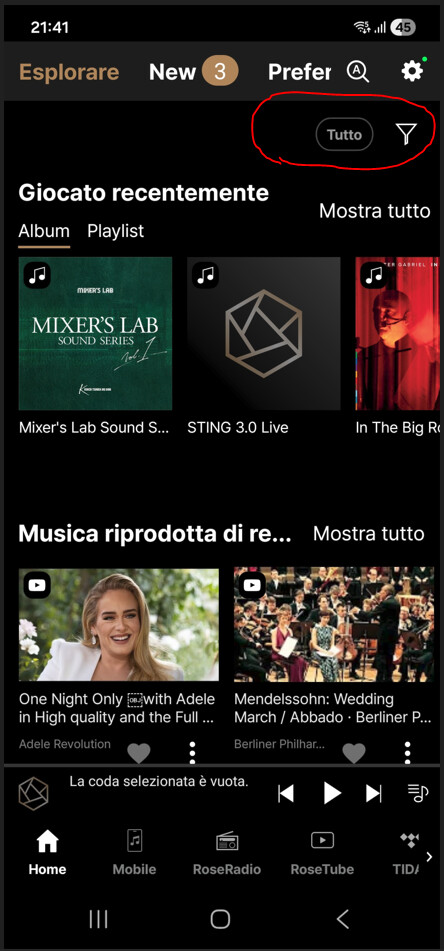
Am I doing anything wrong?
Regards,
Roberto
In the image below, you can see the text “Vu mode” on the top right of the music playback screen on your Rose device.
Please select the Vu mode icon indicated in red in the picture below.
To access this screen, tap the remote control icon in the top right corner of the RoseConnect app’s home screen.
@microb3802
The photo you provided shows a mobile icon.
It appears that Rose Connect is running in Local Mode on your smartphone, not connected to your Rose device.
Please connect to your device first and check.
Thank you
Actually I was in local mode and didn’t realize  .
.
Once connected to my RS151, everything came back on my smartphone display.
Thanks a lot!
I’m glad to hear the issue has been resolved.
If you have any additional questions, please feel free to contact us anytime.