
Smb share folder list limited at 50 entries RS151

New to Rose.
Using Rose OS 5.9.08 on RS151.
Windows app ROSE Connect Ver1.0.15.1

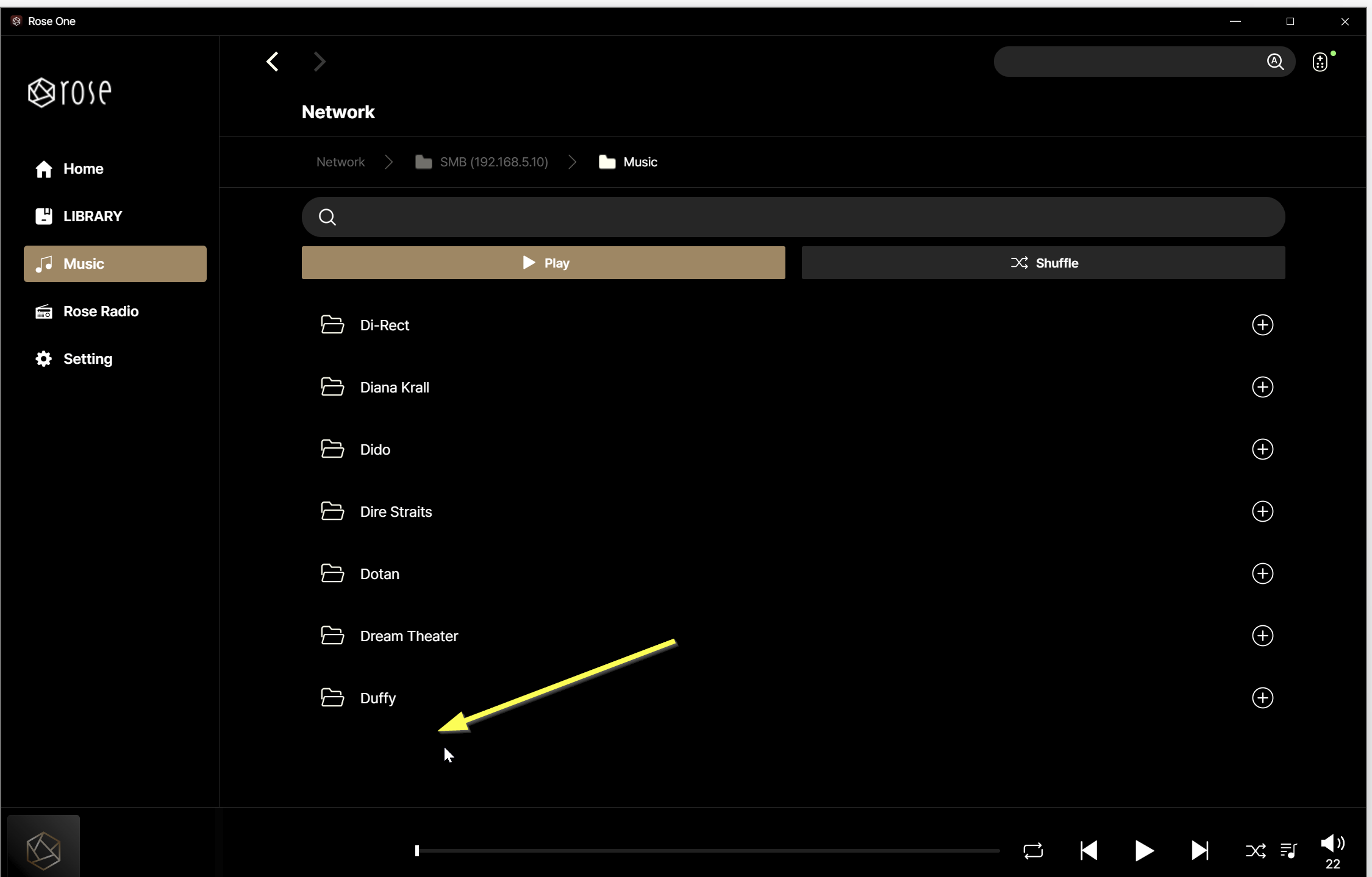
When connecting to smb share, the list stops at 50 entries and does not give a “next page” option. Searching for an entry after the 50 is fine: it just shows up and can be opened an played.

Seems an easy fix.
@Panjerossi

Could you please take a photo of the screen where only 50 items are displayed and share it with me?
Once I can confirm which screen is showing only 50 entries, I will get back to you with an answer.

Thanks for the quick reply.

There is more on this share after the “D”. I have counted in the folder and the entry for Duffy is exactly no. 50. The entry thereafter is “E”, with album Broken Toy Shop. No strange characters in titles or something.

As additional information: the full list is shown correctly in the Android RoseConnect Premium app, so this issue is only occurring in the Rose Connect One Windows app.

@Panjerossi

I have forwarded your issue to our software team.
They will review it and work on resolving the issue.

Thank you again for the quick response!

@Panjerossi

For the ROSE ONE app, we aim to release regular updates every Friday unless there are exceptional circumstances.

The issue you mentioned may be fixed and included in this week’s update; otherwise, we kindly ask you to wait until next Friday at the latest.

I can confirm the issue is fixed after this morning’s update. Thanks!

@Panjerossi

We’re glad the issue has been resolved.
If you have any further questions or need assistance in the future, please feel free to let us know.