I can no longer use Rose Connect on Windows 11.
Windows flags the application as potentially dangerous.
I cannot take a screenshot of the message on the screen.
What should I do?
Thank you for a quick reply.

I can no longer use Rose Connect on Windows 11.
Windows flags the application as potentially dangerous.
I cannot take a screenshot of the message on the screen.
What should I do?
Thank you for a quick reply.
I found this, which temporarily solves the problem while waiting for the solution proposed by the Hifi Rose teams.:
Temporarily Allow the File in Windows Security (Exclusion)
If Windows actively quarantined or blocked the app from opening, you may need to add it to the exclusion list. [1, 2, 3]
Open Windows Security (search for it in your Start menu).
Go to Virus & threat protection and click Manage settings under Virus & threat protection settings.
Scroll down to the Exclusions section and click Add or remove exclusions.
Click + Add an exclusion and select File (or Folder), then navigate to the application you are trying to run. [1, 2, 3, 4]
Note: Proceed with these steps only if you are completely confident in the safety and source of the application.
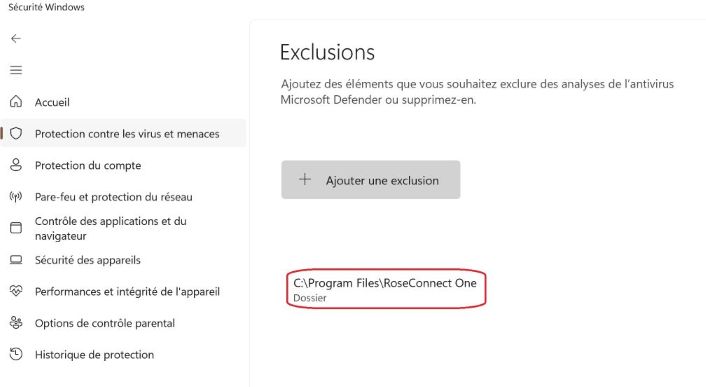
Thank you very much for sharing your workaround with the community.
We appreciate you taking the time to provide such detailed instructions. We hope this temporary solution will help other users experiencing the same issue while we work on a permanent fix.
Thank you again for your valuable support and feedback.
I’ve had Windows 11 do this with another app, and the solution posted bydomrol worked.