[Early Access] Ver 5.10.02 (Rose OS 5.10.02) SW Update Notice

Hello Rose Team,
A quick review of the latest EA firmware 5.10.02 on the RS130.
The sound is clearly worse than the previous version, 5.9.07. It seems less dynamic and more directional; you really have to be in the middle to hear both speakers. And I have to turn the volume up, which annoys my partner. :roll_eyes:

Furthermore, the issue with album art display in playlists is still not resolved! :unamused:
So, for me, this version brings nothing new, quite the opposite. I’m going back to version 5.9.07!

Sorry musiq, but I canā€˜t confirm your Statement to the EAP 10.02. Have you noticed all your settings before you started the Update as I did. So I could adjust all settings as before. My impression afterwards was: more Space and volume in my Music of Qobuz and of my SSD stored albums. Maybe this can be only my view and not be verified by all. Nevertheless I have no problems with 10.02 despite of ongoing and necessary improvements generally.

But I believe you Wallis, only the RS130 is just a pure streamer, there are no settings to make that have an influence on the sound. :wink:

Above all, it is necessary to empty the cache once the update is made on the Rs130

1 Like

Thanks Gilles,
yes I cleared the cache and the installation performed a complete factory reset.
Have you also tested this firmware?

Hello Musiq

No, I have the official version but I had this audio problem by installing it that was resolved after a factory reset, installation of the previous version (by USB) installation again of the current version by emptying the cache every time

Hello,

I’m having a problem with the SFP connection between the RS130 and RD160 (Rose optical cable in my case). The track starts playing, then after a few moments the audio cuts out. At the end of the track, it skips to the next track for a few seconds without audio, then the RS130 requests a connection to a DAC.

I would first check to see if the connection is secure. After that I would try a different connection like Toslink. Start with a cheap one!

The other connections—Coax, AES, USB—work without issue.

The problem only occurs with SFP; I’ve tested several AOCs and DACs, and the connection cuts out after a short time.

If you have tried other SFP cables and other DACs then the problem lies with the 130 as you have deduced. I would use one of the connections that work so you can enjoy your music while awaiting a response from Rose. How old is the unit (130) if I might ask?

2 Years for the rs130, 1 Year for the rd160

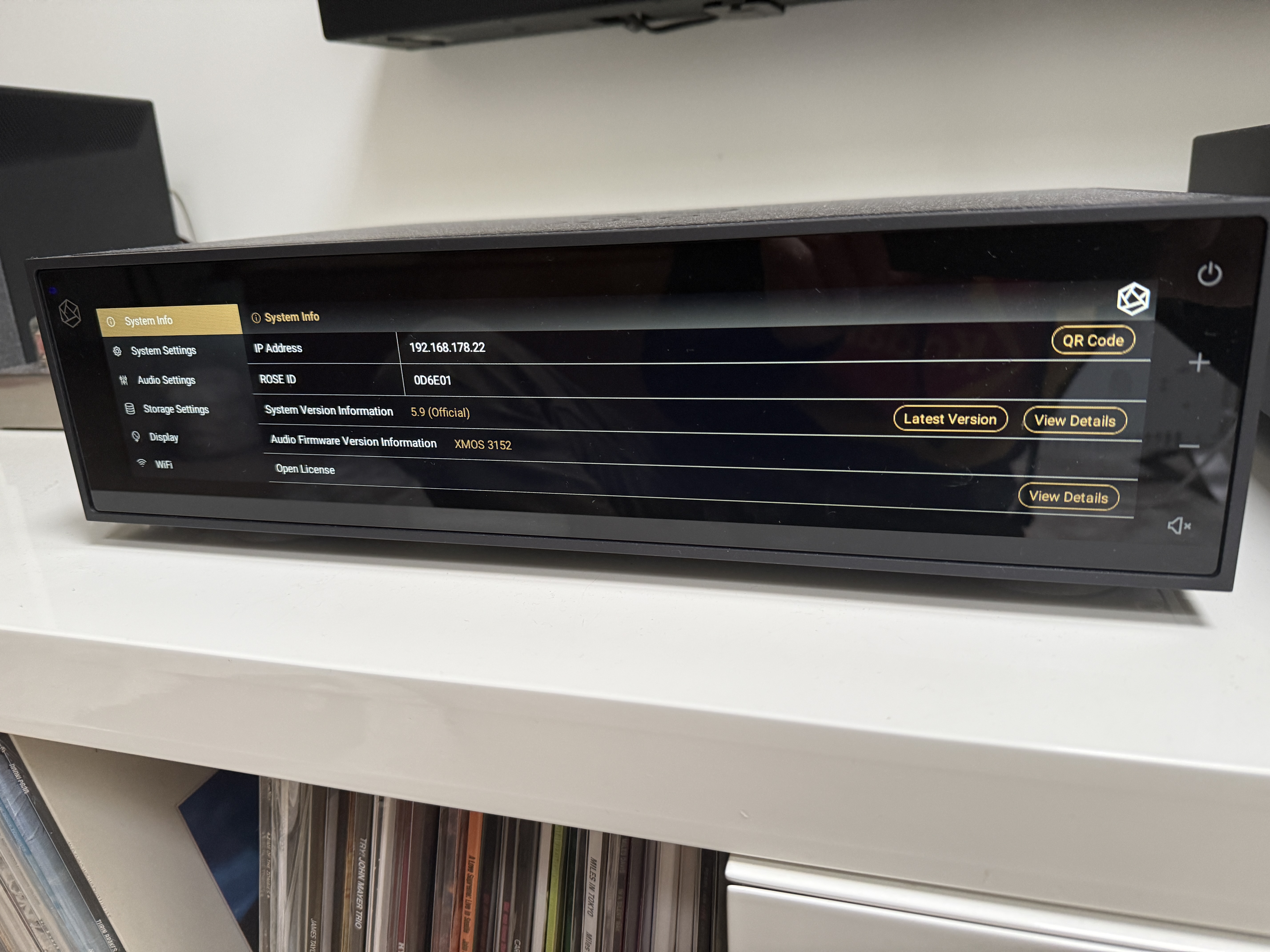
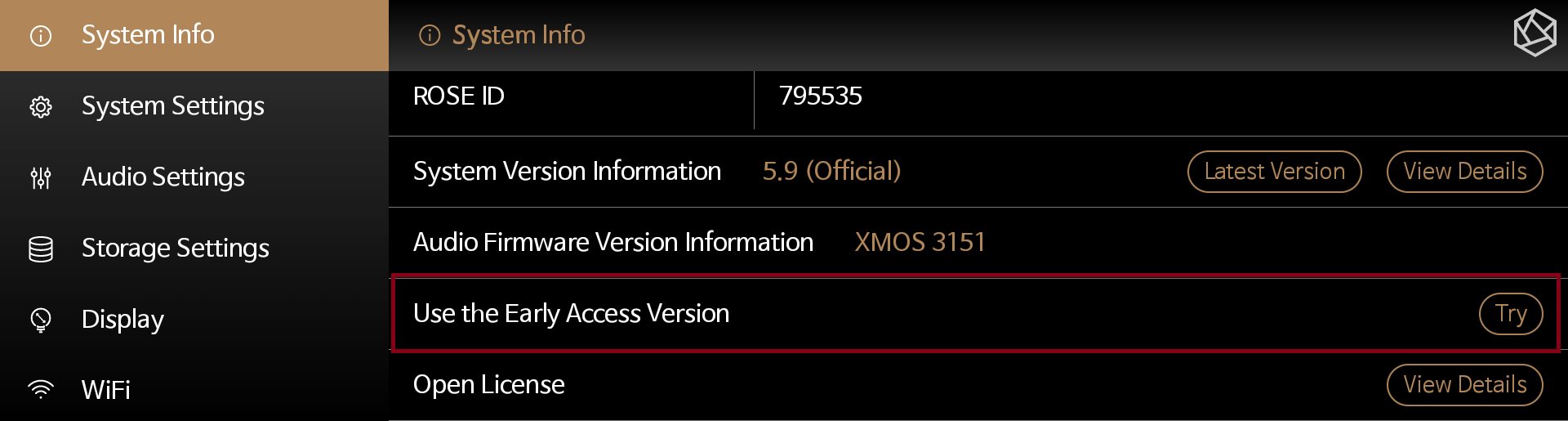
When I go to system info - system version information, I no longer see the option to switch to enable the early access version. Where did it go?

Is there no ā€˜Use the Early Access Version’ menu?

No, it’s gone.
It is used to be there. I have previously installed EA versions.

Fragt sich nur, warum?

Tried this version for two weeks now and I encountered no problems, I am also happy with the sound quality. My system is RS151.

@HansRoggen

Could you please go to Settings → System Info on your ROSE device and take a photo of that screen to send to us?

Also, have you tried scrolling down on the System Info screen to check if there is additional information displayed below?

This is all. Except for the top line where it says what model I have.

@HansRoggen

We apologize for the inconvenience.

As a final check, could you please confirm one thing for us?
After completely powering off your ROSE device and rebooting it, do you still not see the ā€œUse the Early Access Versionā€ menu?

Thank you Rosehan,

After rebooting the option is back. Does the area version work with the Rose One app?

Regards,
Hans