How do I add internet radio channel?

HI @ROSEHAN ,

thank you for the instructions. Again, this case proves clearly that you do not do User Acceptance Testing (UAT) because if so, a good tester would have the following remarks:

  1. if the Radio app will be discontinued, why you force a user to do a manual intervention to copy his favorites to another app in the same system? It would make more sense if this was automated, or even if no action at all would be needed at all, because before both apps were using the same favorites list.

  2. Now assuming that:

  • using the same favorites list is technically not possible anymore with the new Rose Radio app,
  • making an automated migration script is not possible for a technical reason,
    why those instructions you gave me are not immediately included in the email you have sent to your users about the new OS version and phase out of the radio app?
    Do you think your users have nothing to do all day then to search in your forum to find the answer on an action that was forced upon them?

In general my experiences with you are that you are really VERY disrespectful for your users.
For this reason, I must say I really regret having bought an RS150 despite its technical excellence as device. If somebody is interested in taking it over from me, it’s available in the Brussels region.

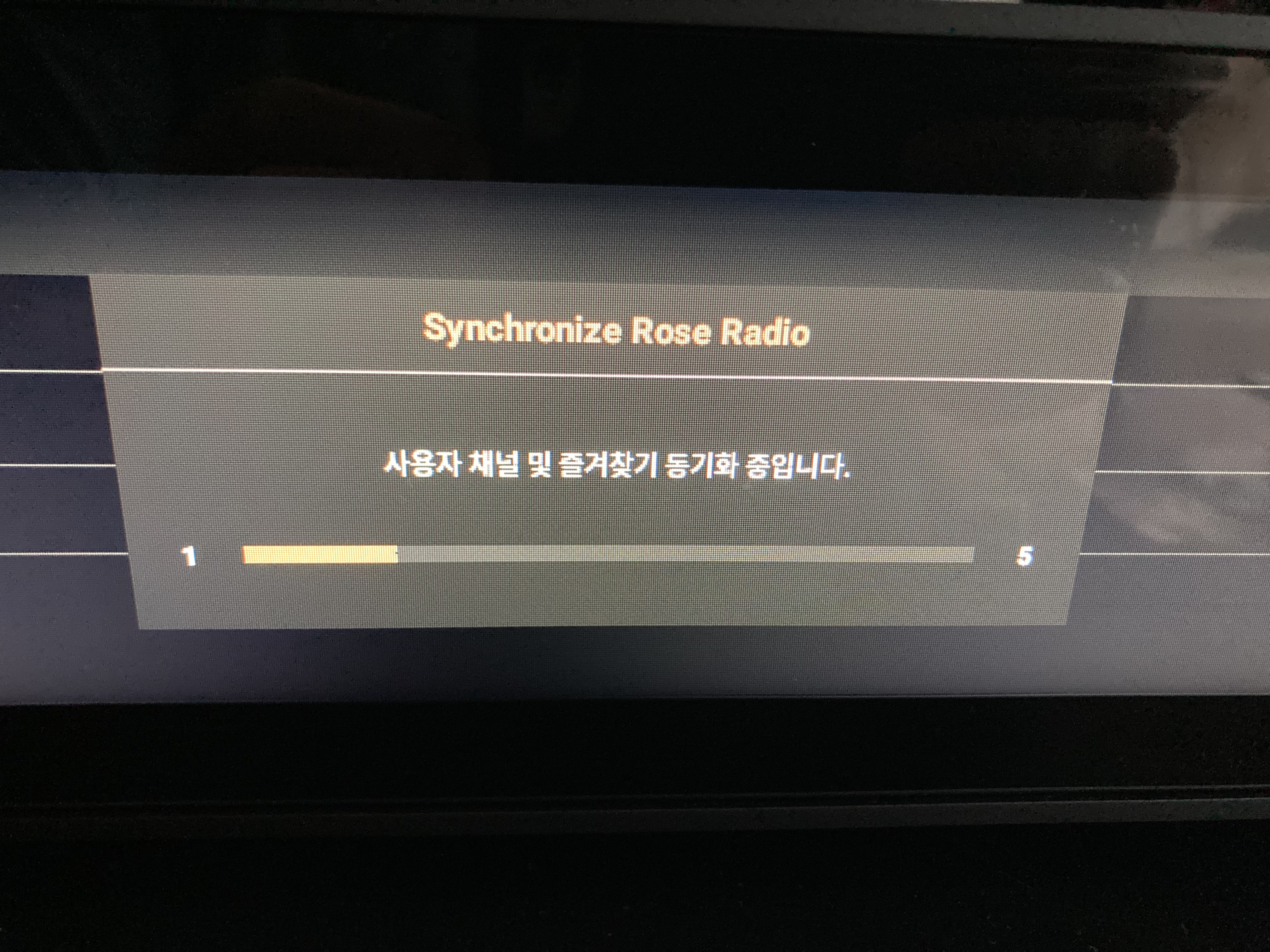
Note: the added photo shows as well my point. Guess what’s wrong with it?
Well Dopo, i think you are overreacting a bit
Of course there are still some minor issues regarding the RS150 but I’m convinced the Rose team are doing their very best to improve it
The synchronization of 56 favorites took me about 5 minutes so not any problem at all.
And yes, the message screen is still in Korean but I can guarantee you it will be in your selected language after the next update.
I think a lot other companies don’t have the same update policy like Rose
So I’m still a very happy customer

1 Like

@Bitspeed lucky you then for being a happy customer! I have been with them since almost the start and it is sad to see how they continue to manage their software on a much lower quality level compared to their hardware.

Unfortunately you need excellence in both domains to call a product of this price range genuine ‘high end’ and rest assured that a lot of companies with products in more or less the same price range do offer much better service than Hifi Rose.

1 Like

I fully agree, but I think we should give them some time to fine tune the software.
I believe it’s just a matter of time before all issues are solved
My opinion is they listening very good to their customers input but all issues can’t be solved right away.
But I agree this popups with messages in Korean shouldn’t happen.
When they do some testing before release they would have noticed.

I am amazed that the 150b does not support TuneIn! Please add this app ASAP!

In the interim - I want to add WNCW - Spindale NC WNCW, 88.7 FM, Spindale, US | Free Internet Radio | TuneIn

@calccm

We’re keep working on our Radio and Rose FM.
Adding TuneIn or vTuner seems difficult.
We’ll do our best to improve it.

I will give you the radio URL address of WNCW
WNCW : https://ice64.securenetsystems.net/WNCW?uuid=4ql73xg3c

agreed, even basic bluetooth functionality fails on my150. And many URLs for internet radio fail to connect and leave no trace of errors so one is left completely in the dark.

@ironcloudz

We apologize for the inconvenience.

Please confirm a few things.

  1. You said that the Bluetooth function is not available, but even if you activate the Bluetooth function on your RS150b, there are no Bluetooth devices around you that can be found?
  2. Is the Bluetooth dongle connected to the rear of your RS150b?

The reason why an error occurs when playing the radio on RS150b is because the radio streaming URL keeps changing.
Whenever the streaming URL of a radio channel changes, our server tracks the new URL and updates it.
If an error occurs, it will play when you play the same radio a few hours later.

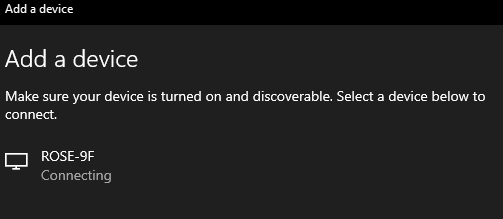
It finds the the Rose device but never connects. See image.
image

2- Theses streaming channels are manually entered, ie, “User Channels”. They work on VLC from my PC but not via Rose. If you could make VLC visible (I installed it but cannot find the actual device) that might solve the issue.

Thanks.

@ironcloudz

Are you trying to connect your PC and Rose device via Bluetooth?
Remove ROSE-9F from your PC, and when searching for peripherals on your PC, simultaneously press the Search Peripherals button on your Rose device.
When your Rose device searches for the PC, try to connect on your Rose device.
Then, a pop-up will appear asking you to try connecting on your PC.

Were you ever able to connect to SomaFM/groovesalad?
I know this is an older post, however I’ve been able to successfully launch groovesalad and have added it to my favorites. If you still need help finding it (without a specific URL), I can help if you are still looking please let me know
Thanks
Joe
(Soma.fm groovesalad-HLS FLAC, 16bits, 48kHz 2ch. Channel bitrate on the Station Tile shows as “Unkown” until you click on it, then you get the above specs.

@Joe

The SomaFM/groovesalad channel is not supported by our server.

I will give you the radio URL address of SomaFM/groovesalad.

https://somafm.com/groovesalad.pls

why is my line output volume so low on the 150B? IS there something I am doing wrong?

@ironcloudz

Please check a few things for us:

  1. On your RS150B, have you set the Pre-Out Level to a fixed output value?

  2. What volume level is your RS150B currently set to?

Also, please describe in more detail how your system is connected and in which connection scenario the line output volume sounds low.

Thanks, this helped I set the fixed output to a reasonable level.

@ironcloudz

When setting a fixed output level in the pre-out level settings, it is recommended to set it slightly higher depending on the input sensitivity of the amplifier you are using.

Not quite on topic but if you set a fixed output it would be really useful if you could reasign the volume on the remote control to operate a Hi Fi Rose amplifier, it seems a bit poor having to have 2 remotes when 1 should be able to be configured to operate both units.

@Ziggy

Please check the following points:

  1. When you mentioned that, although it is slightly off topic, it would be very useful to reassign the volume buttons on the remote control to operate a HiFi Rose amplifier when the output is set to Fixed Output, are you currently using an RS520 or RS201?

  2. If you are using Fixed Output in the Pre-Out Level settings, you can still control the volume by enabling the Software Volume Control function.
    Volume control (pre-amp function) is also available through the digital outputs (coaxial / optical).

On the RS151, please go to Input/Output Settings, then click the small gear icon in the Output section. There you will find the Software Volume Control option.
Please enable this feature.

Below is an explanation of Software Volume Control:

Some USB DACs support UAC2 volume control, while others support HID volume control. In this case, when you adjust the volume on the Rose device, the volume command is transmitted to the DAC to control its volume. If the DAC does not support this feature, you can enable Software Volume Control in the USB DAC settings within the I/O Settings menu and then adjust the volume through the Rose app.

Caution 1. Software Volume Control cannot be used in Native DSD or DSD over PCM mode. It is applied only after switching to DSD-to-PCM mode (up to DSD128).
Caution 2. For digital output, MQA Stream is supported only when the volume is set to MAX. If the volume is below MAX, MQA Stream is not supported.

I have an RS451 and an RA280, I am using the fixed output from the RS451 to the RA280, as I said ,it would be useful if it was possible to reasign the RS451 remote control’s volume to control the RA280 volume rather than having to use 2 remote controls.

@Ziggy

It is not possible to assign the RS451 remote control’s volume buttons to control the RA280’s volume.
If you want to control both devices with a single controller, this is only possible via the RoseConnect app.

Using a single physical remote control to operate both the RS451 and the RA280 is not supported.