
Issue report: Library not reindexing

Hello,

Pretty major issue here. When I add ripped CDs to the Rose, it names the folder and adds the files to it. Because there are so many Metadata gaps, I end up having to fix a lot of this naming. Then when I am done, I move the folder into an alphabetized sub folder by Album Artist. So it goes from the main root folder to being moved to root > B > Bangles, for example.

The device used to reindex when folders were moved. For the last several weeks, it has not, meaning that when I try to play from the Music section of the app, either by directory or by search, it won’t play any of the ripped and moved files.

I can also find no setting to manually scan and re-index the on board storage, only one to delete and start over, which should not be the only option.

Please address this issue @ROSEHAN
@stodgers

We apologize for the inconvenience.

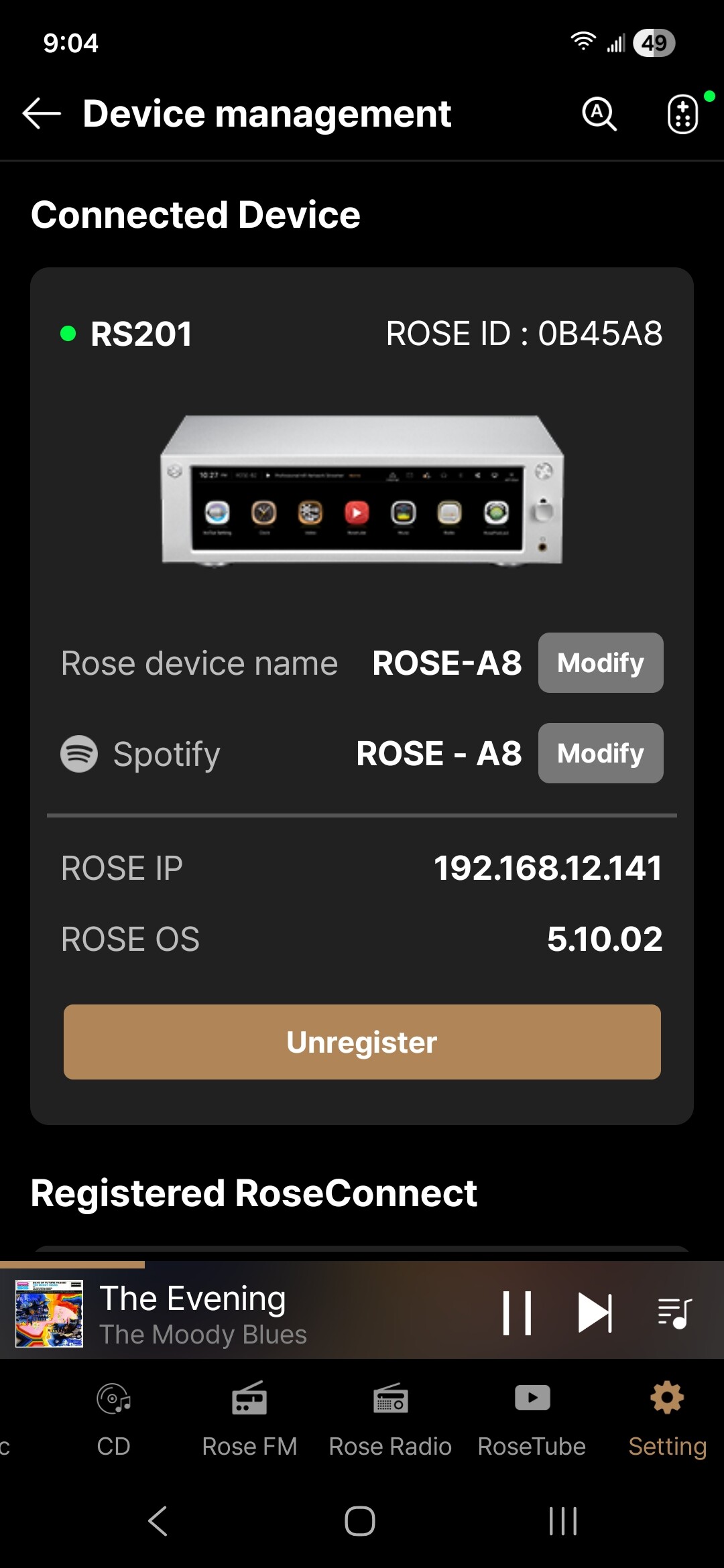
We will forward the issue you described to our software team for review. In addition, please let us know your device model and current software version, as this information will help us investigate the cause of the issue.

Thank you.

See attached image for requested info

@stodgers

It appears that you are currently using the Early Access (EA) version.

Could you please check whether the same issue occurs after rolling back to the Official version?

This information will help us determine whether the issue is specific to the EA version or affects both versions.

I have no idea what you’re saying. I am using the Rose One app only. I have not used Rose EA since One launched.

@stodgers

We have been trying to improve this issue as well, but unfortunately it has not been easy to resolve.

Please refer to the following link for additional information:

If you have a problematic CD, please send the following information to the email address below:

  • Track count
  • Artist name
  • Disc ID

Email: eunseong96@citech.kr

This information will help us investigate the issue further.

Thank you for your cooperation.