Same story with Pink Floyd’s The Wall which is 2 discs set. It seems is a common problem for CD sets.
I just ripped 29 new CDs, 3 of which came back as unknown or with the wrong metadata. That’s a 10% failure rate, which is hardly acceptable.
Those three CDs were:
- Shaw/Blades - Hallucination
- Jim Croce - Time in a Bottle: Jim Croce’s Greatest Love Songs
- Big Bad Voodoo Daddy - Save My Soul
The first of these, when I inserted it, came up with the metadata for one of the other albums I had already ripped: The Lightning Seeds - Cloudcuckooland. The other two just came up unknown.
While I have the device connected to my laptop over the network and can thus edit the files, I’ll likely rip them on the laptop instead, where the metadata will pull, and then transfer them to the Rose. That’s hardly the point of having a device like this.
For reference, my Cocktail, which accessed the Gracenote database, only ever had three TOTAL discs not pull correct metadata… out of a couple hundred rips.
Sad that this is a two year-old thread and the issue persists,
1 Like
The metadata problem may be universal. I rip all of my CDs into Apple Music (fka iTunes) on my Mac before I transfer the files to the Rose. Apple Music uses a database called Gracenote to populate the metadata for the ripped CDs. The metadata is not embedded on the CD. The information in Gracenote is submitted by users and each user has his own labeling style, and also mistakes. I usually look to see what Gracenote is providing me before I start to rip, but I almost always edit the results in iTunes so that my own library is internally consistent.
Honestly I can’t imagine ripping CDs using Rose for this reason alone. There are plenty of inconsistencies in the data out there and it is easier to edit the metadata and album artwork from the comfort of your desktop computer and then transferring to the Rose.
1 Like
We apologize for any inconvenience caused.
When ripping a CD, sometimes the album does not appear automatically.
In that case, you can add it manually.
There are several reasons why it may not appear automatically.
This may happen if the first network condition is not smooth.
The second is if the CD data you want to rip is not stored on our server.
Hello @stodgers ,
I would like to check the CDs that show incorrect metadata and the ones that appear as “unknown.”
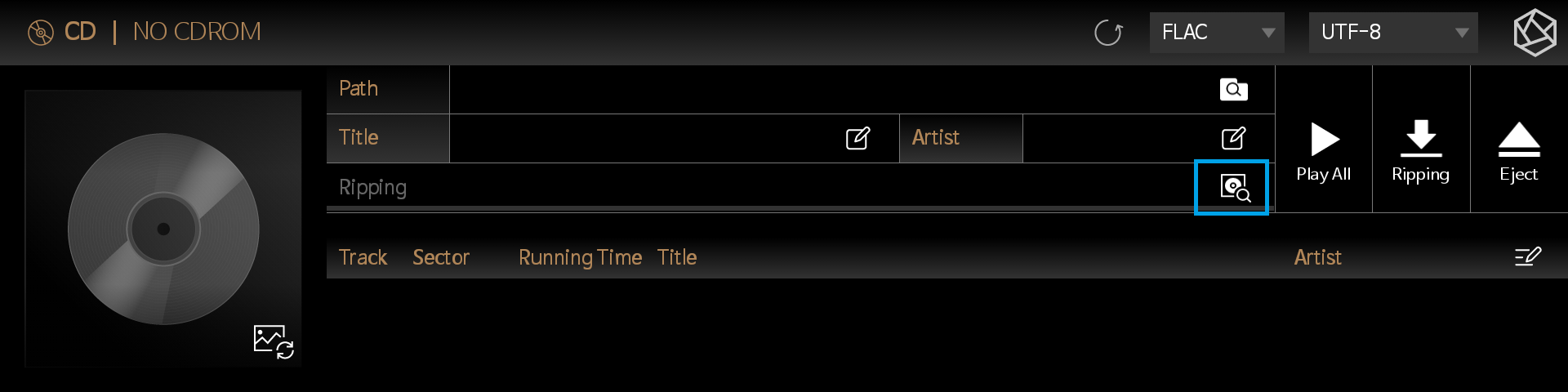
When you insert a CD and open the CD ripping screen on the Rose device, you will see a long grey text beneath the title.
I know it’s a bit inconvenient, but could you please take a photo of that screen and send it to me?
Best Regards,
“Honestly I can’t imagine ripping CDs using Rose for this reason alone.”
For a system to sell an independent CD peripheral for $500, and the ripping function to not be locked down and work with near-zero failure rate, is just unacceptable. My Cocktail that preceded this didn’t even come with a CD ripper, but had this completely nailed down when you connected an external drive. And it got all the necessary metadata.
I found out this week that the Rose doesn’t even store Album Artist, so when I move the files to my cell phone for mobile listening, that doesn’t carry over.
The network condition is just fine, as evidenced by my ability to rip 25 other CDs with no issue. And I tried the rip on three separate occasions.
If the data is not stored on your server, you should be using a more complete database, rather than your own proprietary system.
When I get home this weekend, I will try to remember to do this.
Stodgers,
The Gracenote database is populated by users who choose to upload the metadata that they input. It is far from perfect, lots of spelling mistakes, different formats and abbreviations etc. I find Gracenote to be a good starting point because I do not want to manually enter the names of each song. That said I usually tinker with the album title and even renumber the songs if say I am ripping a multi-CD live concert. For instance, rather than disc 1 song 1-10 and disc 2 song 1-10, I will renumber the tracks 1-20. But that is me. I like consistency.
I would be curious to know who populates Rose’s database. I imagine it must be from users like us who scan their libraries and Rose has a record of our metadata that it uses to build its database. I am sorry, but I just don’t trust that to be accurate anymore than I trust the accuracy of the Gracenote database. And I would find editing any of the metadata on the Rose to be a nightmare. I am fortunate that the bulk of my library ripping work is behind me and ripping incremental CDs into my library is trivial now.
Personally I believe Rose should use an external database like Gracenote or something else rather than maintaining its own. The company has much more important work like ensuring the stability of its software and should not spend any resources on stuff like song titles and album art.
Well, I’m into melodic rock! When I rip albums, which isn’t on the streaming services, I normally use my old Bluesound Vault2 ripper, because it is way better on finding the relevant meta-data! If I rip 40 cd’s as before mentioned
The Hifi Rose will find about 10… Then it will find 4-5 with the wrong meta-data, the rest is “unknown”
The Bluesound will find about 38 (10 without album cover, but that’s a minor issue!). 1 with wrong meta-data and one “unknown”…
I wish Hifi Rose would use the same database!
Rose strives to reinvent the wheel.
I agree, this is very frustrating and I paid for the $500 drive only to realize I can’t use it as the OS can’t find the album.
@Dr_Jekyll
The issue you mentioned has been fixed and can be verified in Early Access (E/A) version 5.12.05. The official version is scheduled for release on July 1st.
V 5.12.04 Update Notes:
- CD Ripping: Added CD Multi Search during CD Ripping to improve CD information accuracy
Was this released on the official version? And where is the documentation on how to utilize this? I have a stack of CDs the Rose doesn’t recognize, waiting to be ripped.
@stodgers
Please refer to the link below. If no selectable albums appear, the CD is not registered in the database. In that case, please send us the FREE_DB_ID and the CD cover photo, and we will register it for you. RS151 & RSA780 ripping issues - #7 by ROSEHAN
I am asking specifically for information about this function. I already know the workaround, and that is not acceptable, and I did not get support when submitting past issues in that manner.
We understand that you are asking for specific information about the function itself, rather than simply a workaround or an alternative method.
However, at this time, the method suggested by @Rose_love is the best solution we are able to provide.
We understand that this may not be the complete or permanent solution you were hoping for, and we apologize that we are currently unable to provide more detailed technical information regarding this function.
We are also sorry to hear that you did not receive sufficient support when reporting similar issues in the past.
I am asking for information about the CD Multi Search function that you listed as a new release. Why can you not provide more information about this function? What good is adding it in a release if you’re not willing to tell customers what it is?
Hello,
This feature does not require any additional action or configuration on your part. It improves metadata retrieval by pulling data from multiple sources, thereby reducing metadata errors when recognizing CDs.