
Unfortunately, playlist management still needs improvement.
Take the example of a 300-track playlist, which isn’t very long. When I scroll down, a significant portion of the tracks are missing… Managing playlists via their server connection isn’t the right solution. It would be much more efficient to download everything directly to the app, like JCAT does, for example. A simple refresh button and everything is there almost instantly. Neither Rose Connect Premium nor One works properly because of this approach, which is why I no longer use them and switched to JCAT App, which is super stable, integrates Qobuz much better with many more search options, just like Roon and many others… In short, One or Premium, it’s a losing battle, unfortunately.
I wish the Rose One was available on the Mac… the phone app works…
Its not really intuitive though when you want to change the volume you have to click on the icon and the volume slide bar pops up. I like that better than trying to use the remote.
Volume control on Rose One works fine on my iPhone 16. Volume can be controlled directly from the iPhone’s Vol. Up/Down buttons as well the volume control in the app.
On a more general note, I’m pleased we now have a thread devoted to Rose One since, as Rose have already stated, the app is still work in progress so any comments based on user experience which can help improve it, will surely be welcomed.
No, it doesn’t… well not exactly…
It works when I’m playing something on Rose Tube.
And you have the volume controls on the screen. And yes the up/down volume on the phone works.
It doesn’t work when you have the input source on something like optical in. (TosLink In)
Here you see the icon for Toslink in the lower left hand corner.
If you press on that icon… you get the volume bar which you can control from the phone, however the phone volume doesn’t control the volume on the RS520. Nor should it.
So you can see why its not that intuitive but once you know it… its not an issue.
The bigger pain… if you have the volume set to one level for toslink in… then switch to something else like RoseTube… it keeps the same volume. And if you go back it keeps the same volume where it would be nice for it to remember the settings for each input.
I do this so that my PC volume is set to something like 50% and then when I switch to BT to the Rose via my MB 20, I have the Rose set to 70% Then I can control the volume via my PC volume …
Its easier so that when I’m on a video call, if I need to adjust the volume, I can do it from my keyboard. If I did it via the app, it would be a bit more of a pain.
An error in the app?
I had gone to using Rose Radio… and was listening to it.
I wanted to change my input … but couldn’t get back to that screen. No way to get to the I/O sub menu…
Had to exit the app, and then restart it.
Anyone else trying stuff like this?
@Smegel
Hello
As you mentioned, we’ve confirmed that when using the RoseOne app, the screen correctly returns to the Rose Radio interface even after selecting the top-right icon and changing the input source via the In/Out Settings.
To help us investigate further, could you provide a more detailed scenario or step-by-step description of the issue you experienced?"
It seems that the list of tracks of an album contains at most 100 items. This does not happen with Rose Connect Premium. There all tracks of the album appear in the list.
Hello,
Despite several updates to the Rose One app, my RS151 doesn’t maintain its connection to the app on my Google Pixel 10 and Google Pixel Tablet. When I completely close the app and reopen it, I have to reconnect my RS151 each time. This problem doesn’t occur with Rose Connect Premium.
Thanks
@Alberto
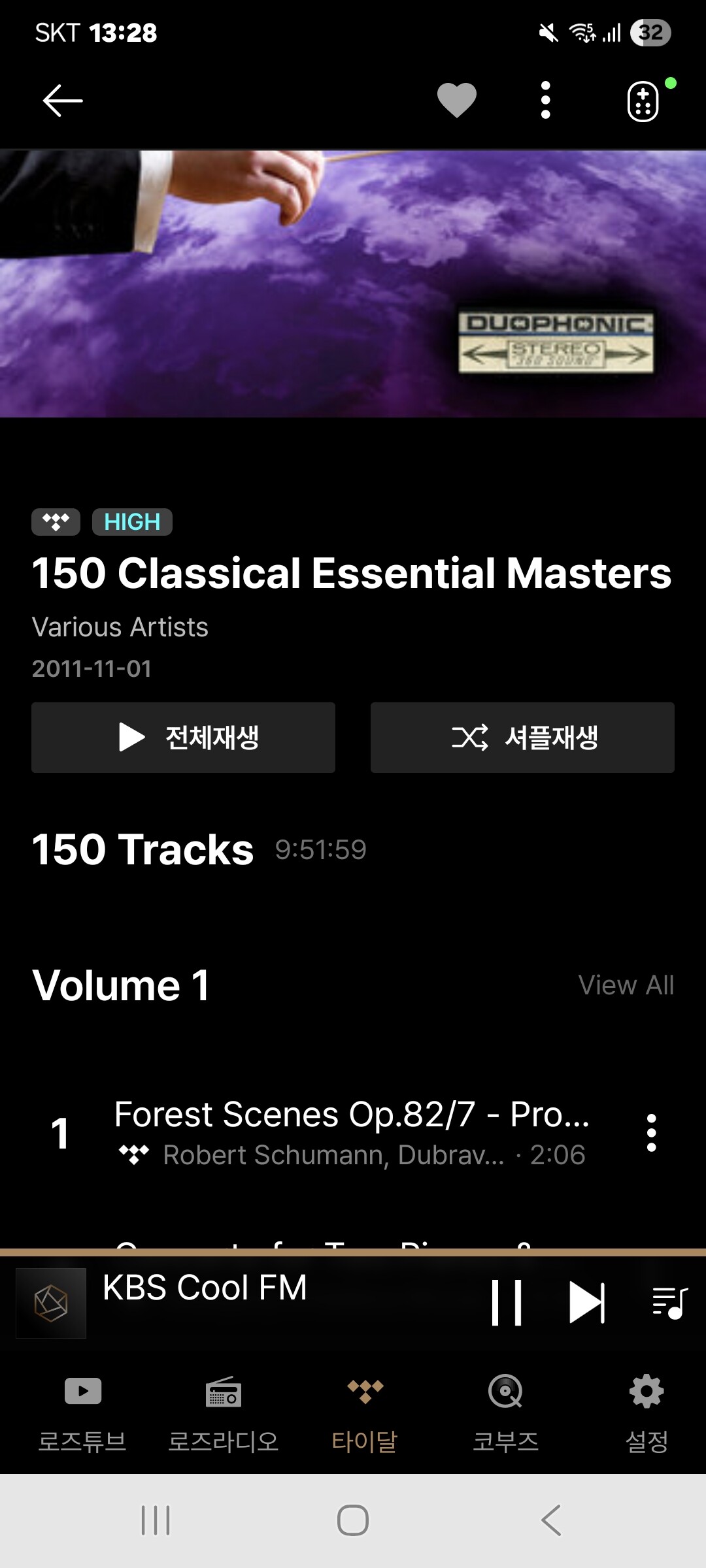
As shown in the image below, more than 100 tracks in the album are appearing correctly. Could you please share more detailed photos?
Hello
I also prefer JPLAY very much. Only thing I could not yet get the Music stored on the SSD inside the Rose RS 130 to be played with JPLAY. This acctually should work if UPnP is properly applied. Could you get that working or you only stream. Thank you for your response.
Best wishes Andreas
@Rose_love In your image I only see the first track of the list even pressing in “view all”. With each album exceeding 100 tracks I have tried in Qobuz, the list contains only the first 100 ones. This happens with my Android 11 tablet and with my Android 15 phone.
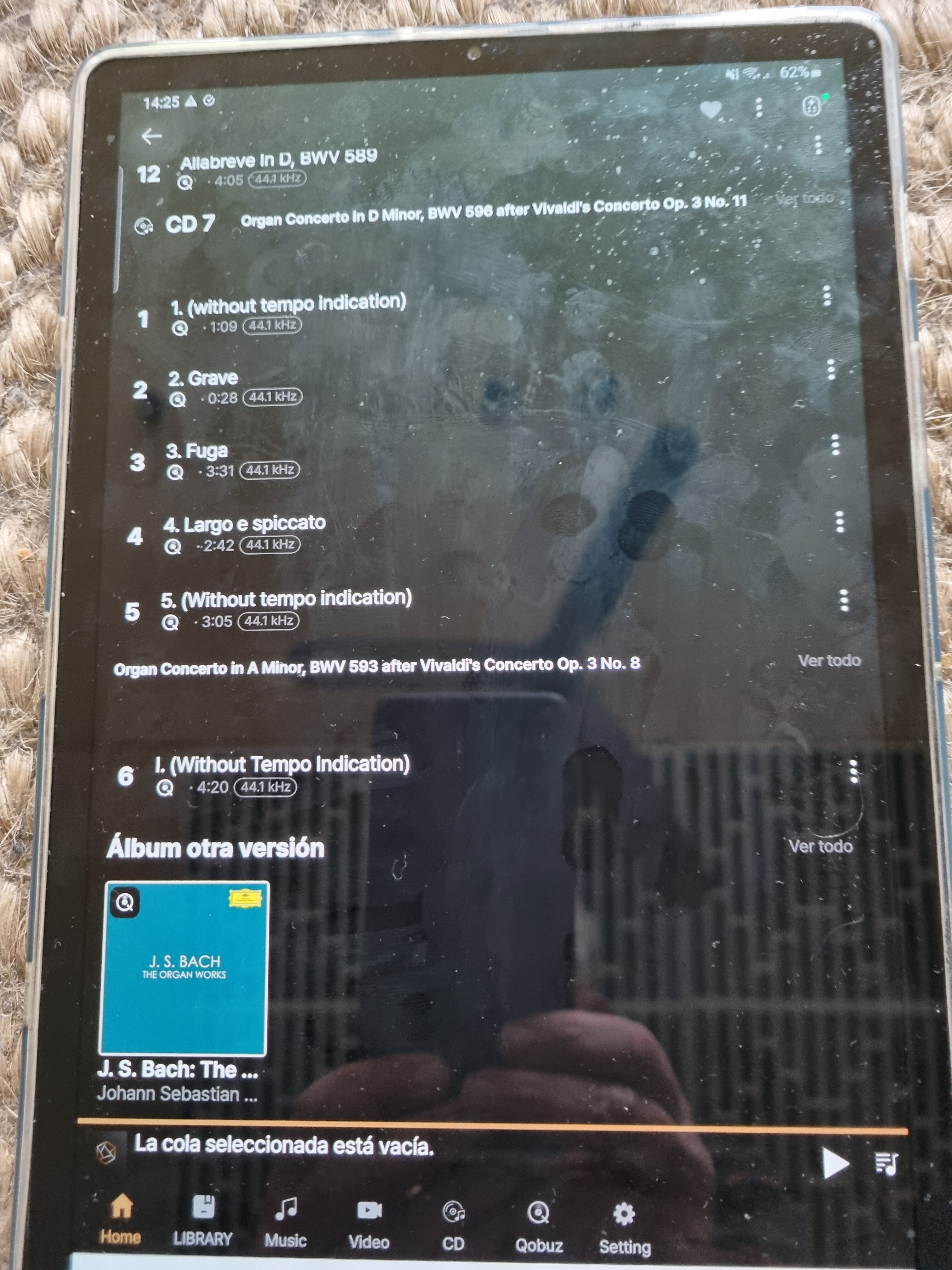
@Rose_love The image shows the end of the list of tracks of the album “Bach, The Organ Works” by Simon Preston in the Deutsche Grammophon label in Qobuz using Rose One. This album has 14 discs. The last appearing in the list is the seventh and it is not complete since it has 15 tracks. The number of tracks appearing in the list is exactly 100.
Rose just borked the Rose Connect app for mac (macbook).
First every time you open the app, you need to login. (email/password)
Had to get a temp password to login. Then trying to reset it was a pain.
The password field doesn’t light up. Doesn’t as for current password then enter the new password twice to confirm no typos.
No button to confirm password change. (You have to look back and use the SAVE key word in the top right corner.
Note, you need to be careful to not accidentally hit the delete account bar. (The size makes it a bar and not a button.)
No way to resize the window. Its either large or small fonts.
When you open up the sub panel on the right side… there is no way to shrink it. It stays open and blocks the screen underneath.
@Rose_love @ROSEHAN This is really a huge disappointment. On so many levels.
You take one step forward then 3 steps back.
I’d advise anyone who has a mac not to upgrade the Rose Connect application.
Rose One App on RS130
VU-Meter Settings are pictured as a teaser to look at.
Try to change VU-Meter mode, didn’t react/work and then brings actual VU mode to freeze.
There are 2 new modes, the spectrum one work when you restart the unit.
For my taste a lot too fast following the music.
Changing mode to another brings this one also to freeze.
Then started Rose connect premium app, try to change VU mode, doesn’t work as well.
You have to restart the unit, again.
The other new VU mode (right side bottom) don’t work at all.
On the other hand, i like the new One app logic, look and feel.
Go ahead. Good luck !
I never saw an email or other notice about the Rose One app. Can someone give an overview of what this app is and how it relates or compares to the Rose Premium app? Is the Rose One to take over as the main app?
Yes its their new app.
The iOS (iPhone )version works fairly well.
They just had a few hiccups on the macbook version.
(Actually that’s Rose HiFi which looks to be a rebadged Rose Premium Connect.)
300 numbers @4mins a track is 20hrs of music. To me thats more than enough to enjoy an evening.
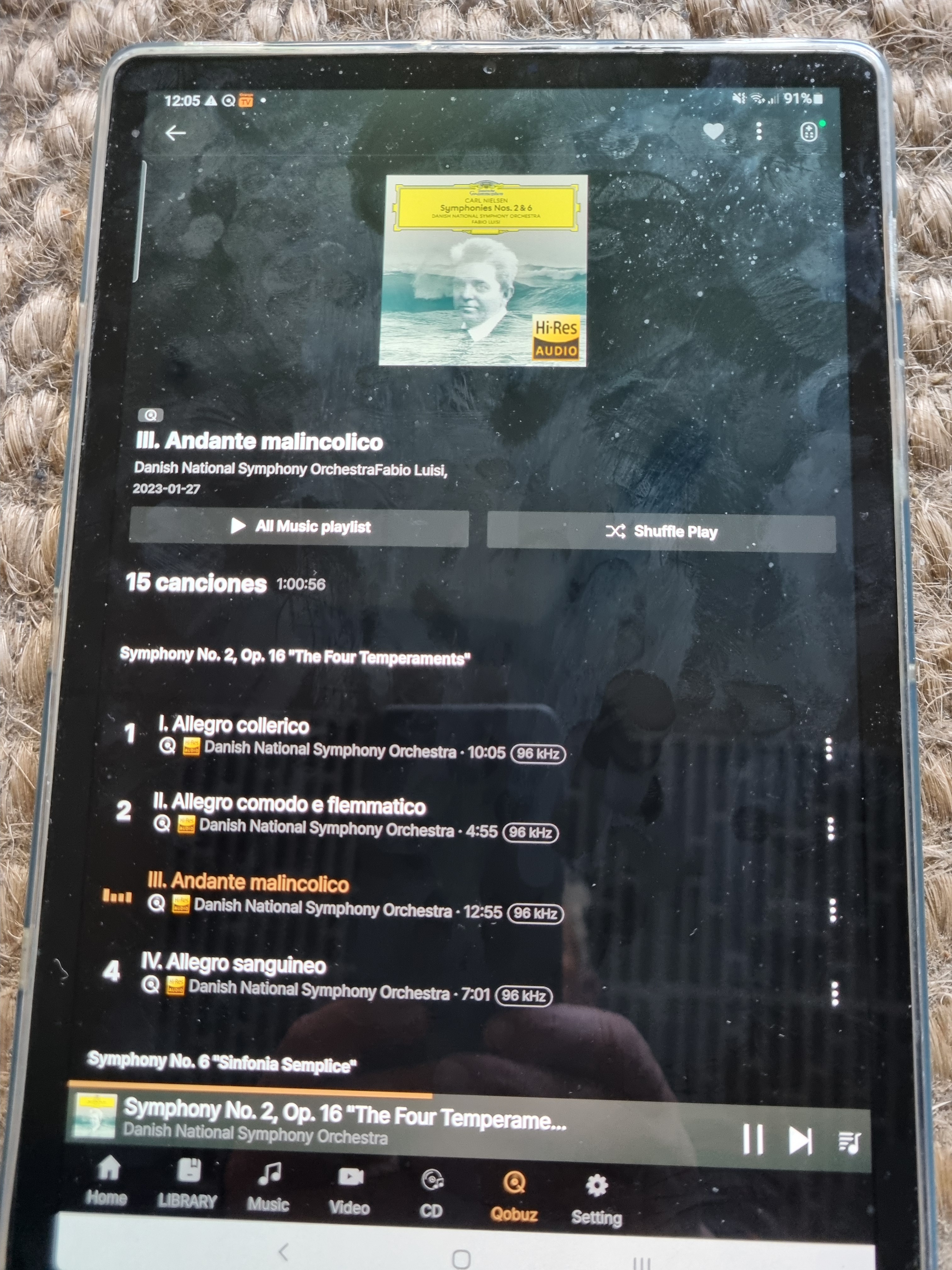
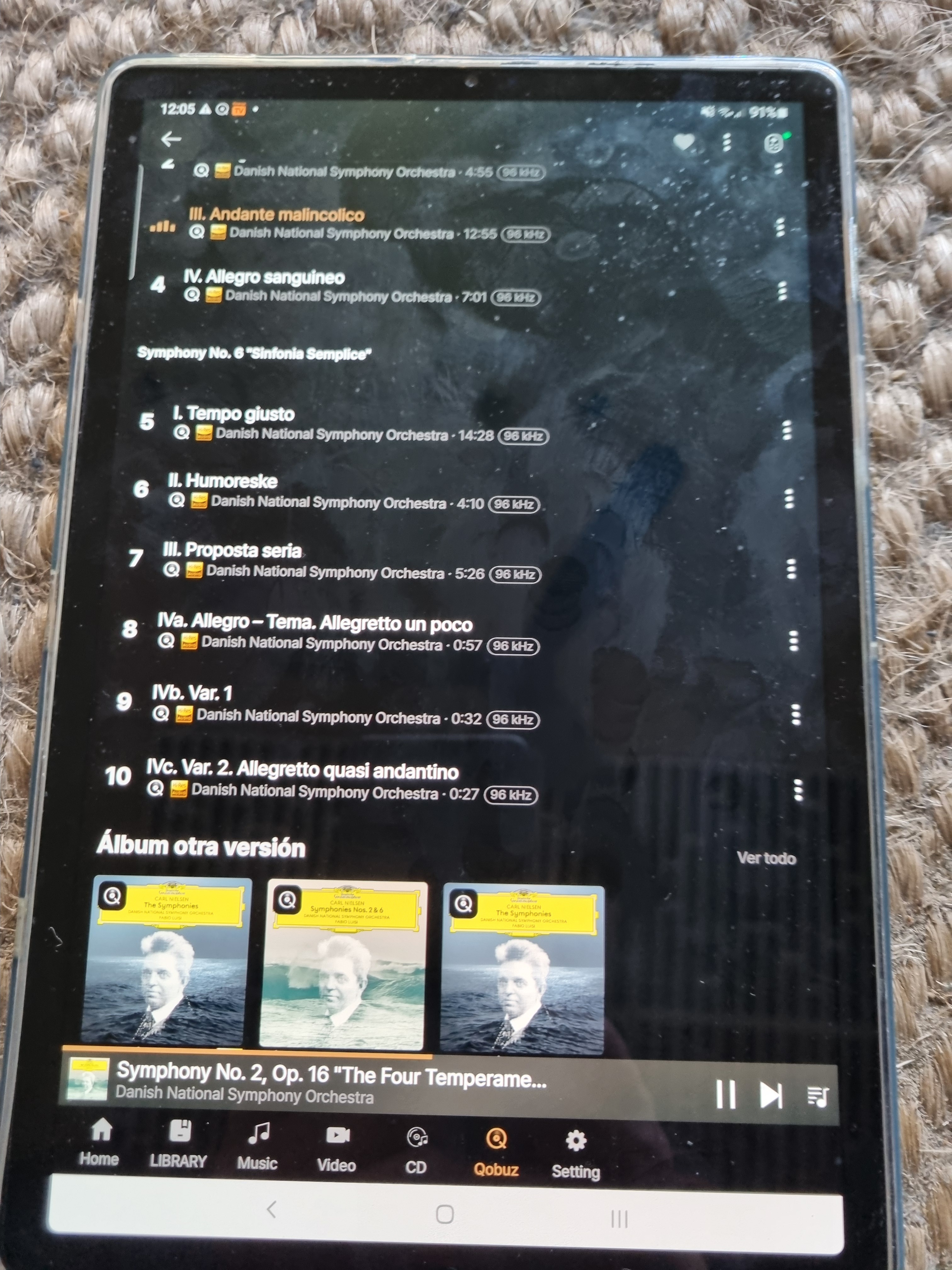
When returning to the album sometimes the list of tracks is not complete and only the first 10 appear. Pressing “view all” is the same although distributed by discs. The images show what happens when returning to the album of Nielsen’s symphonies 2 and 6 by Luisi. Only the first 10 of the 15 tracks are shown. It is a bit randomly since some other times the complete list appears.
Other app bugs:
- The volume setting on the device is different than in the Rose One app. It’s always higher in the app than what’s set on the device. (Android)
- The vibration indicators are different than what’s set, especially at the end of the vibration indicators. (Android)
Why doesn’t anyone at Rose check the app and fix these bugs? Surely you should have someone who checks these things periodically.