
If you haven’t yet worked that out for yourself, that’s part of your tasks as a (test) user, so keep all the good work going.
1 Like
Based on images I’ve seen, I have 3 questions about Rose ONE:
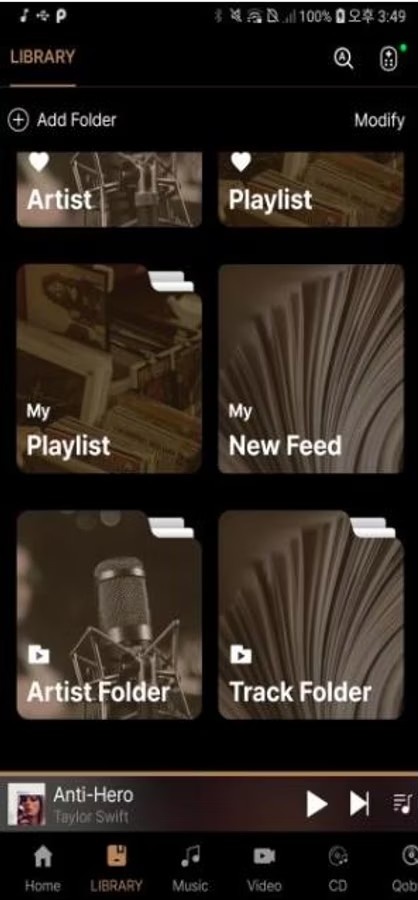
- You can now create a custom folder (see Artist Folder & Track Folder in the image). Supposedly you can put albums, playlists, feed, etc into a custom folder (this sounds like a focused Media Blog ← this may have value if set for public/shared access). What’s the objective/value/use of a custom folder & later, how is the custom folders accessed?
- I noticed there’s a new System Function called “Library”. Can someone elaborate on the objective/use of this new function?
- On the currently playing panel (2d panel from the bottom). This panel shows the artist, song title currently playing plus a Play icon, Play Next Song icon (or is this “put song to Play Next in queue” & the Queue icon. My question is why the Play icon ← the song is currently playing (unless it was prevously paused)? Also, what is the Play Next icon ← is it play the next song in queue? And Why a Queue icon ← is it to put the song back in the queue, is it show the queue or what?
Thanks in advance!
Is RoseConnect for Apple Silicone Macs or just for iPads and iPhones? If it is for Apple Macs, what is it listed under as I can’t find a Rose Connect for Apple Macs?
StandardModel
On the Mac, look under the ipad/iphone tab and you’ll find it.
If you see it, you can download it.
Note that the Rose One is not there… but you can see it if you’re on your iphone or ipad.
In MyQobuz, Favorite Albums and then tb on „All see“
Albums covers comes in a very big size, how to do smaller ?
In MUSIC Playlists - the order of songs comes in a list which is much more user friendly and easy to navigate/edit/select songs
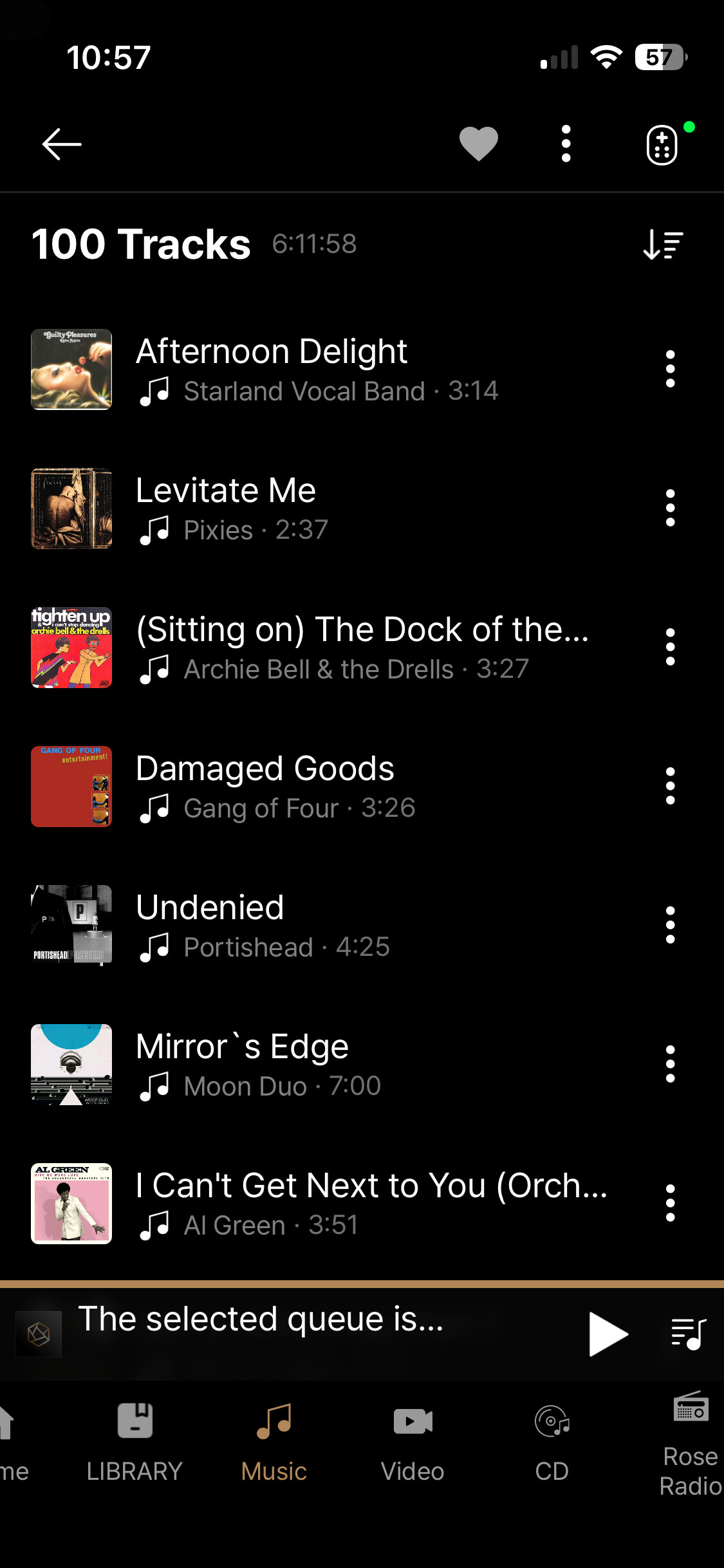
But when accessing Playlists in ROSETUBE, the order of songs shows up in thumbnails, which is much more confusing and difficult to navigate/edit/select songs - particularly when a playlist contains lots of songs/tracks…
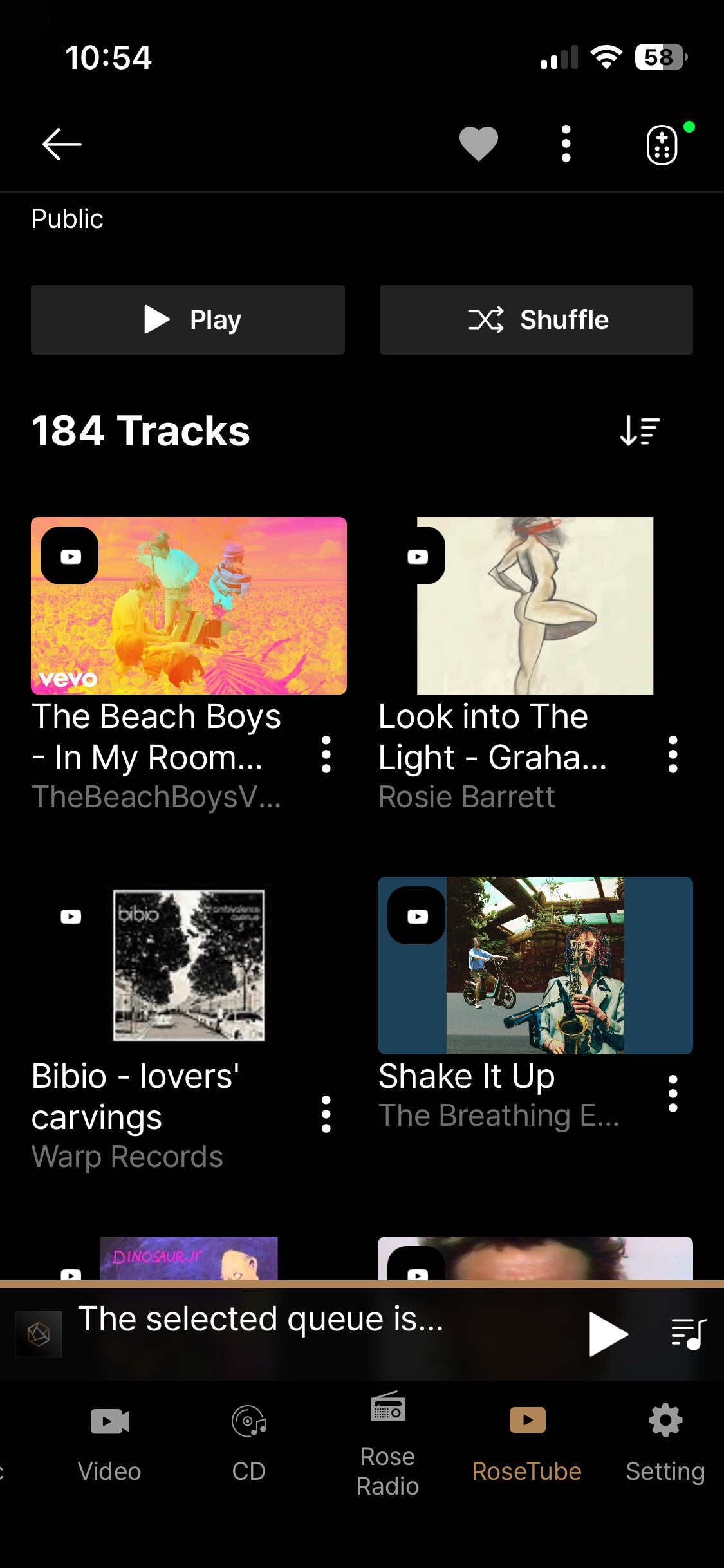
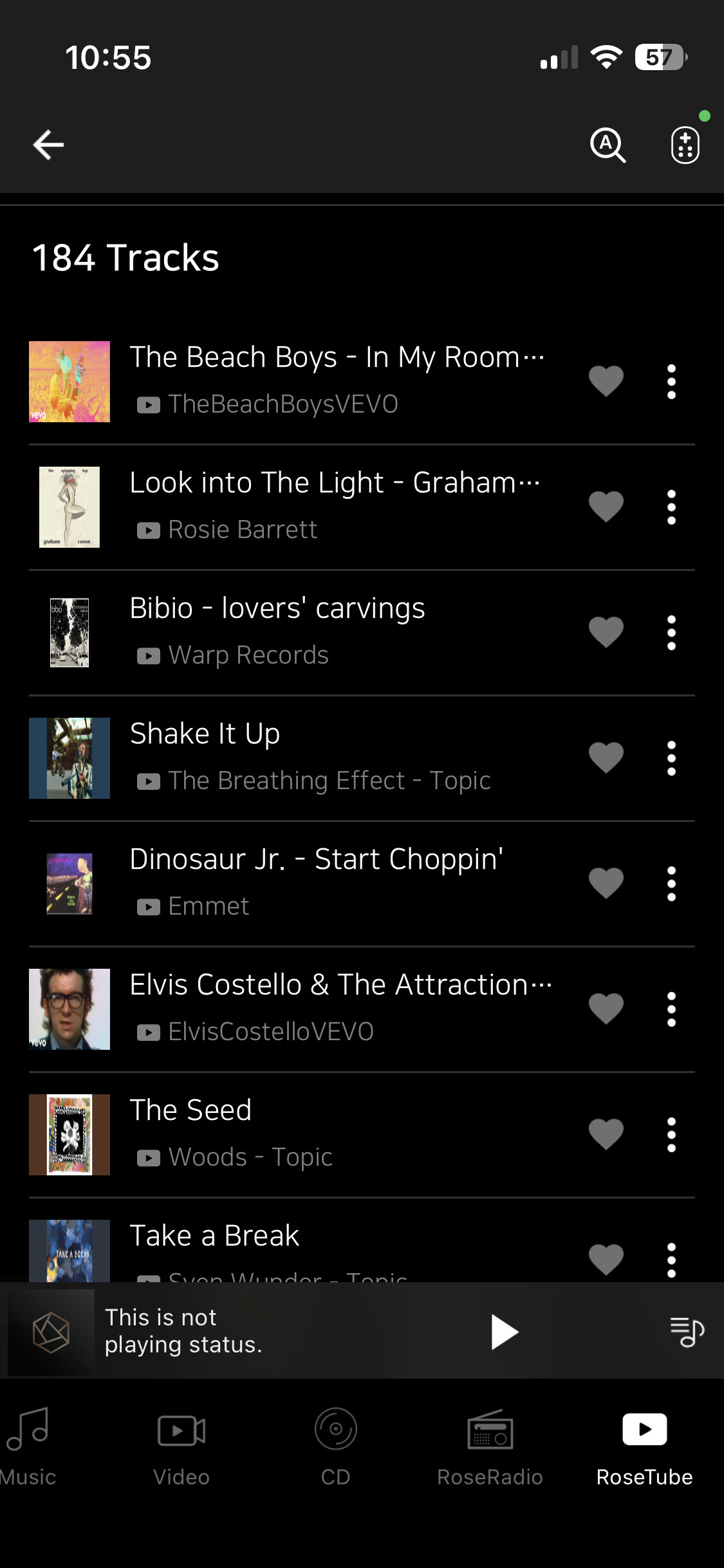
Please correct this and apply to Playlists in ROSETUBE the same order/listing look you have in MUSIC
1 Like
Nice…
But let me ask you a question…
When you use your ROSE to set the volume do you see two different volume icons?
This happens to me when I’m using TOSLINK in.
Hi Mikey,
Why don’t you take a few pictures so we can see it!
Meh, I’ll see if I can…
On other news… if you can create a block of static IP addresses (a range of ip addresses outside of the DHCP range… or if you can ‘allocate’ an IP address… and then set the IP address of the Rose to a static IP address. You will have less issues w finding the device in the apps.
The allocate feature is on the AT&T fiber modems. This takes the ip address out of the DHCP block so that no other device can grab it.
The issue is that the Rose will grab a new IP address each time you do a full power down.
W the static IP address, the apps will search for the last known address of the device.
If you don’t the app checks that IP address doesn’t find it… and then has to do a full IP range scan. If the device is in sleep mode… it doesn’t get seen until you manually power it up.
If you set the static address. It finds it even in sleep mode.
With most decent routers one can define a pseudo-static allocation of an IP address by MAC (hardware) address of a device. That way you do not need to fiddle with settings on the Rose, keeping it on default DHCP setup, and don’t need to allocate (and possibly keep messing with, as you add more devices) a specific address range on the router.
I keep all of my servers, printers, cameras, and managed switches on address reservations and everything works just fine, with devices always having the same IP after reboot (I don’t actually bother to do it with Roses or other audio endpoints, because both Roon and BluOS have other ways of finding them quickly).
@Rose_love What about the problem of only 100 tracks appearing in the list of tracks of an album? It happens to me absolutely always in Qobuz with Rose One and absolutely never with Rose Connect.
yeah but still consider the static ip address.
At the router, some allow you to take the Rose’s MAC address and assign it to a static address within the DHCP range. This way the Rose does DHCP but then the router sees the MAC address and returns the same ip address. The AT&T fiber modems have an ‘allocate’ button that does this and it removes that ip address from the pool of available ip addresses.
The reason I say do the static IP address route is that you can set it on the Rose as well.
Its really 6 of one 1/2 a dozen of the other.
Its just that I don’t think the Rose manual talks about this issue in detail and this may cause some pain with the apps not finding the Rose hardware that’s in sleep mode. But if you set the ip address … the app will always find it and you don’t have that problem. That was the main point. You need to get a static IP on your network one way or another.
Now here’s the hard question… be honest.
How many people here actually go in and configure their cable/fiber modem?
I mean yes there are many who do… but not everyone is technical enough to do it.
My 520 always worked and was always found on the home network!
When I read a lot here about network disconnections and connection problems between the app and the device, I went into the desktop settings of my 7590 AVM FritzBox and assigned the Rose 520 a static IP.
I did the same with Lyngdorf. But you can do that directly in the settings in/on the device.
But as @BorisM says, you don’t really need to do anything and the devices will be recognized.
I always turn everything off, even the router is off overnight, and when I booted everything up in the morning, all connections were working, whether from Rose Connect to the 520 or Roon to the 520.
Same with Lyngdorf. Everything works flawlessly for me. All devices and apps are connected and I can listen to music as it should be.

Conclusion:
If you have set up your home network correctly, there is really not much you need to do. Everything should work as @BorisM said.
At the time, I also prioritized the 520 (also in the FritzBox settings). In any case, this had no effect on other devices in the home network.
Of course, the speed of the Internet connection and the number of devices in the home network also play a role.
Ok…
Yes, you should set up the static IP address for the Rose products. (RS520)
The issue is that the RS520 appears to ignore the lease period. Normally when you power down or power cycle a device, it will attempt to use the last used IP address. However with the RS520… it looks like for each power cycle… and lets say you keep it off for 12hours overnight… it will request a new IP address.
That mucks up the app because it will attempt to find the RS520 on the last known IP address.
Normally if a device is still within the lease period, it will attempt to use the last know IP address. Only if the lease has expired, will it attempt to get a new one. This way if your device uses DHCP to get an address… if you pull the plug and then the next day you plug it back in… if you’re still within the lease period it will use the old IP address. And if its turned on and the lease period expires… its usually automatically reset.
Once you use a fixed ip address this problem goes away.
And yes there are a couple of ways to do this including setting it on the Rose itself.
It would be nice if Rose fixed this issue within the OS, however, I don’t know the level of effort because I don’t do Android …
1 Like
Surprisingly (not  ) networking stack in Android works fine. Really, takes quite a bit of effort to mess it up.
Please check it in RoseOne v.1.0.9.3
We have added the requested feature in RoseOne v.1.0.9.3.
Hello @Cougar2025 ,
Please be assured that we are continuously updating the app to improve its performance. As we are having difficulty reproducing the issues you mentioned on our end, we would like to request some additional information for further investigation.
- Update the app: Please ensure the Rose One app is updated to the latest version (v.1.0.9.3).
- Visual Evidence: Could you provide a photo or video showing the issue?
- Device History: Please share a screenshot of: Smartphone > Rose One App > Settings > Device History.
- Ping Test: Please share a screenshot of: Smartphone > Rose One App > Settings > Rose Connect Ping Test, or click the ‘Share’ button to send us the text results.
- Hotspot Test:
- Please enable a Hotspot (tethering) on Smartphone A.
- Connect both your Rose device and Smartphone B to Smartphone A’s Hotspot Wi-Fi.
- Let us know if the issue persists in this specific network environment.
Thank you for your valuable feedback.
Best regards,
Hello,
Thank you for your keen interest and detailed questions regarding the new features in Rose ONE. Here are the explanations for each point you mentioned:
1. Custom Folders in Library The Folder feature was added for users who have thousands of favorites and wish to organize them into specific groups. It allows for more systematic management of your vast collection, making it much easier to categorize and find your preferred content.
2. The “Library” Menu The Library menu is an integrated management tool that combines “Favorites + My Playlists + My Feed.” Previously, these features were scattered across different screens. We have consolidated them into a single menu to provide quicker and more intuitive access to your personalized library.
3. Playback Panel Icons The icons on the currently playing panel represent the following functions:
- Play Icon: Controls Play/Pause (toggles depending on the current state).
- Next Icon: Skips to the next song in the queue.
- Queue Icon: Directs you to the current playback queue list.
We hope this clarifies the new features. We are continuously working to make the interface more user-friendly based on feedback like yours.
Best regards,
Please check it in RoseOne v.1.0.9.3