
We apologize for the inconvenience. Please delete the currently installed RoseOne app, install the latest version from the Google Drive link below, and check if it works.
Hi, can you kindly fix the search function on RoseOne as highlighted over a week ago by @christoum1974 ? Any search attempt of music stored on the internal SSD delivers blank results which is so disappointing - have to use old Rose Connect Premium where the search function still works. V1.0.24.6 on Mac M5 and 1.0.24 on iPhone.
Hi
I downloaded the RoseConnect One application that was sent, but unfortunately it doesn’t work with that either. There can’t be anything left from the previous versions that prohibits normal use.
I also requested the older RoseConnect Premium version, which was left behind, with which I could at least use the device somehow.
I am very sad about the problem, so I don’t dare recommend the brand to anyone for now.
Did you download the old Rose Connect Premium and could you send it to me? THX
I managed to solve the problem. The window was empty in the settings, display, Edit/manage menu section. I clicked here and it loaded somehow and has been working fine ever since. I hope it stays that way, but after that I should look into why the window didn’t load!!!
When I log into my YouTube account, for example, when browsing music, one item overlaps the other. An image of a song appears, with the artist’s name below it, and then the song’s name below it. Another image of the next song overlaps the song’s name, leaving me unable to see the track title, album title, artist, etc.
Please correct this bug. It sometimes happened on Rose Tube, but it’s been fixed now on Rose Tube, but it’s still there on YouTube and it’s annoying.
Secondly, if I log into my YouTube account on one device, the other device, such as a second smartphone, no longer sees it, and I have to log in to YouTube on the other device as well. There’s no way to fix this so that when I log in on one device, my YouTube account is also visible on other devices, such as smartphones and tablets.
We have forwarded your requests regarding the YouTube display issue and account synchronization to our software team for review.
Our software team will review the requested features and improvements, and if they are technically feasible, they will consider implementing them in a future update.
Thank you for helping us improve the HiFi ROSE user experience.
It is time to give Rose some credit; after several updates, the RO app is finally working very well. Even on a slightly older tablet, it became possible to update to the latest version of RO, and once installed, everything runs smoothly—which is the most important thing.
On a second smartphone—one costing around $300—the app also runs smoothly and without the issues that were present just over a week ago. Previously, it only ran smoothly on my $1,000 smartphone.
So, it turns out it is possible when there is the will to do it and the developers take the issues to heart.
There is still one thing left to fix: the green highlight transition when switching to the music service currently in use; that part is still a bit clunky and needs improvement. However, compared to the lag the app suffered from just a week ago, this is a minor issue—though it still needs to be addressed.
The most important thing for Rose now is to ensure that future updates don’t break what is currently working in the RO app, as things are starting to look very good—and I’m happy about that.
I would also like to request that, after tapping the gear icon, an option be added to adjust screen brightness directly from that screen. That way, one wouldn’t have to navigate into the app’s main Settings menu just to access such a simple and necessary function.
1 Like
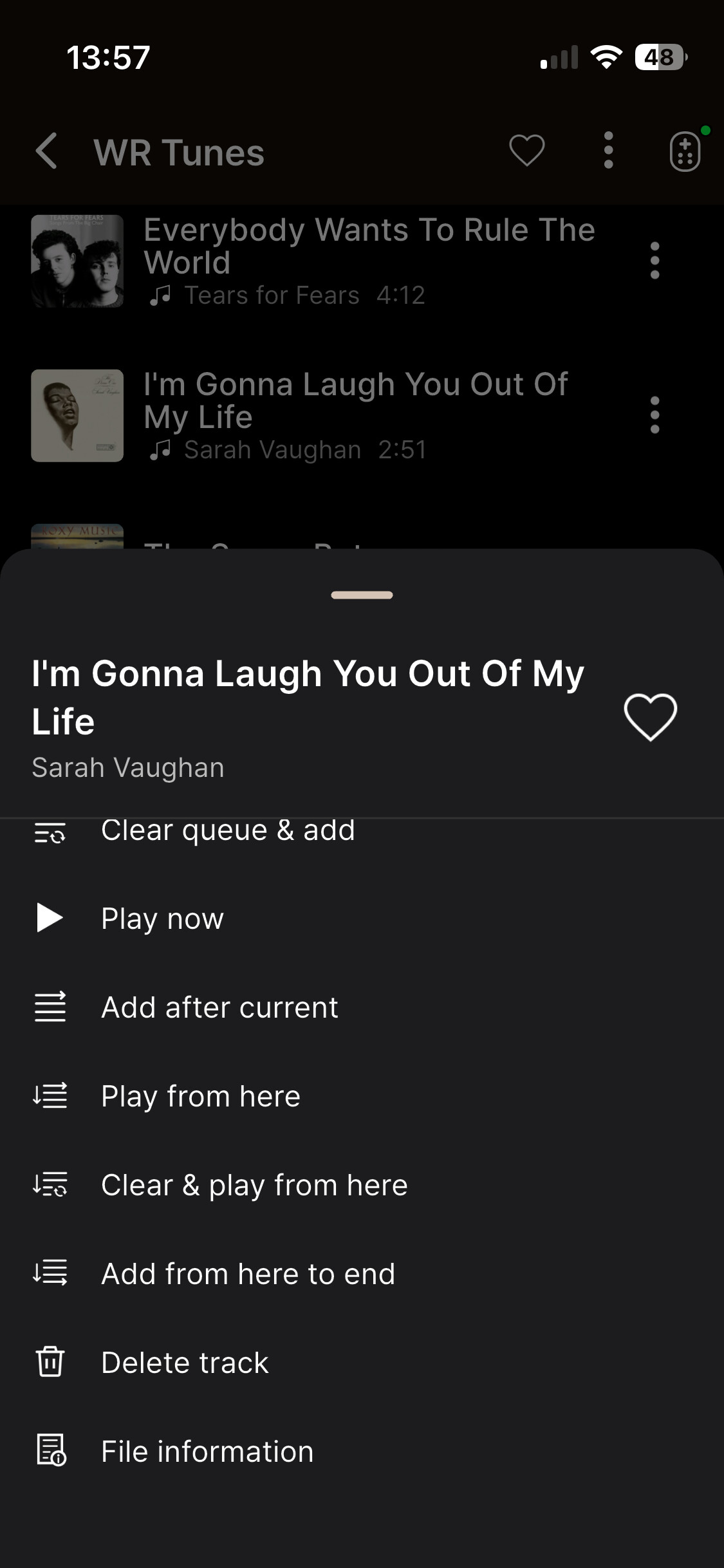
In Music playlists - there’s an option to delete a song/track from a playlist
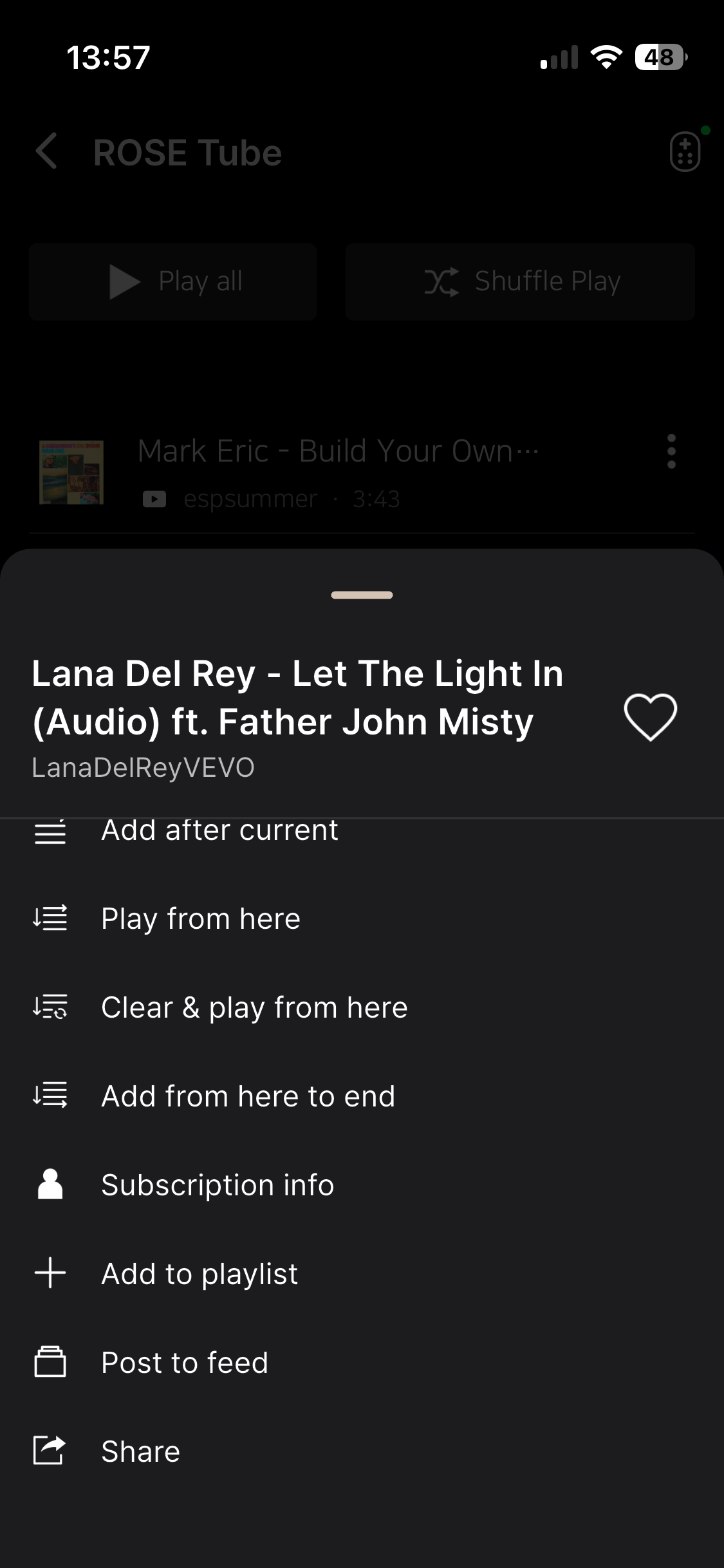
But in RoseTube playlists, there isn’t an option to delete a song/track - could this be added up perhaps?
thank you for looking into this.
Hi and I was wondering if you had a look at this and add the ‘delete’ option on the RoseTube playlists?
Would it be perhaps possible for the menus on both Music, RoseTube and streaming platforms playlists to be consistent with one other?
I also wanted to ask you whether you have ever considered a simpler menu of options.
When using the 3 dots next to a track in Music playlists you get the following:
- Add to queue end
- Clear queue and add
- Play now
- Add after current
- Play from here
- Clear & play from here
- Add from here to end
- Delete track
- File information
Do users really need all these options?
Is there a difference between “Clear queue and add” and “Clear & play from here”?
Do users really “add” tracks to “queue ends”?
I mean, the whole thing is so complicated…do all these options realistically match how people decide to enjoy playing their music?
Moreover, if you feel that - all considered - you must accommodate every single diabolical command option - why - from a sheer design and ease of use point of view - you don’t prioritise the functions people would use most often? eg:
- Play Now
- Clear queue and play from here
- Delete track
And put all other options (if you must have them…) below these?
Given your App designers overall approach, wouldn’t you want to prioritise good, intuitive, clear design solutions so that your users can actually make easier, simpler choices?
2 Likes
Hi, I would be grateful for an answer or any sort of acknowledgment that you’ll look into this?
Thank you.
I don’t agree with you, @alessandro. There is a difference between “Clear queue and add” and “Clear & play from here”. In the first case you add only a concrete track and in the second you add it and all tracks following it. I use more often the second option but sometimes also the first one.
I use equally the “Add to queue end” option. For example, if I want to play only a few tracks from an album having many, I add them one by one to the queue. If they are not consecutive it is the only way to add them rightly.
@Alberto Sure, it’s always fascinating to read how other users tap on all the different options - I am just a simpleton person and find all these choices overwhelming and yet I am not asking to have these removed - I am just asking whether prioritising the simplest operational commands might be something that could be considered, just with ease of use in mind.
I am also asking (for the 3rd time now…) our kind people at Rose whether:
- commands/options can be made consistent across Music and RoseTube playlists
- add to the RoseTube playlist commands the option to delete a track off it
Hopefully I will get an answer or any other sort of acknowledgment to this renewed post.
@alessandro I don’t use all options. 95% of times I use “Clear the queue and play from here”. In fact I have selected it by default in the Music Playback Options in Audio Settings. You may do the same with your favourite one. However, if I want to play non consecutive tracks of an album or tracks from several different albums, it is necessary to use the “Add to queue end” option. I could live with only these two possibilities in the menu.
Thank you for your detailed feedback and suggestions.
We understand your concerns regarding the inconsistency of playlist management options between Music, RoseTube, and other streaming services.
Regarding the Delete Track option in RoseTube playlists, we will forward your request to our software development team for review.
We also appreciate your suggestions about simplifying the track options menu and prioritizing frequently used functions.
We agree that providing a more consistent and intuitive user interface across different music services is important for improving the overall user experience.
We will share your feedback with our development team for consideration in future updates. However, we cannot confirm a specific implementation schedule at this time.
Thank you again for taking the time to share your thoughts and helping us improve RoseConnect.
1 Like
Hello !
Why is the date of publishing not visible? Instead i see the date of DB integration which is not really that important. Why not show both dates together or make it a user choice?
Thank you for your consideration
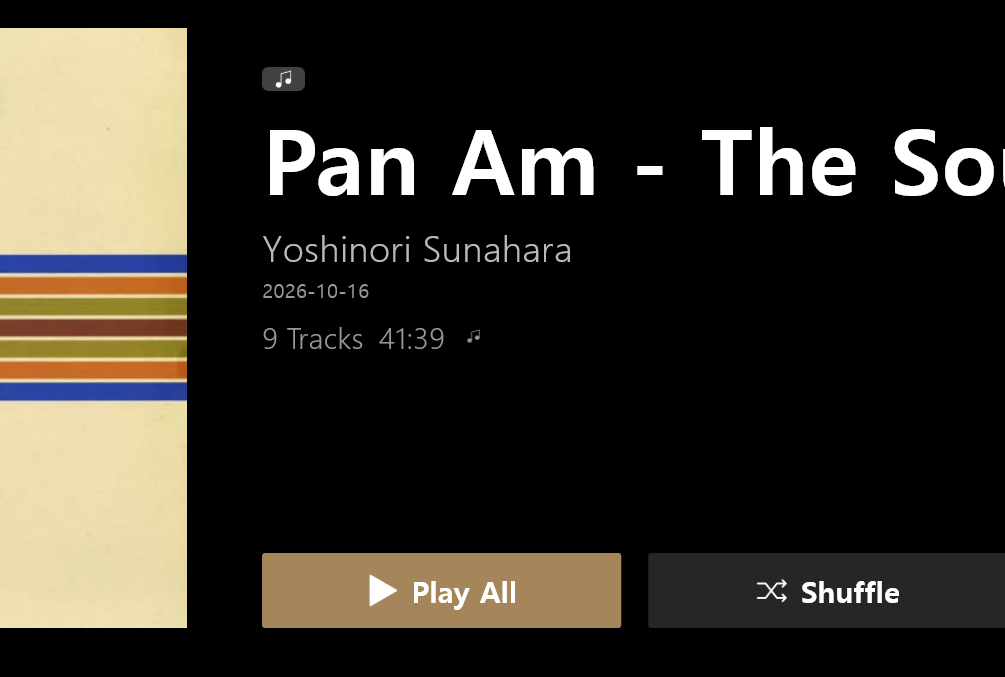
Following the latest Rose One update, an issue persists in the “YT ROSE Tube” feature regarding the list of saved favorite tracks. Specifically, some saved items fail to display their cover art—showing a black background instead—and cannot be played, even though they remain playable on the YouTube platform itself. Please provide an update for YT Rose so that the cover art for all saved tracks appears correctly, allowing them to be played.
Following several updates to the Rose app last week (I believe there were three—it’s hard to keep track of the exact number), the same issue with YouTube on Rose persists.
There is still a problem with the list of saved favorite tracks. Specifically, some saved tracks fail to display their cover art—showing a black background instead—and cannot be played, even though they remain playable on the YouTube platform itself. Please provide an update for YouTube on Rose so that the cover art for all saved tracks displays correctly and the tracks can be played.
I’m not entirely sure what you are actually fixing in these updates, as the app doesn’t seem to be performing any better, and certain things remain exactly as they were. For instance, there is still no option to adjust the display brightness via the settings menu (the gear icon)—a simple and highly useful feature for users, yet it remains unavailable.
When will you fix YouTube on Rose and add the display brightness setting?