New app: Rose One

Starting about 3 weeks ago, any time I try to reconnect the app to the Rose after it has been in ‘sleep’ mode, it takes 30+ seconds to make a connection. So I can search for and see music files in my database, but receive an error message when trying to play them.

Waking up the device used to result in instantaneous access to the database and playability of song files. I’m not sure why this is now an issue.

hmmm
I thought it was kind of slow to go into sleep mode from Rose One too.
I guess it wasn’t just my imagination.

Did you have that issue too?

Hello,

  1. Which device are you using the Remote app on? For example, is it an Android phone or tablet, an iOS device (iPhone or iPad), a Windows PC, or a Mac?

  2. Also, is it a playlist that you created?

Best Regards,

Hello,

Regarding the issue where saved favorite tracks in RoseTube display a black cover art and fail to play, could you please provide a few additional details so our development team can investigate and reproduce the issue accurately?

  1. Scope of the issue: Does this happen only with specific tracks, or does it affect all tracks in your saved favorites list?
  2. Track details: Could you share the titles or YouTube links of a few specific tracks that are causing this issue?
  3. Device & OS: What device and operating system are you using to run the Rose One app? (e.g., iPhone/iPad - iOS version, Android smartphone/tablet, Windows PC, or Mac)
  4. If a track doesn’t play through Rose One APP, does it play normally when you play it directly from the rose device itself?

Once we have these details, we will proceed with testing and work on resolving this as quickly as possible. Thank you for your cooperation.

Best Regards,

Hello,

  1. Could you let us know which Rose model you are using?
  2. What mobile device (model and OS) are you using?
  3. After waking the device from sleep mode, if you wait a little bit before trying to access the database, do the tracks play normally?
  4. Regarding the error message you mentioned, could you tell us what the error message says, or share a screenshot/photo of it?

Thank you.

Hello ROSELOA

it is the latest Windows Desktop and Android Version of ROSE ONE.
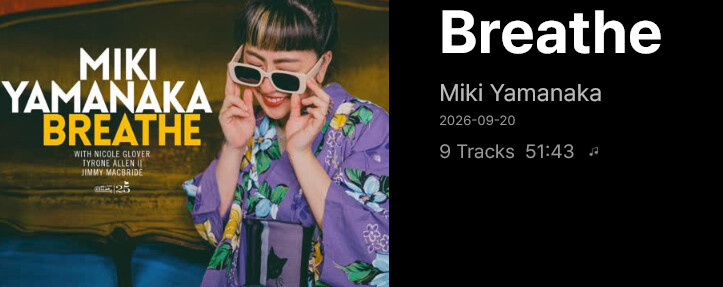
In ROSE HIFI on Android the publishing date 14. August 2026 is shown as 2026.08.00

In both versions of ROSE ONE the date shown is the added to DB date. The publishing date is in the files tag but it is not visible in ROSE Software.

I show you another screenshot. The album was added to the DB on the 20. Sept…2026 put the publishing date is 14.August.2026

Thank you for your consideration.

image

Różana
I previously mentioned that for some tracks in the “Favorites” section, a black background appears instead of the album art. I use both an Android tablet and smartphones, and the issue persists regardless of whether the device costs $200 or $1,000—some saved tracks simply won’t play because a black background is displayed instead of the cover art. I’m currently away from home, so I can’t specify exactly which tracks are affected.
It’s also possible that playback directly from the device isn’t working, though I would need to verify that.
Why don’t you update the app to include a display brightness setting within the gear-icon menu? It would be a very useful feature to have this option readily accessible, rather than having to dig deep into the general settings.

Hello,

1. RoseTube video album covers appearing black and failing to play

We are currently having difficulty reproducing the issue on our end. If possible, could you please take a short video showing the problem? If you are using a Samsung Galaxy phone, you can easily capture it using the built-in “Screen recorder” feature.

2. Could you let us know the exact model names of your smartphone and tablet?

3. Display Brightness Menu

Currently, the brightness setting can be found under:

RoseConnect One > Settings > Display > Screen brightness

Do you feel that this path requires too many steps to access? While there are no immediate plans to relocate this setting, we may consider it if we receive more similar feedback from other users.

If brightness is frequently an issue and you need a quick adjustment, while not identical, you can also turn the display off entirely using the LCD toggle:

(RoseConnect One > Remote icon in the top right > LCD ON/OFF)

Thank you.

Różana

I am convinced that the issue lies with the app itself. As I mentioned, I am currently away from home, but there is nothing here to record—essentially, instead of the album art, a black background appears for a given track, which is clearly visible in the app. When you press “play,” the track simply won’t start; there’s nothing to record there.
As for the devices: the tablet is a Samsung (4 years old), and the smartphones include models from Xiaomi—for instance, a $1,000 T17 Pro. We also tested devices from Oppo and Samsung, and the problems persist across all of them.
Don’t look for the source of the issues in the hardware; look at your own end. You once claimed that my tablet was too old to run the Rose One app, yet suddenly, that same tablet is running the app and downloading updates.
I pointed out back then that this was your fault, as other manufacturers don’t have such app-related issues, regardless of the specific smartphone model. Well, you’ve fixed the problem now—the same tablet works with Rose, and another smartphone, where the app previously ran slowly, is now performing much more smoothly. Before, the app only worked well on a $1,000 smartphone.
Regarding display brightness: it is far more convenient to have that option accessible via the gear icon rather than having to dig through the menu. In any case, that makes more sense than adding more cities to a weather forecast feature—unless, of course, Rose intends to pivot from a music-listening hardware company to a weather forecasting service. I don’t want to turn the screen off completely—after all, one of the reasons for buying a Rose is to have a large display—but it often happens that sunlight enters the room, or clouds move in, requiring me to adjust the brightness level up or down.
I don’t see what’s so strange about wanting to have a basic function readily accessible for quick use.
Another issue: when will you add support for more languages, both in the app and on the devices themselves? Years go by, yet nothing changes in this regard. As can be seen on this forum, this is a real problem—there are many countries, including some in Europe with populations of around 40 million, whose native languages ​​are still not supported on Rose devices.
In the 21st century, this shouldn’t be a challenge at all; it’s simply a matter of wanting to provide this option to users. For any nation with, say, 35 million people, their language really ought to be supported on Rose devices.

1 Like

@ROSEHAN @ROSELOA @mjkim @Rose_love

Hello, how do I delete a track from a RoseTube playlist?

Could you please add this (basic) function to the options menu on the app?

Thanks

Next to a given track in your favorites on Rose Tube, you will see three dots; click on them and select the appropriate option to remove it.

Thank you @Cougar2025 but I am asking our kind friends at Rose if they could add the delete option to the three dots on a RoseTube playlist - I don’t use favourites - I have a few RoseTube playlists but I have not been able to delete any tracks as the option is just not there.

A while ago I also asked that - perhaps - the RoseOne App should have the same consistent set of options on both Music and RoseTube Playlists three dots menus (at the moment the options showing are different) so I hope that this will be implemented too.

1 Like

Track deletion is only available for playlists you have created yourself. Tracks cannot be deleted from playlists created by others.

Could you please share a screenshot of your playlist screen?

As a tip, you can add an external playlist to your queue and then save it as a new playlist of your own. Once you do that, you will be able to edit it.

@mjkim Thank you

Yes, i am asking about track deletion on RoseTube playlists I have created.

Screenshots are here on an earlier post on this thread

Is “LanaDelReyVEVO” your Rose account? It seems that this playlist was not created by you. Track deletion is only supported for playlists you have created, so you do not have permission to delete tracks from this playlist.

If you select “Add to Playlist” and add it to your own playlist, you will see the option to delete tracks from that playlist.