
@klangarangana23
The primary function of RoseOne is to find content within the app and play it on Rose devices. Please note that it does not support playback on the PC itself.
ok. thank you for the answer
I have Ethernet supplying steam in 250. In order to use Rose One it requires WiFi. Turning Wi-Fi on disconnects the Ethernet connection. How can I stream with Ethernet and control Rose One with Wi-Fi. Using both for different purposes?
@iclickjohn
The Rose One PC version also supports Ethernet. You can install the PC app and use it.
https://hifirose.com/support/download/906
My phone and my PC are not on the Ethernet. How do I control using Rose One when it’s requires WiFi. As I stated, when WiFi is turned on (on my streamer) it mentions that it must turn off Ethernet. But I want to stream using the fastest path. Ethernet is faster than Wi-Fi. How can I do both?
@iclickjohn
It should work if you connect the Rose device via LAN cable and your smartphone and PC via Wi-Fi, as long as they are all connected to the same router.
Additionally, for the Rose device, you can keep it connected via Ethernet, while your PC or smartphone can connect via Wi-Fi provided by the same router that the Rose device is connected to via LAN.
If the RoseONE APP is unable to find your Rose device, please let us know the IP addresses shown on both your Rose device and your PC or smartphone.
Rose device → Settings → System Info → IP Address
Please compare the IP address of the Rose device and the Wi-Fi IP address of your phone. The first two sections (the first two numbers separated by dots) must be the same.
Example (Correct):
Rose device IP Address: 192.168.4.44
PC or smartphone IP Address: 192.168.4.33
Example (Incorrect):
Rose device IP Address: 192.168.4.44
PC or smartphone IP Address: 192.168.6.33
Some time ago, I wrote about how the VU meters on the RS 151 have a life of their own and have nothing to do with the actual sound of a given track on the album being played. The VU meters jump to 50% almost immediately after starting a track, and if the music and dynamics are at a higher level and persist for a while, they settle at 70-80% and stay there.
You promised to address this issue, but so far, the level is embarrassing and embarrassing for the producer. Weeks go by and it’s still the same, and you’re doing nothing about it. When will this be done?
Secondly, in the Tidal app, there’s only one way to save an album to your favorites: you have to save it from the album itself. If the album isn’t playing yet, for example, on the third or fourth track, pressing the heart won’t save the album to your favorites, even though a message about this is displayed. Sometimes the first track has the option to save an album to your favorites, but the second, third, fourth, etc. don’t. We also don’t immediately see whether an album has been added to favorites. Only after exiting Tidal and pressing the HOME button, then selecting Tidal and going to Favorites, do we see that the album hasn’t been saved, or has been saved to Favorites.
Removing an album from Favorites is a similar issue; sometimes you have to repeat the process twice to remove the album, and then you have to go to Home, then select Tidal, then Favorites, and only then can you see the deleted album.
Unfortunately, Qubuz is now just as bad as Tidal, with the same bugs. Everything worked fine in the previous app, but this needs to be improved, as adding and removing favorite albums and songs is a core part of the app.
Please address these issues as soon as possible, as both have been occurring for several months now, and it’s embarrassing and shameful that simple things can’t be fixed so that users don’t have to worry about using the latest app on Android.
The indexing feature is no longer functioning on the app. On the Music - Classification - Artist screen, I nowagain have to manually scroll through all artists. What happened here?
Your issue has been shared with our software team. They will review it and fix any parts that can be addressed immediately. For items that require more time, we ask for your understanding as they may take longer to resolve.
For the ROSEONE app, updates are released every Friday.
Is there a thread with release notes for each update so we can review against actual functionality?
1 Like
Regarding the problems I mentioned, the latest update still has the same issue. I’ve noticed that after this update, whenever you switch from the app to, for example, the browser on your tablet and then access the app on the tablet, the app takes a moment to reconnect, as if trying to reconnect, and then displays a message that the connection was successfully established. Again, I don’t know why this was done; it wasn’t like this before; it connected automatically after accessing the app from, for example, the Google browser. Again, you did something but didn’t check it, and I really don’t know why anyone would need this.
For the time being, we are releasing updates for the ROSEONE app every Friday.
Before updating the ROSEONE app through the App Store or Play Store on your phone or tablet, you will be able to see the list of changes and fixes included in the update.
Thank you. It would be helpful for us as users to see the history of those changes, and track progress over time, as well as be able to view the list for the most recent update to provide feedback on how well it delivers against expectation. Since that screen disappears once the update is initiated, it is impossible to remember what we were just told would be improved.
2 Likes
Bug report:
I noticed this a while ago, but keep forgetting to send it to you. You can no longer view Artist Album in a list by going to Music - Classification - Artist - Selected Artist - Artist Album (View All).
There is nothing in the list when you do this, or sometimes just one album. It previously would pull the full list of that selected Artist’s albums so you didn’t have to scroll horizontally.
Also, I’m not sure how “Top Tracks” is determined, but it seems to just be alphabetical, thus providing no value. As a user, I want to navigate to my Artist, then their Albums. Putting a list of random songs in front of me is not good UX.
Hi Rose Team,
I have connected Rose One app to RA280, but volume control through the app is very sluggish, to the point of being useless. The same happens in the Rose Amp app. Are you working to solve that? Volume control should work like with Sonos products.
Thanks.
1 Like
Dear HiFi Rose users
The feedback mentioned above has already been forwarded to our software team, and they have confirmed that they will review the issues and work on improvements and fixes after further investigation.
Also in Rose One you can improve the speed of moving e.g. saved albums, or moving an already open album when searching for songs in a given album, because there are slight stutters while performing these actions.
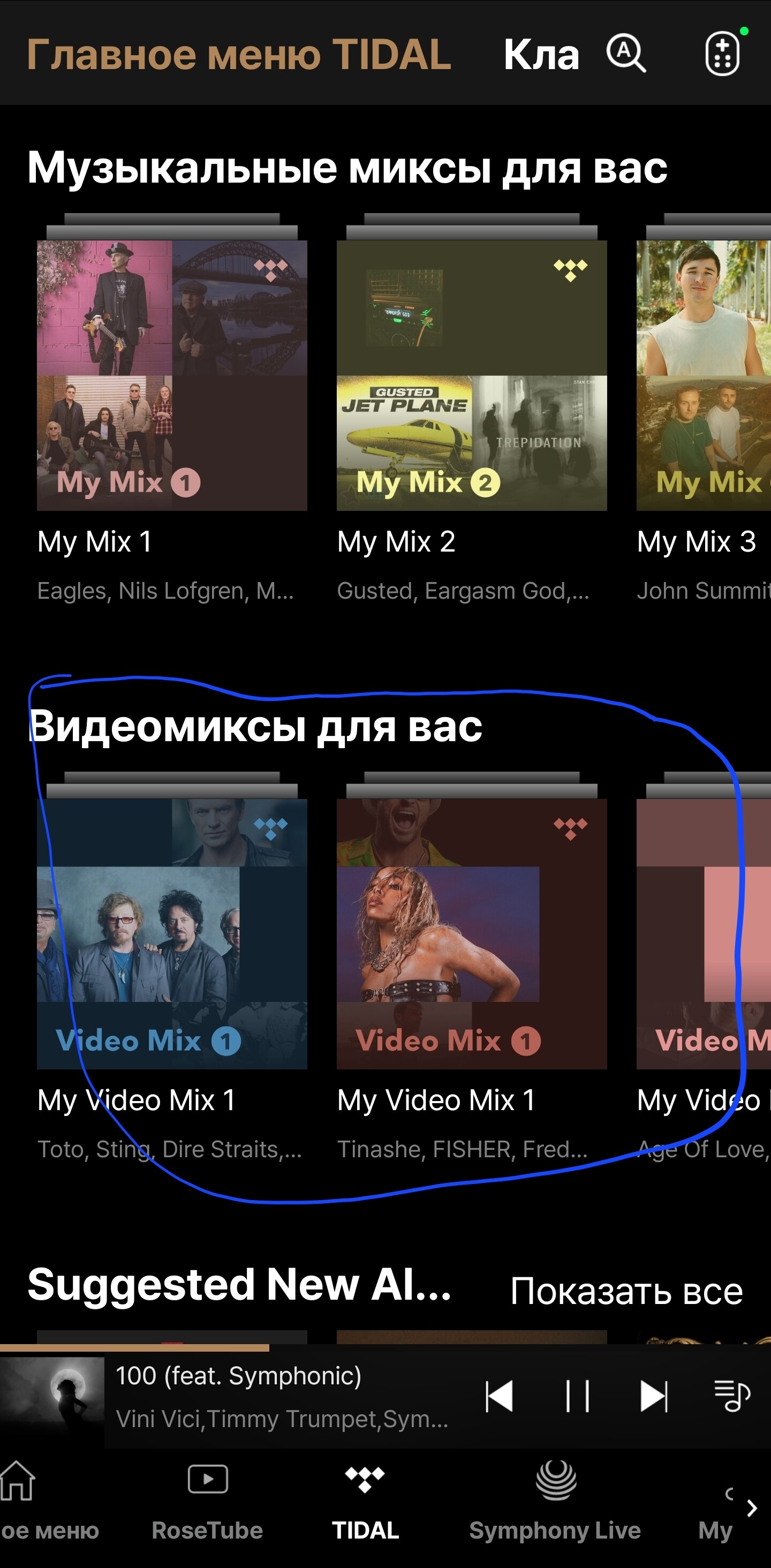
This worked well when the app first launched but seems to be getting worse with each release.
Additionally, the search function now returns no results when I go to Music - Classification and search for anything. The results screen has nothing, but when I click “View All” some results appear.