Are you sure you do not still have any of Roses demo tracks anywhere in the library?
It rather makes sense that a Korean product that comes from the factory with some Korean tracks preselected would have Korean characters in the list…

Are you sure you do not still have any of Roses demo tracks anywhere in the library?
It rather makes sense that a Korean product that comes from the factory with some Korean tracks preselected would have Korean characters in the list…
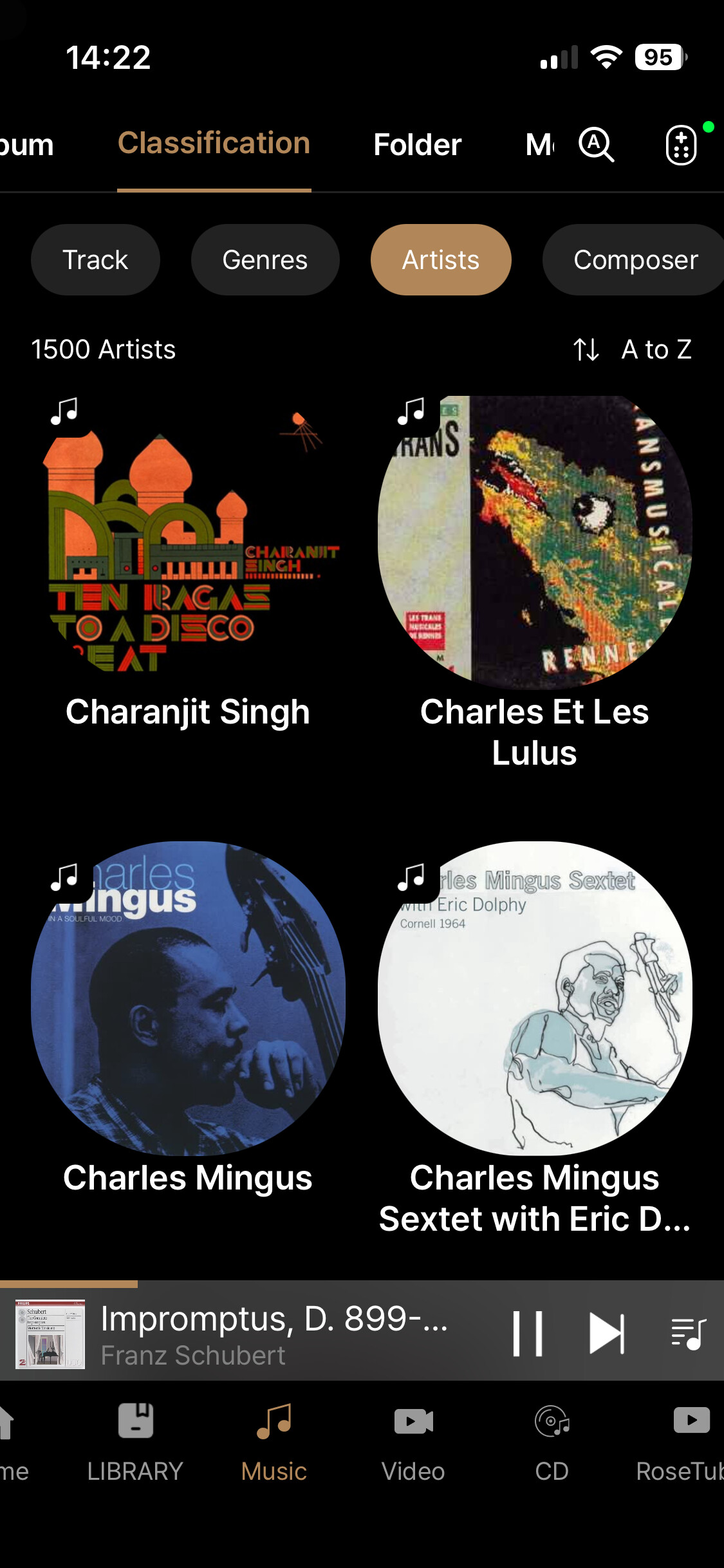
Unlike @stodgers - on my iPhone, I cannot see any scrolling aid/cursor on the same page/selection that he has shown here, nor I can see any letters/characters showing…
Having said that, I don’t go to ‘Music/Classification’ at all as I most frequently search through my collection in ‘Music/Album’
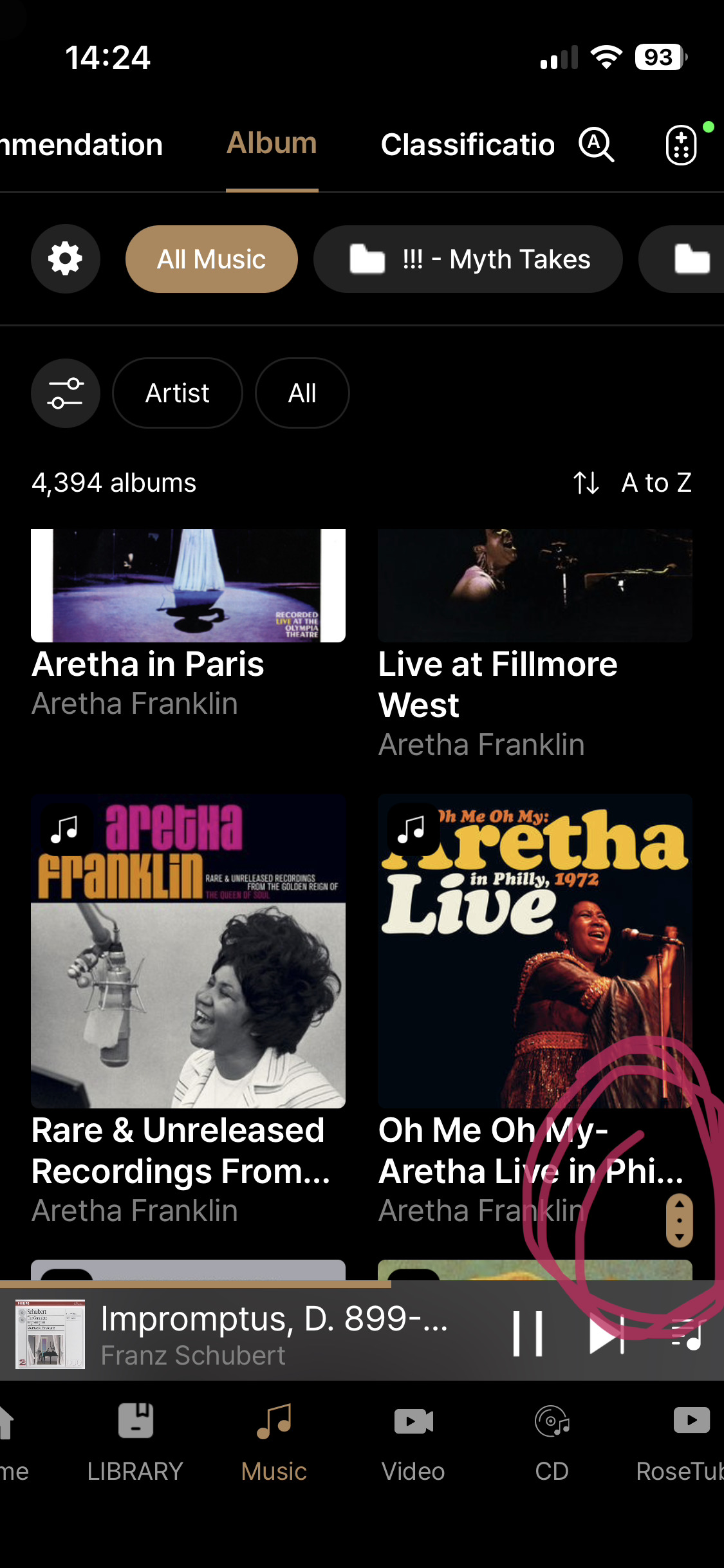
Here you get a tiny scroll down cursor…which as you go down and you attempt to scroll down and search for more…it then disappears all together.
This is pretty annoying when - like me - you have hundreds of albums in the Music collection - moreover the thumbnails of the album sleeves are still huge so - for now - I am not using this function at all as it’s unpleasant to look at and unpractical to navigate within.
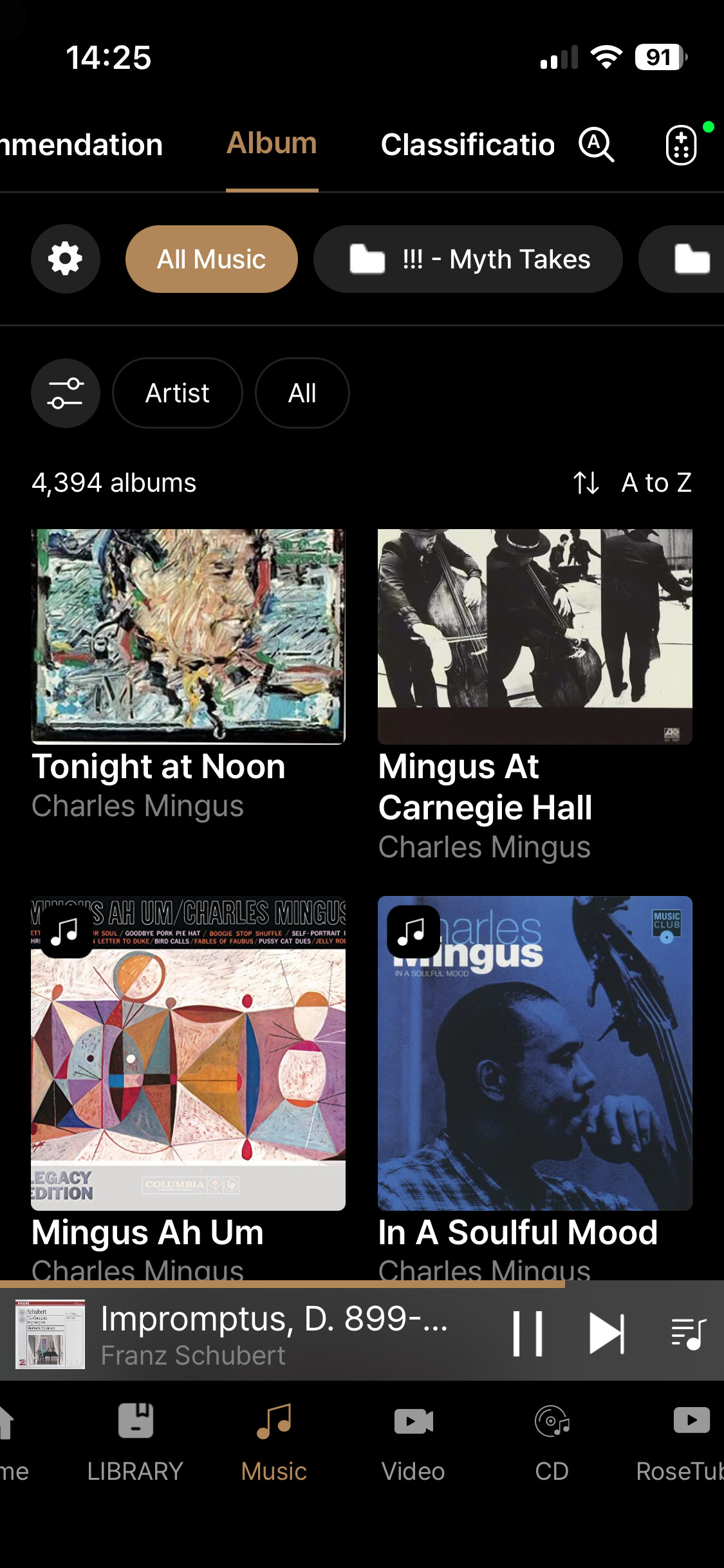
As reported before no letters or characters are showing at all, meaning that - unsurprisingly - there are inconsistencies with how the Rose One App behaves on different devices… so I suppose the plot thickens even further…
Rose One 1.0.15
iPhone 13 Mini iOS 26.3.1
When will you answer this basic question:
Why big icons on album covers? It’s totally useless and on IPad Pro it shows me 4 albums per page, how to navigate in a large library
This simple subject has been discussed several times and it is as often a total silence
New application view

Old application view
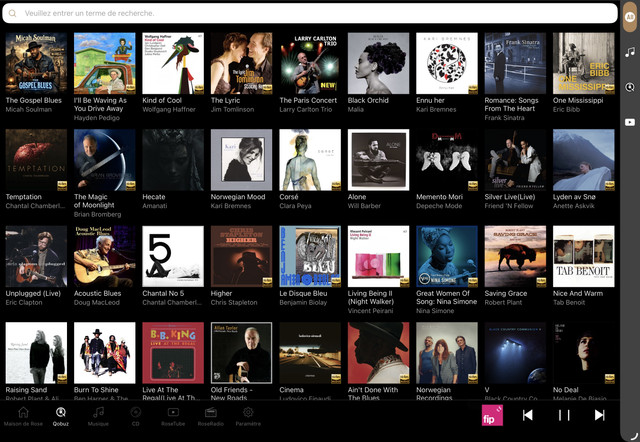
Dear HiFi Rose users
If your Rose device is running the EA version, an indexing feature is provided on the right side instead of a scroll bar. If your device is running the official version, you will see a scroll bar on the right side.
In the future, the EA app and Premium app will no longer be supported, as all services will be integrated into the ROSE ONE app. Any improvements will be applied only to the ROSE ONE app.
The ROSE ONE app also supports a scroll bar on the right side.
I have shared your request with our software team.
After reviewing it, they will work on reducing the size of the album art in views where multiple album covers are displayed.
When (with Rose One iPad app and RS151) choosing tracks from a longer playlist (more than 1 screen) the app seems to reinitialize (restart) about every 1 minute and the playlist jumps to the top.
For every new song to chose you have to scroll all the way down again.
Very annoying !!
More users have reported similar problems (playlist jumps back to the top) but nothing has been changed.
Thanks @Gillesbonatti for the size of the album art, and @ROSEHAN to the share request.
Since the application is really getting better and better, small details also matter !
Have a good day.
Thank you. Have a good day too
In terms of time scale what does “ in the future” mean ?
I ask this question because, in my experience, Rose One is nowhere near ready to replace Rose Connect Premium.
For example, during the past two weeks -
1.I am unable to directly select and play individual tracks from within playlists containing more than 100 tracks on Tidal.
Searching for an album from the Favourites list on My Tidal causes it to crash.
Scrolling through a list of albums on Tidal using the scroll bar on the right hand side is useless since it disappears when it approaches the bottom of the screen ! Furthermore, albums at the bottom order of the screen are not visible and I am unable to scroll further down.
Scrolling in general on Tidal is “ glitchy” . Often, it flickers like a 1920’s silent movie, sometimes it freezes and the album thumbnails disappear, only to reappear 10 seconds later !
Qobuz is slightly better but not by much. There is also a recurring problem with tracks randomly skipping but this also affects Rose Connect Premium as well as Rose One.
Since Tidal and Qobuz are the only high resolution streaming options currently available to Rose users, a great deal of attention needs to be paid to getting things right before switching exclusively to Rose One.
Please help us confirm a few things:
This issue has already been reported to our software team.
For the ROSE ONE app, we aim to release regular updates every Friday unless there are exceptional circumstances.
The issue you mentioned may be fixed and included in this week’s update; otherwise, we kindly ask you to wait until next Friday at the latest.
I have received your email.
I have forwarded the issue you described to our software team.
The issue you mentioned may be fixed and included in this week’s update; otherwise, we kindly ask you to wait until next Friday at the latest.
I like the feature of being able to see user picks.
Now I found one… and I want to add it to a playlist I created earlier.
Now while it can be done… go thru the process and tell me that its intuitive…
(Its not… )
This also led me to think about the idea of copying the user’s playlist … maybe I’m missing something but not sure if the commands let me duplicate/copy their play list… but what if I want to merge it into one of my playlists…
I have a generic ‘Jazz’ playlist and would like to merge or append their list into mine. I don’t see a feature to do this … unless I am misinterpreting the commands…
This leads to another feature request… a ‘fly over and hold’ where if you place the cursor over a command and hold it there… a small pop up window will appear w a description of the command.
As you mentioned, it is currently not possible to copy or merge one playlist into another.
For now, if you would like to add tracks from Playlist 1 to Playlist 2, please first play all the tracks in Playlist 1.
The tracks played from Playlist 1 will be added to the Queue.
You can then select the tracks from the Queue and add them to Playlist 2.
Thanks for the response.
So then… that would be a great feature to add.
The other is the ‘fly over’ where if you pause over an icon it will give you a short help / description of the feature.
I will forward your request to our software team.
However, please understand that after internal review, this feature may or may not be implemented.
@ROSEHAN
Thank you.
Its all that we can do is ask.
On a different issue.
Just came across a bug… Hopefully you can reproduce.
I have my Macbook running spotify. Out to USB thru a docking station to the RS520. Using USB-B (2.0) input.
Using the Rose One app, I’m trying to control the volume… As well as thru the Mac.
There seems to be some issues w syncing and the display.
In theory… the volume control should be sync’d. So that if the Mac is showing volume at lets say 50, then the HiFi Rose RS520 should also be at 50. If I change it up or down… it should control the Rose.
Or is that not the case?
Right now, things are not in sync At least within the application.
Could you please test and confirm? It could be that there’s an issue of using a USB-A port on the docking station… but I don’t think that’s it.
Thx
In the setup you described, the MacBook M1 Max is connected to a docking station, and then connected to the RS520 via a USB-A to USB-B (2.0) cable. In that case, the MacBook M1 Max acts as the source device, and the RS520 functions as the DAC and amplifier. In that type of connection, ROSECONNECT ONE is not normally used for volume control.
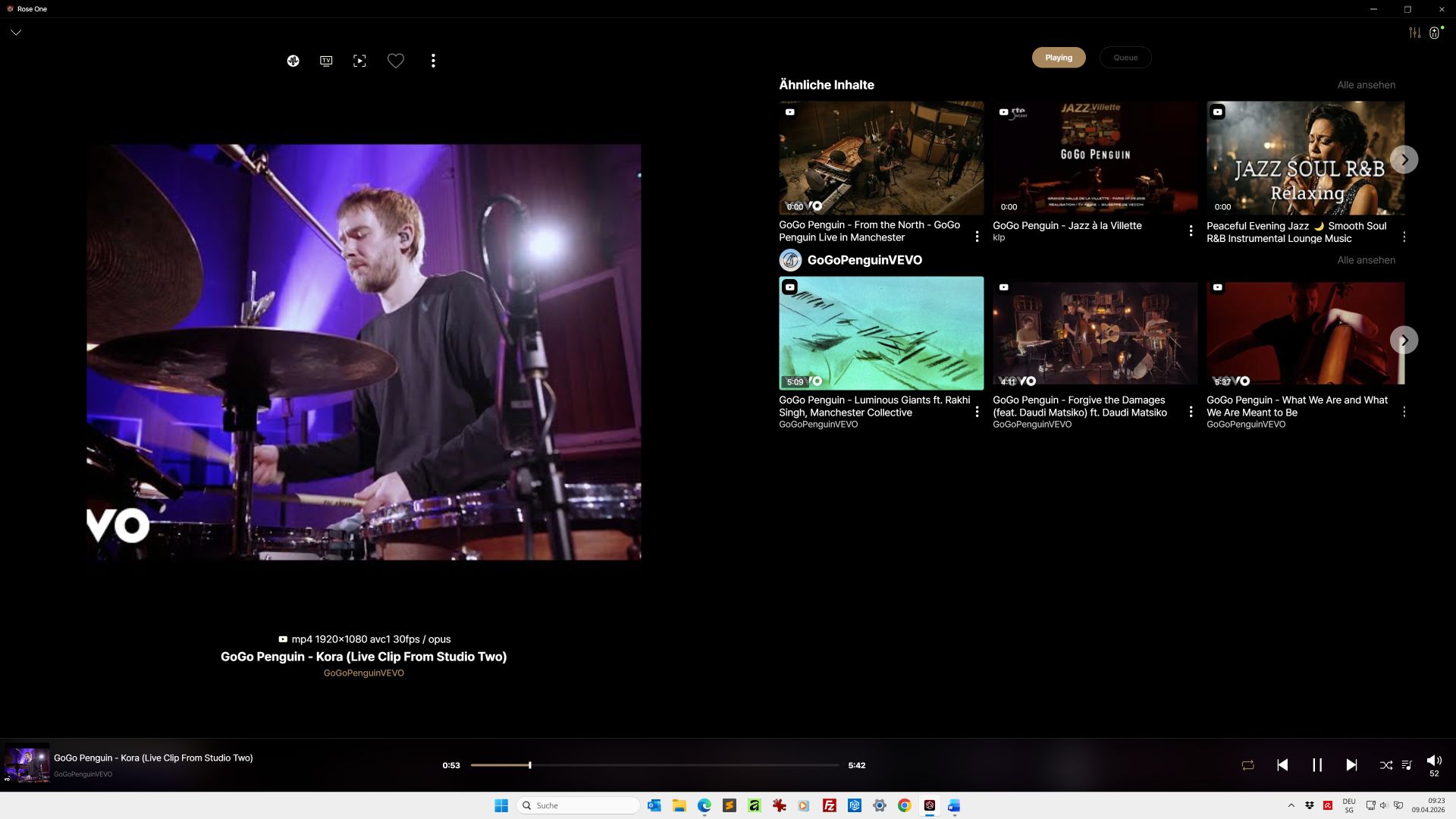
Hello Rose. Question about PC Rose One. If I watch a video on YouTube (in Rose One), should I also be able to watch that video in Rose One? I only see a still image of the video and suggestions on the right. Is that correct? Is it not possible to watch videos in Rose One? Thank you very much for your answer.