
Dove si trova questa impostazione?
Va bene. Più tardi farò questa prova e ti aggiorno. Grazie
1 Like
@corrado
Le abbiamo inviato un’e-mail informativa all’indirizzo Gmail che ha registrato al momento dell’iscrizione alla community. La preghiamo di verificare.
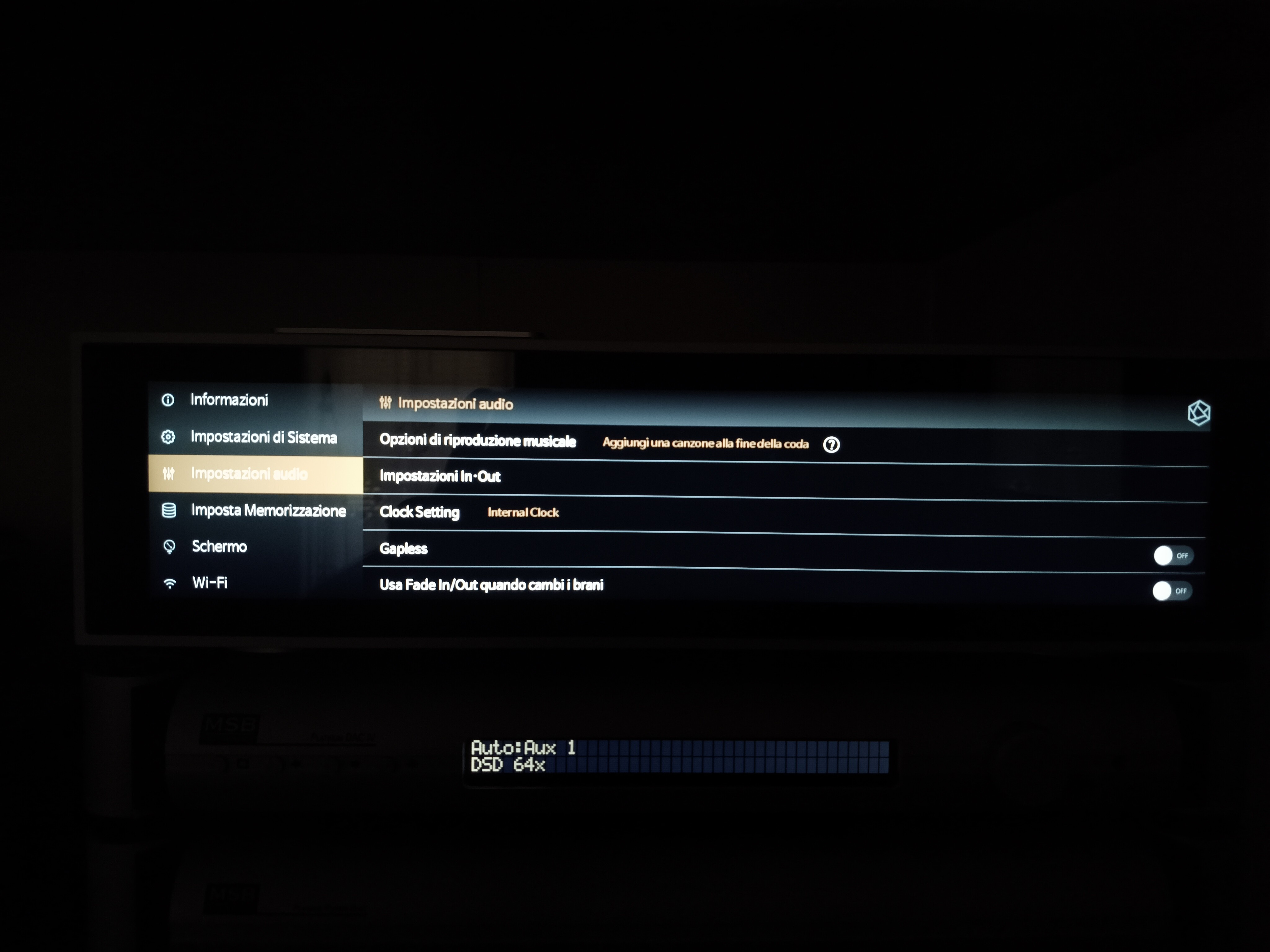
Yes, but you don’t have gapless playback in DSD and PCM either!
Sì, ma non hai la riproduzione senza interruzioni nemmeno in DSD e PCM!
Cosa vuoi dire di preciso con questo?
I noticed a bug, which when I wake up the RS451 from stand by mode and try to play a song through headphone port, it will output in a very large volume, and blast my ear.
I need to adjust the volume manually.
ver 5.9 doesnt have this problem
Beh, se hai una traccia collegata a un’altra, sentirai una pausa! Come, ad esempio, negli album dal vivo, The Dark Side Of The Moon dei Pink Floyd, ecc.
Well, if you have a track that is linked to another, you will hear a break! Like, for example, live albums, Pink Floyd’s The Dark Side Of The Moon, etc.
Ho capito, purtroppo se non risolvete voi il problema del rumore delle tracce in modo diverso non c’è alternativa, o sentire il rumore o ascoltare senza interruzioni… E comunque molti dei miei album PCM sono copiati con EAC con Gapless, quindi credo che il distacco tra le tracce lo direi li stesso. O no?
Admin - Rose_love - RoseHan.
I would like to know how the new software update affects or impacts the PRE-OUT LEVEL SETTINGS and the VOLUME CONTROL. I currently have it configured as shown in the image.
Additionally, I’d like to know whether I’ll still be able to keep this configuration exactly as shown in the image.till be able to keep this configuration exactly as shown in the image.
I’m also sharing screenshots of my current software version and my current audio output configuration for reference.
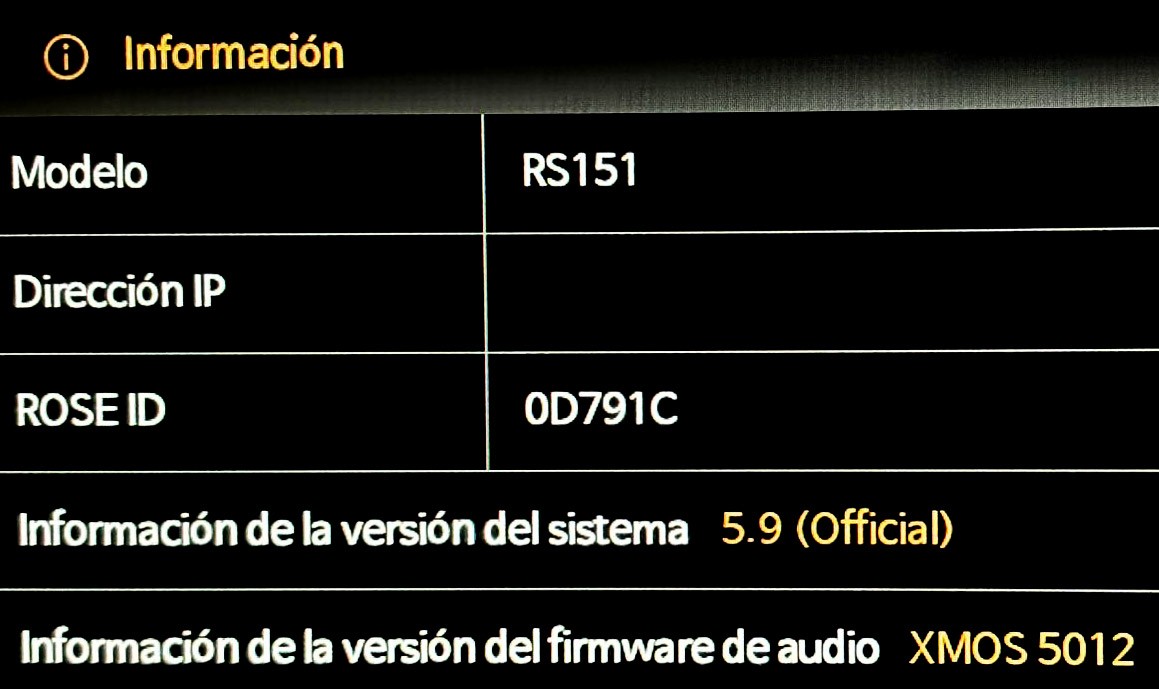
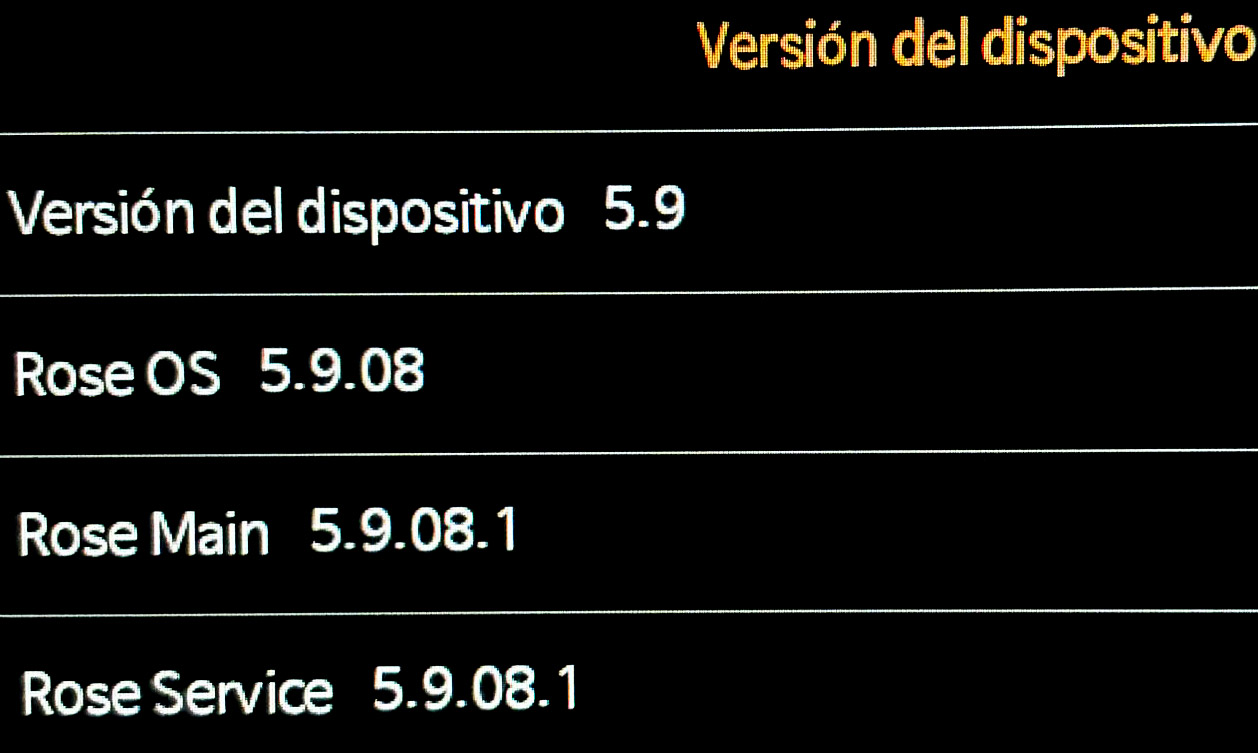
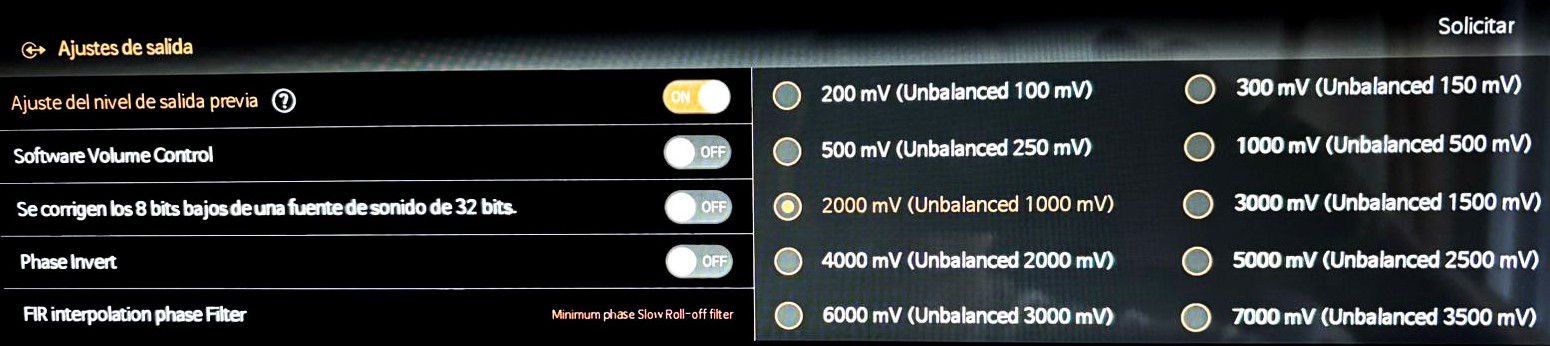
1 Like
I would like to roll back the software to 5.9.09. The new version (5.11.01) changed the behavior of Software Volume Control which I don’t like. Please send me instructions for rolling back to 5.9.09.
Charlie
What device did you update, and can you tell me more about the volume control? What exactly do you mean?
I updated an RS250A. What I find is that the same piece of music plays louder from the SSD than it does from Apple music (even with Sound Check OFF). This is with SVC “on” and volume set the same. I like to compare music between these sources and the volume difference makes it tricky. The old 5.9.09 (and all before it) did not do this. I realize this may sound like an odd request, but I just want to roll back the update.
It’s a bit weird, but it’s your choice, you have the right to it.
@sam12325845658
We have thoroughly reviewed the issue you reported but could not find any anomalies, so we are reaching out for more details. When we test playing a Tidal track through headphones at around volume 50, enter standby mode, and then wake the device up, the volume remains at 50 and the sound level stays the same. If you have a specific scenario where this issue reliably occurs, please share it with us so we can investigate further.
Hi, thanks for the reply. I just tested again with stand by mode and power off, seems the issue is not happening again. I will report again if the same issue happen again in the future, thanks a lot
@sam12325845658
Thank you for confirming.
If you experience any other issues or have further questions while using the device, please feel free to leave a comment here. We will gladly check and assist you.
@Charlie
We have reviewed the issue you reported, but as we could not find any specific problems on our end, we would like to request some additional information. Please check the details below:
- Could you please provide the Model you are using and your DAC OUTPUT settings?
- If you could send the audio file you used for testing to the email address below, we will look into it: shim1691@citehc.kr
- Some settings might have been inadvertently changed, so please try checking again after performing a factory reset.
(*) Please note that there are no volume-related modifications when comparing version 5.11.01 with 5.9.09
Rose OS (5.11.01) / RS130
Hello,
I don’t know if this has been reported, but on the main application menu, the square selection outline for the application is incomplete—the bottom side is missing.
I will check the settings carefully.