
RS520 here. Works Like before: Perfect  . German translation seems to be good to.gooooood update, thanks a Lot.
Hi,
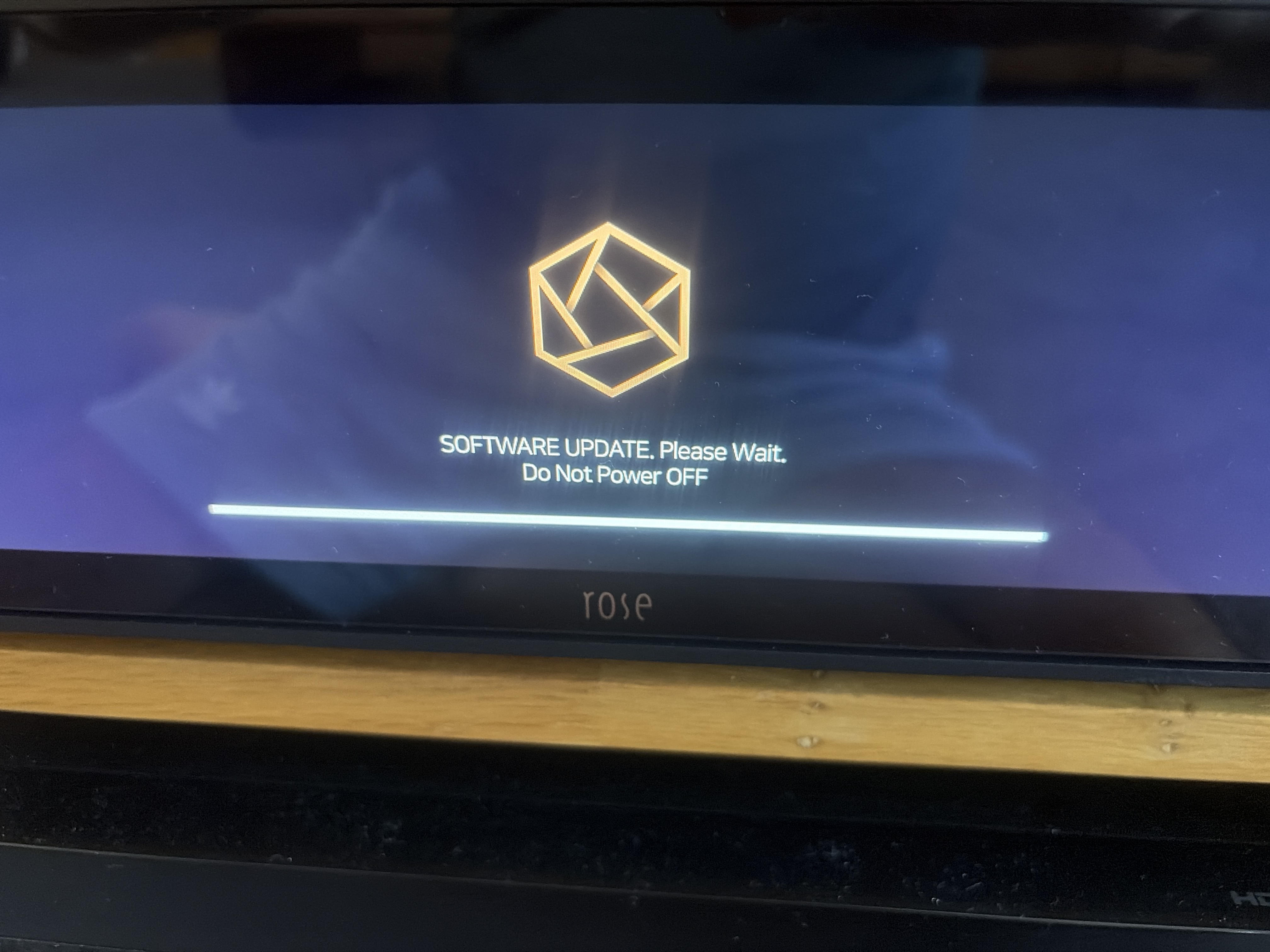
I have a RS 130. Switched on today and met with upgrade screen, selected to upgrade. I now have a bad feeling after 30 mins the screen has not changed.
It says “ SOFTWARE UPDATE. Please wait. Do Not Power OFF” The download bar appears to be full.
Is this normal? How long should it take?
I’m connected via Ethernet.
I completed the update successfully on my RS150B; however Qobuz Connect still has the “stuttering” problem.
My RS130 did the update in a few minutes so I think this is not ok
Found a changed setting. That fixed the problem. One more issue: If I run RoseConnect One (version 1.0.28.4), go to Music → then Folder > then to an album I have stored on the SSD, I see the list of songs. On my iPhone, beside each song in the list I see album artwork. On my PC (Windows 11) there is no artwork. This used to work on both devices.
Smarty 28
I don’t really understand how it is possible that there are cases where the update refuses to install or does not want to be downloaded 100% and therefore there is a problem with the software update.
Update made on Rs130
After the restart it asks to update the micro software. If it’s not done, you have to remove the internal Ssd which I did for security
Everything seems to work perfectly
Eventually I forced a reboot by holding the power button down on the unit. The unit turned off, I then turned it on and it re-booted.
Once the display appeared it showed several apps requiring updates. I selected “update all”.
All updated and system now shows the latest installed software as 5.11.
So far playing normally.
1 Like
Had the same problem…
And I think others had similar issues.
I assume y’all know that Roseconnect One does not load entire playlists from Qobuz. Maybe the first 100 songs? Seems like a priority 1 bug. Can this please get fixed in the next release? Right now I have to keep using the legacy Roseconnect. Thanks
Rs451with internal SSD updated,no issues
@DrDuck
It has been confirmed that a square border appears when focusing on the Home menu while using the remote controller. We will address this in the next update.
To help us further investigate this issue, could you please provide the following details?
1. Model name
2. Output settings and DAC information in use
3. Information on the track played via Qobuz Connect where the stuttering occurs.
**(*) It would be very helpful if you could record a video of the issue and send it to the email address below."**
shim1691@citech.kr
I’m glad to hear that the volume issue you mentioned yesterday has been resolved. Regarding your request about the artwork display in the PC app, we will review it and include it in the next release."
I updated my RS151B last night, but then my Rose app wouldn’t reconnect with the unit. A Google search said that the update required me to now use the updated Roseconnect One app….which would have been nice to know up front. So I downloaded the new app, it’d “see” my RS151B but refused to connect to it, even with the QR scan.
After 90 minutes of troubleshooting with the aide of AI, finally it turned out there was some obscure issue with my iPad and the mesh router refusing the connection, once I resolved it I was in….but holy cow! Why does this have to be so complex!
I emailed the HiFi Rose team asking for advice before updating, but I haven’t received a reply in my Gmail inbox yet.
Thanks for the HIFI Rose team keep improving the system. My experience of update the system is smooth so far. Do I need to rescan or DB scan the files on internal SSD and NAS?
Please add EQ or room correction function on RS151 in next time.
Thanks!
Agree with Georgie. Please include room correction (Dirac Live preferred) in your next major release. It has become standard in many streamers. Appreciate you looking into this.