
Some credit where credit is due. The RoseConnect One app, 1.0.16, is a considerable improvement over RoseConnect 5.09.03. My thanks to the developers and testers.
5 Likes
Pooppirose130,
I totally agree. I was a long suffering critic of the old software. It is nearly the equal of the hardware now. The thorns are gone from the Rose.
StandardModel
No, botanically speaking, real roses don’t have thorns, but prickles. 
And real roses have to have prickles. Think of Snow White.
Without prickles, this forum wouldn’t exist.
Just like perfection doesn’t exist! We only imagine it, or it’s suggested to us.
PS:
Just a little side note.

I agree…
But let me ask you… how do you use your RoseConnect One app?
For me, its how I power up from standby, and change inputs and volume control more than anything else.
The current home page forces me to first go to the little icon in the upper right to get to the systems screen.
I wish there were a way to get some of those features on the start page.
How do you use your Rose gear?
Hello, Smegel.
I use the RoseConnect One app primarily for Qobuz and Rose Radio. I once preferred Qobuz Connect but since the new app was released I find I rarely use Quobuz Connect.
Poppirose
Yeah but unfortunately no Spotify app.
So that’s why I use this more to control… then use Spotify.
Although I am also using RoseTube for some stuff.
Bonte,
I’m a lowly engineer so a botanist I will never be.
You are absolutely correct.
Rose and Thorn
The rose leaned soft into the sun,
Its velvet petals gently worn;
But every beauty, finely spun,
Still keeps its guard — a hidden thorn.
You reach for bloom, you risk the sting;
That’s how the finest treasures warn:
No perfect grace without a thing
As sharp and honest as the thorn.
StandardModel
2 Likes
Oh, thank you for not misunderstanding. A very nice quote or poem???
Now I’m completely stumped. 

Bonte
Being an engineer and not a poet, I asked my friend ChatGPT to gin one up for me.
StandardModel
I love people who are sincere and don’t take credit for others’ work.
Thank you for your honesty.
PS:
I only know this because I work in the public sector in my hometown. So, in a way, I’m a civil servant responsible for maintaining green spaces and keeping the streets clean. I love my job and earn good money, considering the circumstances. I’m out in nature every day and I’m at home (in my hometown). Unfortunately, the reality is a little different! Most of the time, I’m driving machinery and mowing lawns or attaching my front brush to my tractor and cleaning the streets.
Well, if you didn’t pay attention in school, you end up doing this kind of thing.
No, seriously, these jobs are in demand because they offer good pay on time and you don’t work yourself to death as a civil servant.
1 Like
Appreciation from me too!
After a year and a half, I think Rose has changed direction and is on the right track.
1 Like
Dear HiFi Rose users
Thank you for your positive feedback on the ROSE ONE update.
We will continue to focus on improving the app to make it even more convenient for users.
Thank you
1 Like
Hi,
I am trying the following configuration.
(Macbook M1Max) connected to a docking station.
USB-A to USB-B (2.0) into the RS-520.
When I try to use RoseConnect One… the volume levels don’t match or sync to the PC.
I believe you should be able to confirm.
Thx
I’m having trouble understanding exactly what you mean.
In the setup you described, the MacBook M1 Max is connected to a docking station, and then connected to the RS520 via a USB-A to USB-B (2.0) cable. In that case, the MacBook M1 Max acts as the source device, and the RS520 functions as the DAC and amplifier. In that type of connection, ROSECONNECT ONE is not normally used for volume control.
To help me give you an accurate answer, please provide a more detailed explanation of the issue you are experiencing.
Hi @ROSEHAN - grateful if your people could reduce the size of the album thumbnails, they are still far too large.
Without mentioning basic design principles (who thought in the first place that this size of thumbnail would be good?), the current size displayed makes navigation difficult and less enjoyable.
It might be OK if your collection amounts to 5/6 albums but I believe that most of your users here have album collections exceeding hundreds of titles…
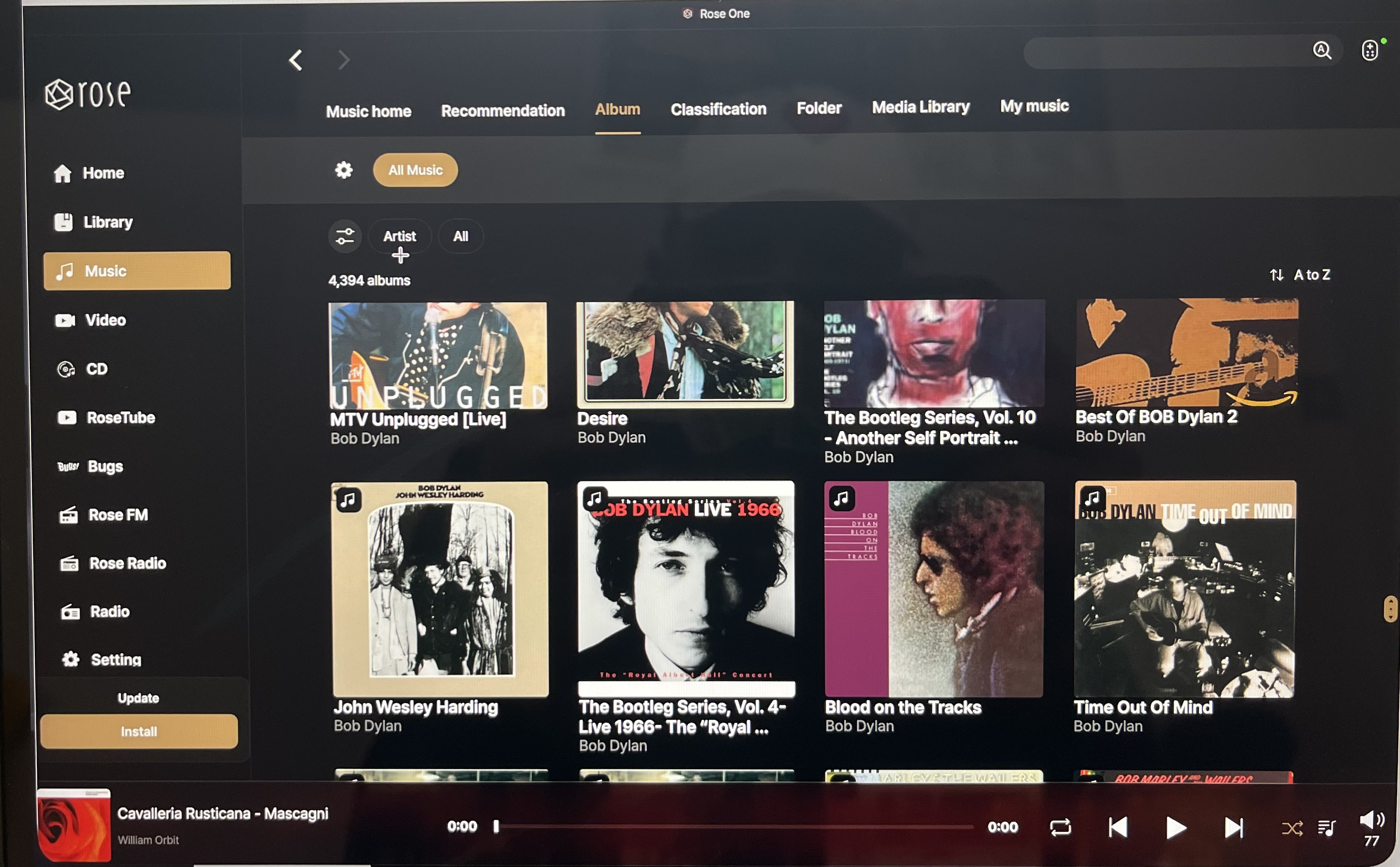
Perhaps giving end-users a choice of three sizes, small, medium, or large? With the current size (which my old eyes like) being the large size.
Design work is often a thankless job. Giving users options can help.
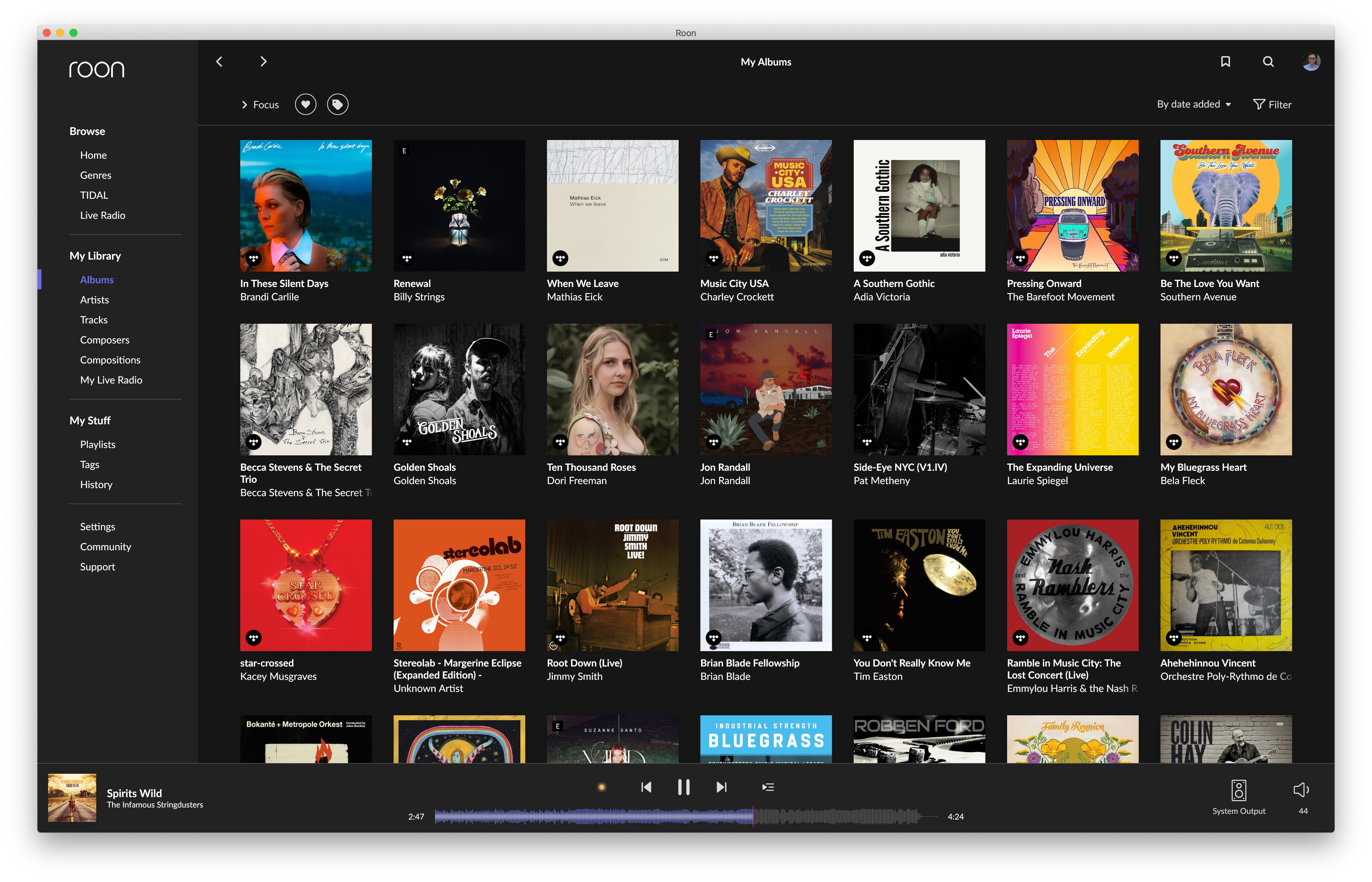
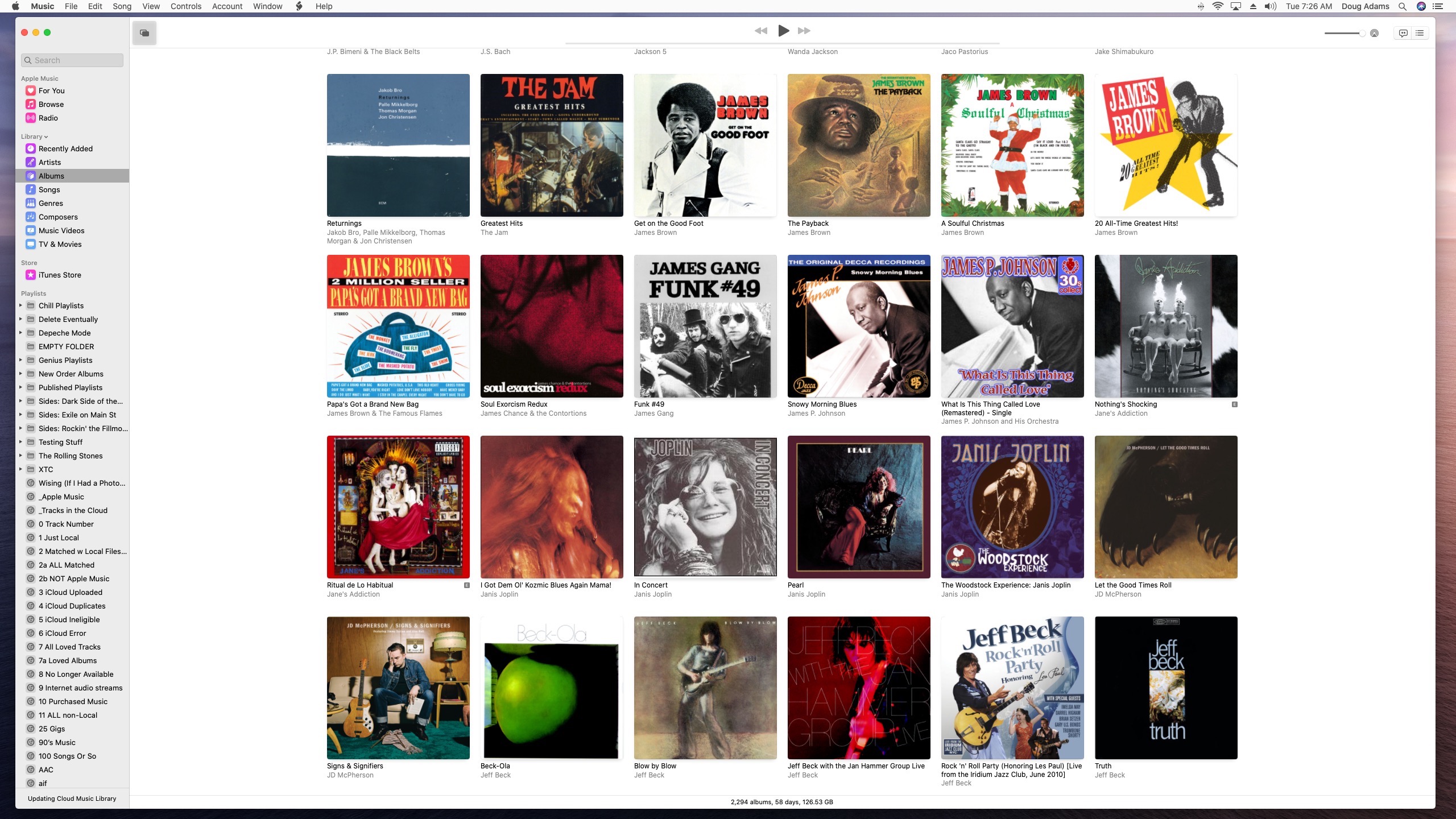
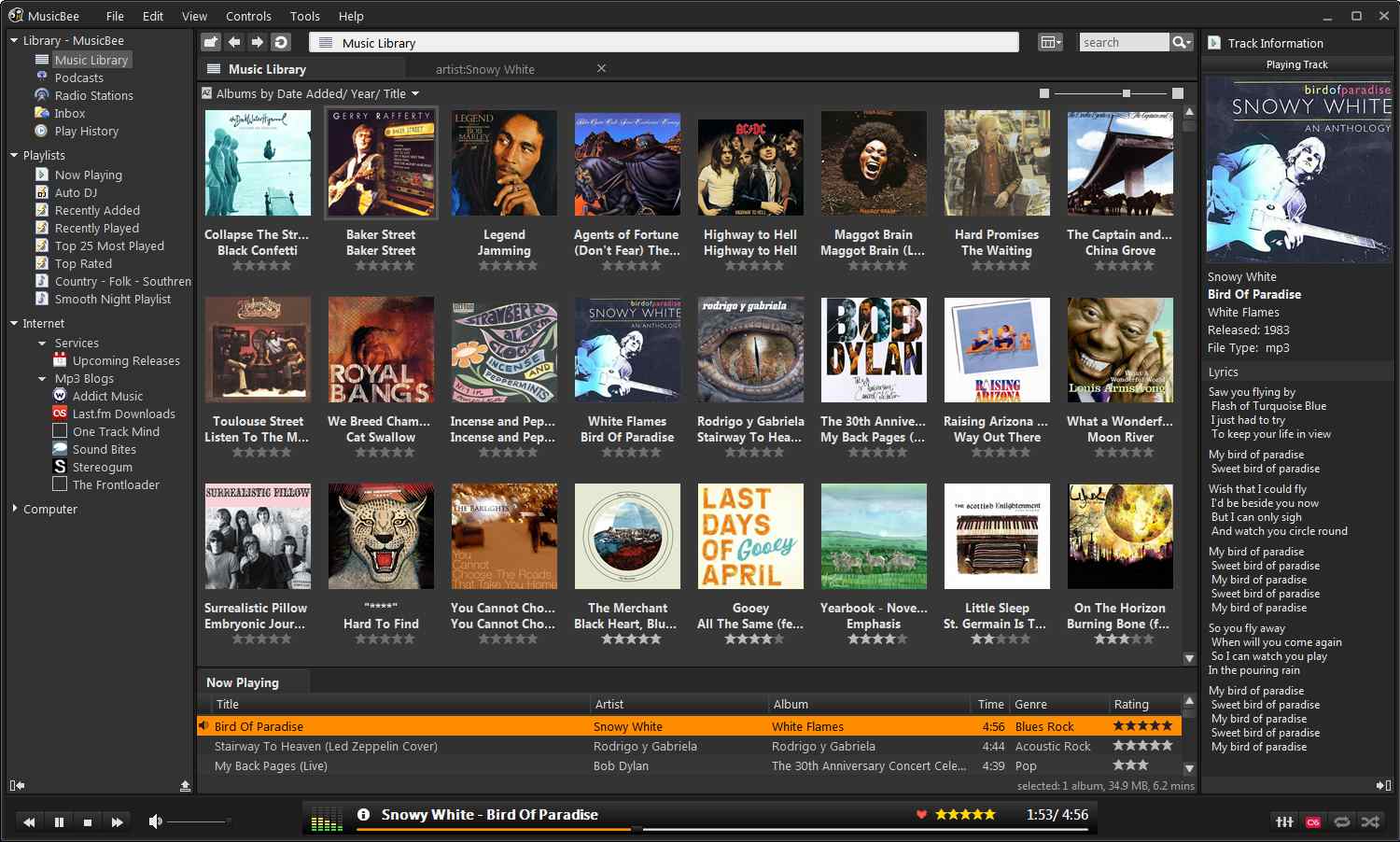
Here some examples showing how others have thought about and executed such comparable design ‘challenges’:
- Roon
- Apple (which, in the opinion of many, has a pretty strong record of great design for both product and interface…)
- Music Bee
Hi Rosehan!
Yes and no.
Normally the RS520 and the Macbook sync.
And while sitting at my desk, I can control the volume.
But what happens if I walk away and I need to turn down the volume?
I should be able to do this from my iphone and the volume levels in Rose One should match that of the PC and RS520
The Rose One app doesn’t represent the same volume and when you try to move it the volume goes all over the place…
Also you have to leave the control screen and re-enter to see the latest volume setting.
Hi Mikey
I told you back then, clean up my garden and I’ll give you a Roon Live time.
With Roon, it works. Tomorrow, when I’m on the toilet, I can adjust the music volume from my iPad in the bathroom. You could stop experimenting if you just shell out around $900. I want to emphasize, the 520 really works well as a Roon endpoint.
Have a good evening, my absolute computer expert… …
…
Bonte, you need to put down that crack pipe.
It depends on what I am listening to.
If I use spotify, I can do this via spotify. But that’s not the issue.
I was testing the Rose One app and to see how it would work when I was using the USB as input.
(BTW I do have spotify lossless plus upscaling thru my macbook)
This is the disconnect where there shouldn’t be any.
At the same time, the RS520 doesn’t push event notifications… the app pulls them.
This could be an issue w design… although its easier to pull the event than to have a listener wake on an event and then update the UI if/when active.