RS130 can't connect with mobile phone android

I got the RS130 for a half year and it worked fine till now. After a reset of the router it was not possible to connect again. I did a factoryreset and tried severaltimes again to add the Hifirose RS130 to the rose premium app with device management. It did not worked, just like logging in is not possible. I always see that i have to give my emailadres, the devicename but the device name is not accepted. I even failed with a new emailadres. i even reset the router again and filled the IP with the keyboard. Is there anybody who can help me out of this problem?

I,ve got a Samsung Galaxy S24 (worked till last week)

Thnx in advance. :wink:

[quote=“Toby, post:1, topic:14267”]
Is there anybody who can help me out of this problem?
[/quote

Did you verify your email address during the initial setup?

Wait until Monday, the Rose guys will be back then and can help you.

Is the 130 successfully connecting to the network?

Yes, it’s connected with ethernet.

But does it successfully acquire a valid IP address (you should be able to see it from the settings screen) and can it access anything on the network or internet?

Rose also often suggests setting up a personal hotspot on your cell phone/tablet and then trying it out.

Just as a test…

True, but since the OP connects with Ethernet, it makes sense to check whether that works first.

Oh yes, that’s right, he’s connected to his device via LAN…

I didn’t think it through…:tired_face:

:v:t2:

I hope so. I did everything i could do but only on my phone i could log in but not on the hifirose rs130. Even my username was not good even i know thatys my username. How can i log into the hifirose rs130, i can connect with wifi but it does not make a difference

Hello Tobi,
When I first set up my 520, I confirmed my email address on the Rose website.

After that, I had some problems (months later) logging in, which was not my fault, but due to the new update of the Rose Premium app at the time.
After that, everything ran smoothly.

I can’t do a remote diagnosis, and I’m surprised that the Rose guys haven’t responded to you yet.
There have been several reports here (can’t log in).
Rose then sent a one-time password. You have to provide Rose with your device ID here in the forum beforehand.
But there may be another reason why you can’t log in.
Have you already set up a lot on your 130?
If not, generate a new web address and password on GMX.de or Web.de (just examples). Then reset the 130 to factory settings and log in to the 130 with the new email and password (I did it on the device at the time, by the way).
I did this once because the email I had for my 520 was already full of too much advertising.
Everything worked great for me.
You say that the 130 is connected to the internet and you just can’t log in.
Or wait until the Rose guys get back to you.

@Toby

We apologize for the inconvenience.
Please check the following:

  1. If the RoseConnect Premium app is unable to find your RS130, please let us know the IP addresses shown on both your RS130 and your Samsung Galaxy S24.

Rose device → Settings → System Info → IP Address
Please compare the IP address of the Rose device and the Wi-Fi IP address connected to your phone. The first two sections (the first two numbers separated by dots) must be the same.

Example (Correct):
Rose device IP Address: 192.168.4.44
Galaxy S24 IP Address: 192.168.4.33

Example (Incorrect):
Rose device IP Address: 192.168.4.44
Galaxy S24 IP Address: 192.168.6.33

  1. Please check how the Device Management setting is configured on your RS130.

RS130 → Settings → Device Management
On the right side of your RS130, under ROSE ID, does it show “Register” or “Unregister”?
Please make sure it is set to “Unregister.”

  1. If you are unable to log in to your Rose account, please send the email address you used when creating your account to the email address below. We will send you a temporary password.

Thank you.

Thnx for the information. I wil check this out tomorrow. Keep you updated.

Metaltoby@hotmail.com

I solved the problem partly. I got the streamer working by setting up a hotspot from my phone. Today i try to connect by cable internet.
Still can.t log into the RS130

:+1:t2:

PS:
Are you also unable to log in via the hotspot?

It works fine from the hotspot but how can i easily switch to ethernet cable?

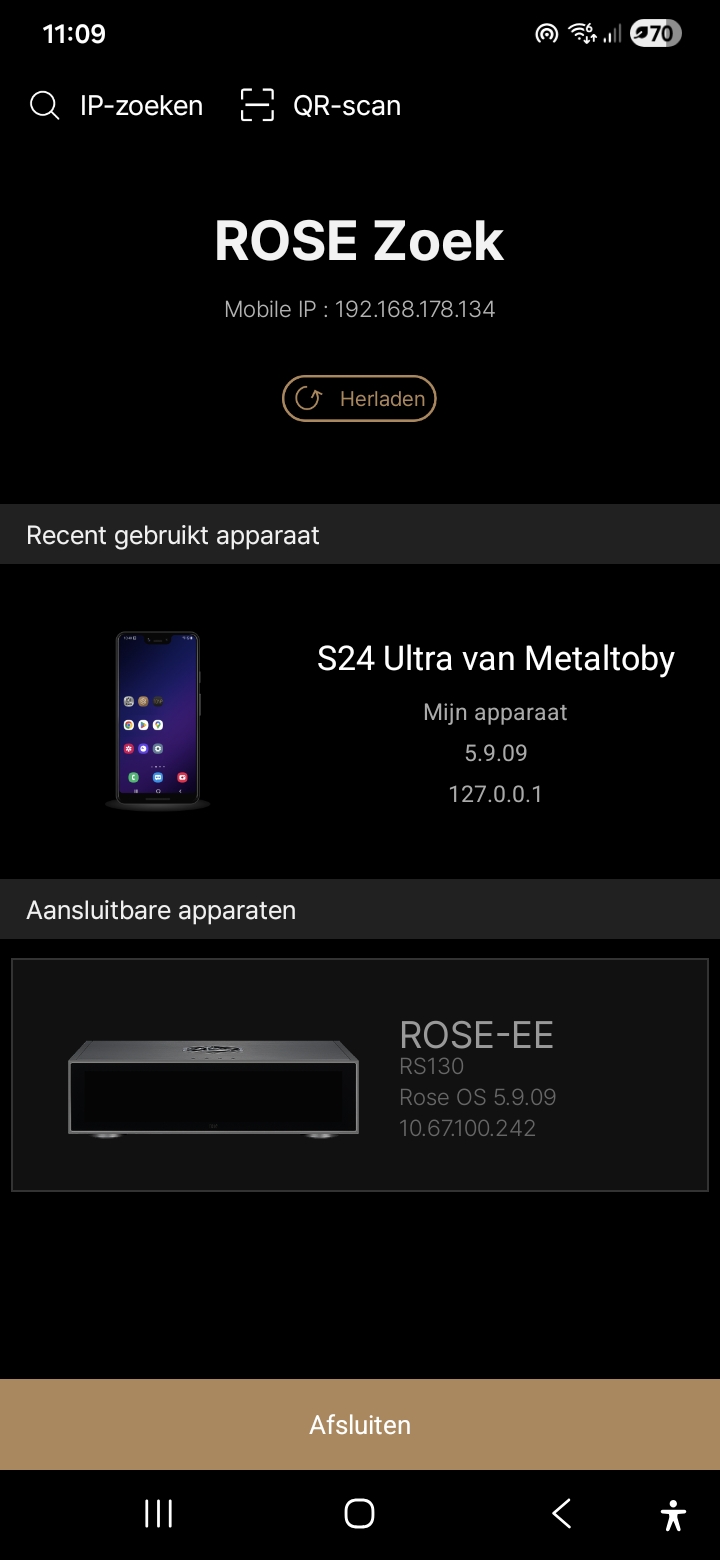
The ip on the phone is

And the ip on the RS130 ends with 18 instead of 134

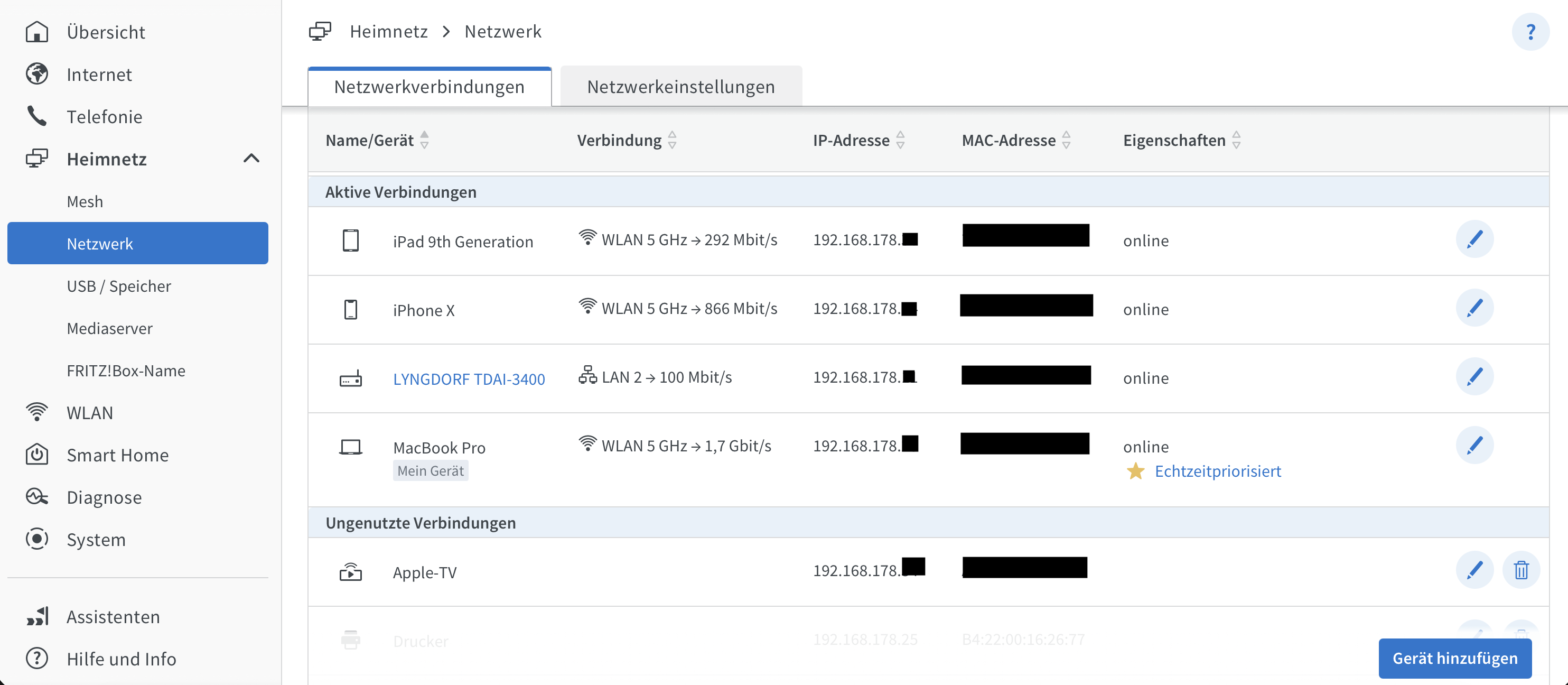
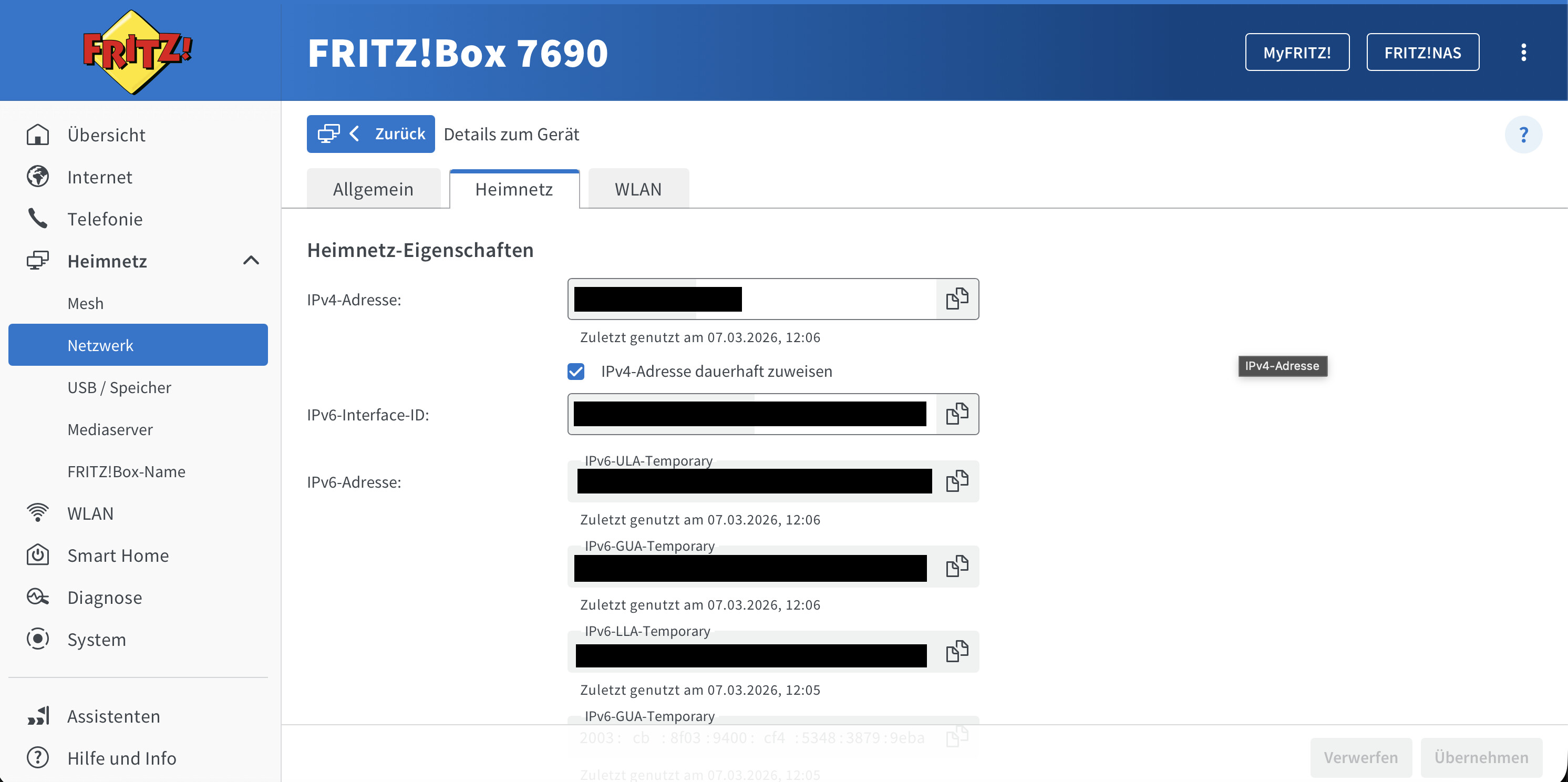
Check your router’s desktop interface and see what IP addresses both devices (Rose/phone) have.

ROSEHAN already posted the examples for you.

Or, for example:

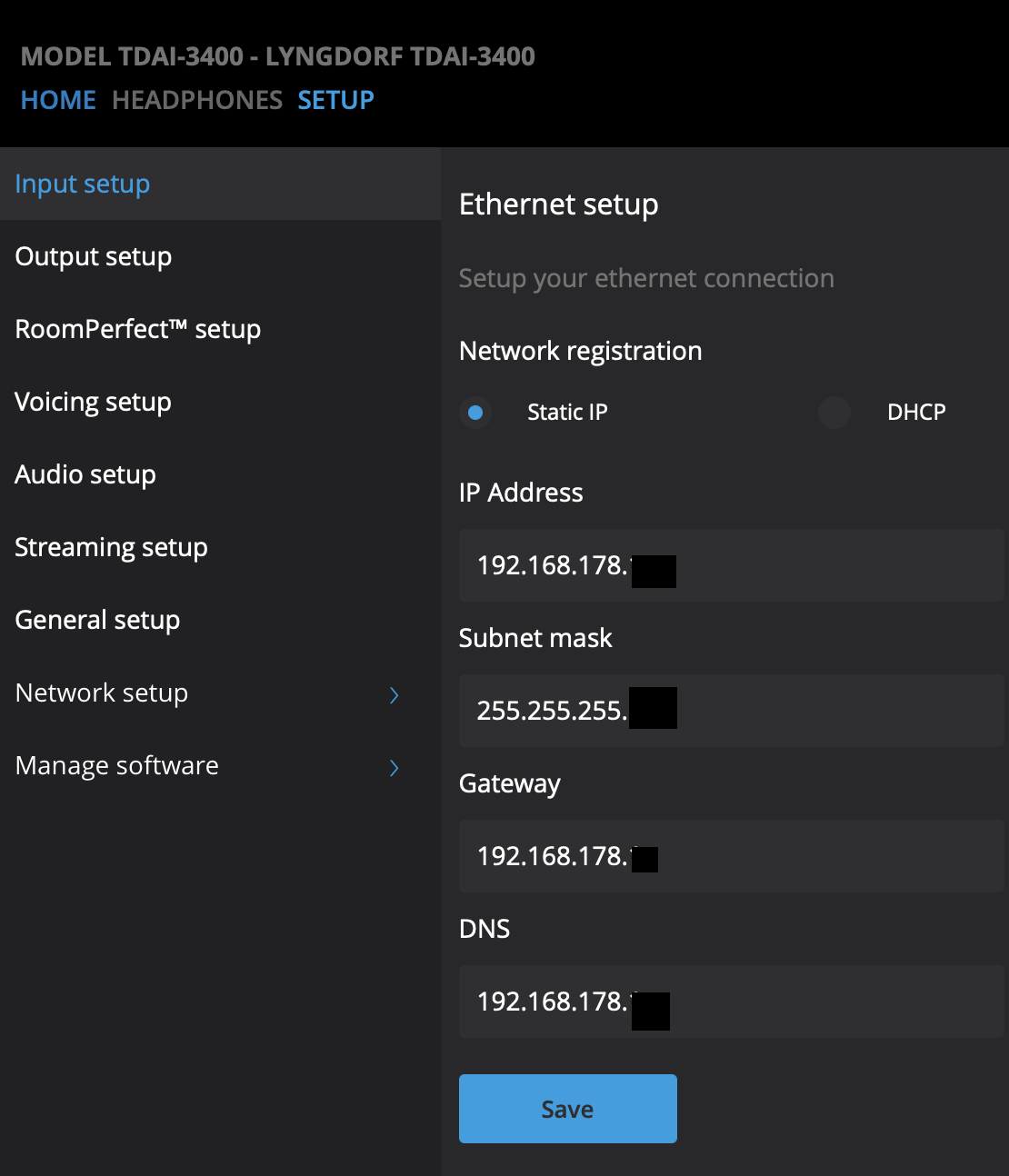
Assign static IP addresses to your home network devices (in the router). I don’t think you can do it on the Rose device itself.

On my second device, I can choose between static and DHCP in the settings.

Although it should also work without a static IP.

Example (Correct):

Rose device IP Address: 192.168.4.(44)

Galaxy S24 IP Address: 192.168.4.(33)

Check your IP addresses!

Only the last digits must be different.

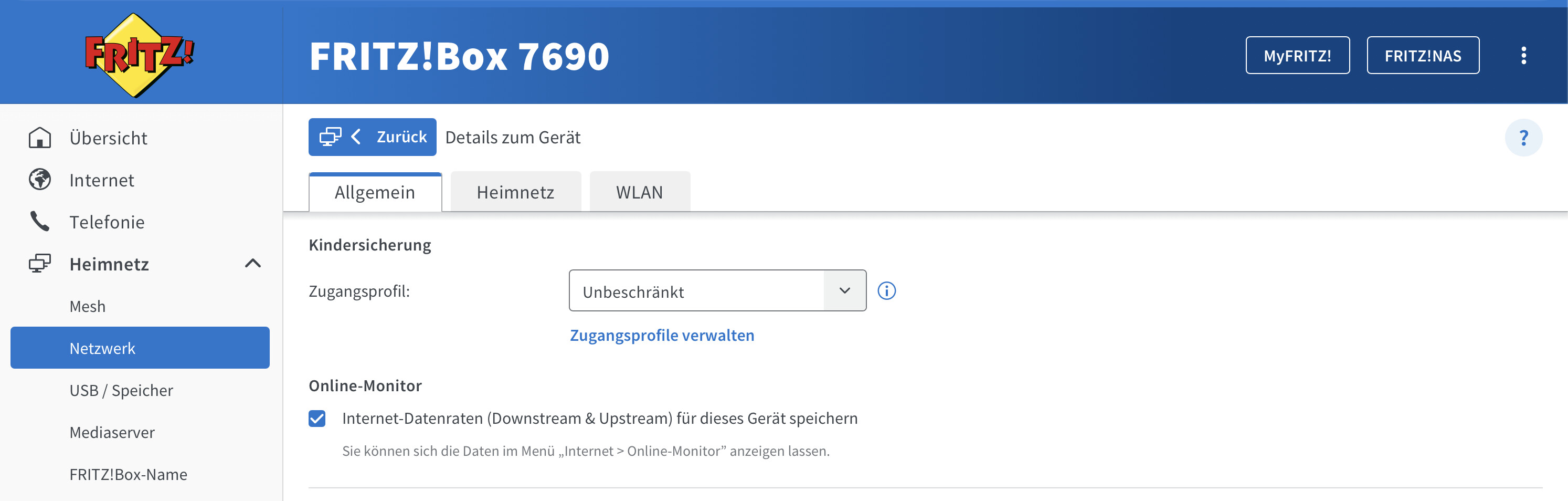
Are you using parental controls for your home devices?

Are you using a VPN?

Is your access profile in the router set to “Unrestricted”?

Are you using any firewalls that might be blocking a device?

If so, unblock the device in your firewall settings.

As I said, remote diagnosis is always rubbish!

It does look like your Rose is on an entirely different subnet than your phone is.

Maybe check on the router that neither Rose nor your phone are being put on a Guest or IoT or whatever other separated network your router can do.

While you’re there, if your router supports pinning a device to a fixed IP address might as well set that up for the rose.

1 Like

:+1:t2: :clap:t2:

Exactly, Boris.

I didn’t even think of that earlier.