
My RS130 is no longer under warranty.
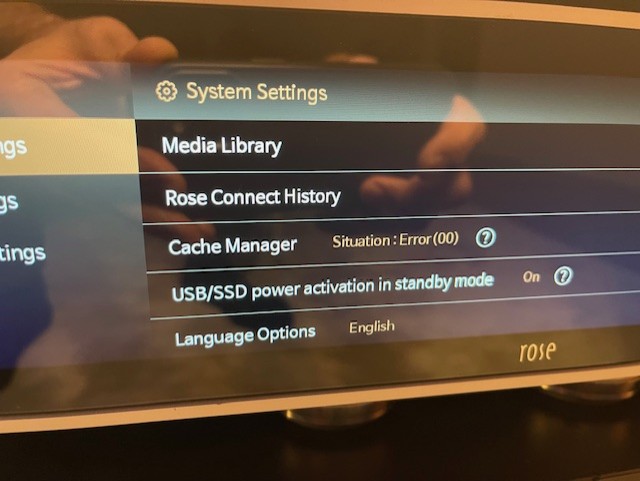
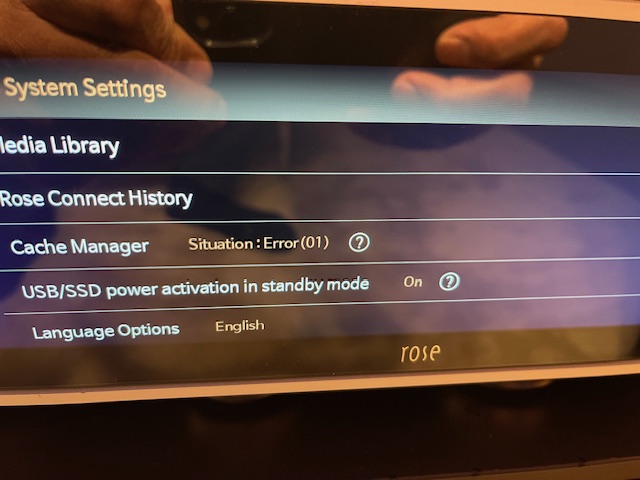
For the past few days, I’ve been having cache problems, and now the RS130 displays error 01 in the cache menu.
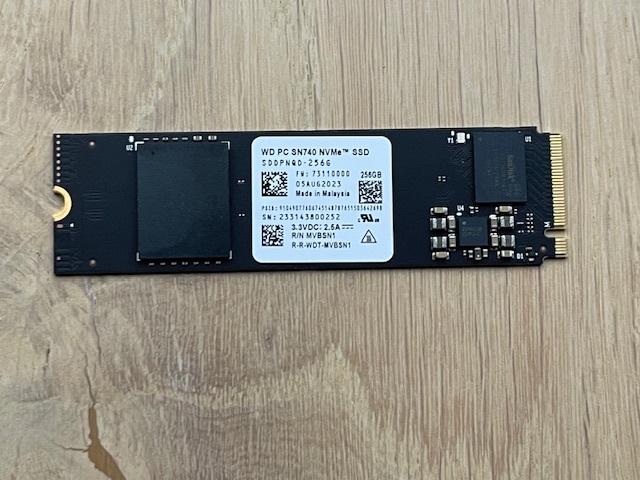
Since the device is no longer under warranty, I opened it and saw that the memory chip on the SSD has some kind of stain, like a moisture stain. I noticed that the SSD is under the top vent of the RS130; perhaps the cleaning lady accidentally spilled some liquid on the chip while cleaning… Anyway, I removed the SSD and put in one I had lying around. It has the same specifications as the WD SN740 that was installed. Yet, I’m still getting error 00. I think the SSD needs to be formatted somehow, either from the RS130 or before installation. Hifi Rose, could you tell me how to do this?
Your feedback would be greatly appreciated.
Patrice
PatriceP, how does the cache defect manifest itself? I am curious because I have always been puzzled why the cache isn’t put to better use in preventing gaps between songs during playback.
Please help us by checking the following:
- When error code 01 is displayed in the cache menu, please take a photo of the screen and send it to us.
- When error code 00 is displayed after replacing the SSD with a new one, please take a photo of the screen and send it to us as well.
Based on the photos you provide, we will analyze the issue and advise you on the next steps and what actions you should take.
@ROSEHAN
Here are the photos:
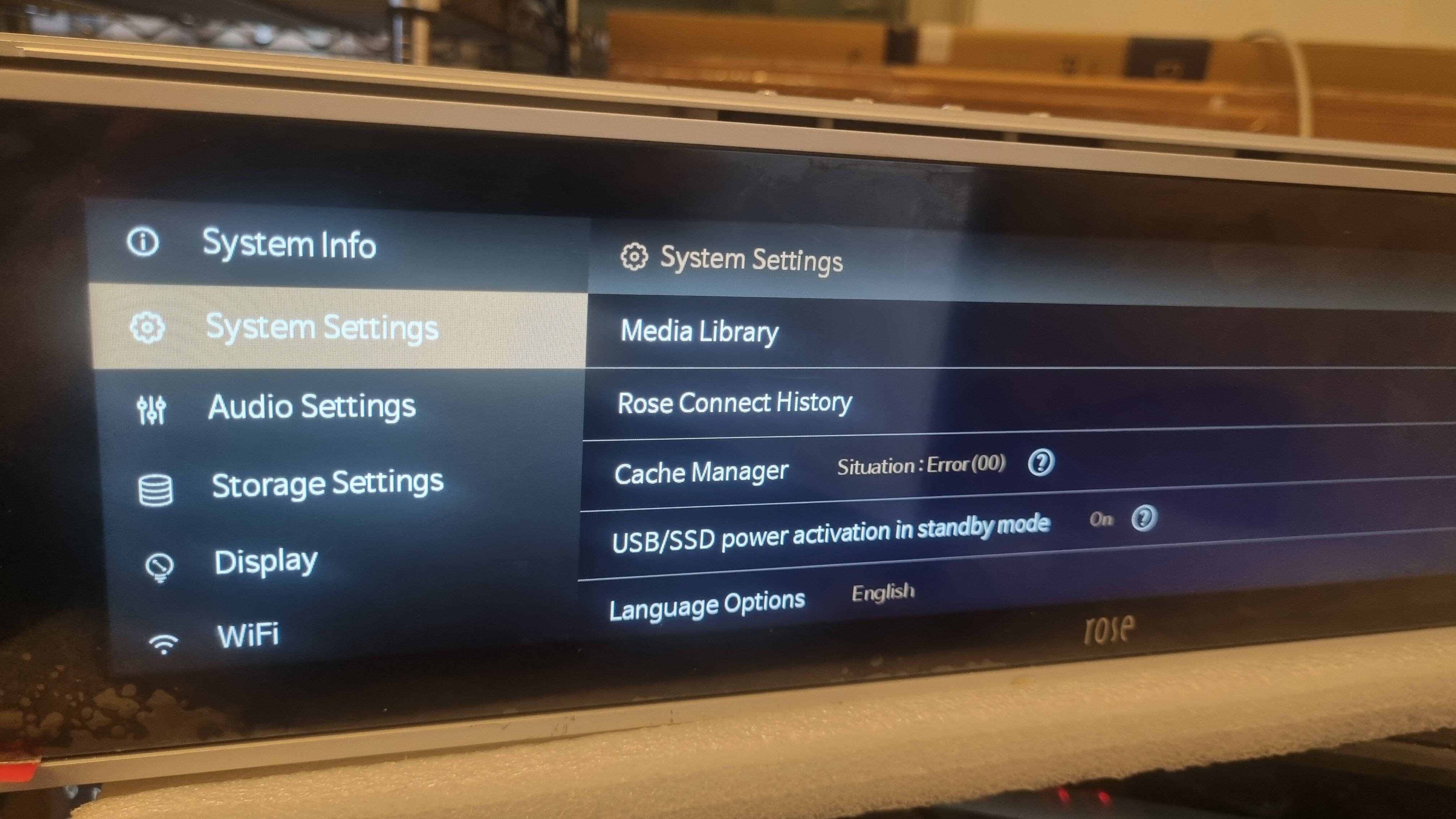
After restarting, I get error OO.
If I clear the cache, here’s the error message, and if I confirm, error 01 appears.
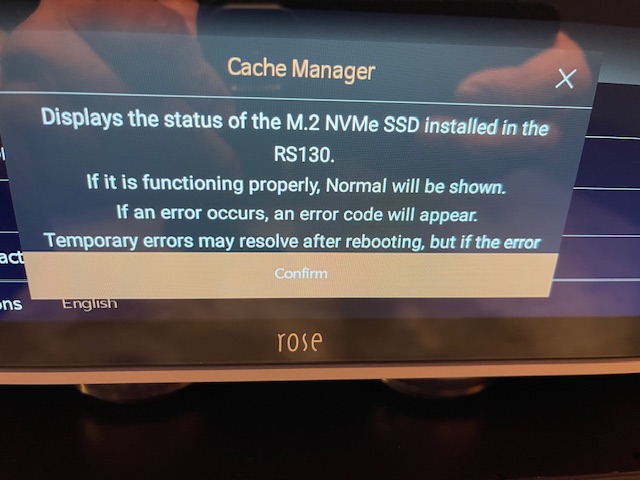
Based on the last photo you sent, the SSD installed in your RS130 is shown as an M.2 NVMe drive.
ROSE devices do not support M.2 NVMe SSDs and only support SATA-type SSDs.
Please make sure that your SSD meets the following specifications: 2.5 inches, 7 mm thickness, SATA type, and a capacity of under 4 TB.
@ROSEHAN
I’m stunned by your response…
The internal cache drive is a WD SN740, which is also an M.2 NVMe. I’m not referring to the drive underneath the device, but as stated in my first post, the one that originally came inside the RS130, namely the WD SN740. It’s actually impossible to install a SATA drive in an NVMe slot, as the connectors are different.
If you look at the bottom of your RS130, there is a slot where a SATA-type SSD can be installed.
We only support SATA-type SSDs in that location.
@ROSEHAN
Can’t you see the picture? Don’t you understand that Patrice is talking about cached memory? 
@ROSEHAN
It’s hopeless.
Please reread my first post!
It’s not the 2.5" SSD under the RS130, but the one inside it! I posted a picture of the faulty NVMe SSD (WD SN740), the one that came pre-installed. I don’t want to install a SATA SSD, which is 6 to 10 times slower than NVMe. I have to replace the WD NVMe cache SSD!
Frankly, we’re not being helped 
@ROSEHAN ; He’s referring to the pre-installed cache SSD—the one your factory technicians install during the unit’s build process—not an aftermarket drive added by the customer.
As the first line of customer support, this is a fundamental configuration detail you should immediately recognize and communicate clearly. The guidance provided so far is incomplete, misdirected, and it’s creating avoidable confusion.
At a minimum, you should be able to confirm the RS130’s standard build configuration upfront—especially given that this product has been on the market since 2023—or escalate this promptly to someone who can. That baseline understanding is required before you can properly troubleshoot the actual question being asked.
If you’re not equipped to handle this, then please route this to someone who is—without further delay.
I am still curious, does the unit work at all? Does it have skips in the songs? How was the unit behaving when you discovered the cache was damaged but before you replaced it with the one that needs formatted?
Patricia was too busy listening to her SFP modules and sonic differences between fiber brands to actually notice if her little toy was working or not.
@Eleven
Hello Eleven,
I’ve gotten into the habit of clearing the cache once a week. I’ve noticed that doing so keeps the sound quality consistent. I mention this because it seems to me that the SQ’s quality tends to degrade with use of the RS130; in fact, I even perform factory resets regularly. Last week, I got error messages 01 and 00 in the cache section when I tried to clear it.
@PatriceP
I apologize for the delayed response.
The “00 Error” shown in the photo occurs when the NVMe is not properly connected, as illustrated in the image below. For testing purposes, if you remove the NVMe and clear the cache, the 00 Error will be triggered.
It is possible that the device is failing to recognize the drive due to damage to the connector or another underlying issue.
Greetings! But if everything is absolutely ok from the physical connection point of view, would the RS130 automatically format this M2 caching SSD, or should it be formatted using a PC before connecting it to the rose? What format should be used for M2 caching SSD (FAT, NTSC, etc.)? Thanks.
Thanks for the reply, but are you sure you’re talking about caching SSD (M2)?