
In the 1.0.54 version of Rose One the album arts appearing in the full list are too big. In the large size option only 4 appear in each page and in the small one only 9.
Yes, it’s way too big compared to the old application, it has already been reported without success.
@Gillesbonatti They were a bit big before in Rose One but with the 1.0.54 version appeared today they have grown a lot.
There should be more options to design the album matrix to the listeners preference.
Even with or without text below the album and the number of lines of text.
1 Like
Ancienne application et Rose One.
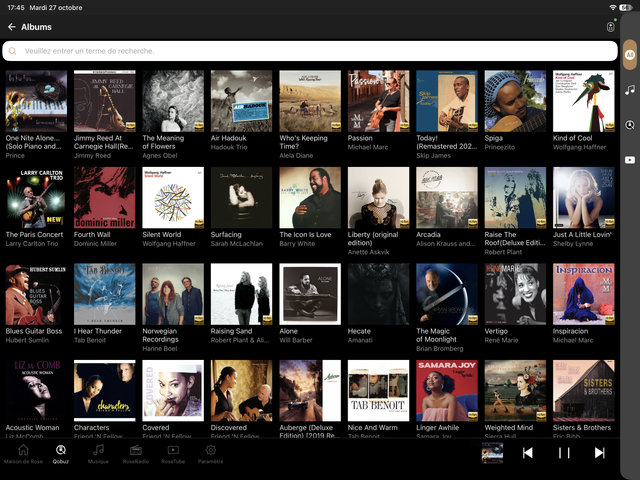
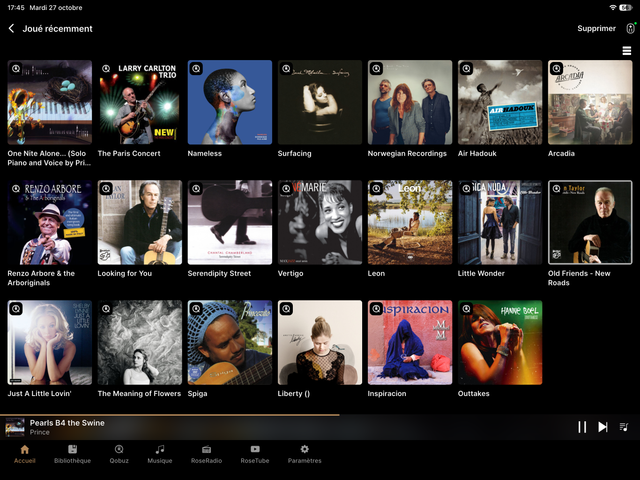
I don’t know whether you have updated the Rose One app to the 1.0.54 version. The album arts are considerably bigger now.
Hello,
- Could you confirm whether you were using the RoseConnect One app prior to the 1.0.54 update, rather than the RoseConnect Premium app?
- You mentioned that the album arts have become larger—could you please share a screenshot of the screen where this occurs?
- Could you let us know the exact model name of the smartphone or tablet you are using?
Thank you.
Hello,
We plan to release an update with a fix for this issue within this week. After the update, users will be able to customize how many albums are displayed per row.
Thank you.
Thank you for this upcoming fix.
For the images you just have them on the messages above.
What is also missing are the hearts of the favorites when you open an album and who were present on the old version
@ROSELOA 1. I was using the RoseConnectOne app prior to the 1.0.54 update. The album arts were a bit bigger than in the RoseConnectPremium app but much smaller than now.
-
Here we have the screen with the large and small options.
-
My tablet is a Samsung Galaxy Tab S11.
I use too a phone Samsung Galaxy S21. It happens the same with both devices.
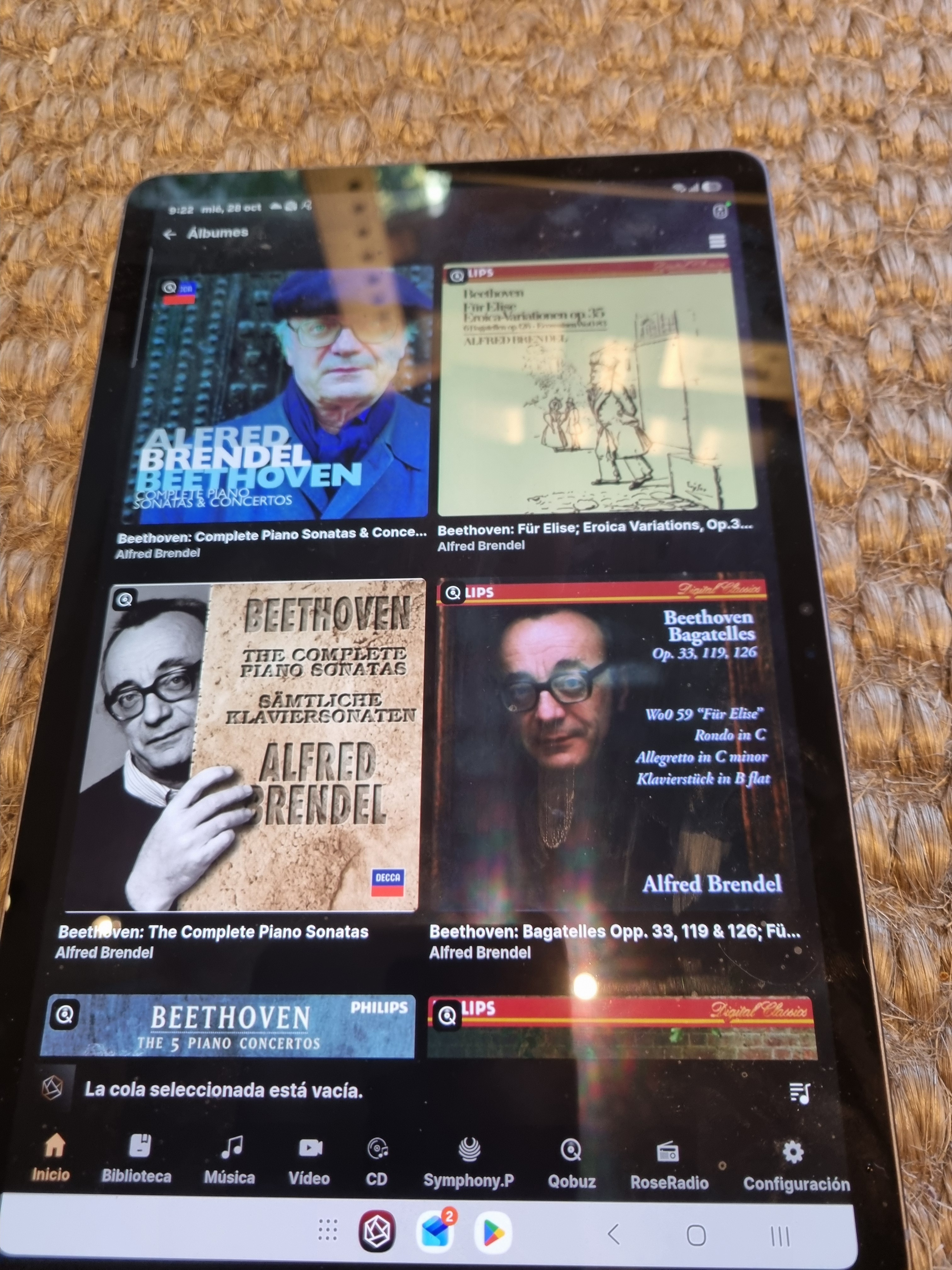
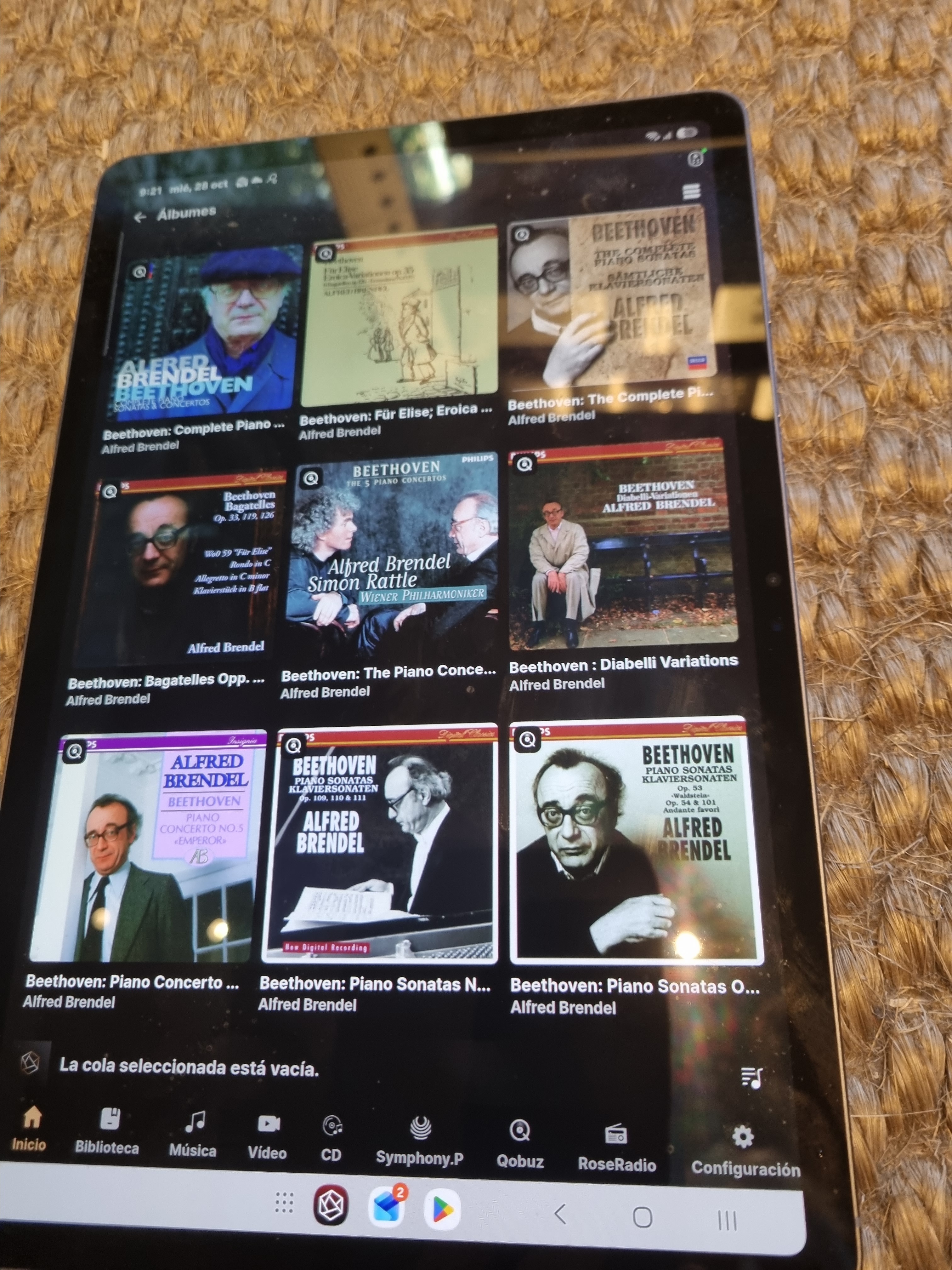
I have uninstalled and reinstalled the Rose One app and the problem remains . I have resetted the 150 B too.
Happy you will fix this issue.
Thank you for sharing the photos and the model name. We will do our best to release an update as quickly as possible.
Update made. It’s impeccable thank you
The hearts of the favorites are missing when you open an album
The 1.0.55 version has solved the issue. Thanks.
Hello,
Would you take a photo of the album that hearts of the favorites are missing?
Here on the old application there are favorites on each song and it is absent on the current application
url=https://ibb.co/jvCQQtwz]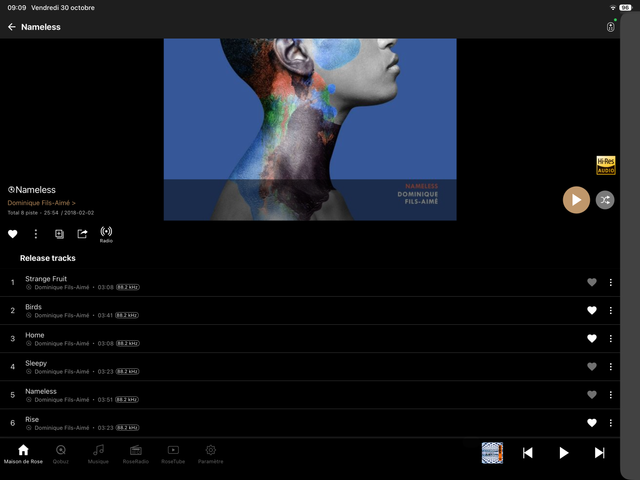 [/url]
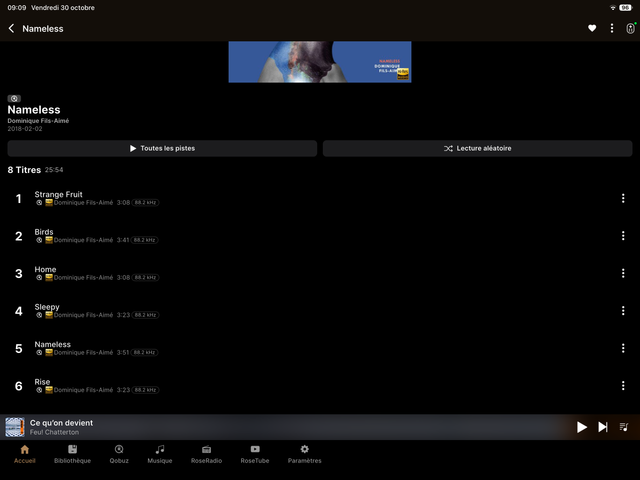
Hello,
It seems you are comparing the RoseConnect Premium app with the Rose Connect One app. With the transition to Rose Connect One, certain buttons were relocated to prevent the screen from looking cluttered with too much information and too many icons at once.
The heart (favorite) button you mentioned has been moved inside the three-dot menu on the right side of each track.
If many users request to revert this change, we can certainly review it again. In the meantime, please use the three-dot menu to access the favorite button.
Best Regards,
In version 1.0.55, we’ve added a setting that allows you to adjust the number of album arts displayed in the full list. Thank you for your feedback!
In version 1.0.55, we’ve added a setting that allows you to adjust the number of album arts displayed in the full list. Thank you for your feedback!
@mjkim Last version of the app is 1.0.56 I don’t see where it is possible to adjust the number of album arts displayed in the full list. It is only possible to choose between large size and small size.
Currently, it is supported only on PC and tablet apps. We do not support it on mobile devices because the display is too small.