
Tried updating to 1.0.34. Still only get my attached music files, scrolling by Album, down to the middle “B’s”. Still missing the artwork even on recently played albums. but it comes right back if I play that album again. Everything (7,448 albums / 100,383, tracks / 7,129 Artist) is in the Player, and is directly searchable on the app. but no way to scroll albums or songs past the B’s (and no scroll bar for albums or songs)
1 Like
We are currently reviewing your inquiry, and we apologize for the delayed response.
Regarding your first issue, does it look overlapping like the picture below?
This issue has been fixed and will be included in the next release. If you are experiencing a different issue, please send a screenshot of the problem to the email address below.
shim1691@citech.kr
As for the second issue, it will take some time to review. We will post a reply as soon as it is confirmed.

@Scottie
As shown in the screenshot below, when there are many album details, it is confirmed that the page scrolls down as well.
If you could send a photo or video of the issue to the email below, we will look into it further.
Also, please include your Rose ID when sending the email.
shim1691@citech.kr
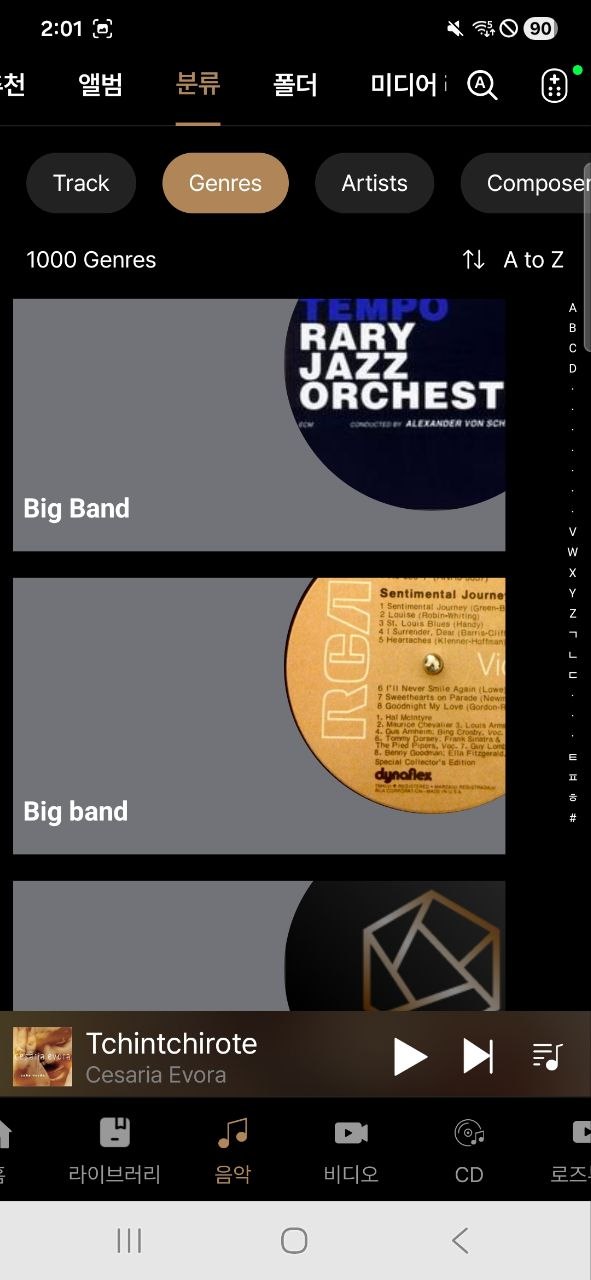
After updating to RoseOne V1.0.34.3 , I can confirm that the issue affecting libraries with more than 10,000 tracks has been fixed. The search results are no longer truncated and previously missing tracks can now be found.
However, several search issues still remain:
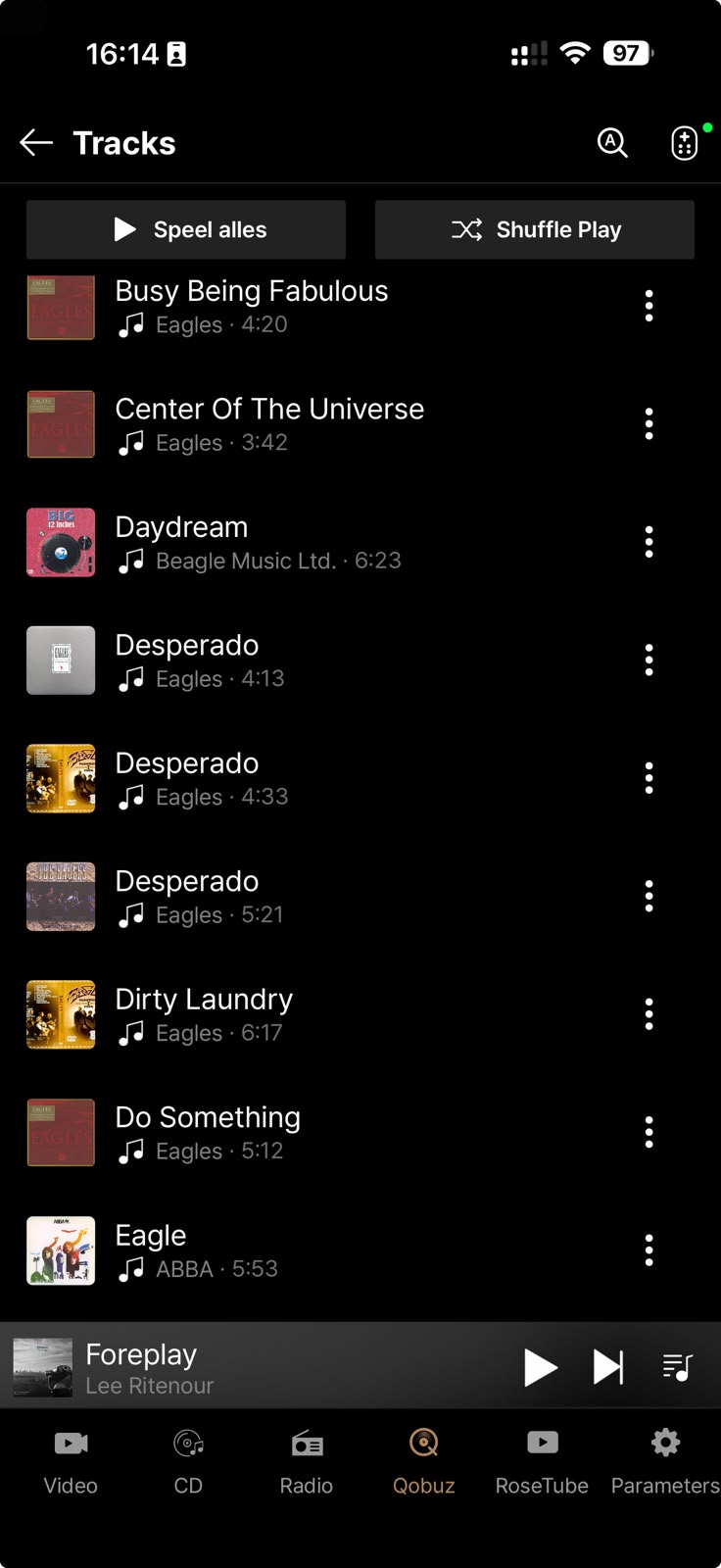
- Exact title matches are still not ranked first. For example, searching for “Eagle” finds Eagle – ABBA , but only after several unrelated results.
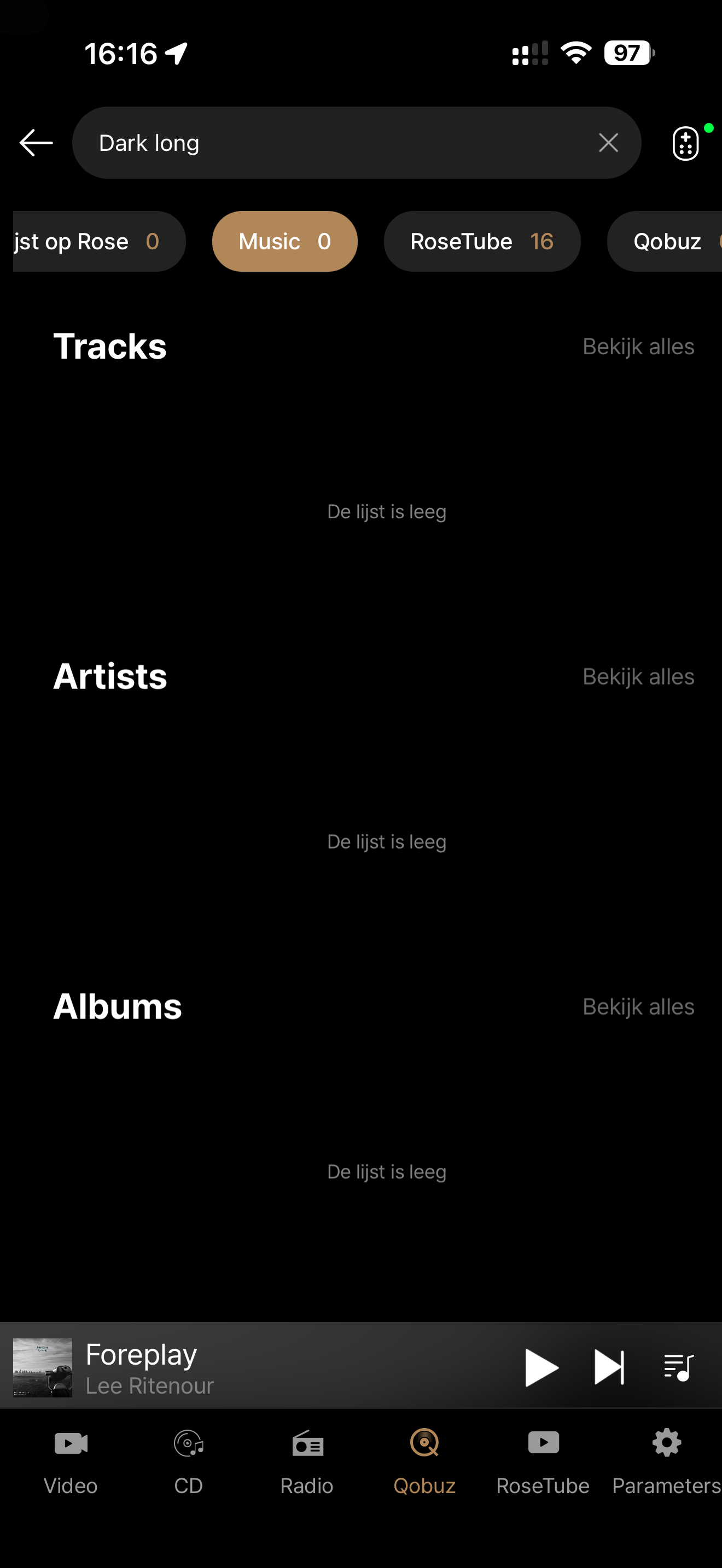
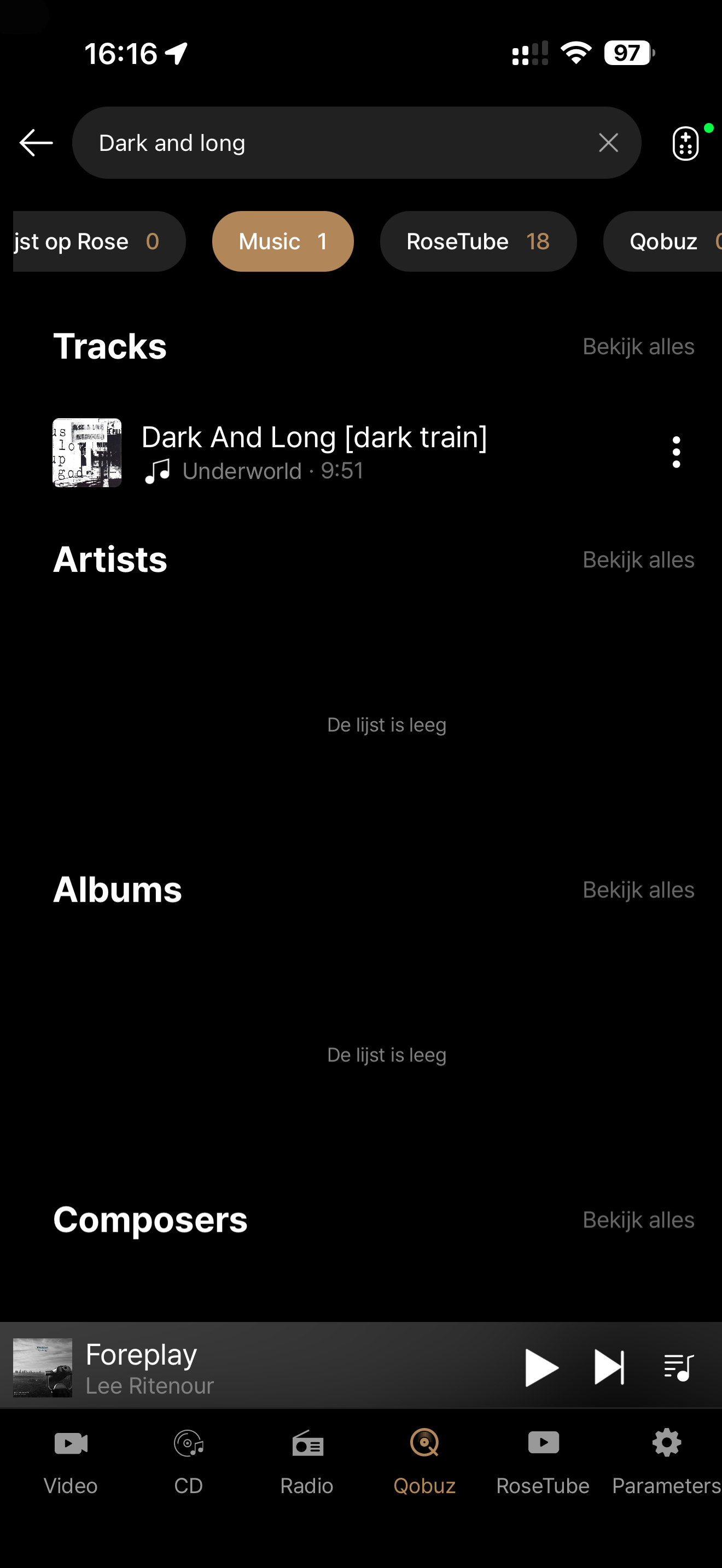
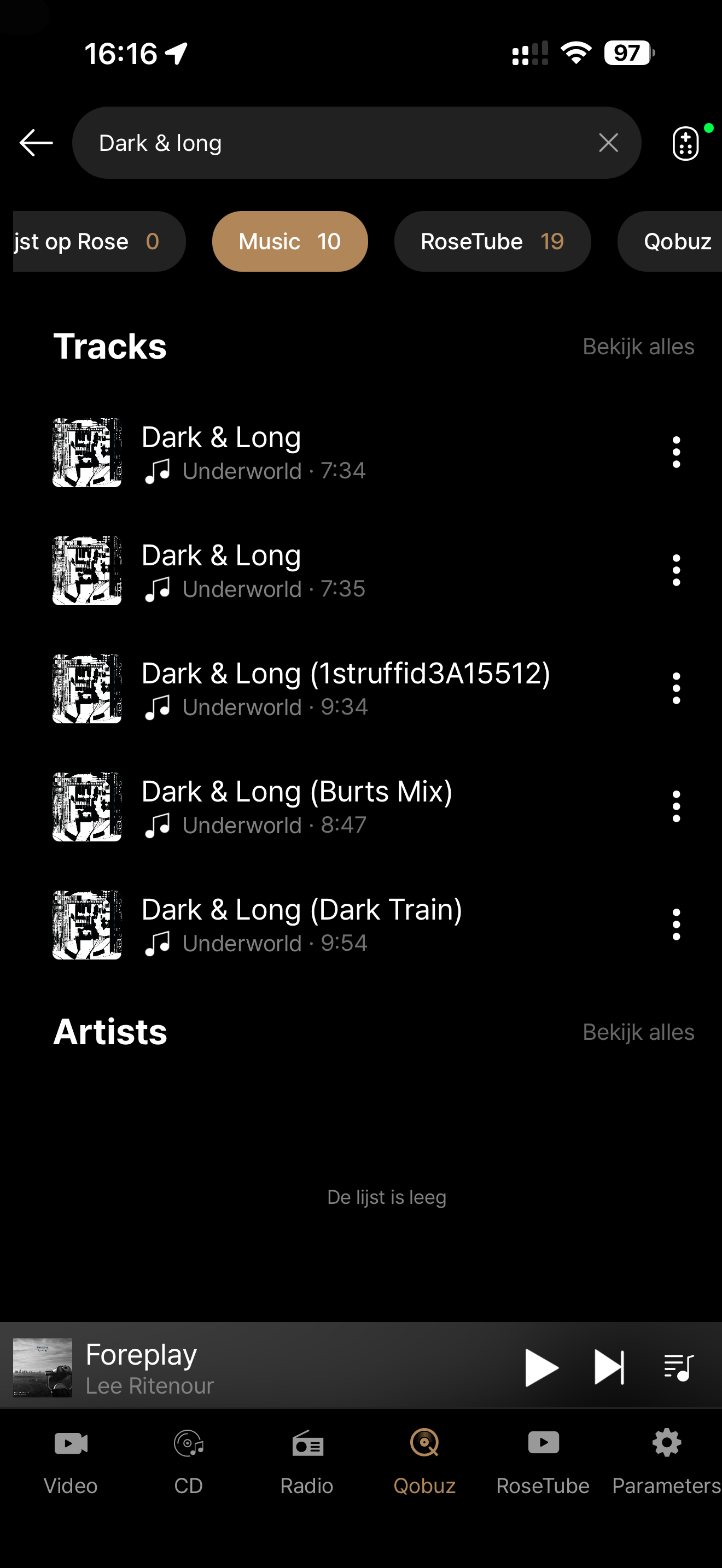
- Search normalisation such as “Dark & Long” vs “Dark And Long” is still inconsistent.
- Track Artist / Album Artist and compilation handling still behave incorrectly.
- And unfortunately, Qobuz search in RoseOne now appears to return no results at all , although the same searches work normally in the official Qobuz app.
So V1.0.34.3 is definitely an improvement, but the overall search functionality still needs further work.
2 Likes
Screenrecorder-2026-08-12-18-59-33-392.mp4
Fix this issue as video shows. Only one album it’s showing when i select to view them all. Also fix the bug that no artwork is showing at the recently played albums.
Screenrecorder-2026-08-12-21-42-50-350.mp4
Another buggy behavior that keeps returning.
I saw steps of improvement but i don’t think you’re gonna make it to the finish line and solve everything. I see cycling of bugs that never ending.
@Rose_love Thank you for your reply.
I would appreciate it if my personal email address were not posted publicly on the forum. Please remove or redact it from your message.
1 Like
Since - after such a log wait and numerous requests for help - you have finally begun to address this, please be so kind to complete it, making sure that the search functionality is comparable to what users experience on other software platforms.
@Querner has kindly provided many clear examples of what other users with large libraries of music (I have approx 61,000 tracks) have had to put up with for so long, thus stifling our enjoyment of listening to music on our expensive HiFi Rose devices.
Given the supposed premium profile of the HiFi Rose brand, this is something that users should expect as a standard, not an extra feature that has taken so long to be dealt with. Please be professional and complete it for good. Thank you.
2 Likes
An update to Rose One just hit this morning and it looks like it was supposed to address this.
Did you see it when you started up the app?
I tend to test things myself before reporting, so I can only conclude yours might be another of your many and rather gratuitous comments.
English is not my native language and I could have used “unnecessary” or perhaps “uncalled for”, but I settled for ‘gratuitous’.
2 Likes
Dude!
Check your post.
You wrote v 1.0.34.3 which is why I suggest that you may want to check for the update v 1.0.35 which just dropped.
This is why I made the post.
One also has to wonder how you and others managed to collect over 10K songs.
But I wont ask. (buy rip sell)
One also has to wonder why do you feel that you have to comment on absolutely everything you read from people here.
1 Like
This post was flagged by the community and is temporarily hidden.
This post was flagged by the community and is temporarily hidden.
1 Like
Shazam now has an “All Shazam” feature. I trigger “All Shazam” before triggering a Radio app on Android 10. Ask developers to consider this for all radio apps.
1 Like
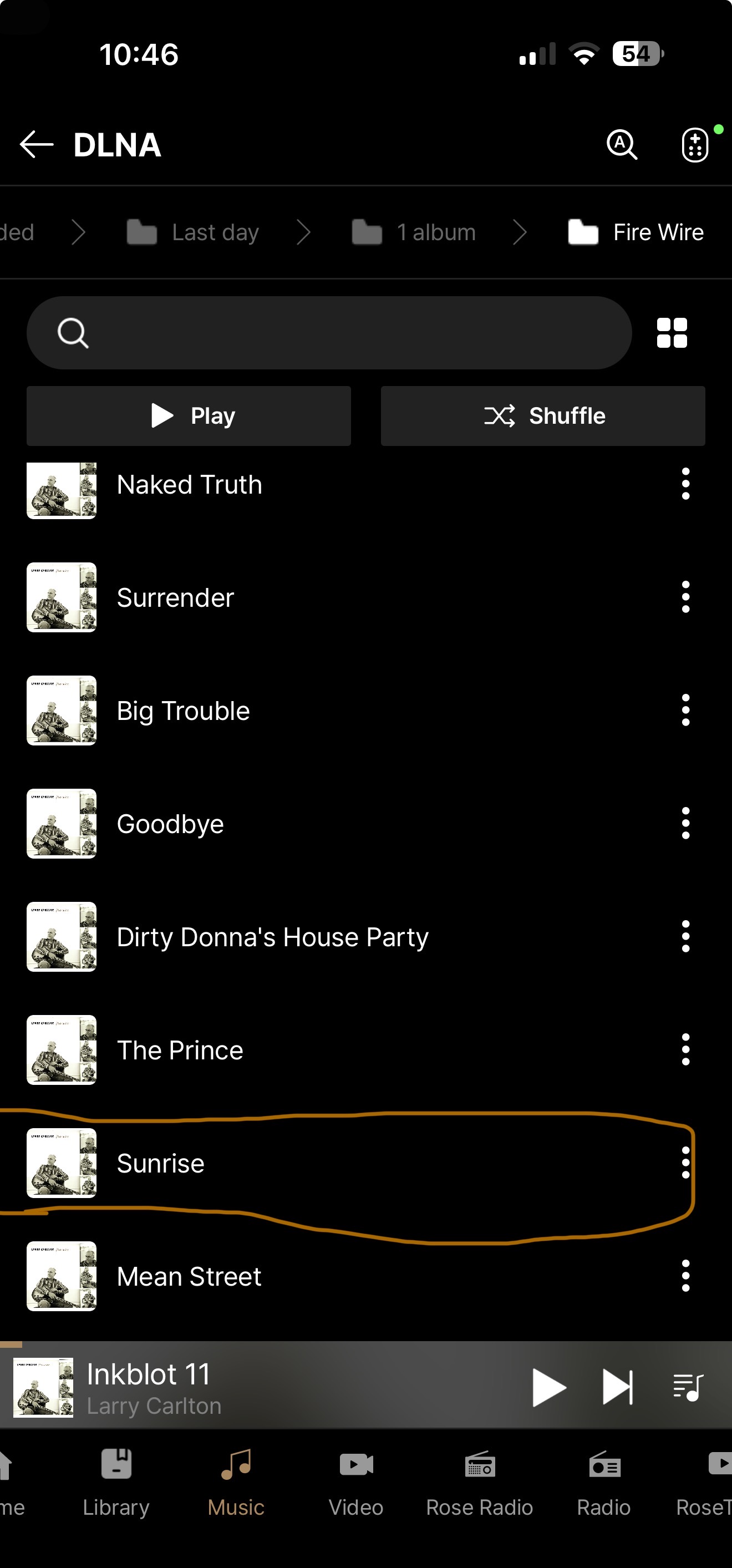
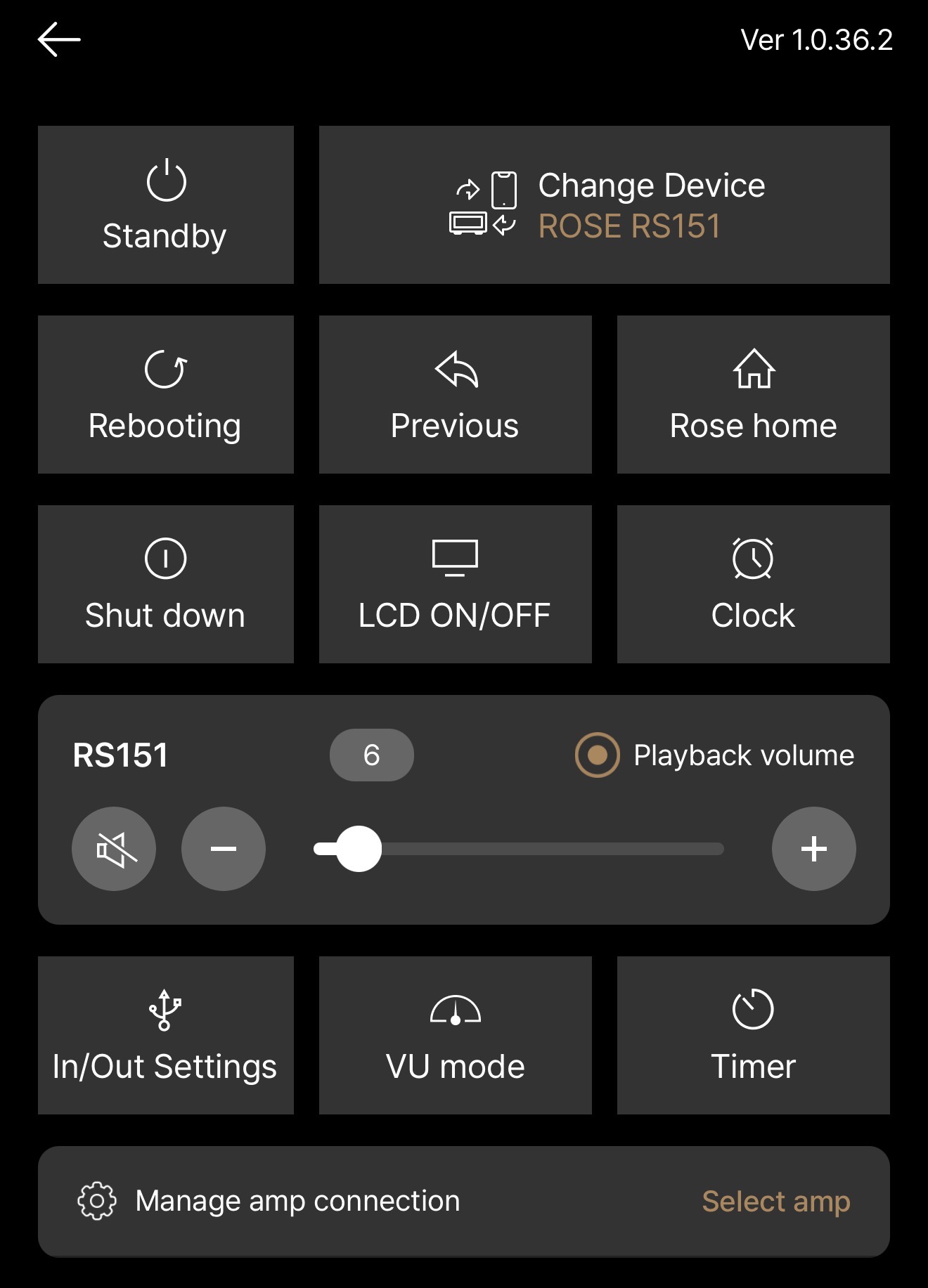
Same with newest version
i can’t play track i wish, example marked, always play first song, i must choose - “Play All” then i can play any track from “Queue” list
“White noise” still on the background on “Tidal” any track!
We have confirmed the details regarding your DLNA playback inquiry. The fix has been applied and will be included in the next version release.
Additionally, regarding the white noise issue, does it occur only when playing Tidal tracks? Does it happen when playing via RoseTube or your local music files as well?
1 Like
First of all, I’m very pleased that the >10,000-track issue was resolved in v1.0.34.3.
However after several weeks I had expected to see some more progress on the remaining local search and library issues that I have reported.
Several of these issues are still reproducible, including:
- Exact track-title matches are not always prioritised correctly.
- Equivalent search terms such as “Dark & Long” and “Dark And Long” can produce very different results.
- Track Artist , Album Artist and Various Artists metadata still appear to be handled inconsistently.
I have now found another very clear example of the metadata issue.
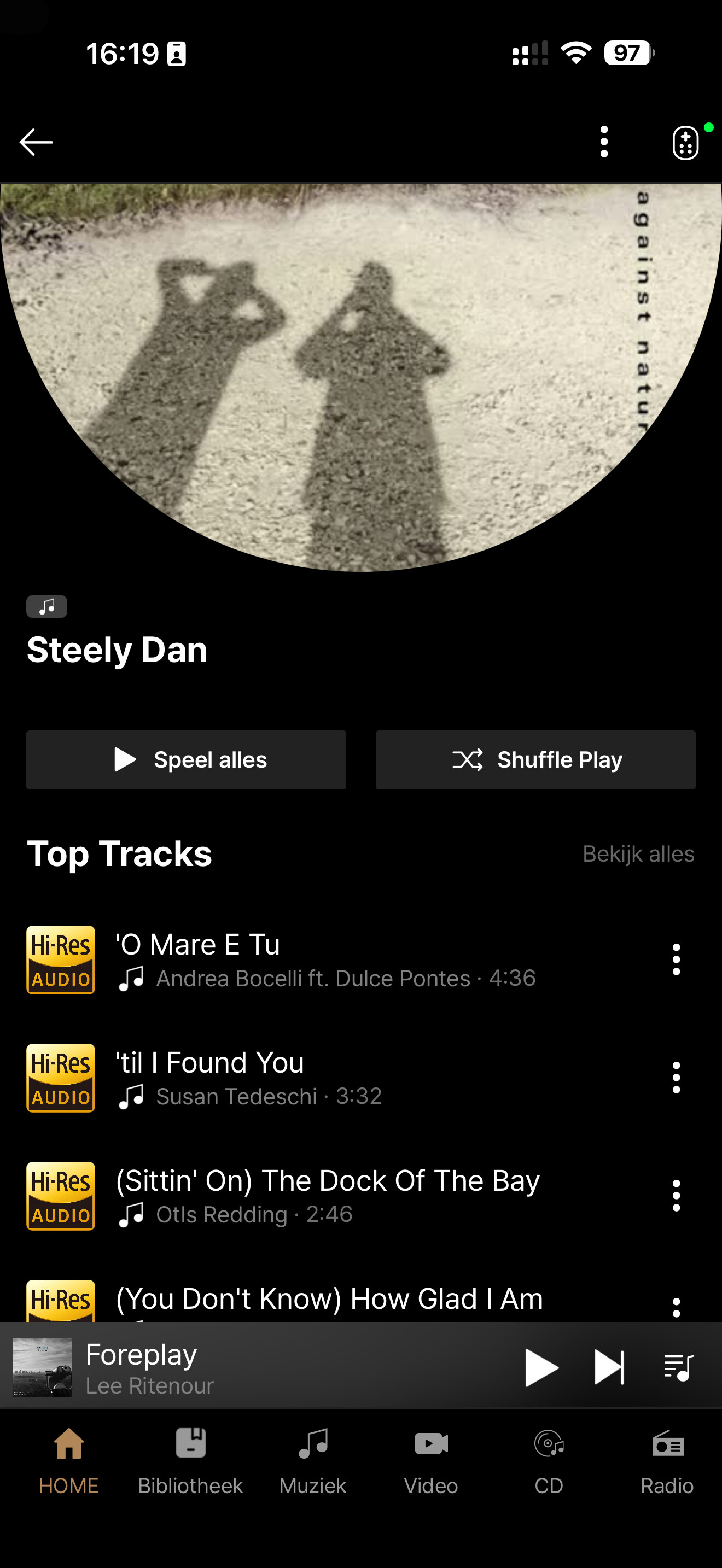
When I search for Steely Dan , Rose One correctly finds Steely Dan tracks and the artist Steely Dan. However, when I select the artist Steely Dan , the resulting artist page contains many tracks from compilation albums where Album Artist = Various Artists .
The actual Steely Dan albums are also present, but they are mixed with tracks from Various Artists compilations.
I would expect an artist page to primarily represent albums where Album Artist = Steely Dan , while compilation appearances could be shown separately.
This seems to reinforce my earlier observation that Rose One does not always make the correct distinction between Track Artist and Album Artist when constructing the library and artist views.
I fully understand that some of these issues may require more fundamental changes than the >10,000-track problem and therefore may take longer to resolve. What I am missing at the moment, however, is some indication of their development status.
Could ROSE please provide an update on the remaining search and metadata issues?
In particular, it would be very helpful to know:
- Which of these issues have been reproduced by the development team?
- Which have been confirmed as bugs?
- Which are currently being worked on?
- Are improvements to search ranking and metadata handling planned for an upcoming Rose One release?
I am continuing to test Rose One because I think it has a lot of potential. Search and library navigation, however, are core functions of a music server, especially for users with large local libraries. I therefore hope these remaining issues will receive appropriate priority.
Thanks in advance.