[Official Release] ROSE ONE Global Launch

@Querner
The fix for the issue where search fails when there are a large number of tracks was not included in V1.0.32.4. We will make sure to include it in the version scheduled for release this week.

Also, we previously sent a reply regarding your inquiry to the email address you used when joining the roseaudio.kr community, but it seems it wasn’t delivered properly.

If you could send your email address to the email below, we will forward our previous reply to you. shim1691@citech.kr

Hello @ROSEHAN,
It still doesn’t work…

@musiq
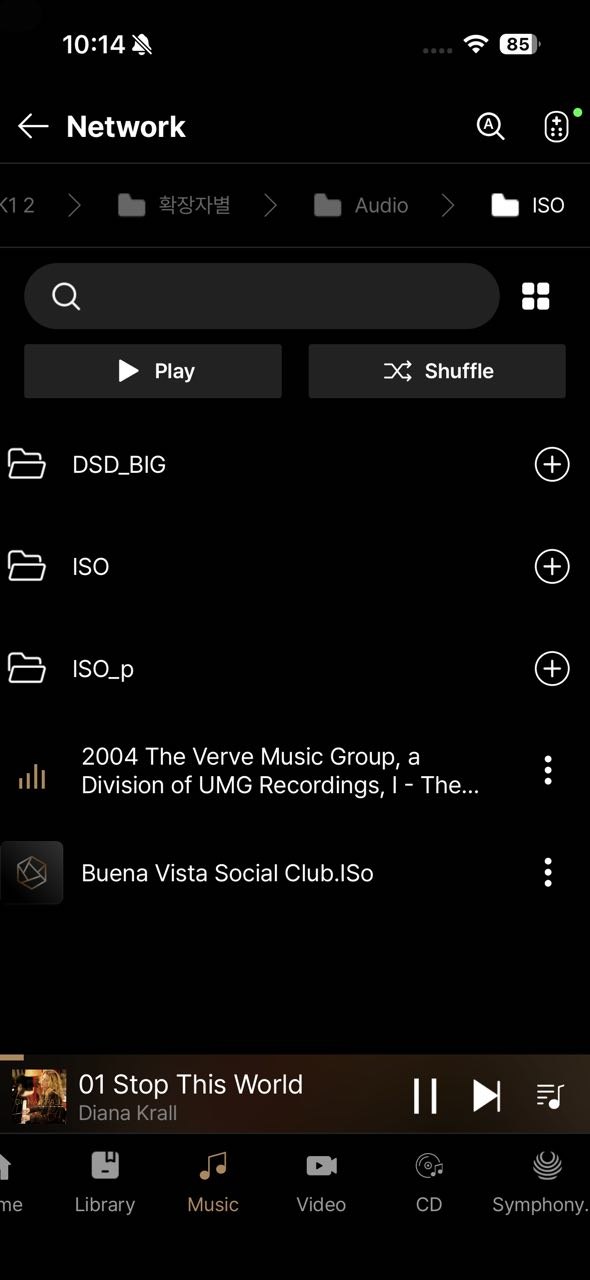
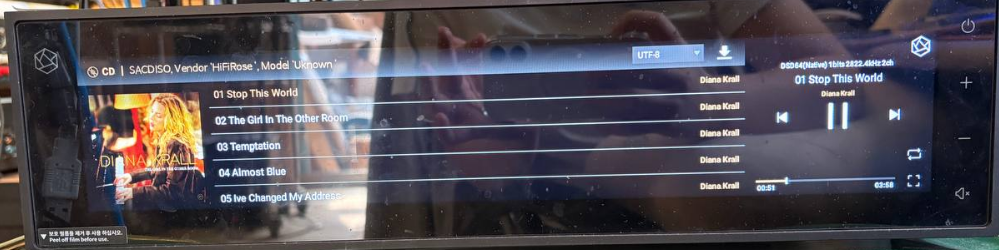
In our environment, when playing SACD ISO files using the RoseOne app, we confirmed that they play normally as shown in the picture below.

Can you see the file information, but the playback fails when you try to play it? If you could provide the following details, we will look into it further for you:

  1. Rose model and version information (Check via Settings > System Info)
  2. Smartphone model you are using for RoseOne
  3. If possible, a video clip of the issue and the SACD ISO file that doesn’t open. Sending these to the email below would be very helpful: shim1691@citech.kr

    SACD_2

Hello @Rose_love
email with videos sent :wink:

@musiq
I have received your email. I will review it and get back to you shortly

Róża_miłość

I’m wondering, and I’m probably not the only one, what improvements were made in the latest update of the Rose One app, which was 1.5 MB in size. Good quality photos can be larger.

The update to the older app was probably around 14 MB, so I’d also like to know what changes were made.

You can’t go by size.
It could just be refactoring of some of the lower level app code that is in libraries that Rose uses but not in the Rose code itself.

Rose does publish some release notes in their update messages.

@musiq

Thank you for sharing the video of the issue. I believe we have identified the cause.

The issue has been confirmed in the following case and will be fixed in the upcoming release:

  1. Roseone + NAS (SACD): Plays normally
  2. Roseone + USB (SACD): Fails to play
2 Likes

Smegel

What I mean is that when there’s an app update, someone from Rose should post here what’s been done. This is how it works with competitors, but the competition doesn’t update weekly because practically everything works with them. I’m referring to Aurender, Lumin, and Esoteric. People who own equipment from these manufacturers are amazed at what can be improved each week, and yet the update size is around 1.2-1.5 MB.

Another issue with Rose One updates is that you’ve probably noticed that someone from Rose writes that something will be fixed in a future update, a week goes by, the update is released, and the problem persists. No one from Rose mentions it, saying they encountered a problem along the way and it hasn’t been fixed, while users themselves keep asking about the problem.

And Rose should report it, because that’s why the people from Rose are here: to keep you up to date on what’s been fixed, what still needs fixing, and what they promised but didn’t do.

Róża_miłość

I haven’t received a response to my question, so I’m asking again. It’s common practice in Europe, and I think in Asia as well, that when a device user asks the manufacturer what’s been done in the latest app, the person delegated from Rose on the forum should answer, especially if the question is dedicated to a specific person, which was the case here.

And what about the problems reported by me? You only respond that you’re aware of the problem, but there’s no action to restore normalcy in the aspects I mentioned.

I’m wondering, and I’m probably not the only one, what improvements were made in the latest update of the Rose One app, which was 1.5 MB in size. Good quality photos can be larger.
Please describe the specific actions that have been taken to improve the latest app.

The update to the older app was probably around 14 MB, so I’d also like to know what changes were made.

Sure.
It would be nice if they posted the fixes here.
But honestly for the past several application updates… they just showed up, no notice anywhere.

They are trying…

@Smegel @Cougar2025
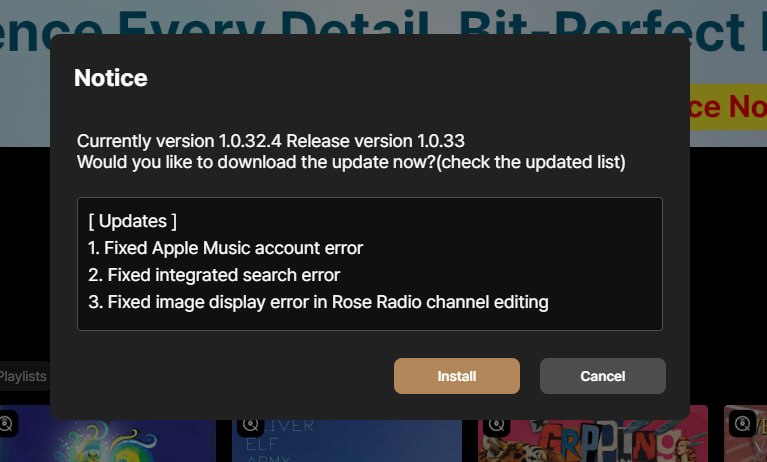
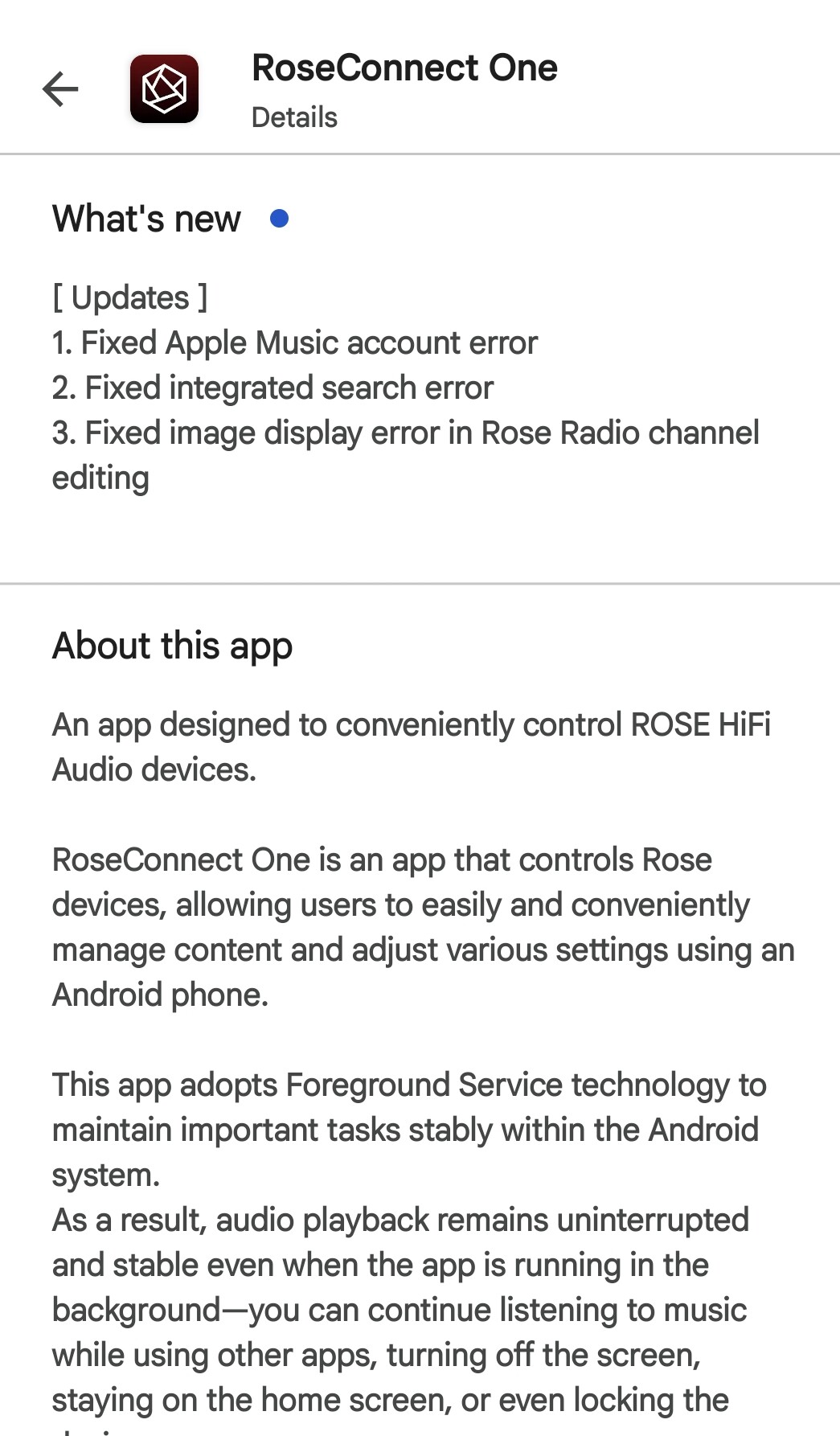
As shown in the images below, we do not post separate announcements for RoseOne updates. However, you can check the update details via the pop-up screen during the update process or under ‘What’s new’ on Google Play
pc버전

1 Like


Róża_miłość

In the service, e.g. in Google Play, it is written, but is it such a difficult problem to paste in this thread what has been changed in the application after each application update?
You’ve probably noticed that not everyone here speaks English, so it’s easier for them to translate what’s changed in the app into their own language.

Maybe it’s worth considering updating it once every two weeks. Unless a bug occurs that needs to be fixed immediately, in which case the app should be updated as soon as possible.

I have to agree w Cougar here.

I appreciate the timely fixes and releases.
I do appreciate the update notes that are posted w the upgrade, however…

It would be nice to also see it here.

@Smegel @Cougar2025
As you mentioned, we are currently updating the RoseOne application on a bi-weekly basis. In the event of a critical issue, we provide additional updates immediately as needed.

​Per your request, we will ensure that this information is available for confirmation on a separate guidance page.

2 Likes

Please put a cursor to vary the size of the pouches

Even with the 2 sizes proposed it’s too big

ROSE HIFI RA151:

device version: 5.11
RoseOS 5.11.03
Rose Main: 5.11.01.1
Rose Service 5.11.01.1

Same White Noise on “Tidal” on the background after update. Also on Mac OS v1.0.33.1, i feel it began after rose firmware update:)

My main listening from NAS minimserver, but nice to have Tidal too:)

@Rose_love @ROSEHAN

And in the latest update from 1.0.32.4 to 1.0.33 again absolutely no improvement at all in the search behaviour.

I’m sorry but this is getting a bit annoying. I do sincerely hope that you eventually will solve this problem so please, please do not promise another fix in an upcoming release unless it has actually been implemented and tested.

@alessandro @Cougar2025

1 Like

Róża_miłość

This is already the second place on the forum where I post an error from YT, read the posts of users who write about problems, e.g. with the operation of RO, and respond on the forum, because then the user knows that it was read by people from the ROSE manufacturer.

When I log into my YouTube account, for example, when browsing music, one item overlaps the other. An image of a song appears, with the artist’s name below it, and then the song’s name below it. Another image of the next song overlaps the song’s name, leaving me unable to see the track title, album title, artist, etc.
Please correct this bug. It sometimes happened on Rose Tube, but it’s been fixed now on Rose Tube, but it’s still there on YouTube and it’s annoying.

Secondly, if I log into my YouTube account on one device, the other device, such as a second smartphone, no longer sees it, and I have to log in to YouTube on the other device as well. There’s no way to fix this so that when I log in on one device, my YouTube account is also visible on other devices, such as smartphones and tablets.