[Official Release] ROSE ONE Global Launch

@fotoklasika

@fotoklasika

Are the two screenshots you shared showing the “MinimServer” folders as they appear in the RoseOne app and the RoseConnect Premium app?

This issue has already been reported to our server team and software team, and it is currently under investigation. We will identify the cause and work to fix it as soon as possible.

Additionally, regarding the radio feature, are you able to search for radio channel names normally on your RS151?

Could you also try uninstalling and reinstalling your RoseOne app?

We ask because on our side, when we go into Rose Radio in the RoseOne app and search for a radio channel name, it works as expected.
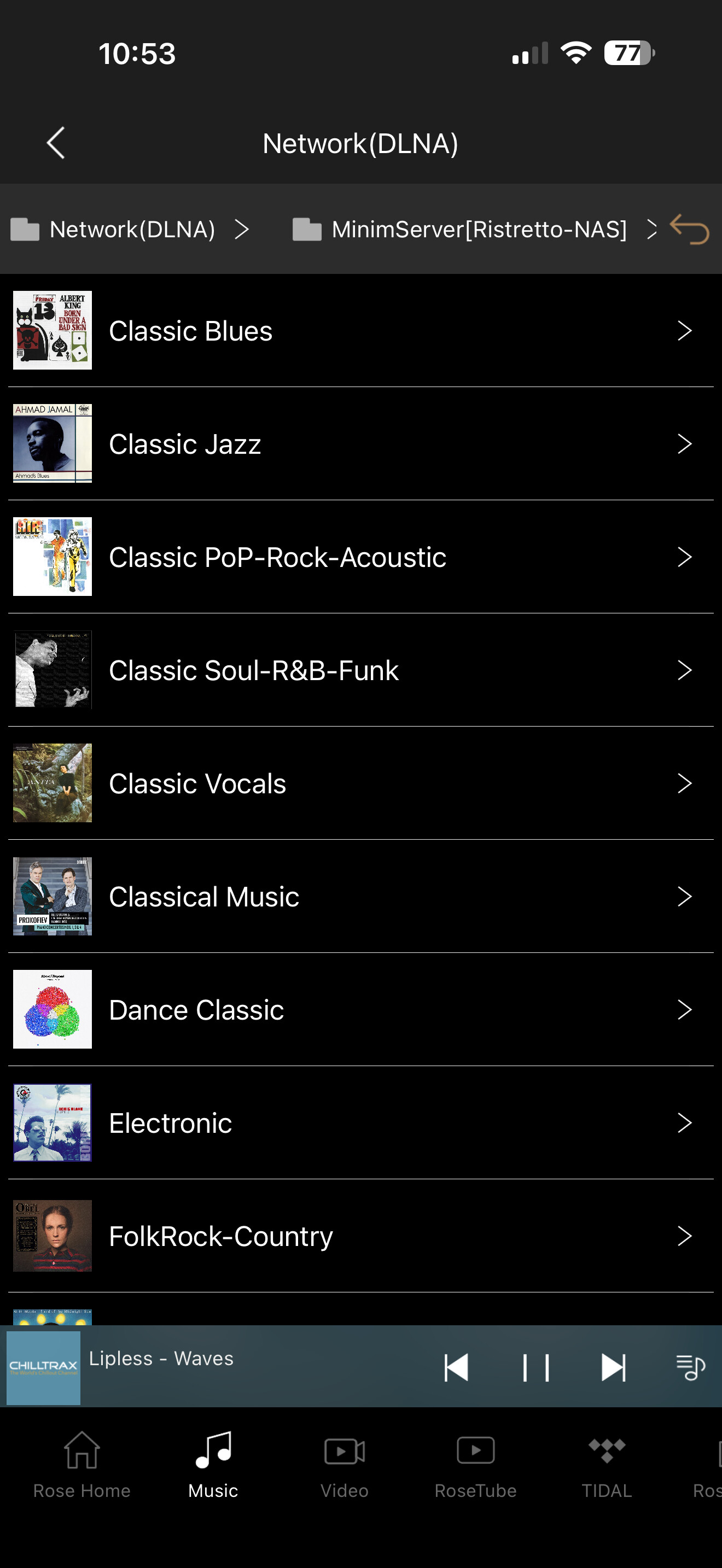
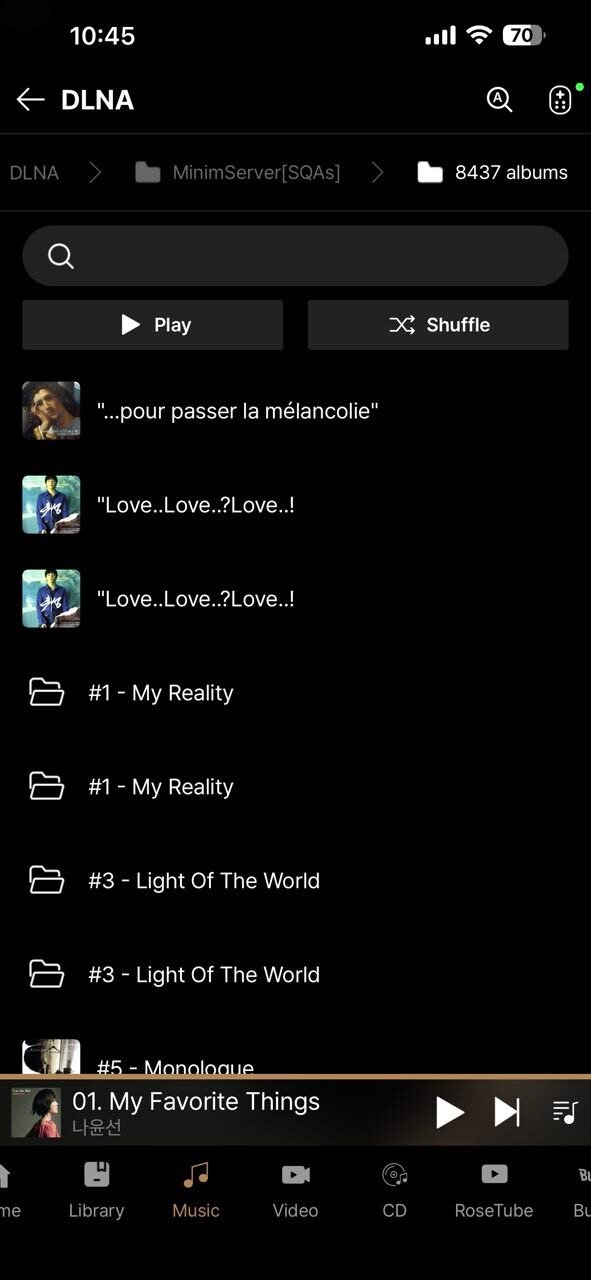
Yes Rose One newest app:) Rose Hifi screenshot…It still best app for ky Rose RS151

Reinstalled-installed - same:)

@fotoklasika

We have confirmed that this issue has been fixed.

Although the updated version has not yet been released, as shown in the screenshot below, the issue has been resolved without any problems.

The fix will be included in the next update.

v1.0.21 - yes it was fixed:) On PC version not yet…

When leaving app and back again - always show that…i prefer always on in background until you close app yourself

update

1 Like

Hello everyone,

I’m having a few issues with the Rose One app:

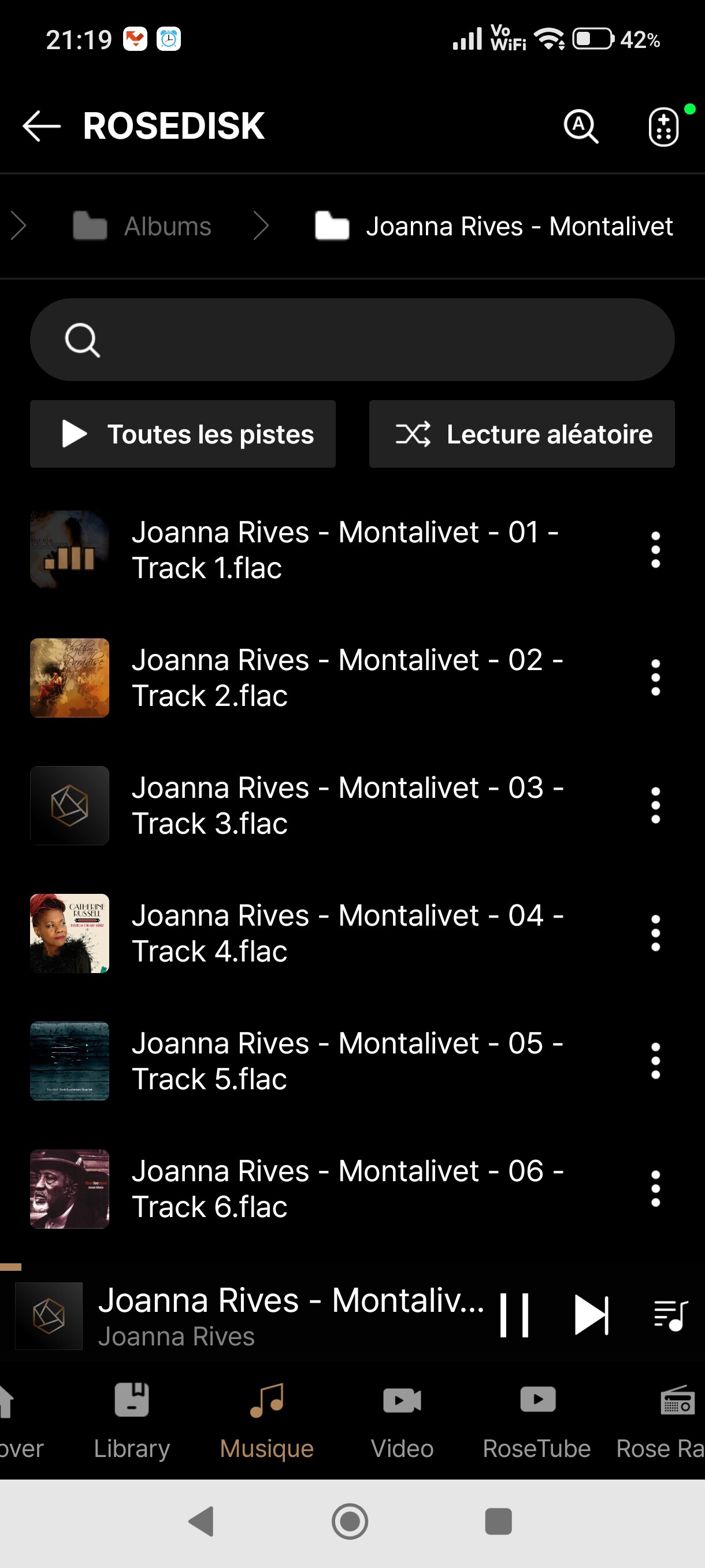
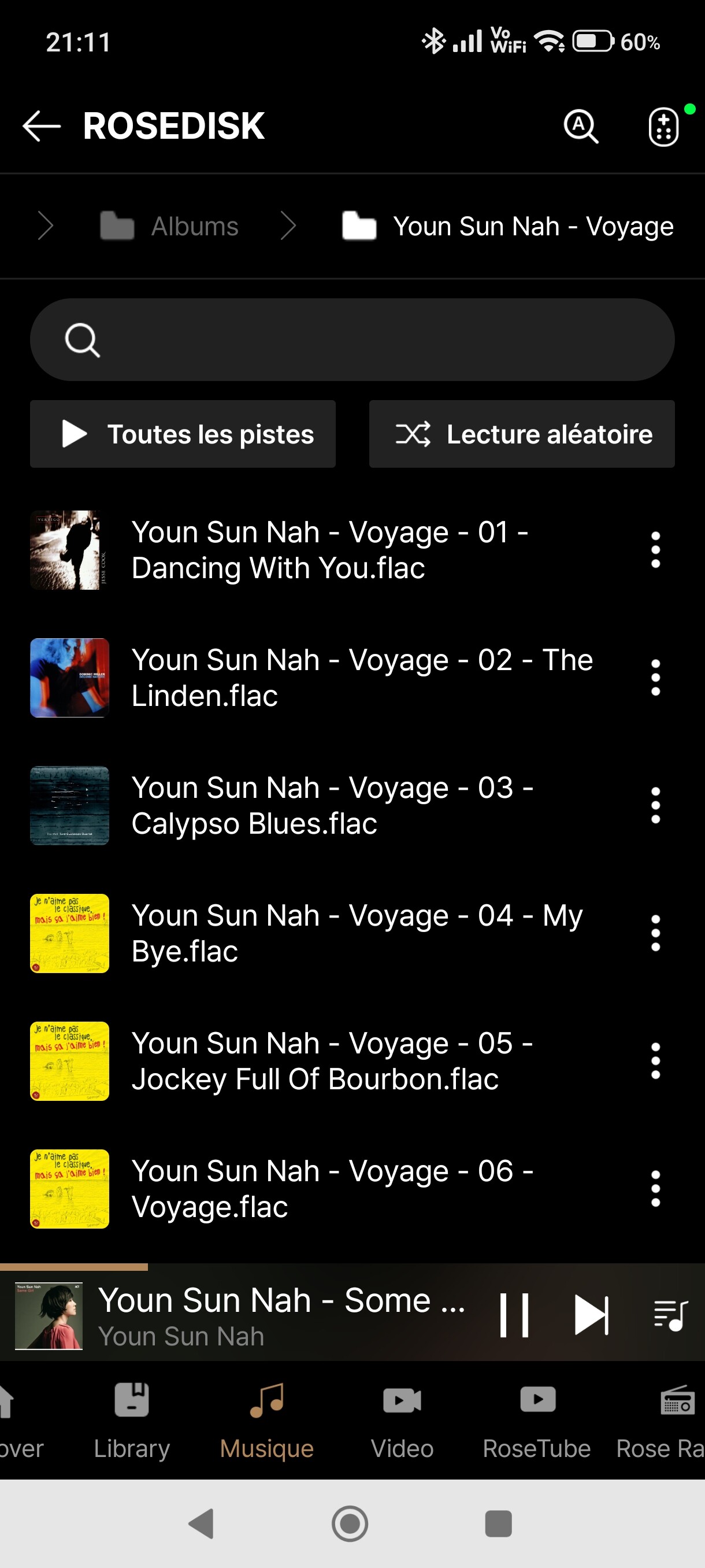
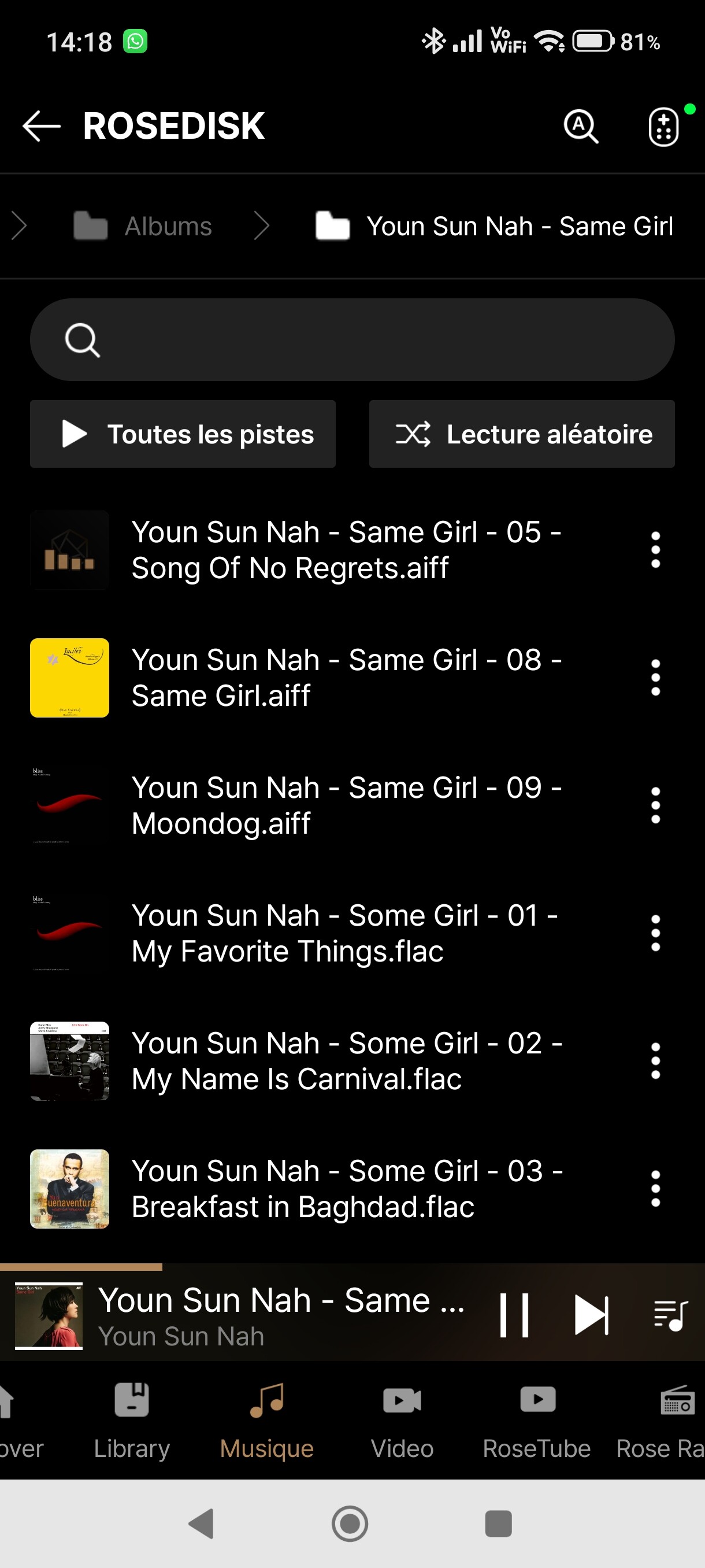
  1. The album covers displayed for files on the internal SSD don’t match the actual covers.
    However, on the RS151, the correct cover is displayed.
    This happens for all folders, whether they contain a single album or multiple tracks from different albums.
    Yet the cover art is the same for the entire album.

  1. When playing from the internal hard drive, the < and > arrows don’t skip to the next or previous track, even though they work fine with the Rose Hifi application and playlists.

I’ve waited for several updates before reporting this, but it’s getting frustrating to keep waiting for such obvious issues to be fixed.

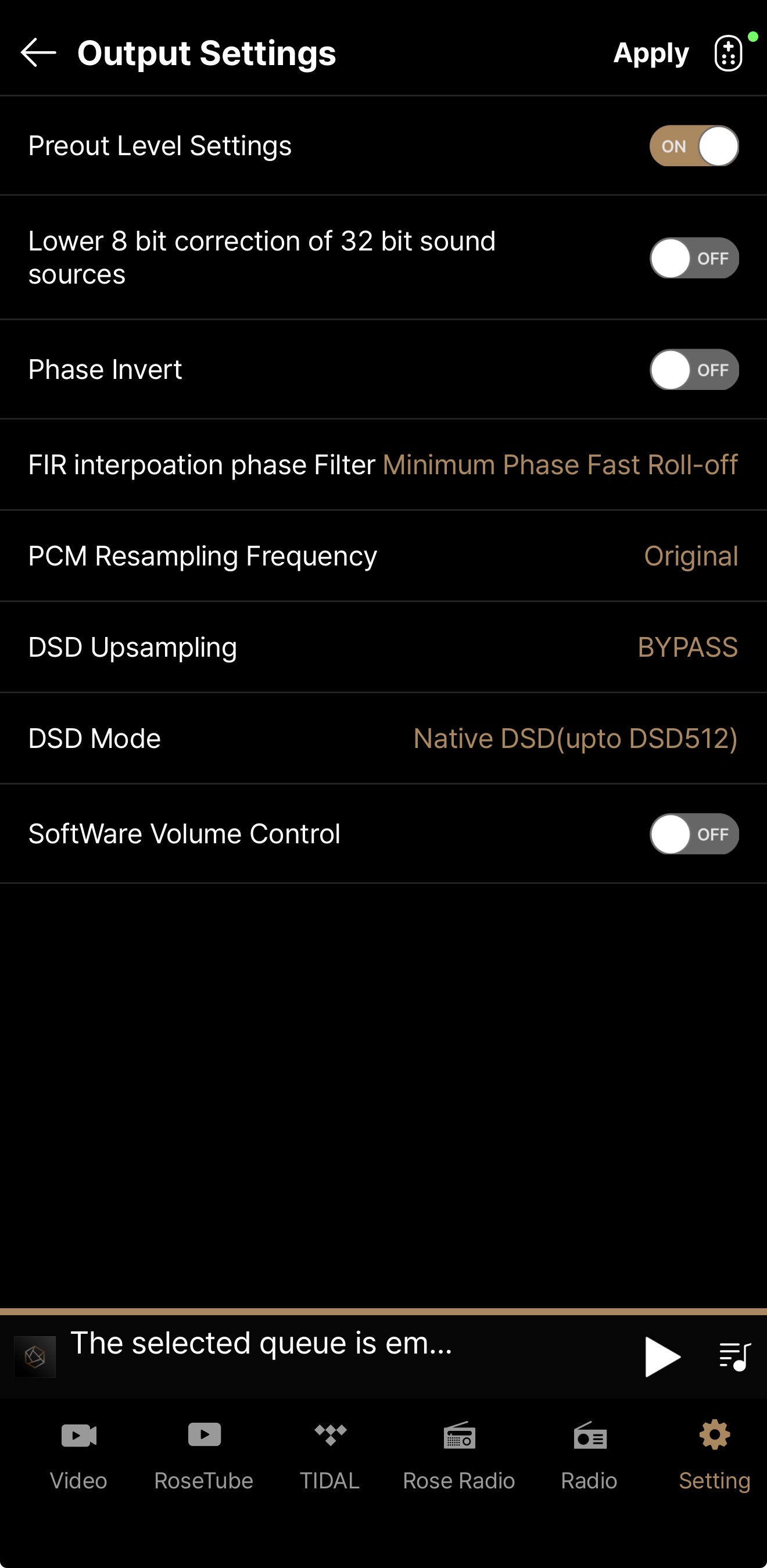
When you want save preout or other settings, save does not work:) RS151, iOS app newest version

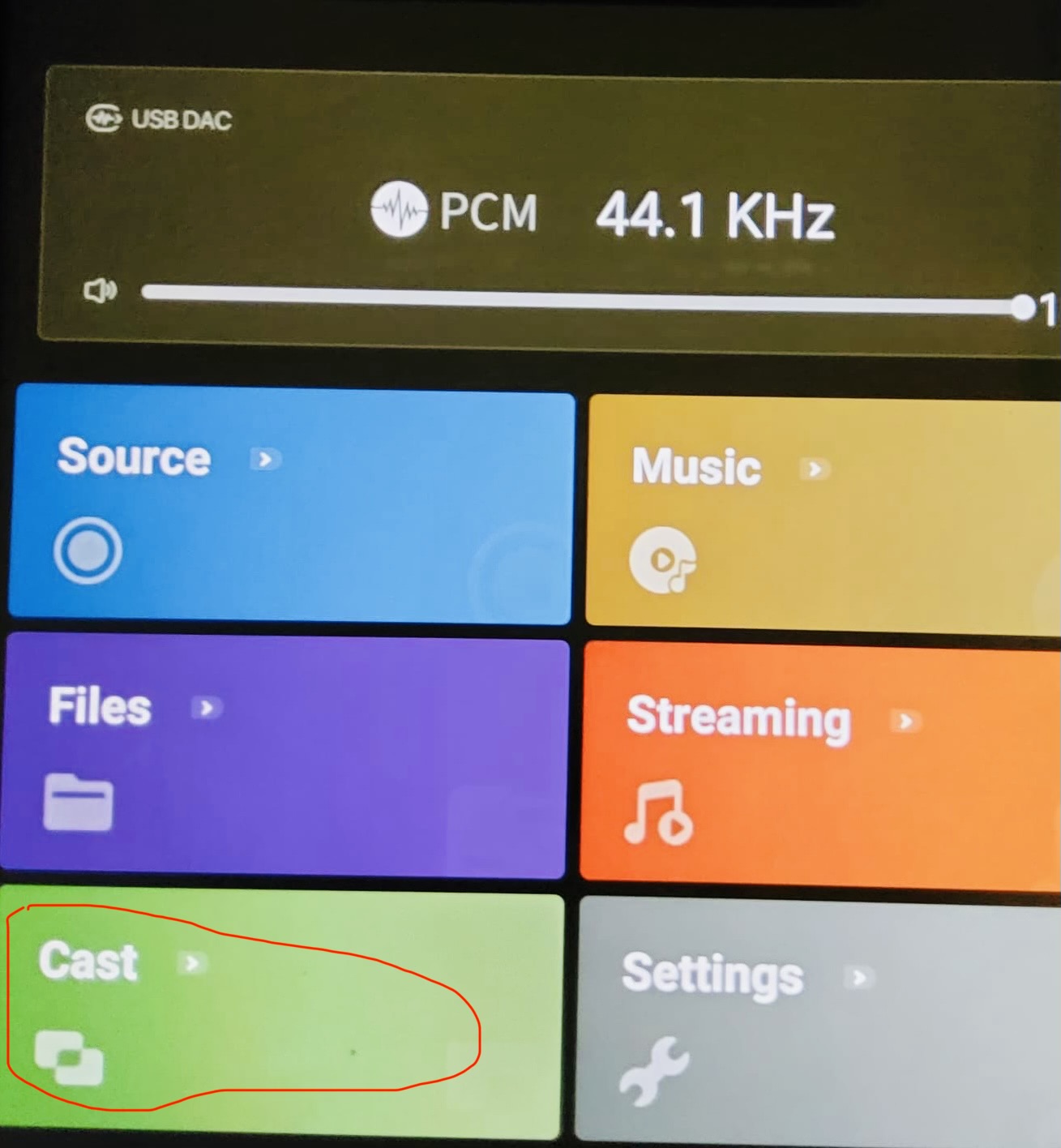
Another good feature would be “Cast”…What does not work on app, always work virtual tour to your Rose screen (never need clean the screen from fingerprints)

Following the latest update I have three issues that still need to be addressed.

  1. Empty Queue & Play From Here
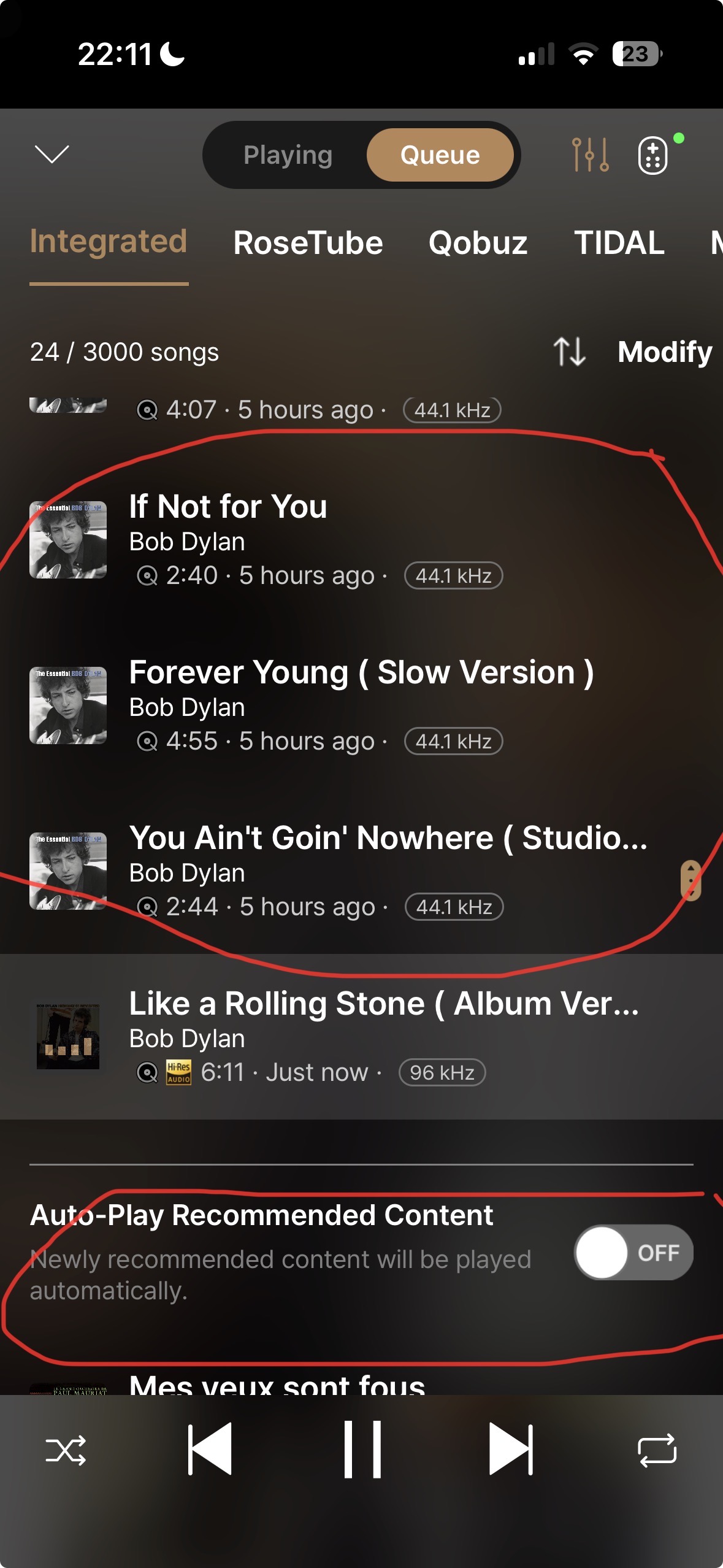
    When selecting this option via the Setting menus, it fails to either empty the queue or create a new one. This happens immediately after start up on my RS520. One track only is played and then it stops.
    On Rose Coonect Premium this.setting was my default for three years and once activated I never had to touch it again in 3 years of playback. Now, it has to be activated daily. Attached screen shot shows what greets me after startup.

2. Equalizer function.
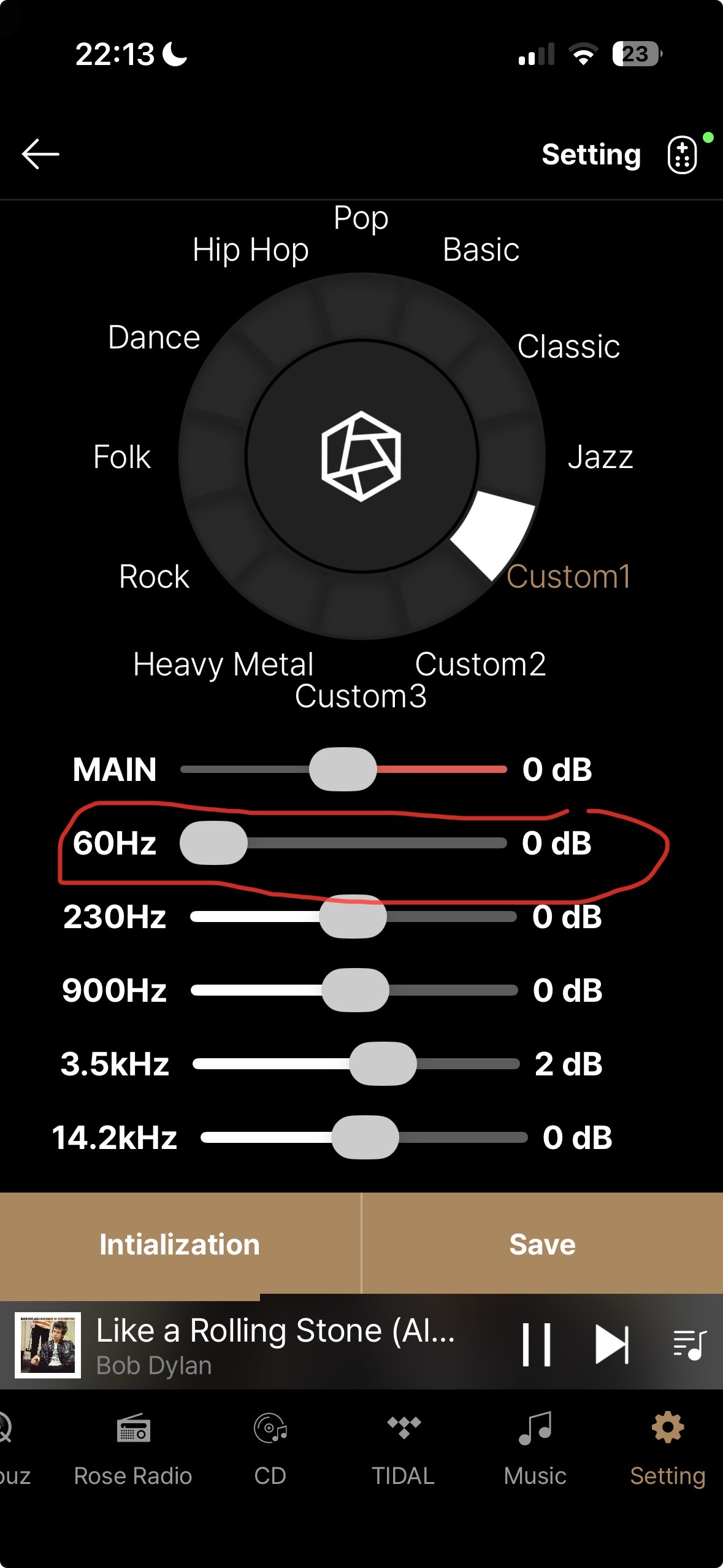
This still does not synchronize with the equalizer settings created on my RS520. In particular, the 60hz setting is always at the extreme left when it should be in the centre to reflect 0db.
Screen shot illustrates the problem ( please note that 3.5khz/ +2db is correct for this option).

  1. RoseTube. “ Related Content” now missing.

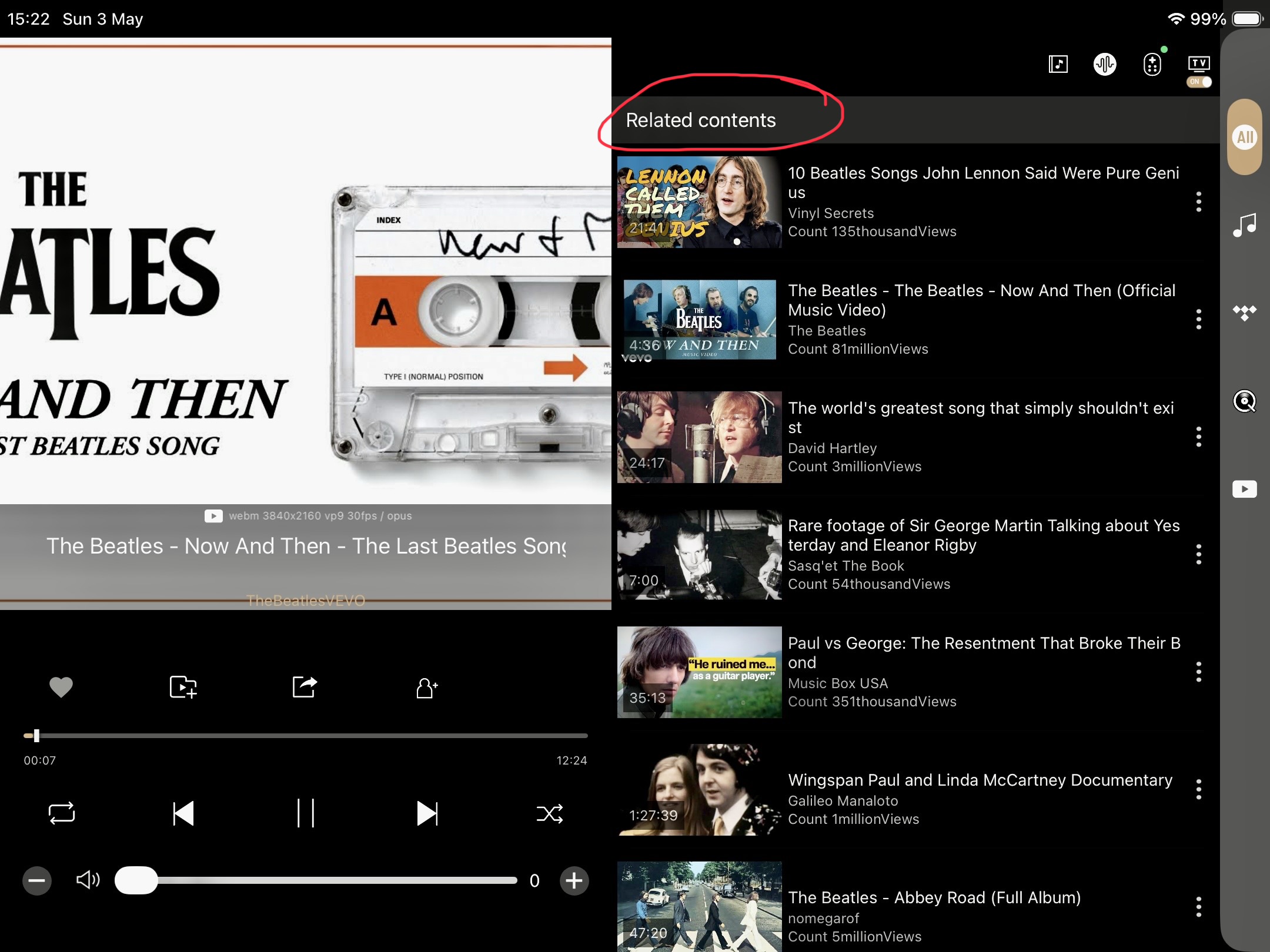
To illustrate, here is a screen shot showing what is shown on Rose Connect Premium. I have highlighted “ Related Content” in red.


This is an excellent tool which is used to help discover other related movies.
There is no “Related Content” option showing on Rose One.
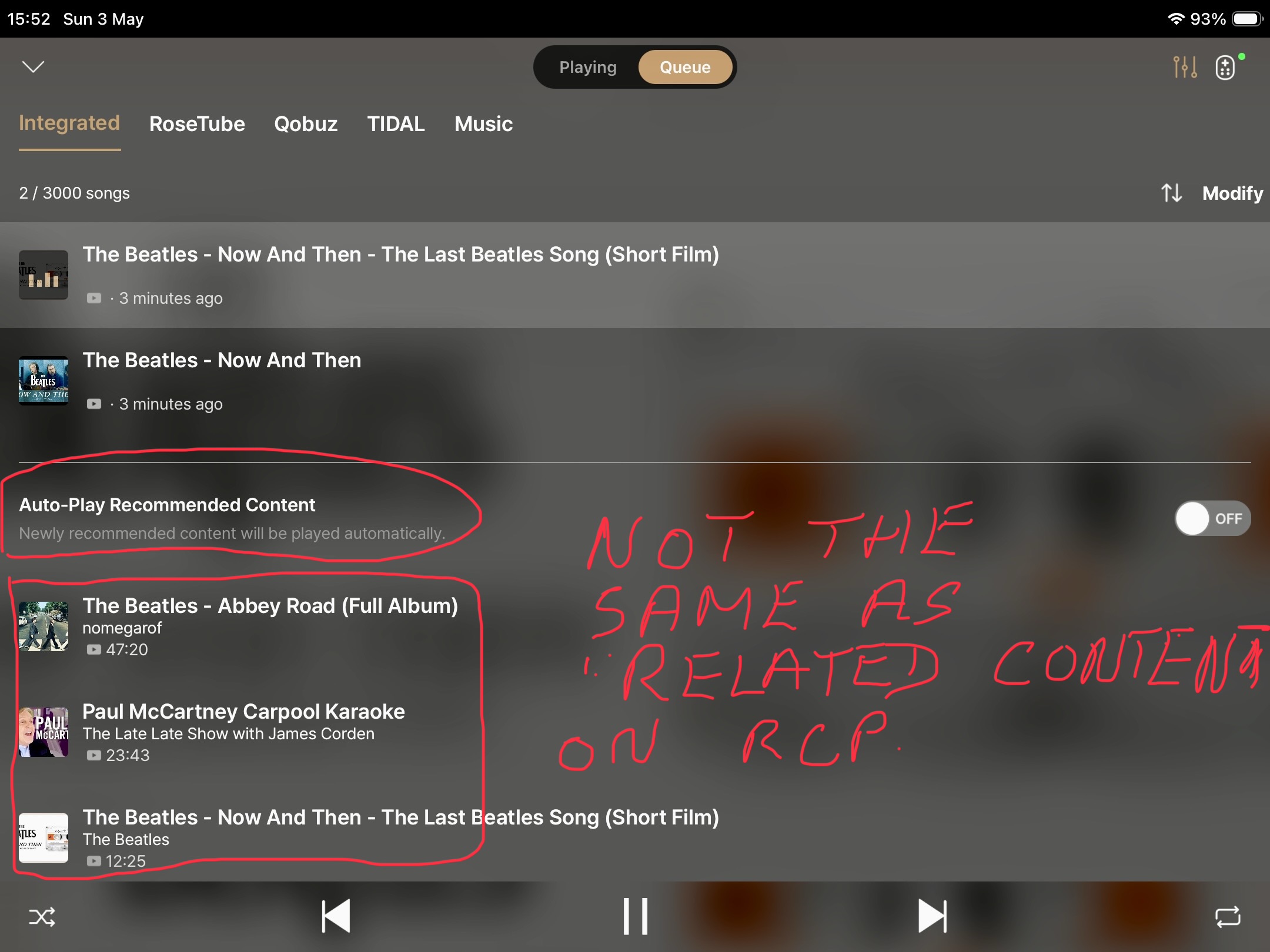
I thought it might be available under“ Queue”, this being the only other option. This is what I see when activating Queue on Rose One. It is totally different to what we see in Rose Connect Premium under the “ Related Content” heading.

Please restore this function to Rose One.

@Martini

  1. Empty Queue & Play From Here
  • This issue cannot be reproduced. It appears that “Like a Rolling Stone” was the last song added to the queue, and playback stopped because it reached the end of the list.
  1. Equalizer function
  • The issue has been identified and fixed.
  1. RoseTube: “Related Content” now missing
  • The Related Content section has been moved. It is now displayed when you drag down on the Now Playing screen to switch the view.

@Rose_love

Many thanks for your quick reply.

Regarding “ Empty Queue and Play From Here”, your assumption is incorrect.

Perhaps the example I showed was not a good one. I am enclosing a better screenshot this time.
To explain-

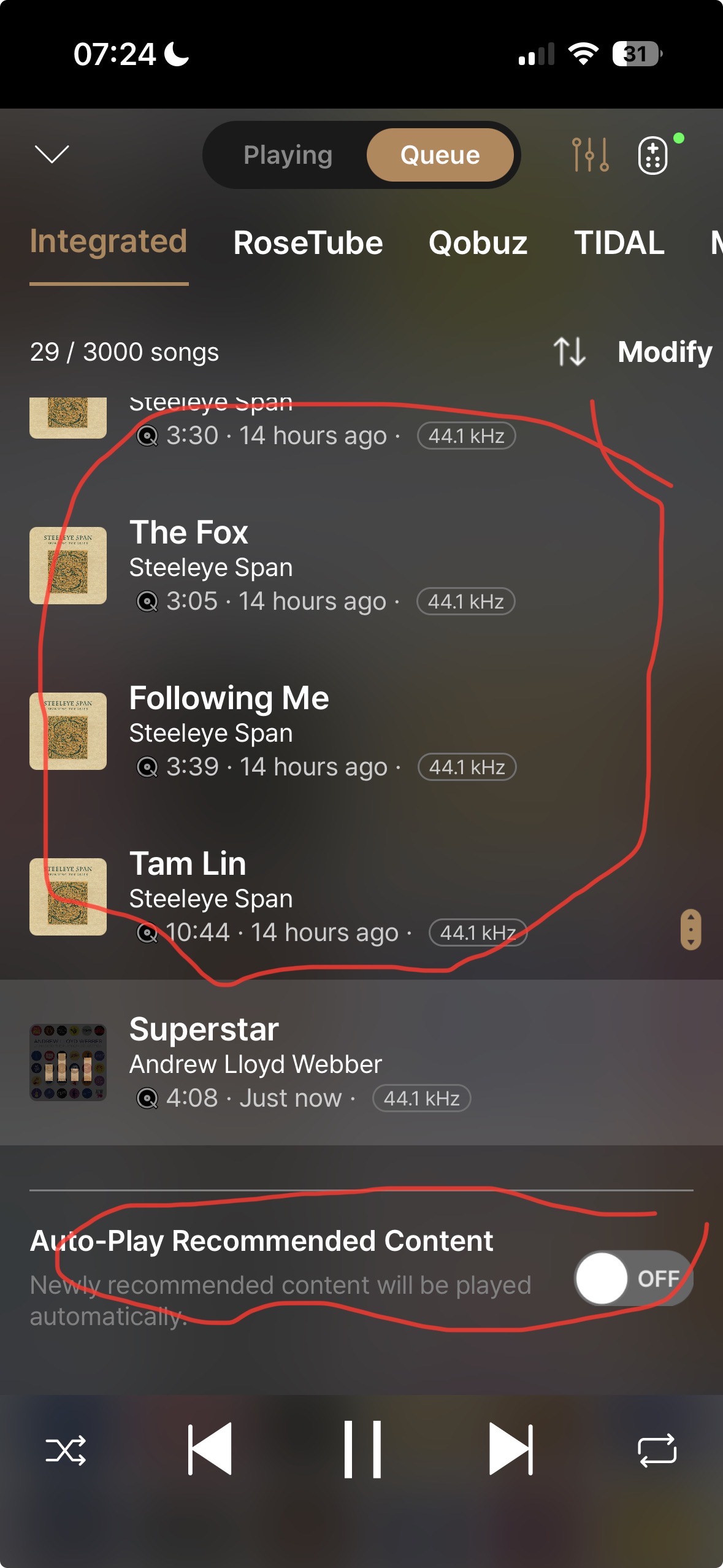
  1. The last tracks I played before switching the unit off yesterday were from “Steeleye Span”.
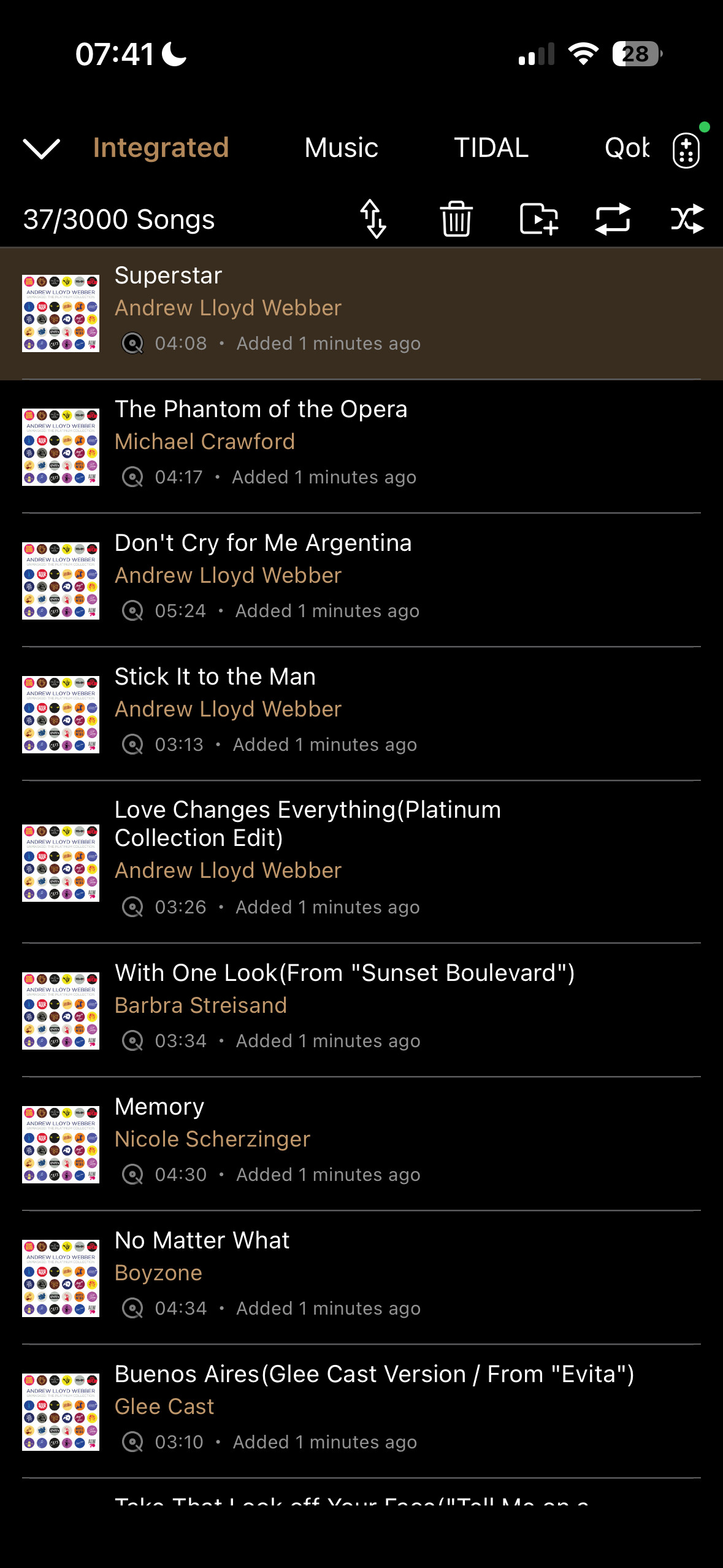
  2. The track I selected to play this morning after switch on was “ Superstar” which is Track 1 of a playlist containing 37 tracks.
  3. If “ Empty Queue & Play from Here” was functioning correctly then the “ Steeleye Span” tracks would have been cleared and the remaining 36 tracks would be seen in the queue.
  4. This is how it looks on Rose Connect Premium and is what I should be seeing on Rose One-
  5. This is how it looks on Rose One

Please refer to the test video below to verify.

Thanks for your response and video.

Looking at the video, I’m not sure what it is I have to verify.
I activate “ Empty Queue & Play From Here” via Setting >Device Setting> Audio Settings>Music Playback Options > Empty Queue & Play From Here .

When using Rose Connect Premium i only had to activate this function once and then I could forget about it. I never had to touch it again in 3 years of using the RCP app.

When using Rose One I have to activate this procedure every morning after switching on the RS520 ( or use the three dots ) for it to function as it should. Otherwise it does not empty the queue nor does it create a new one ( please refer to screen shot on my previous post ). It simply plays the selected track and then stops.

If I revert to Rose Connect Premium it plays perfectly ( refer to screenshot on previous post ).

I hope this is now clear.

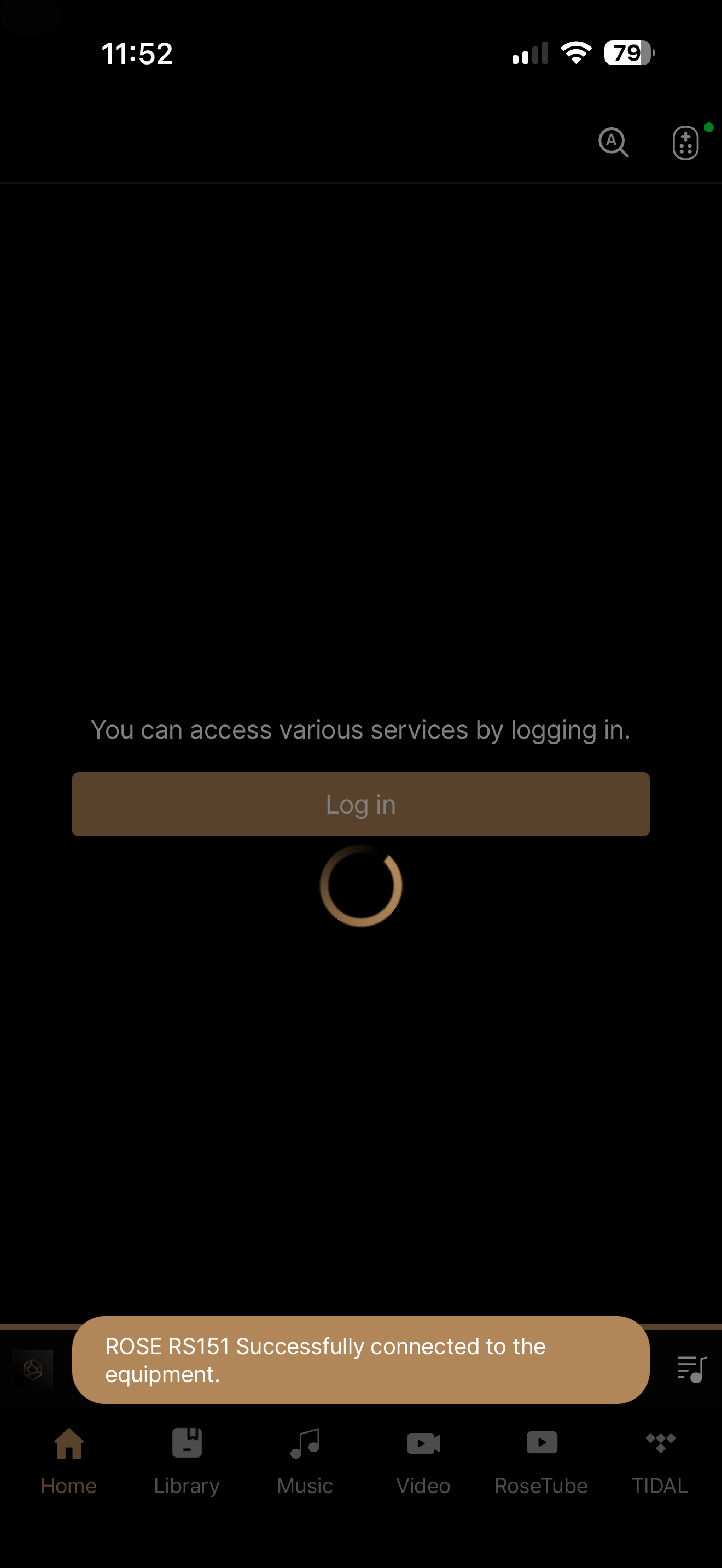
I am on current VER. of Rose One app on Iphone 15 Pro and Ipad. The problem that I am having is frustrating… when I play a song from album, than go to different app… whatever gmail, banking and I come back to Rose One - it shows the message “Rose 150B Successfuly connected to the equipment” BUT it takes me to HOME SCREEN of Rose One app not to the album I was in - need to navigate manually that’s driving me insane ….

@DjMike
It appears that when the Roseone app is closed while in use and another app is used, it restarts from the beginning and returns to the Home screen. However, when the Roseone app is kept in the background and then reopened, it returns to the previous menu. Please refer to the video below for more details.

@Martini
Could you please send the video of the issue to the email address below?
shim1691@citech.kr

Sure… will do. Thanks for quick response. Greetings

@Rose_love

Since I reported problems with the application, there have been three updates and the problems are still there. These are not minor issues, but rather annoying ones.

What needs to be done to resolve these problems ?

@Razmote
Thank you for your patience, and I apologize for the delayed response.

  1. We have successfully confirmed the first issue, and it will be resolved in the next release.

  2. We are unable to reproduce the second issue on our end. Could you please record a short video of the problem and send it to the email address below?
    shim1691@citech.kr

@Rose_love,

I don’t think making a video will help you fix the problem…

It’s actually quite simple: create a folder with music files on the RS151’s internal hard drive, then click on the first track in the list. When that track ends, playback stops and doesn’t start on the next track.
The same thing happens if you use the NEXT arrow.
This problem doesn’t exist with the old Rose Hifi app, so it’s definitely an issue introduced with Rose One that didn’t exist before.

The worst part is that it works fine with a playlist I created.

If you tell me that under the same conditions on your end there’s no problem playing tracks in sequence from a list of files on the internal hard drive, I’ll make a video for you, but it won’t change anything because this isn’t a problem with my hard drive or the RS151’s OS version—I do have the latest versions.
I have hundreds of folders on my hard drive, and the problem is the same everywhere.

In my opinion, you’re not running the same test…

This problem is very, very annoying, and it’s been going on for months.

Thank you.

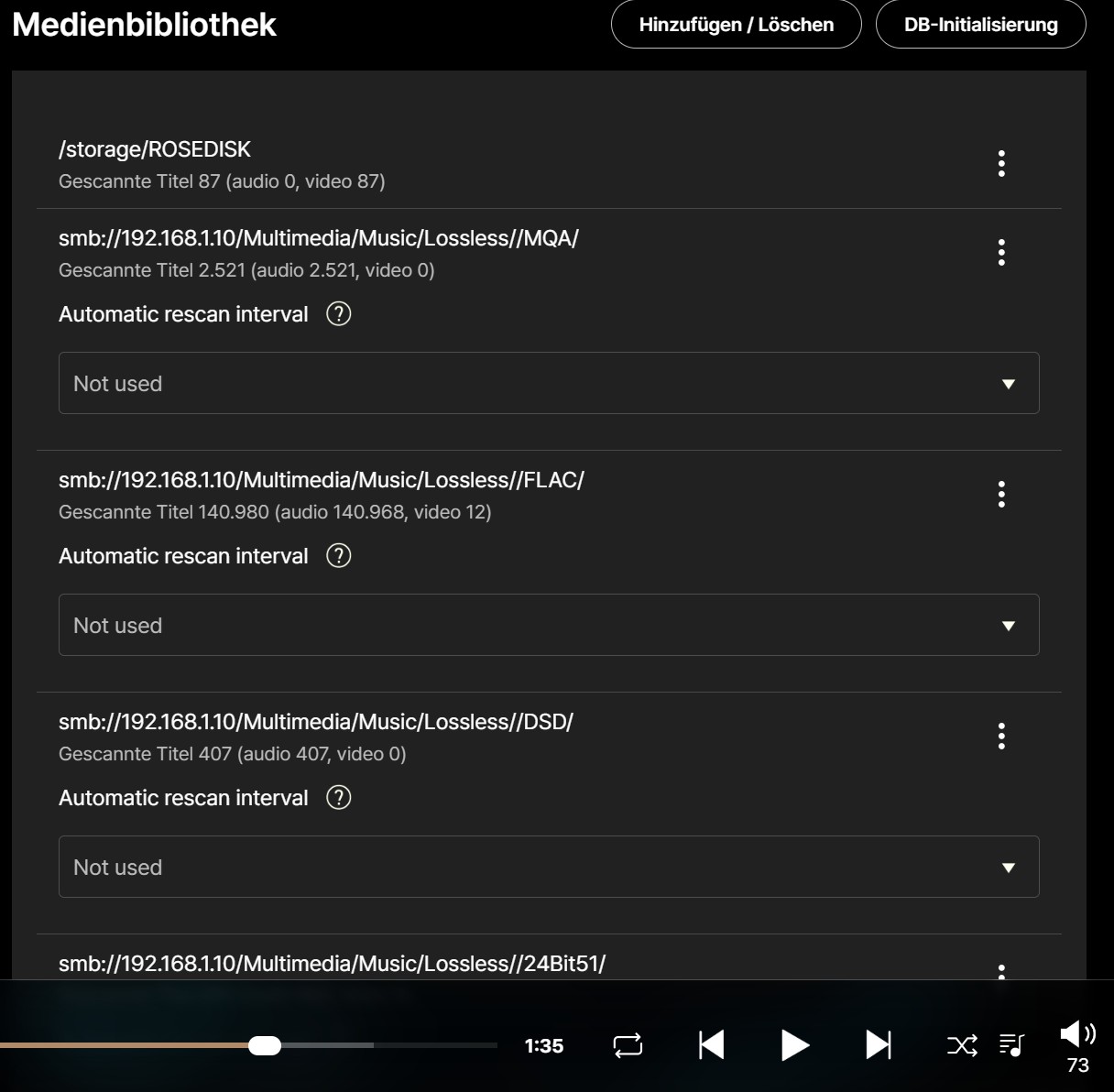
In the PC version (Windows 11) of the Rose One app, there is no way to scroll in the Media Libraries window:
v1.0.26.1