
@MuP
Thank you for sharing the issue. We will ensure it is reflected in this week’s release version.
@Razmote
It seems to be working normally in our environment, but please double-check the details below.
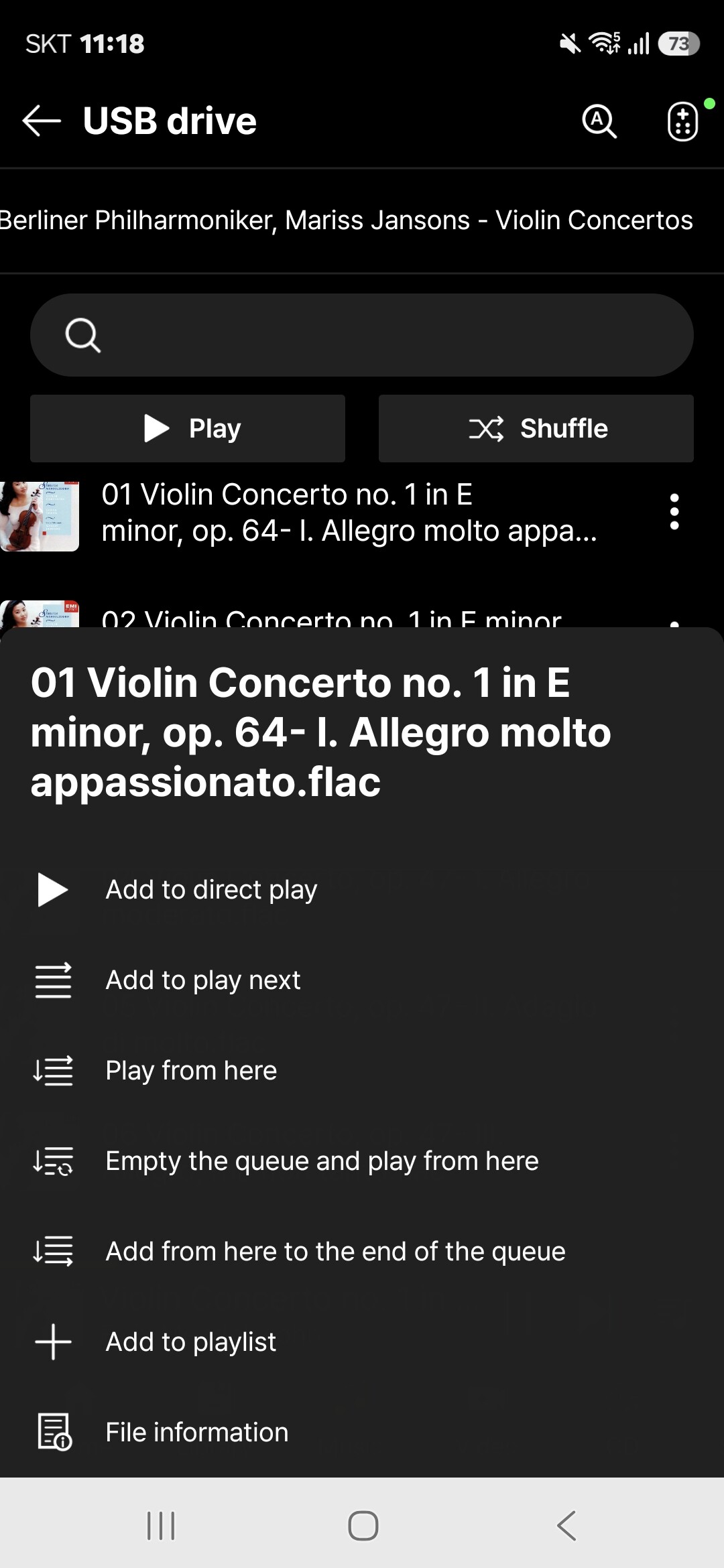
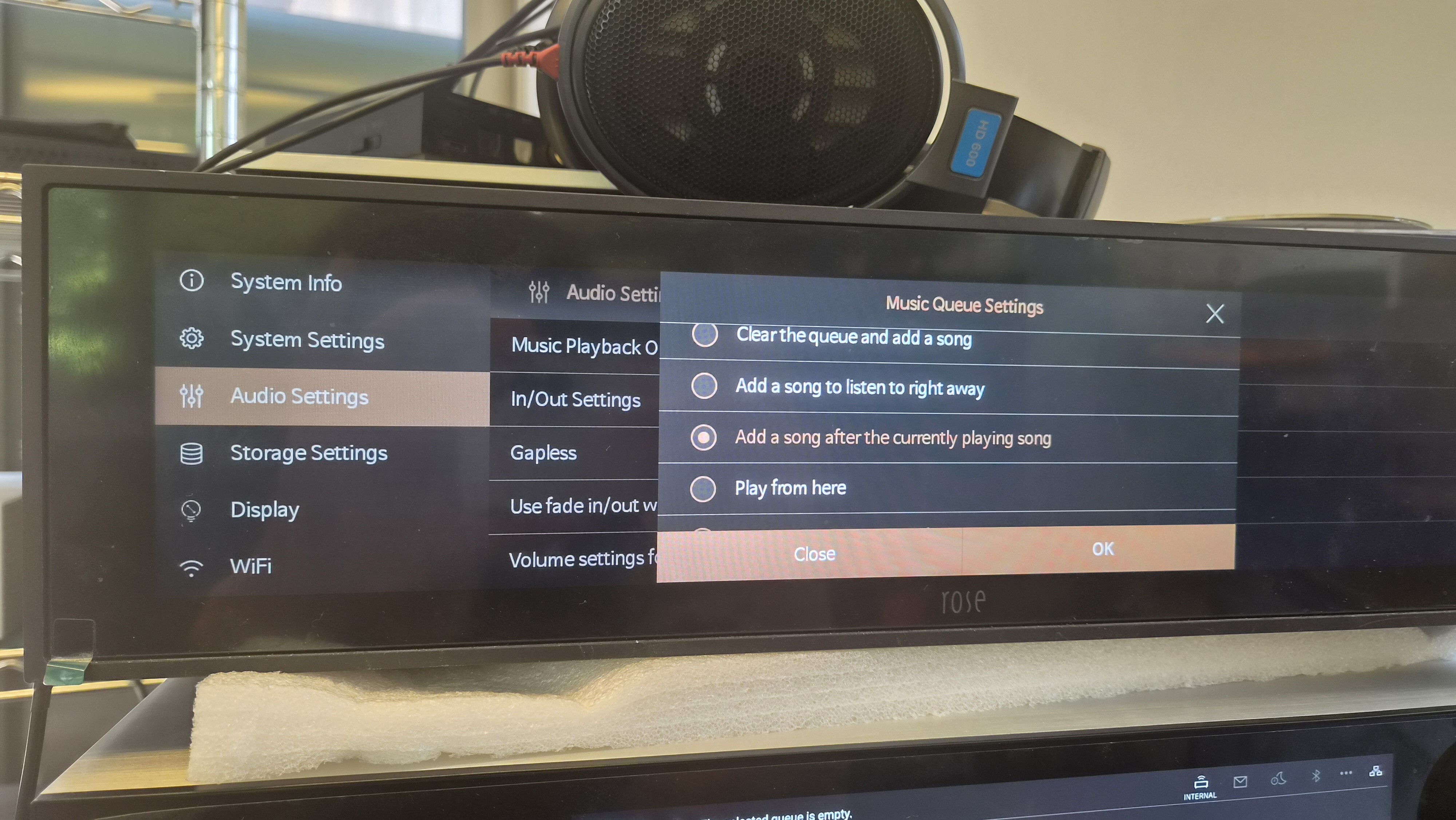
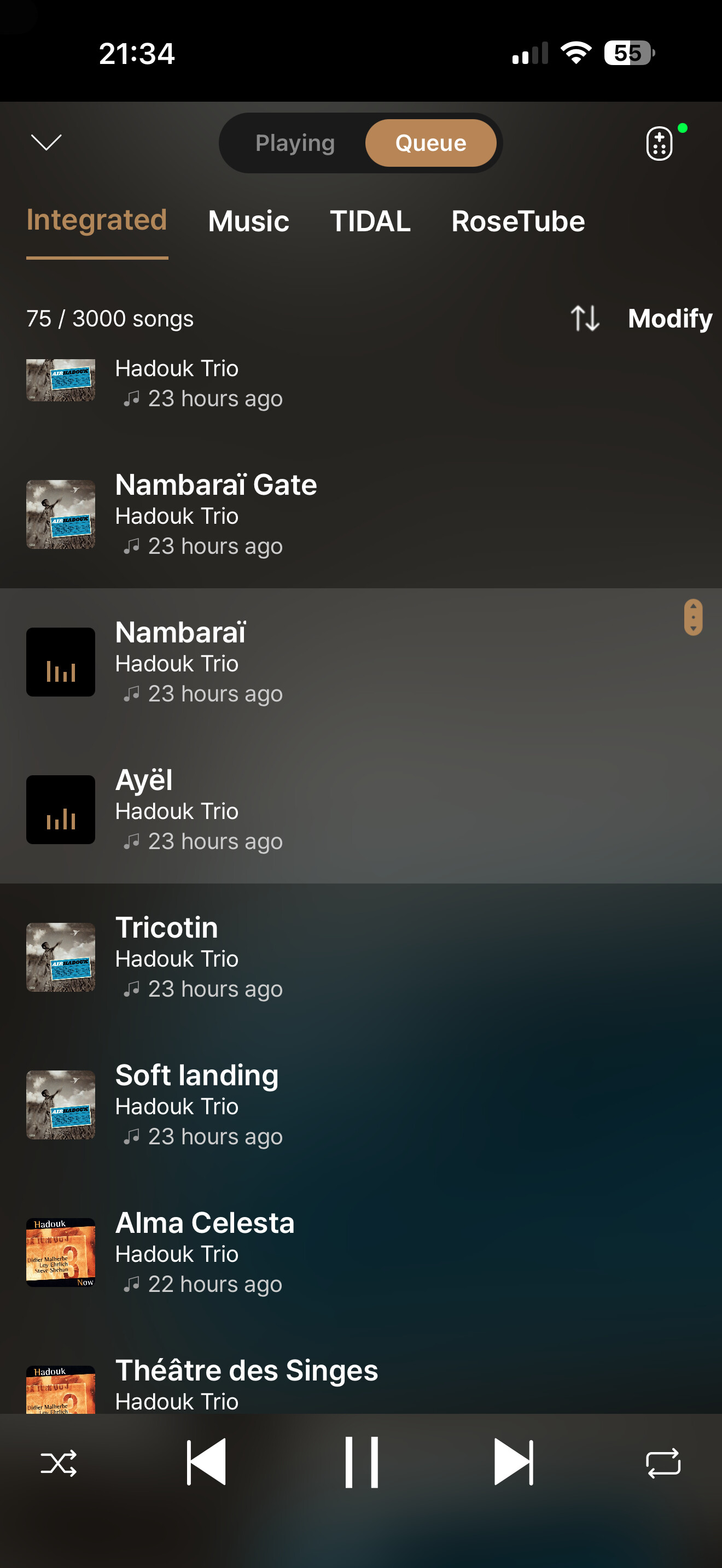
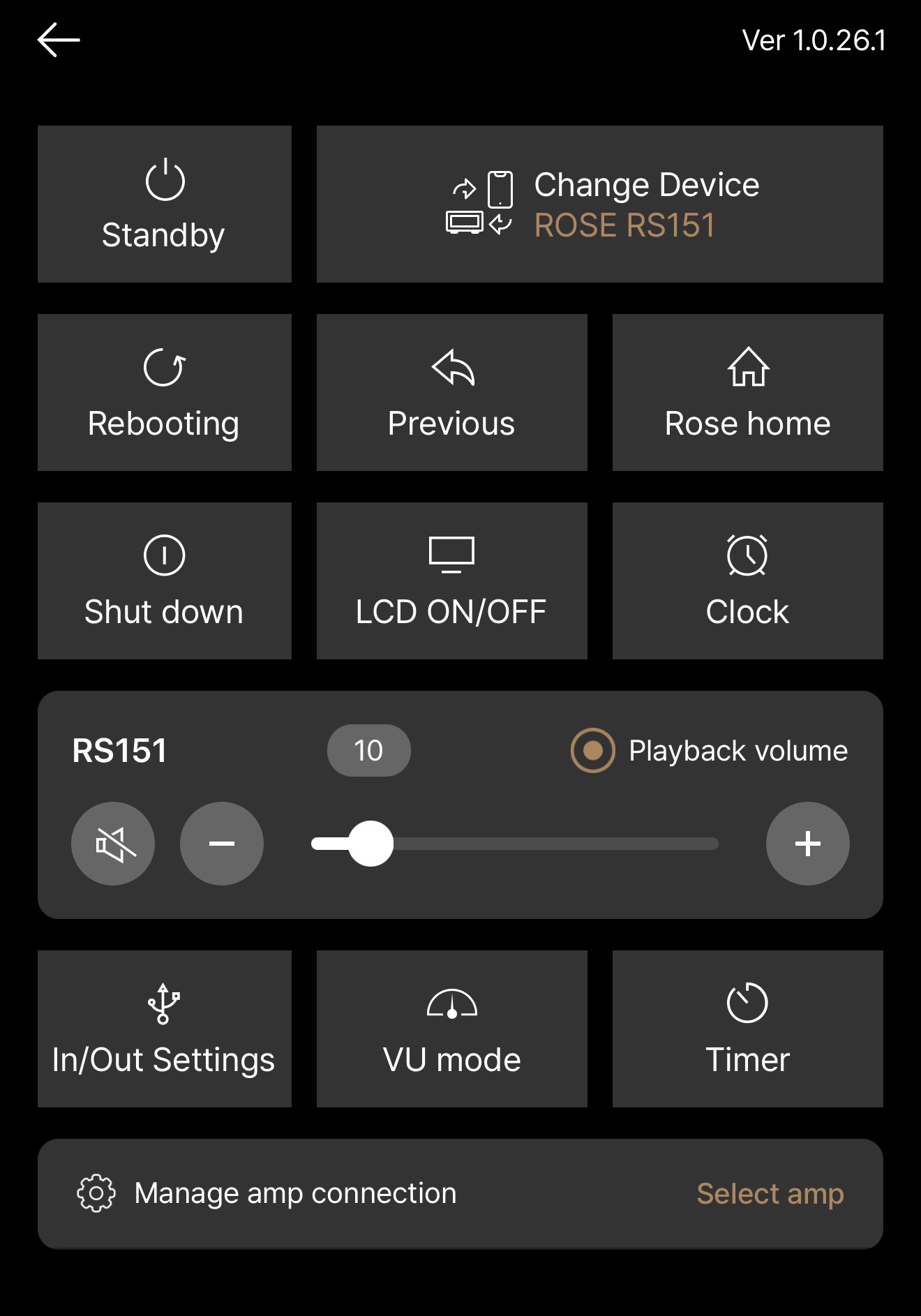
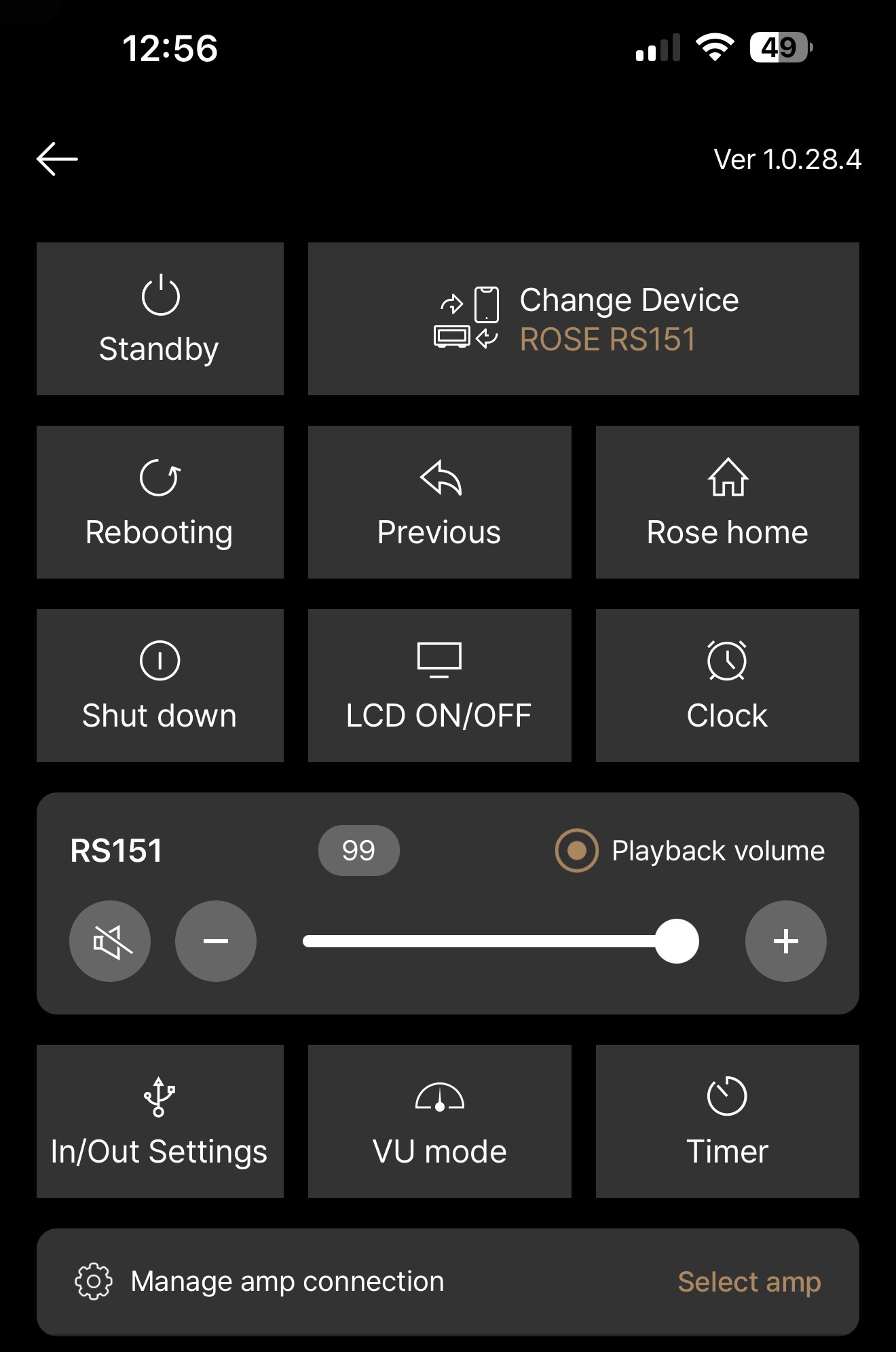
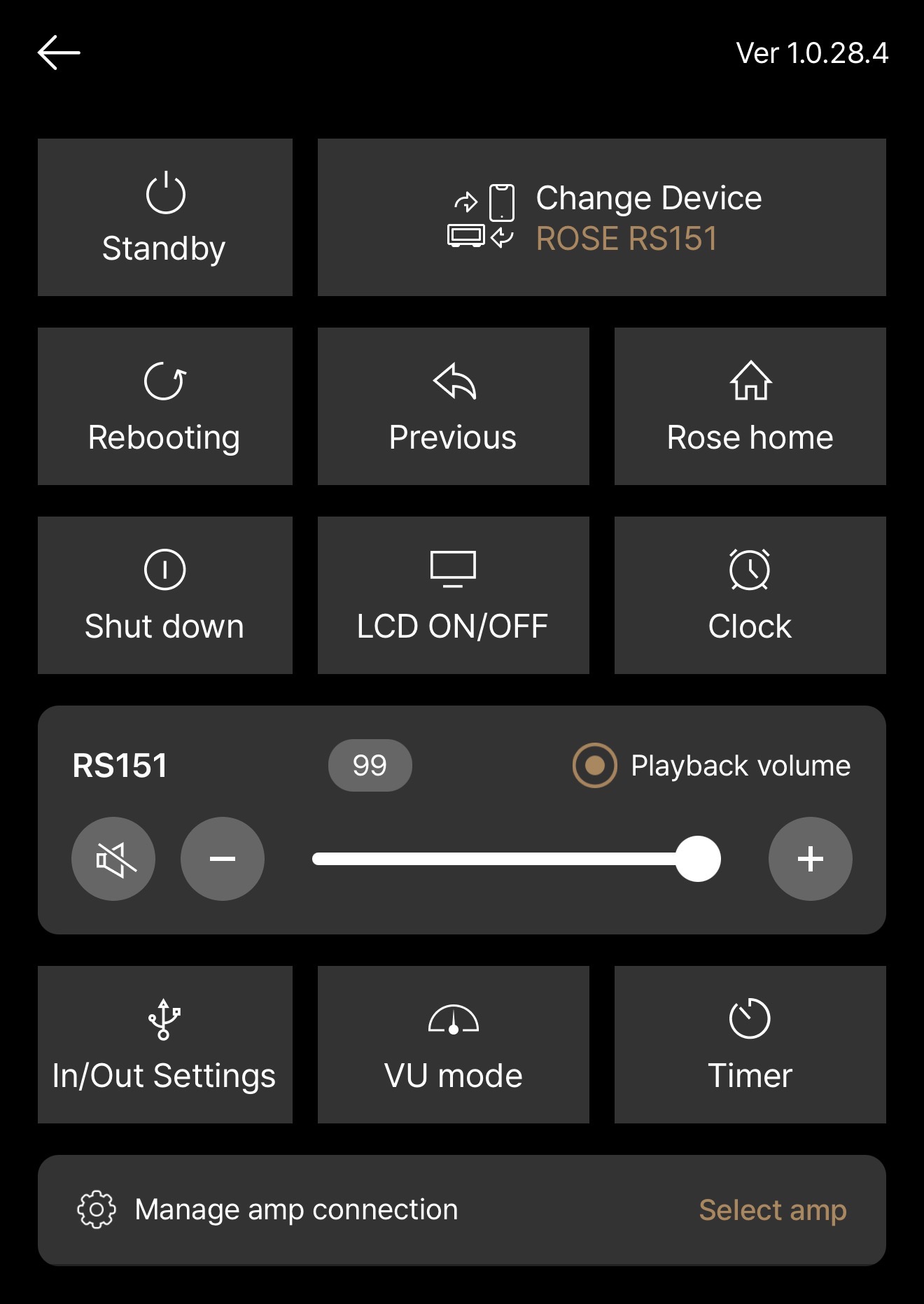
There are various playback options available in the RS151 and Rose One menus, as shown below. Please configure the settings and try checking again.
If the issue persists, please capture a video of the problem in as much detail as possible and send it to the email address below.
shim1691@citech.kr
Thank you for sharing the issue. We have confirmed the problem and will ensure it is reflected in the next release
Let me explain:
I have folders on the RS151’s internal hard drive, and these folders contain music files.
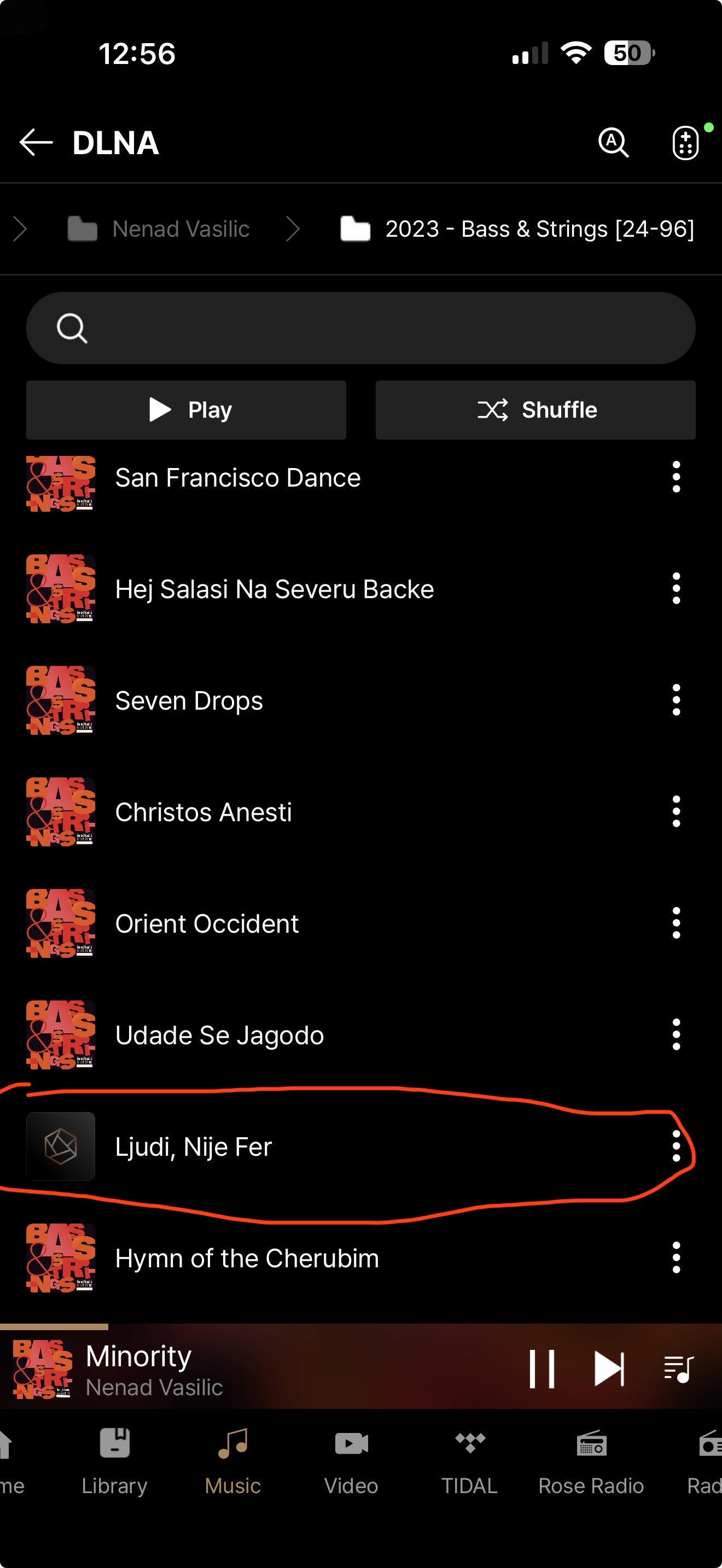
If I click on a song, it plays fine, but if I skip to the next one using the arrows in the Rose One app, on the remote control, or on the touchscreen, the same song plays again.
In every case, when the song ends, the music stops and doesn’t transition to the next track.
This is very annoying with the Gapless feature.
How do you avoid these same problems ? It’s impossible !
Unless nobody is actually testing it…
Try it yourself and tell me it works.
I’ve tested all the audio settings, and nothing has worked properly since Rose One was released.
Honestly, it’s frustrating not to have a simple playback feature on a device that costs nearly 5,000 euros.
Here’s the list of audio settings when you tap a file and want to skip to the next one using the arrows on the smartphone, remote control, or touchscreen, along with their effects:
- Add song to end of queue: when you tap any track, nothing plays
- Clear the queue and Add song: When you click NEXT, the currently playing track resumes
- Add the song to listen to right away: When you click NEXT, the previous track plays
- Add song to the current playing song: When you click on any track, nothing plays
- Play from here: when you click NEXT, the previous track plays
- Clear the queue and play from here: when you click NEXT, the currently playing track resumes
- Add from here to the end of queue: when you click on any track, nothing plays
So none of the functions work, and that’s a major problem.
However, if I use Rose Hifi and set the audio setting to “Play From Here,” it works perfectly—clicking “Next” plays the next track in the list as expected.
How is it possible that the new app isn’t capable of doing the same thing ?
This isn’t an improvement—it’s a step backward.
Thank you.
Hello, We sincerely apologize for the inconvenience. Once the issue is fixed and the updated version is released, we will follow up with a comment here.
1 Like
The following issues were noted in Rose Connect One (Windows 11 PC Dutch):
- Track count values:
Values for /storage/xxx →
scanned tracks %1$s (audio %2$s, video %3$s)
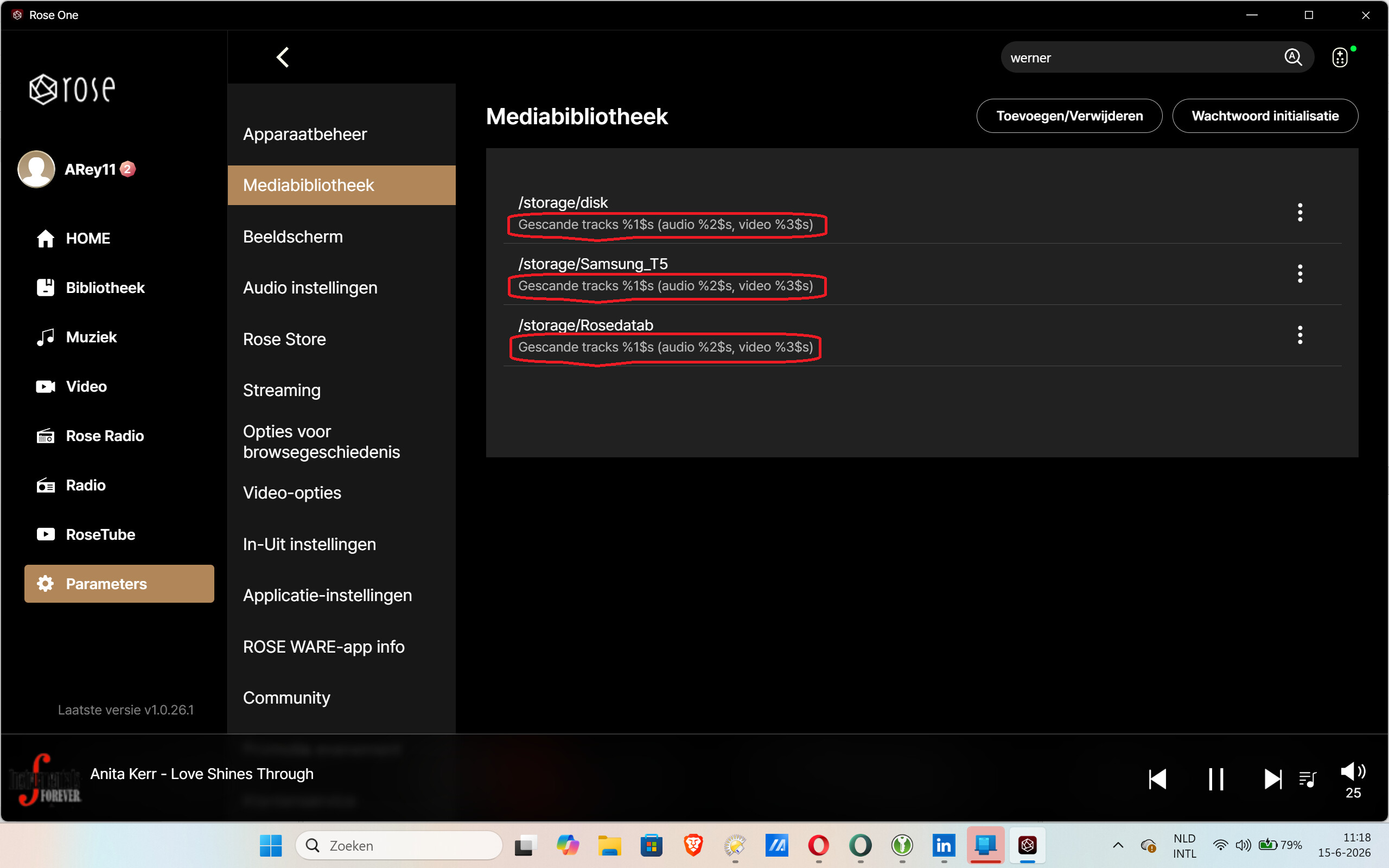
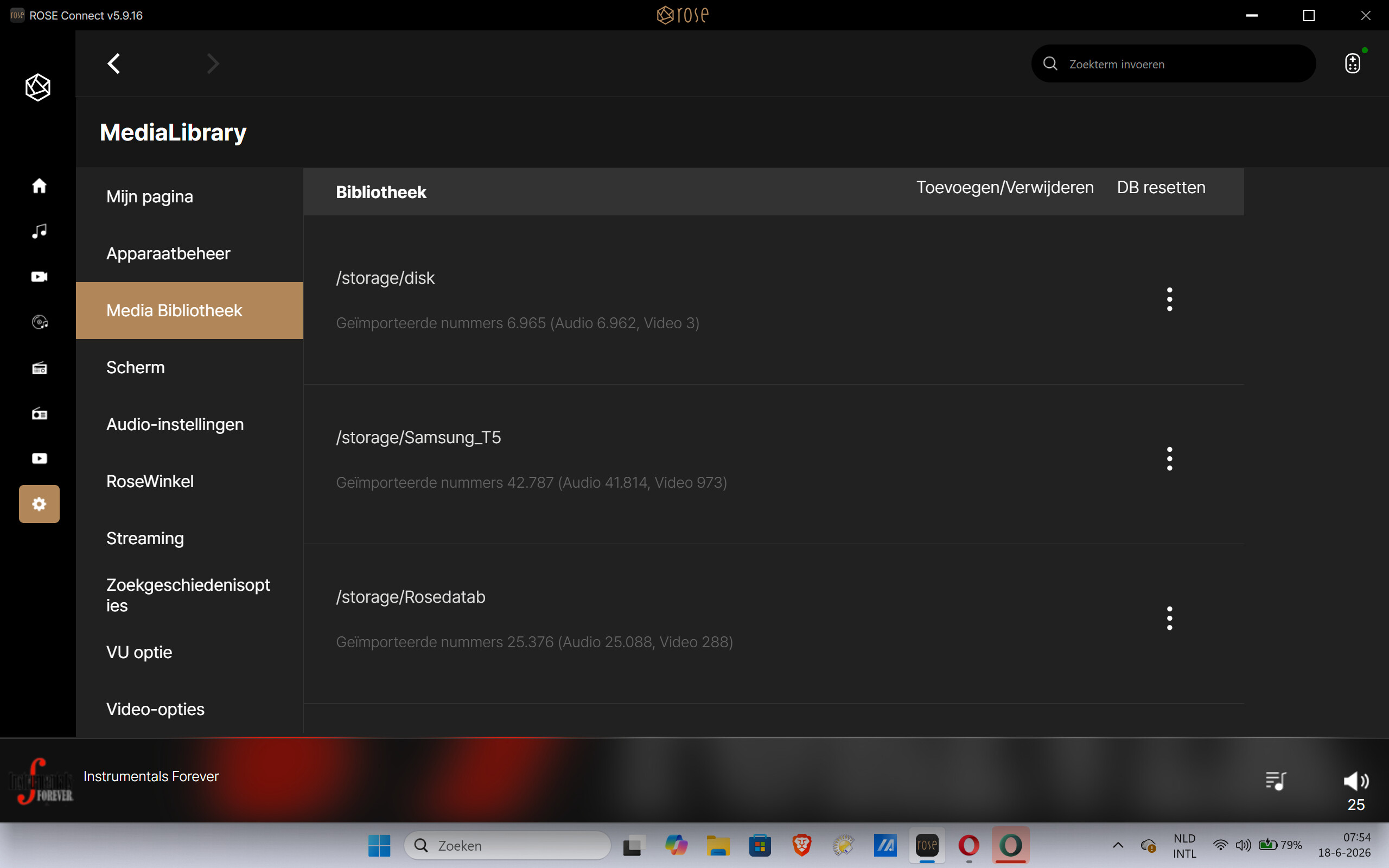
These values are displayed correctly in
Rose Connect
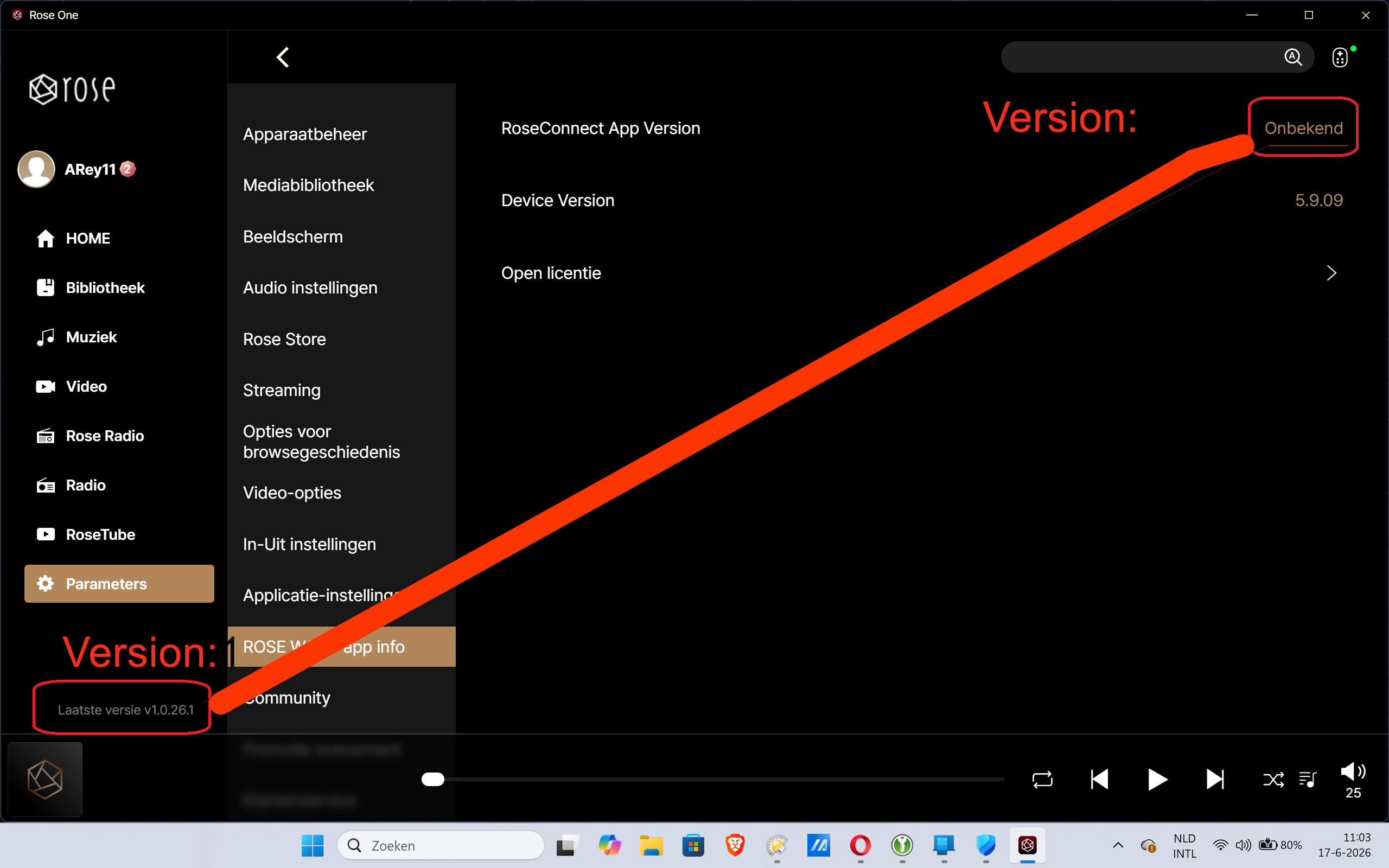
2. Version unknown:
Rose connect one:
Rose connect:
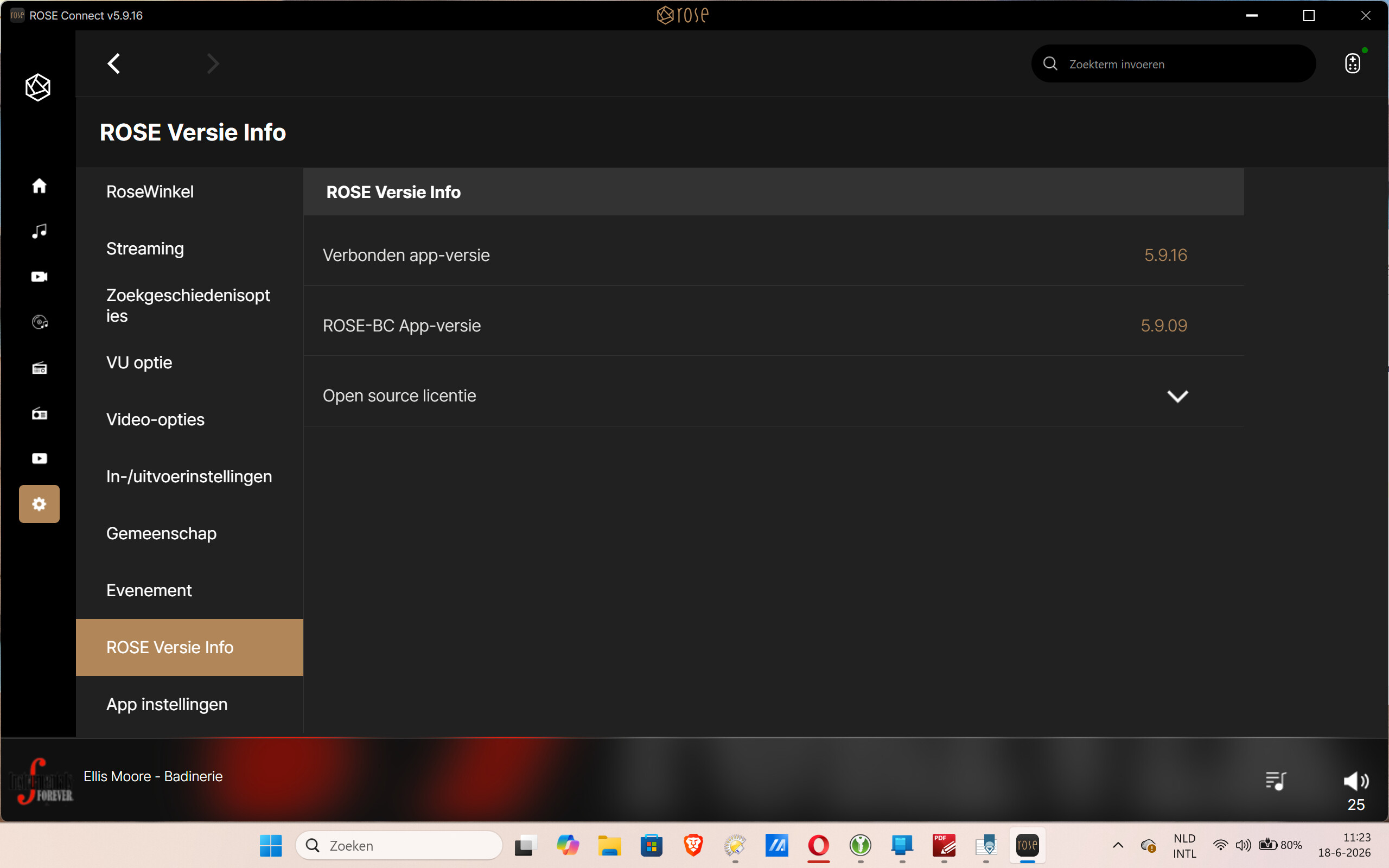
Please check these settings and adjust them in the next version of Rose Connect One.
Thank you.
PLEASE implement a way to organize our library by artist album and not by artist, because now i have thousand of albums with only 1 track, just because it organize my collection by artists. We asked this since years, but you still don’t understand our needs. Thank you
please also add a function in the windows application to adjust the font size cause it is really not convinient to use correctly the app.
Unfortunetly my roon subscription will end on 27TH of june, and I will not renew it because of the price. So i configure the rose one app but for me is a real bad app, I really don’t see any changement with the old app, still so beurk to use it especially when you come from roon
Thank you for sharing the issue with us. We will address it and include the fix in our next release.
Hello Hifi Rose team,
I would like to follow up on my earlier post regarding artist indexing and search functionality.
https://community.roseaudio.kr/t/indexing-artists-in-rose-one/14894/4
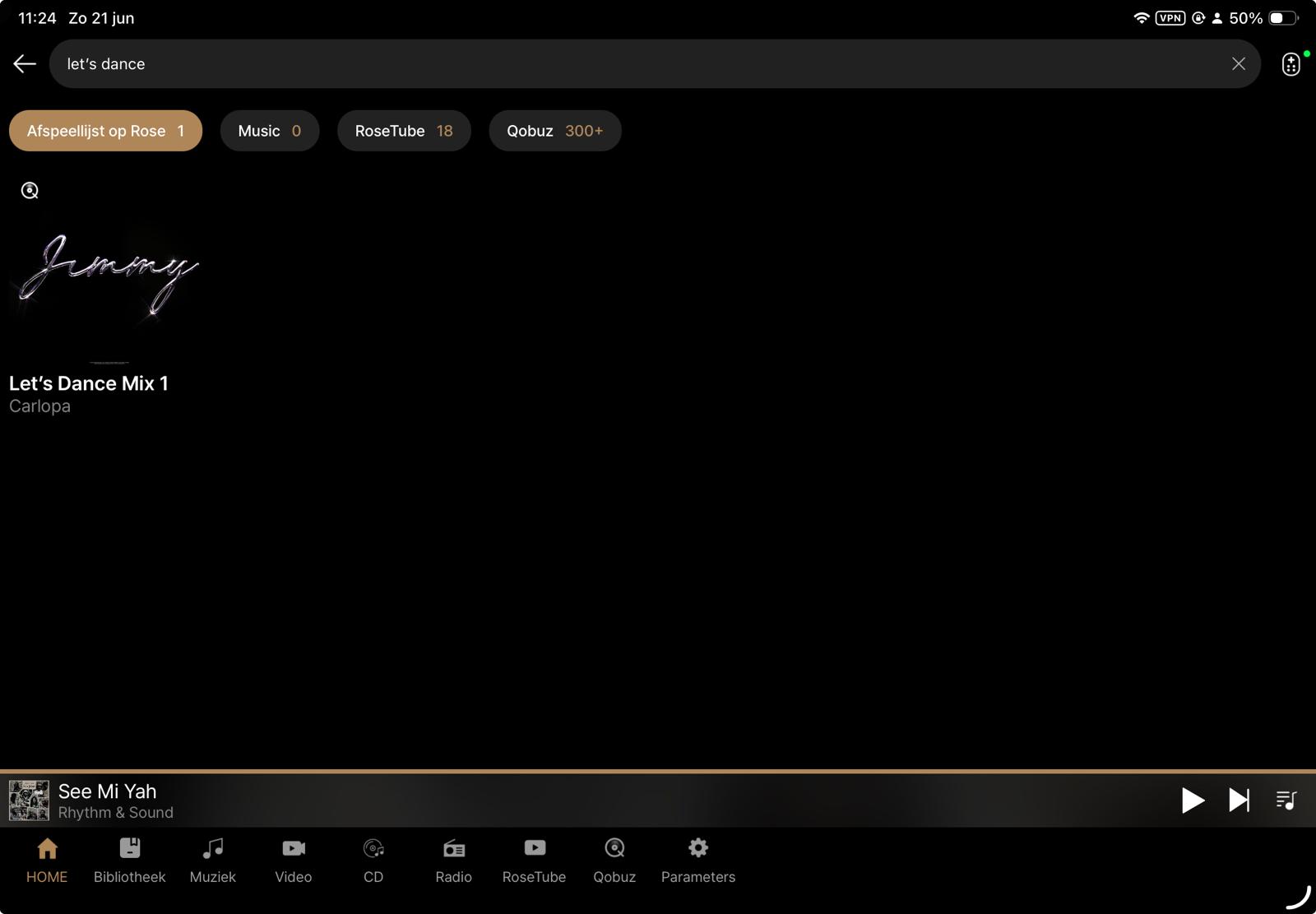
Unfortunately, the latest iOS app update does not seem to have improved the situation. In fact, some search results appear to have become less accurate. For example, searching for “Let’s Dance” now returns no relevant results at all in my library, whereas it did previously.
I also noticed that my earlier post has not received any feedback yet, so I am unsure whether this issue has been acknowledged or is currently being investigated.
Could you please provide an update on the status of artist indexing and search improvements? In particular, it would be helpful to understand whether distinctions such as Track Artist, Album Artist, Composer, and other metadata fields are planned for future indexing enhancements.
I appreciate the continued development of the platform and hope this feedback can help improve what is otherwise an excellent product.
Thank you for your time and support.
@alessandro
1 Like
That’s also Rose’s problem: when they read a post, they don’t respond. What should the gentlemen on the Producer forum do? By not responding, the person writing the post doesn’t know if it’s been read, so sometimes posts get repeated. I’ve done that myself. So I suggest more respect for those who post on this forum.
1 Like
Hello @Querner,
Thank you for taking the time to provide detailed feedback and for following up on this topic.
First of all, we apologize for the lack of response to your previous post. We understand that not receiving feedback can be frustrating, especially when you have taken the time to document specific issues and suggestions.
Regarding the artist indexing and search functionality, we have shared your feedback with our software development team. We are aware that search accuracy and metadata handling remain areas that require improvement, particularly when dealing with large local libraries and complex metadata structures.
We also appreciate your comments regarding metadata distinctions such as Track Artist, Album Artist, Composer, and other fields. These are valuable suggestions, and we have forwarded them to the development team for review as part of our ongoing efforts to improve the library management and search experience.
With regard to the example you mentioned (“Let’s Dance”), we will also share this specific case with the team as it may help identify search behavior that is not currently working as expected.
At this time, we are unable to provide a timeline for any potential changes or enhancements. However, please be assured that your feedback has been acknowledged and is being reviewed internally.
Thank you again for your continued support and for helping us improve the ROSE platform.
1 Like
Hello @Cougar2025,
Thank you for your honest feedback.
We understand your concern regarding the lack of responses to some forum posts. Even when issues have been reviewed internally, we recognize that the absence of a reply can leave users uncertain about whether their feedback has been seen or acknowledged.
We sincerely apologize for this experience.
Community feedback is extremely valuable to us, and we agree that better communication is important. We will continue working to improve how we acknowledge and follow up on user reports and suggestions.
Thank you for taking the time to share your perspective and for being part of the ROSE community.
1 Like
@Rose_love @ROSEHAN @ROSELOA
Hello ROSE Support,
Thank you for your previous response and for forwarding my feedback to the development team.
Unfortunately, after installing the latest firmware update, I have to report that the overall search functionality still has not improved significantly.
Technical Analysis of the ROSE Search Function
Purpose
This report summarizes a series of reproducible tests performed on the search functionality of the ROSE platform.
The purpose is not to report isolated bugs, but to demonstrate consistent search behaviour that appears to indicate more fundamental issues within the search engine.
Test Environment
- Local music library
- ROSE application (latest firmware)
- Qobuz integration enabled
1. Missing Tracks in Local Library Search
The following tracks are correctly present in the local music library but cannot be found using the ROSE search function.
| Track | Artist | Result |
|---|---|---|
| Eagle | ABBA | Not Found |
| Time | Pink Floyd | Not Found |
| Eternal Flame | The Bangles | Not Found |
| Feel Me | Baccara | Not Found |
| Wild Horses | The Rolling Stones | Not Found |
The following tracks are found correctly:
| Track | Artist | Result |
|---|---|---|
| Abacab | Genesis | Found |
| Cara Mia | Baccara | Found |
| Desert Walk | Deep Forest | Found |
| Blind | Todd Rundgren | Found (7th result) |
2. Exact Match Ranking
Searching for:
Blind
returns the correct track only as the 7th search result .
An exact title match would normally be expected to appear at the top of the results.
This suggests that the ranking algorithm may not prioritise exact title matches correctly.
3. Search Term Normalisation
Searching for
Dark & Long
returns 9 track results .
Searching for
Dark And Long
returns only 1 track result .
These two searches represent the same title but produce significantly different results.
A modern search engine would normally normalise characters such as “&” and “and” or otherwise produce nearly identical results.
4. Incomplete Artist Track Listing
Searching for:
Underworld
correctly identifies the artist.
However, the Track results consistently stop around titles beginning with the letter D .
Examples shown:
- Dogman Go Woof
- Doris
- Doscentitos
- Do Breakers Trip
- Dune
- D’Arbly St
- D+B Thing
Many well-known Underworld tracks that should also appear are missing, including for example:
- Jumbo
- King Of Snake
- Moaner
- Pearl’s Girl
- Push Upstairs
- Rez
- Two Months Off
This behaviour is fully reproducible and always produces the same result.
The search results appear to be incomplete or truncated.
5. Qobuz Search
The Qobuz search integrated within ROSE behaves differently from the official Qobuz application.
Examples:
| Track | ROSE Qobuz | Official Qobuz |
|---|---|---|
| Eagle – ABBA | Not Found | Found |
| Wild Horses – The Rolling Stones | Not Found | Found |
| Abacab – Genesis | Not Found | Found |
The same searches performed directly within the official Qobuz application immediately return the expected tracks.
This suggests that the issue is not caused by Qobuz itself but by the way ROSE queries or processes Qobuz search results.
6. Artist Metadata Interpretation
During further testing, another inconsistency became apparent that appears to be related to the way artist metadata is interpreted.
Test
Searching for Steely Dan correctly returns:
- the artist Steely Dan ;
- tracks performed by Steely Dan.
However, when selecting the artist page, the displayed content is unexpected.
Instead of primarily presenting the Steely Dan discography, the first tracks shown belong mainly to compilation albums where:
- Track Artist = Steely Dan
- Album Artist = Various Artists
The actual Steely Dan albums are present, but they are mixed with or appear after tracks from compilation albums.
Expected Behaviour
When opening an artist page, users would normally expect the application to prioritise albums where:
Album Artist = Steely Dan
Compilation albums where:
Album Artist = Various Artists
should ideally appear in a separate section such as:
- Appears On
- Compilations
- Guest Appearances
rather than being mixed into the artist’s primary catalogue.
Observation
This behaviour suggests that the artist page is constructed primarily from the Track Artist field, while insufficient distinction is made between Track Artist and Album Artist .
This makes navigation through an artist’s catalogue confusing, particularly for users with large music collections containing many compilation albums.
Overall Observations
The issues observed are consistent across multiple independent tests.
The search engine appears to suffer from several separate but related problems:
- Missing tracks although metadata is correct.
- Exact title matches not prioritised.
- Inconsistent handling of equivalent search terms.
- Incomplete artist track listings.
- Different behaviour between ROSE Qobuz Search and the official Qobuz application.
Taken together, these observations suggest that the current search implementation may not be indexing, querying, ranking or returning search results consistently.
Recommendation
The artist view should distinguish between:
- Album Artist
- Track Artist
- Various Artists compilations
- Guest appearances
Using the Album Artist field as the primary source for constructing artist pages would provide behaviour that is consistent with most professional music library applications and would greatly improve navigation and usability.
Recommendations
The development team may wish to investigate:
- Track indexing completeness.
- Search result ranking.
- Search term normalisation (special characters, “&”, punctuation, etc.).
- Result truncation or pagination.
- Local library search versus Qobuz search implementation.
- Consistency between local and streaming search behaviour.
Conclusion
The purpose of this report is not simply to identify isolated examples, but to demonstrate reproducible patterns.
The search functionality is one of the core features of a music server.
Users with large music collections rely on being able to locate any track quickly and accurately.
At present, the search behaviour is not sufficiently consistent to inspire confidence that every valid track can be found.
Almost every issue described in this report appears to involve the interpretation of music metadata. Whether it concerns search results, artist pages, compilation albums, or missing tracks, the common denominator seems to be the way metadata fields are indexed and used throughout the ROSE platform. Resolving these metadata handling issues could potentially address multiple search and navigation problems simultaneously.
I hope these findings help the development team reproduce the issues and improve what is otherwise an excellent hardware platform.
Best Regards
5 Likes
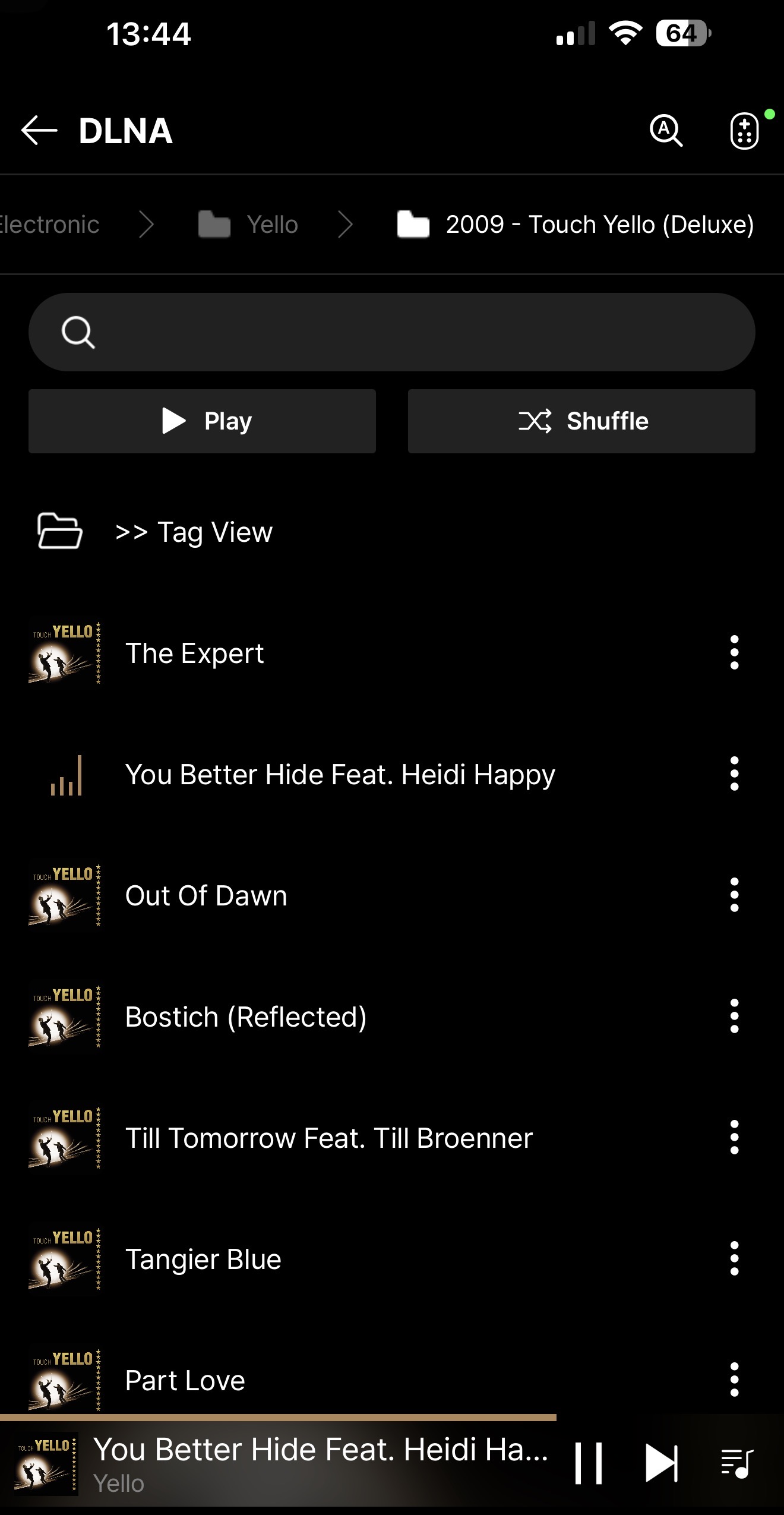
Installata ieri insieme al firmware 5.11 del mio RS130.
C’è molto da lavorare:
- Le icone degli album sono troppo grandi e non ridimensionabili;
- Nelle cartelle preferite della sezione musica gli album sono visualizzati per titolo album e non per Artista e non sono modificabili;
- Sto provando a riprodurre degli interi album partendo dall’album visualizzato nelle cartelle preferite con il tasto riproduci tutto ma non funziona. Soltanto dalla cartella che fa riferimento al SSD accetta il comando;
- sarebbe auspicabile che nella visualizzazione della cartella con sottocartelle generi del SSD si potessero visualizzare le immagini associate denominate folder. all’interno delle sottocartelle contenenti generi - artista - album così come organizzate nel SSD imponendo all’applicazione di visualizzare la foto denominata folder o cover associata alla cartella;
- Ancora non è possibile visualizzare eventuali foto aggiunte nella cartella con le cover di ogni album contenenti copertina front, back, CD, booklet etc.
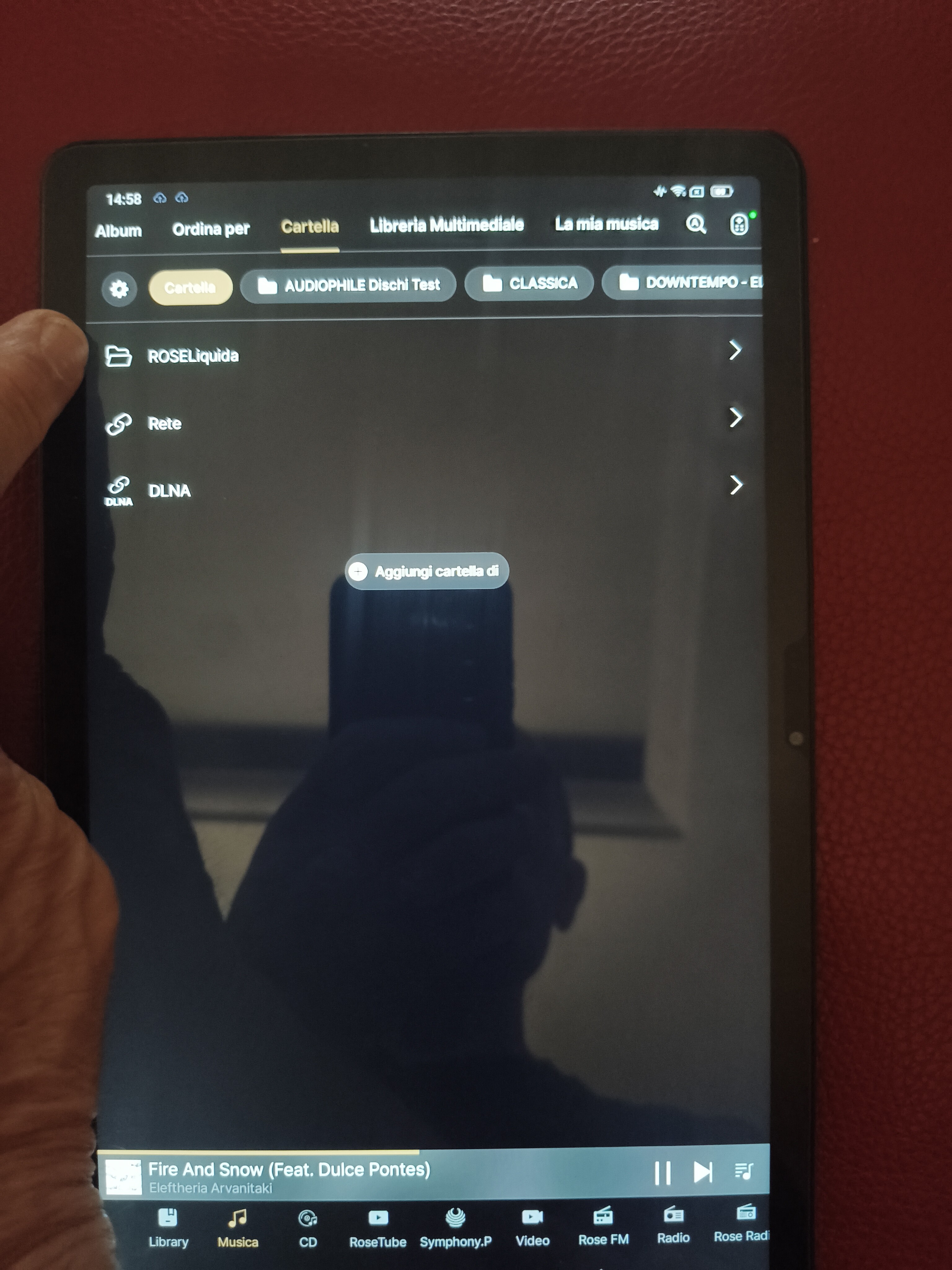
Sarebbe inoltre auspicabile di poter aggiungere nella libreria anche il collegamento con il proprio archivio SSD o con i singoli generi/cartelle contenuti nello stesso SSD.
Credo che io continueremo ad utilizzare rose connect premium fino a che la nuova Rose One non sarà riconfigurata e ben funzionante.
Hello @ROSEHAN,
I can’t open a SACD ISO image with RoseConnect One.
It works fine with RoseConnect Premium!
Regards