PIN CODE input complicated

@Rose250A

The PIN code system implemented in HiFi Rose devices is a security feature designed to protect user accounts and personal information stored on the device.
It also serves to comply with data protection and privacy regulations, such as the EU GDPR (General Data Protection Regulation).

Before you can use features like Storage, Ethernet, Wi-Fi, Bluetooth, Device Management, and User Account, you must enter the PIN code.

This may be a dumb question but how do you set up the pin. What is the step by step guide to do so.

Go to settings. Then what? And then what? Also, why is this required if you are in the US. I want to return my device if I have to keep doing this.

1 Like

I have a Rose D-5 5.9.09

If you go to the section that requires a PIN, and you do not have one set, it will ask you to create one, so just enter 11111111 or something…

Why is it required? Because Rose does not want to pay for either someone who can interpret the EU requirements correctly, nor for programmers competent enough to bypass it for users outside of RED area.

3 Likes

@Rbj

Each time the device is rebooted, you are required to enter a PIN code when accessing features such as Storage, Ethernet, Wi-Fi, Bluetooth, Device Management, and User Account.

With the V5.9.07 update, a security authentication feature was added that requires entry of an 8-digit PIN code. If a PIN code has not been set, the user must enter a random number of their choice the first time.

In a future update, we plan to add an option that allows you to enter the PIN code once and then hide or disable the PIN code prompt from the Settings screen.

2 Likes

ROSEHAN

And that’s a very good idea with this hiding, so that it doesn’t require entering the PIN again.

I hope you’ll also keep your word about highlighting and bolding the track being listened to, so that it’s immediately visible to Rose users.

I’d like to remind you that you promised to do this when you updated the app, so we’re sticking to your word.

@Cougar2025

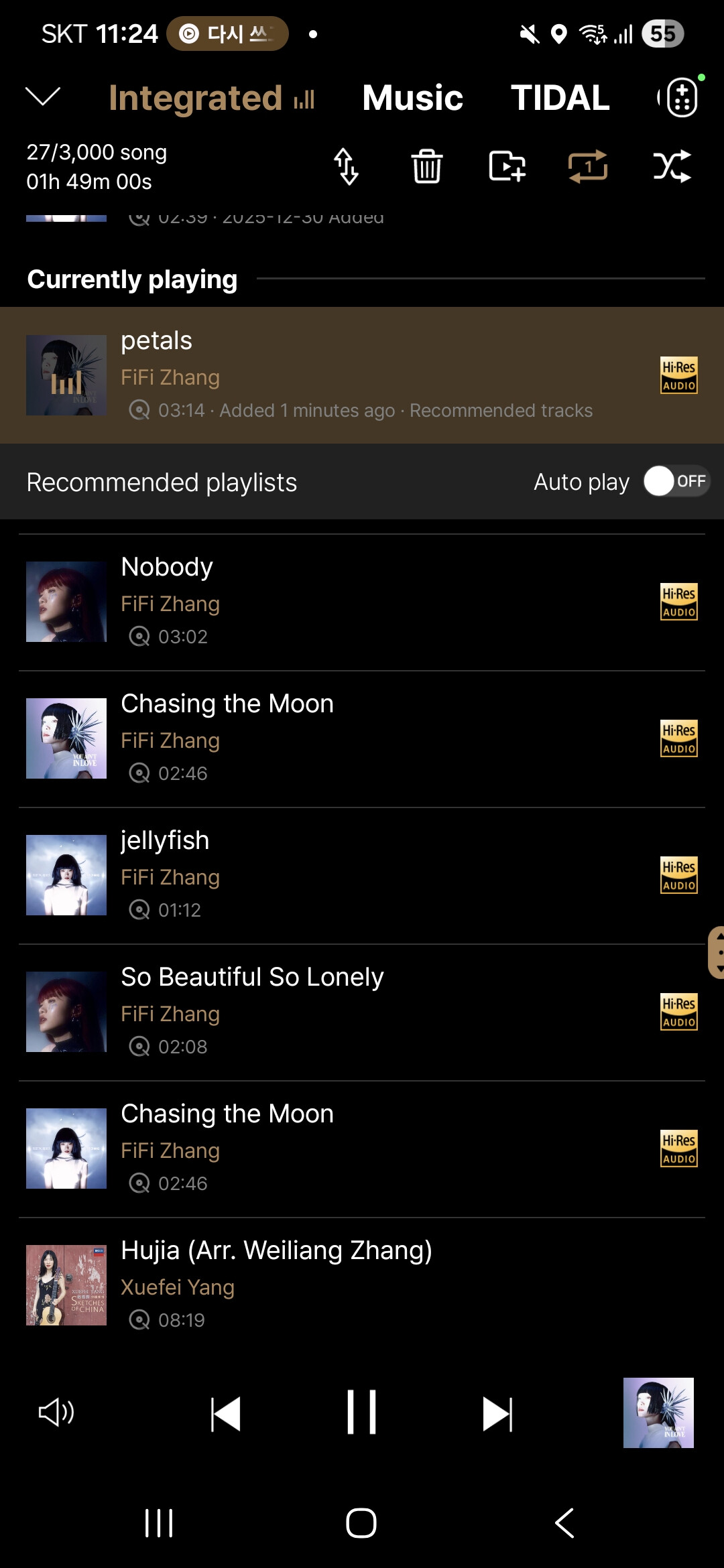
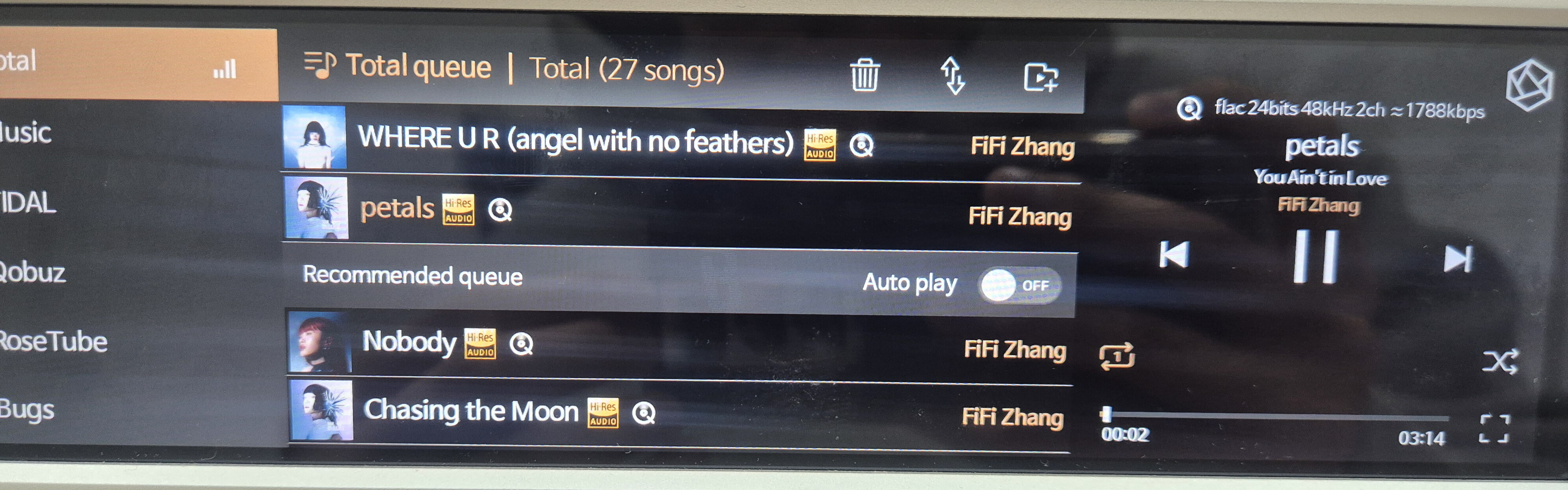
As you can see in the image below, the currently playing track is already highlighted in orange.
What additional changes would you like to see added to the currently playing track?


It is on the tablet or phone that we want to see the track being played!! It’s funny that the requests are so misunderstood!!

1 Like

ROSEHAN

This is exactly what I meant by what the colleague mentioned above. The idea is that the track on a given album that is currently playing should be highlighted or displayed in bold font in the app on a tablet or phone, so that the user doesn’t have to search for it, say, among dozens of tracks, but rather be immediately visible. This should be highlighted in the app on a tablet or smartphone, as well as in the system apps for Tidal and Qoubuz, which are included in Rose devices.

This is a basic feature for virtually all streaming app manufacturers. It’s something very simple, yet very helpful for users of their devices.

For example, Spotify has had this feature in its app on devices practically from the beginning. Theirs is a chart-like display that plays alongside a given track.

It really can’t be that difficult…

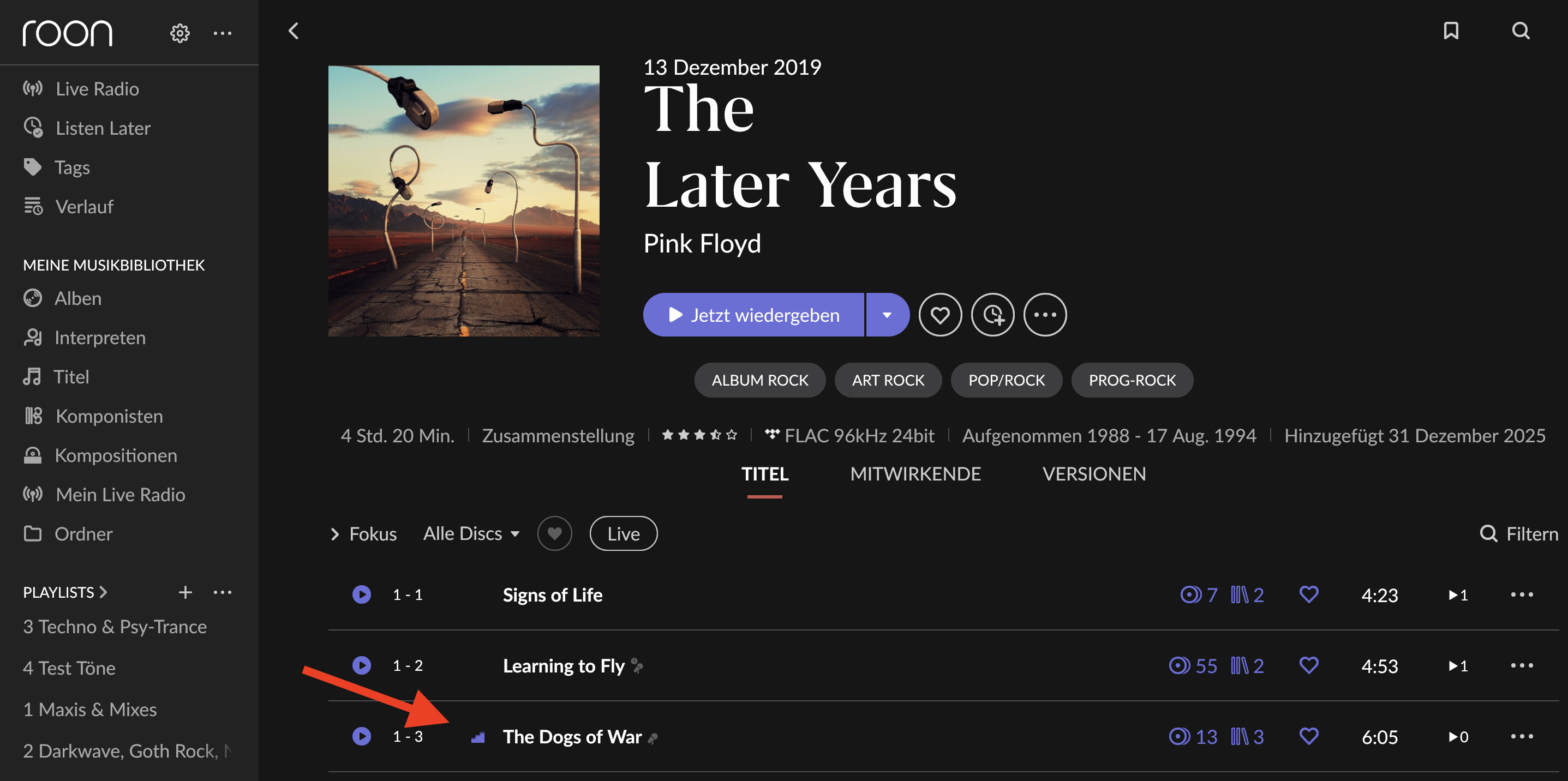
For example:

A small animation (EQ) showing how Roon does it, so everyone can see which song is currently playing.

1 Like

@Cougar2025

This feature is planned to be supported in the upcoming ROSEONE app.

1 Like

ROSEHAN

In that case, we will keep our word and wait for the Rose application update on both Android and iOS.

1 Like

@Cougar2025

Yes, that feature has already been developed and is scheduled to be applied and released in an upcoming version.

2 Likes

ROSEHAN

Great, so we’re waiting for the Rose app update.

1 Like

@Cougar2025

The feature that highlights the currently playing track within the album (for example, by bolding it or marking it in another way) is planned to be implemented in the upcoming ROSE ONE app .

1 Like

Please do this. I can’t stand having to enter a PIN mandated by Europe when I live in the USA.

@Sirpopealot

In a future version to be released, a PIN code–related menu will be added to the Settings.
From this PIN code menu, you will be able to hide or disable the PIN code.

However, if the product is factory reset, you will be required to enter the PIN code initially.

1 Like

Thank you so much, I appreciate the confirmation and I look forward to that update.

ROSEHAN

A new app update has just been released, and I’m saddened because what you promised to do, and what other streaming companies have, is highlighting the currently playing track so you don’t have to search through dozens of tracks on the same album you’re currently listening to. This feature (very important for Rose users) is still missing, which we all regret. You’ve promised something again, and you haven’t kept your word, which is having a very negative impact on the perception of the Rose brand among users, as well as those reading this forum and considering purchasing a Rose device.

So, I ask again: when will you do it? When will we all be able to enjoy this simple feature, which means so much to Rose device users? I’m waiting for a specific answer from you.

However, I haven’t checked whether the PIN can actually be hidden after entering it, but I dare say that this feature may still not work.
However, this feature will only be implemented when the device software changes, not the app’s software, as I understand it. So, we’ll have to wait for this feature.

@Cougar2025

First of all, we apologize for the inconvenience.

Please help us clarify a few points by answering the questions below.

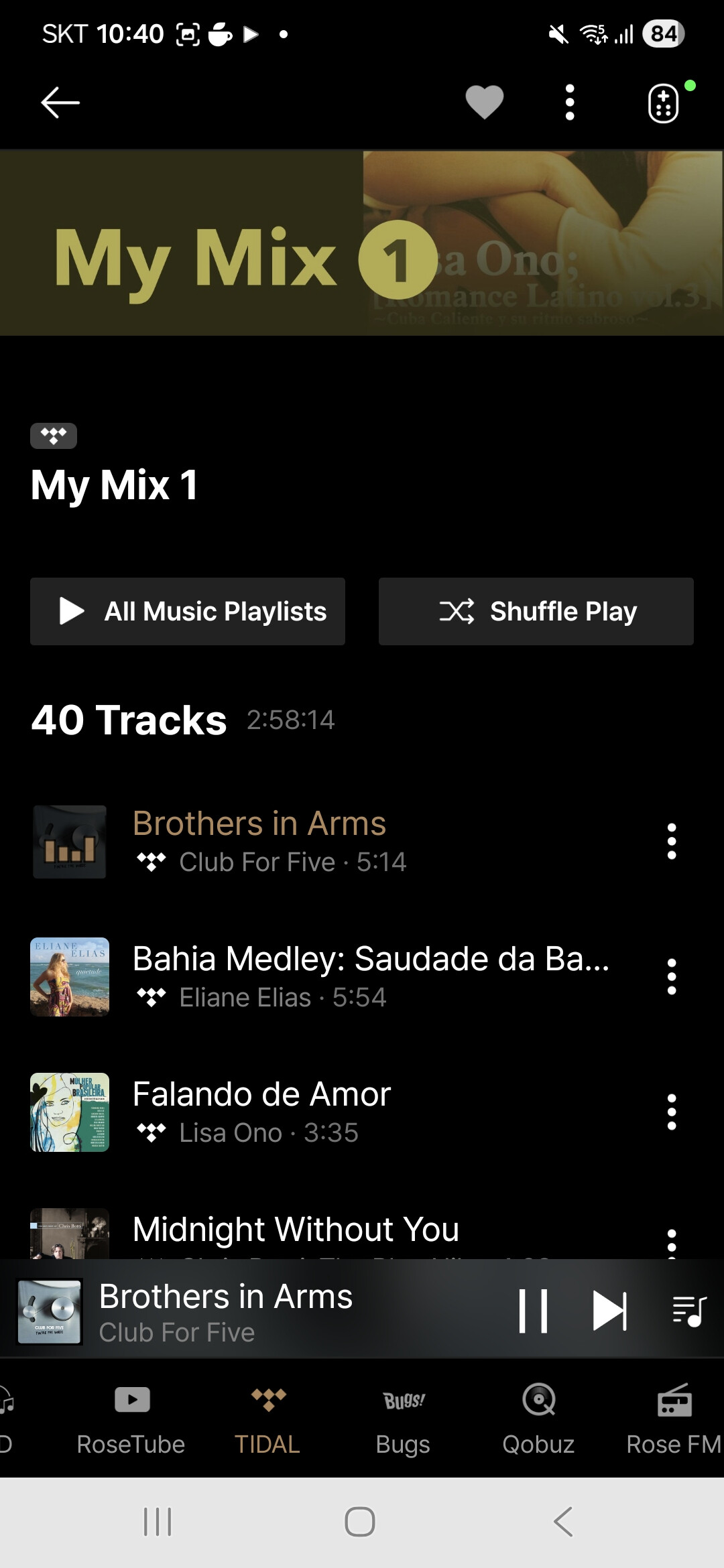
When you play a track in the ROSE ONE app, are you saying that the currently playing track is not highlighted?
In the image below, you can see that the track currently being played is highlighted within the album.

Please let us know the exact name of the app you are using, and clearly confirm whether what I described above matches the issue you are experiencing or not.

The PIN code–related update will be applied when a future ROSE OS update is released.