PIN CODE input complicated

ROSEHAN

I tested it on my own and several of my colleagues’ audio systems. We also checked it in stores where Rose products are sold in my country. We all use the ROSE CONNECT PREMIUM 5.9.09.02 app, which is the latest version. The app runs fast and without any issues. Unfortunately, it doesn’t highlight the bold track title of the current album.

I downloaded the ROSE CONNECT ONE app today, version 1.0.3.11, and yes, the track is highlighted, just like in your photo. Unfortunately, the app works very poorly on my Android device. Sometimes I have to press a function several times for it to work. Another issue is that everything works very slowly, as if in slow motion. To make matters even worse, it performs the worst on my Samsung tablet, while on two other smartphones, it runs a bit faster and has fewer issues, although it’s still slower than with the ROSE CONNECT PREMIUM app. Additionally, the “Volume settings for each source” function has been removed from the settings in the ROSE CONECT ONE app; it’s nowhere to be found.

Our question is whether you will add the feature I mentioned to the ROSE CONECT Premium app. Many users use this app, which works flawlessly regardless of the Android version, but the only issue is that the bold track isn’t visible, or the track graph isn’t displayed like in the RCO app.

Since you were able to do this in one app, you can probably do it in the other, RCP, app, which is much faster and more responsive. Alternatively, the RCO app needs to be improved, as it currently performs poorly and is difficult to use unless it’s fixed.

Somebody remind me why we now have two separate apps?

@Cougar2025

Our direction going forward is to provide users with a hybrid app that unifies iOS and Android into a single application.

The hybrid app has the advantage of allowing everything to be managed within one app. However, if the CPU performance of the iOS or Android device being used is limited, the app may run more slowly.

We will also check whether it is possible to add the requested feature to the ROSE CONNECT PREMIUM app.

Please help us by confirming the following details:

  1. The model name of the ROSE device you are currently using.
  2. The model name of your Samsung tablet.

Why do I put such large album covers on this app? It’s weird.

Or let us adjust the size of the album covers to avoid having 5 or 6 covers displayed on a page (13-inch IPad)

ROSEHAN

It doesn’t matter to all of us what the final version of the app will be, but what matters is that it works correctly, just as it did and is on the current app. However, the Rose Connect One app doesn’t work properly, even on a relatively fast phone, not to mention a tablet. A movie or game requires more power than a regular app, so I think it’s a matter of improving the app.

The device is a Rose RS 151
Samsung A7 lite tablet

Please improve the app’s stability and make it faster, like the previous app, which many people use. Could you please add a feature to the previous app so that the user can see which song is currently playing on their tablet/smartphone?

@Cougar2025

Due to hardware limitations on devices equipped with low-performance CPUs, such as the Galaxy Tab A7 Lite, we are unable to further improve stability and performance.

We anticipate that usage on devices such as the Galaxy Tab A7 Lite and Lenovo Tab Plus may be limited or not fully supported in the future.

Once again I’m confused !
If Rose One has not yet been officially released why is it available for download on Apple devices via the App Store ? As @Tony22 asked, why do we now have two separate apps ?

I downloaded Rose One.Here are my initial observations:;

  1. Most of my settings from the Rose Connect Premium App were successfully synced with Rose One. However, there were some important exceptions -
    a. The equaliser now defaults to Pop instead of Basic ( flat ). Even after changing it to Basic it always reverts to Pop after restart.
    b. Output Settings. Speaker Type Selection. My Rose Connect setting was “ Floor Standing Speaker”. Rose One setting was “ Default Volume Curve”.
    c. The artwork on Qobuz Playlists ( not Favourites ) is too large on the iPad when compared with Rose Connect. iPhone is fine.

On the positive side, the overall app appearance was cleaner and less cluttered and I much preferred “ the track playing” display shown on the queueing option when compared with Rose Connect Premium.

I was unable to play any Qobuz track via Rose One. It simply froze on the Home Display ( RS520 - 5.0.09/ iOS 26.2).

I have now deleted Rose One and reverted to Rose Premium Connect. Everything is now working as it was prior to the installation of Rose One.

An official statement to the community from Rose about what you are trying to achieve with Rose One, whether it is intended to replace Rose Connect Premium and a timetable for implementation, is overdue.

ROSEHAN

So let me start by saying that the Samsung A7 lite isn’t just any old tablet, and it doesn’t have any issues with Rose conect Premium, but it only has trouble with the Rose One app. The same tablet supports apps from Lumin, Aurender, and several other streaming companies; only your new app has a problem. The same tablet can easily play simple games and watch a movie on Netflix, but the only problem is with your latest app, which seems unfinished.

A friend of mine has an even older tablet and can use the Lumin without any problems, so this is another example of someone not fully understanding something.

Even on a newer Xiaomi Redmi Note 13 smartphone with 8GB of RAM, it doesn’t quite handle it. It’s better than on the tablet, but it has various strange behaviors. For example, when pressing “Back to Album,” it might not execute the command, or it might move to a completely different option. When pressing “Back to Album” again, it switches to that specific album. Another issue is that when there’s a longer title, the text at the end of it shakes. This wasn’t the case in the previous app. And as I mentioned earlier, there’s no option in the audio settings to adjust the volume for individual outputs. At least not on Android.

Please investigate whether you can enable the previous app to highlight the song you’re listening to and improve the new app, as it’s currently flawed. Nobody is going to buy an $800-$1000 tablet to run your app. It’s nonsense, and no one else has done this for their users.

1 Like

@Cougar2025

I have replied to you via a private message.
Please check your messages.

Why did you make such big album icons on the new application?

An update to my previous post on Rose One implementation,

I installed the app once more this morning and this time was more attentive ! Nevertheless, the following issues remain

  1. The Equalizer always defaults to “Pop” no matter how many times I switch to “Basic”. Since this has a profound effect on the desired sound it needs to fixed as a priority.

2.The artwork sizing on Qobuz Playlists is too large when compared with Rose Connect Premium.

  1. The volume is significantly lower when using Rose One compared with Rose Connect Premium ( I have to double the volume output on Rose One to achieve anything like the same volume output when playing via RoseConnect Premium ).
    Qobuz, Rose Radio and RoseTube ( my three listening / viewing sources) are all impacted by this.

This and the Equalizer issue in particular, make the Rose One app in its current format a non starter for me.

I have compared all the settings in Rose One with those in Rose Connect to ensure they are all the same and that we are comparing like for like.

I would therefore welcome your comments on when we can see a fix for these issues or, indeed, whether there is some new setting( s ) contained within the Rose One app which I have inadvertently missed,
RS520 Rose OS5.9.09. iOS 26.2

@Martini
Thank you for sharing the issues regarding Roseone.
1 .We will apply the fixes in the next version after the revisions are complete.
2. This is the design concept for Roseone.
3. We are unable to reproduce the issue on our devices, so we need more detailed information to investigate further. Could you please let us know your smartphone model and provide any additional details about the situation

The question is simple and remains as always unanswered!! I

@Rose_love
Many thanks for your reply. I look forward to the issue with Equalizer being corrected soon

Regarding the volume issue:

On start up using Rose One, I switch to Setting and see the following - Setting > In/Out Settings > Output >Speaker Type Selection- Default Volume Curve. I change this to read “ Floor Standing Speaker” which is what I have in Rose Connect Premium.

I had assumed that this change would be reflected on the RS520. It is not.
The screen also showed “ Default Volume Curve”. When I changed it to “Floor Standing Speaker” via the screen the sound level was back to normal.

However, when I put the RS520 into standby mode and then switched on again using Rose One, the RS 520 screen was showing “ Floor Standing Speaker” but the Rose One was showing “ Default Volume Curve. The sound volume remained as it should ( not reduced ) as per Floor Standing Speaker.

Clearly, on such an important setting in terms of sound quality, the Rose One app and my RS520 are not talking to each other !

Seemingly, on the equalizer issue ( Pop v Basic ) they are talking with each other ! The RS520 always reverts to Pop after restart even though I had earlier changed the setting to Basic via the screen !

One other, new, issue. RoseTube on Rose One simply does not work. We can see what has been played recently etc. but when we want to continue watching a programme it refuses to play and there is no sound whatsoever.

Finally, I have an iPhone 16 ( iOS 26.2) and an iPad ( 9th generation ) WiFi ( iOS 26.2).
Rose 520 (5.9.09)
.

@Martini
Thank you for your help in identifying the cause of the issue.
The fix is scheduled to be included in the next release.
Thank you

Thanks for your confirmation that a fix will be provided in the next release.

As usual. Promises

It’s becoming so unbelievable

@Rose_love

I have spent a few hours using Rose One 1.0.4. today and would make the following observations -

  1. The Equalizer issue is now fixed. Default is now “Basic” instead of “Pop”.

  2. Output Speaker Type Selection still reverts to “Default Volume Curve” and I look forward to the fix scheduled for the next update.

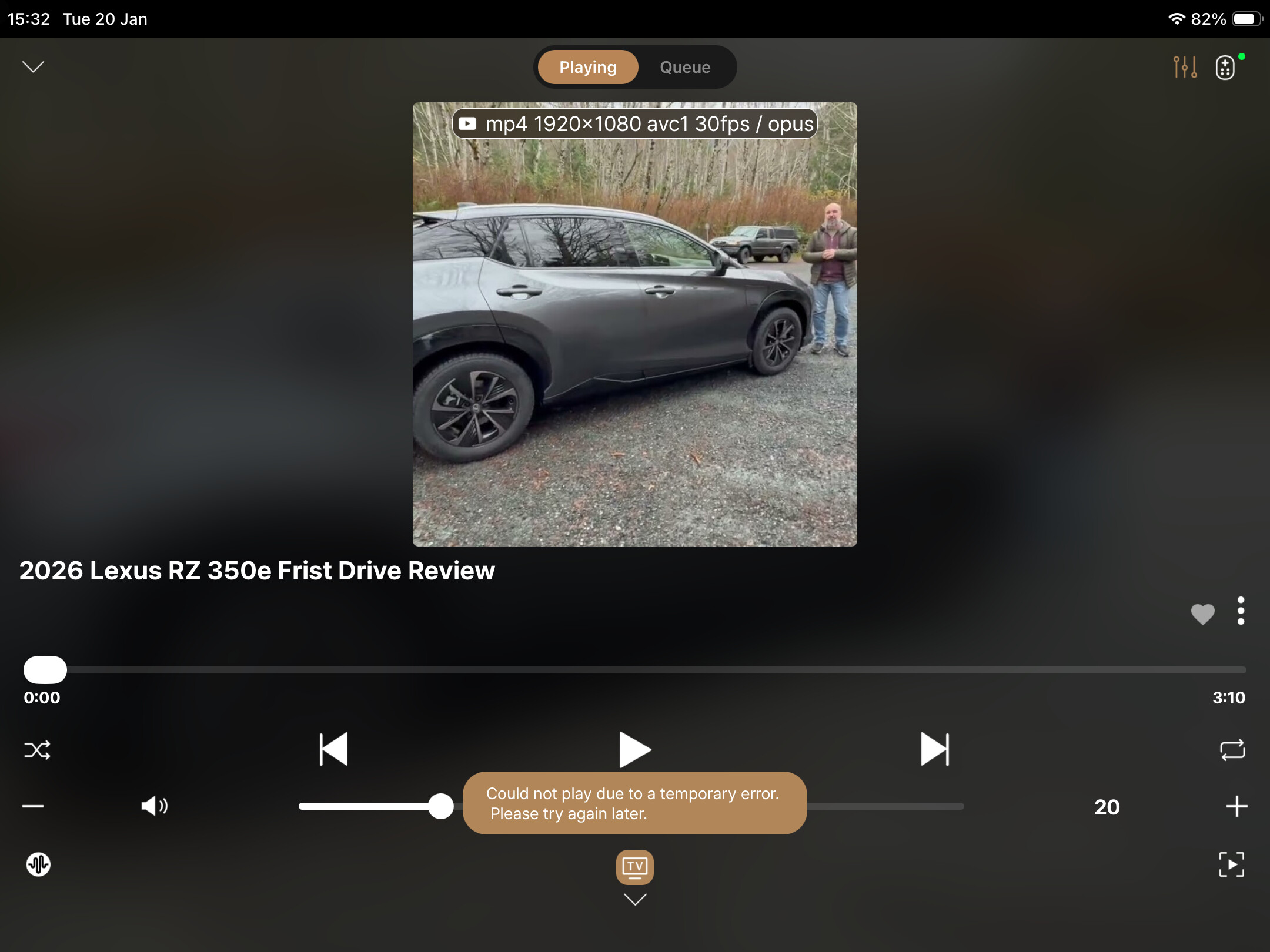
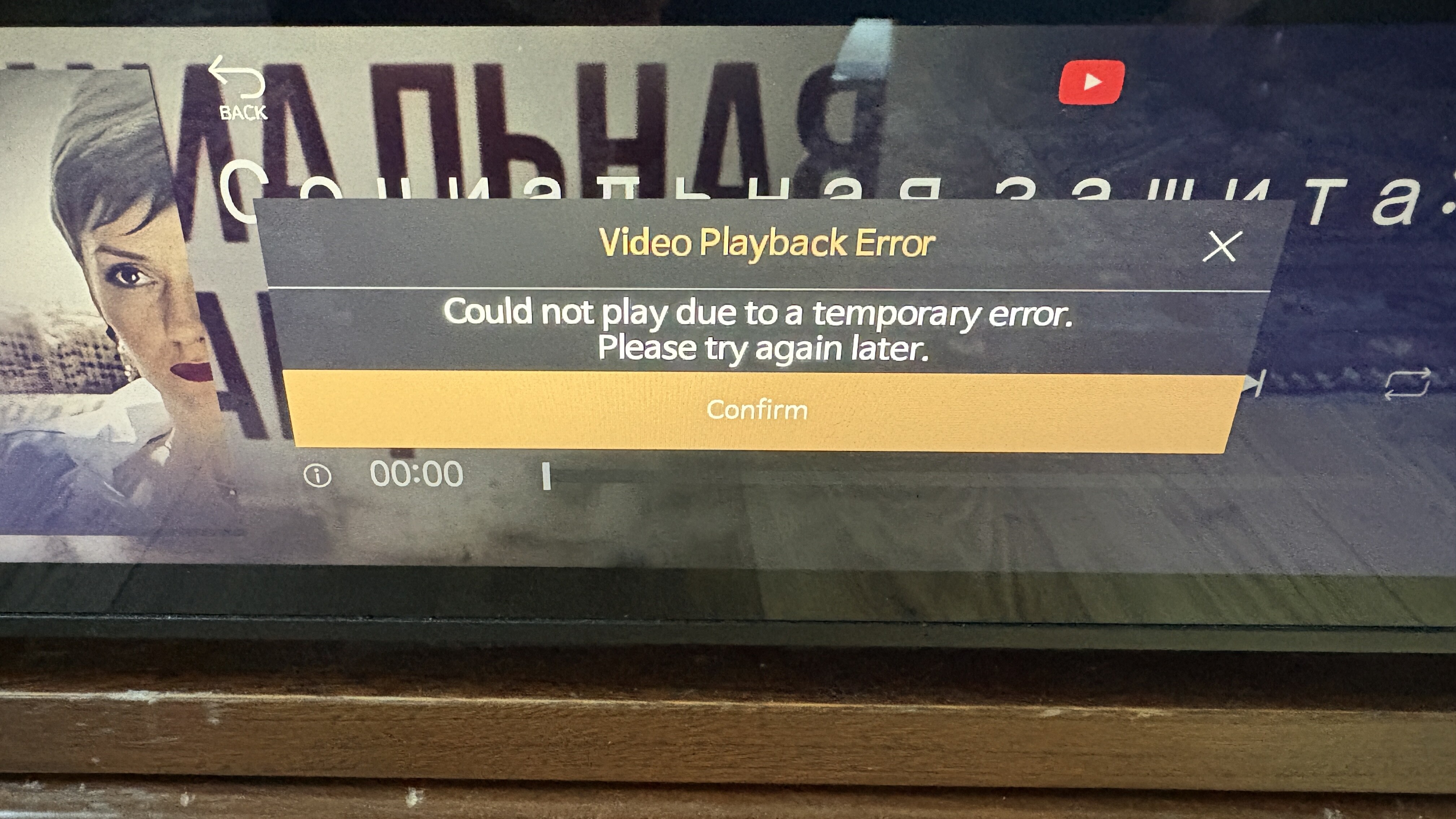
3.RoseTube is very problematic. After opening RoseOne, followed by Rose Tube, I see the following messages on my iPhone / iPad and Rose 520 screen.

Also the TV button at the bottom of the iPhone and iPad screen does not always respond when pressed. After a few minutes, I can normally get the desired movie to start but it’s a very hit and miss affair.

None of these issues exist within the Rose Connect Premium App.

  1. The album icons displayed on the iPad in both My Tidal and My Qobuz in Rose One are now shown as 4 icons per row instead of 7 per row on Rose Connect. I much prefer the latter as it makes for much quicker scrolling.

  2. Rose One is very slow and sluggish when compared to Rose Connect Premium, with Rose Tube being the worst offender.
    I also experienced the screen freeze when scrolling.

As I wrote, and with further confirmation, the Rose One app is very underdeveloped and many things still need to be improved for it to function properly. RCP is definitely a better app and much more refined. A few things would need to be added, a few improvements, and it would be great. However, there are issues that need to be addressed and eliminated. Currently, this app is not user-friendly because there are too many issues. As I mentioned, even with better tablets and smartphones, it’s not a speed demon and freezes. Most importantly, no one will buy tablets or smartphones costing $1,000 to support Rose apps. This is a misconception.

1 Like

Dear HiFi Rose users

First, the issue where the equalizer default reverted from “Pop” to “Basic” has been fixed in Rose One version 1.0.4. We apologize for the inconvenience.

We are already aware of the issue where the Output Speaker Type setting is not fully synchronized between the Rose One app and the RS520 device, and this is scheduled to be fixed in the next update. Since this setting directly affects sound quality, it is being treated as a high priority.

We have also confirmed issues in Rose One related to unstable RoseTube playback, delayed button responses, and occasional playback failures. As these issues do not occur in Rose Connect Premium, improvements are currently in progress based on this comparison.

Concerns regarding overall performance of the Rose One app, including slow operation, freezing, and UI readability, have also been shared internally. Ongoing optimization is being carried out to ensure stable performance even on non–high-end devices.

Rose One is still an evolving application and will continue to be improved over time.